تعارف
The Apple iPad Air (5th Generation) is a versatile tablet featuring the M1 chip, a 10.9-inch Liquid Retina display, and advanced capabilities for productivity and entertainment. This manual provides instructions for setting up, operating, maintaining, and troubleshooting your device.
اهم خاصيتون شامل آهن:
- M1 Chip: Provides enhanced performance for demanding applications and graphics-intensive tasks.
- 10.9-inch Liquid Retina Display: Features True Tone, P3 wide color, and ultralow reflectivity for a clear viewتجربو.
- وائي فائي 6: Offers fast wireless connectivity for internet access and data transfer.
- ٽچ ID: Integrated into the top button for secure authentication and Apple Pay.
- Advanced Cameras: Includes a 12MP Ultra Wide front camera with Center Stage and a 12MP Wide back camera with 4K video recording.
- USB-C رابط: For charging and connecting accessories.

Image: The Apple iPad Air (5th Generation) in Space Gray.
دٻي ۾ ڇا آهي
پڪ ڪريو ته سڀئي شيون پيڪنگ ۾ موجود آهن:
- 10.9 انچ iPad ايئر
- USB-C چارج ڪيبل (1 ميٽر)
- 20W USB-C پاور اڊاپٽر

Image: Contents of the iPad Air packaging, including the device, USB-C cable, and power adapter.
سيٽ اپ ڪريو
1. شروعاتي پاور آن ۽ چارجنگ
To power on your iPad Air, press and hold the top button until the Apple logo appears. If the device does not power on, connect it to the 20W USB-C Power Adapter using the provided USB-C Charge Cable and allow it to charge for at least 30 minutes before attempting to power on again.
2. Basic iPadOS Setup
Follow the on-screen instructions to complete the initial setup. This includes selecting your language and region, connecting to a Wi-Fi network, and setting up Touch ID.
3. وائي فائي ڪنيڪشن
During setup, select your preferred Wi-Fi network from the list and enter the password if required. To connect to Wi-Fi later, go to سيٽنگون > وائي فائي ۽ پنهنجو نيٽ ورڪ چونڊيو.
4. Touch ID Setup
Touch ID allows you to unlock your iPad Air and make purchases securely using your fingerprint. During setup, you will be prompted to register your fingerprint by placing your finger on the top button. You can add more fingerprints later via سيٽنگون > ٽچ ID ۽ پاسورڊ.
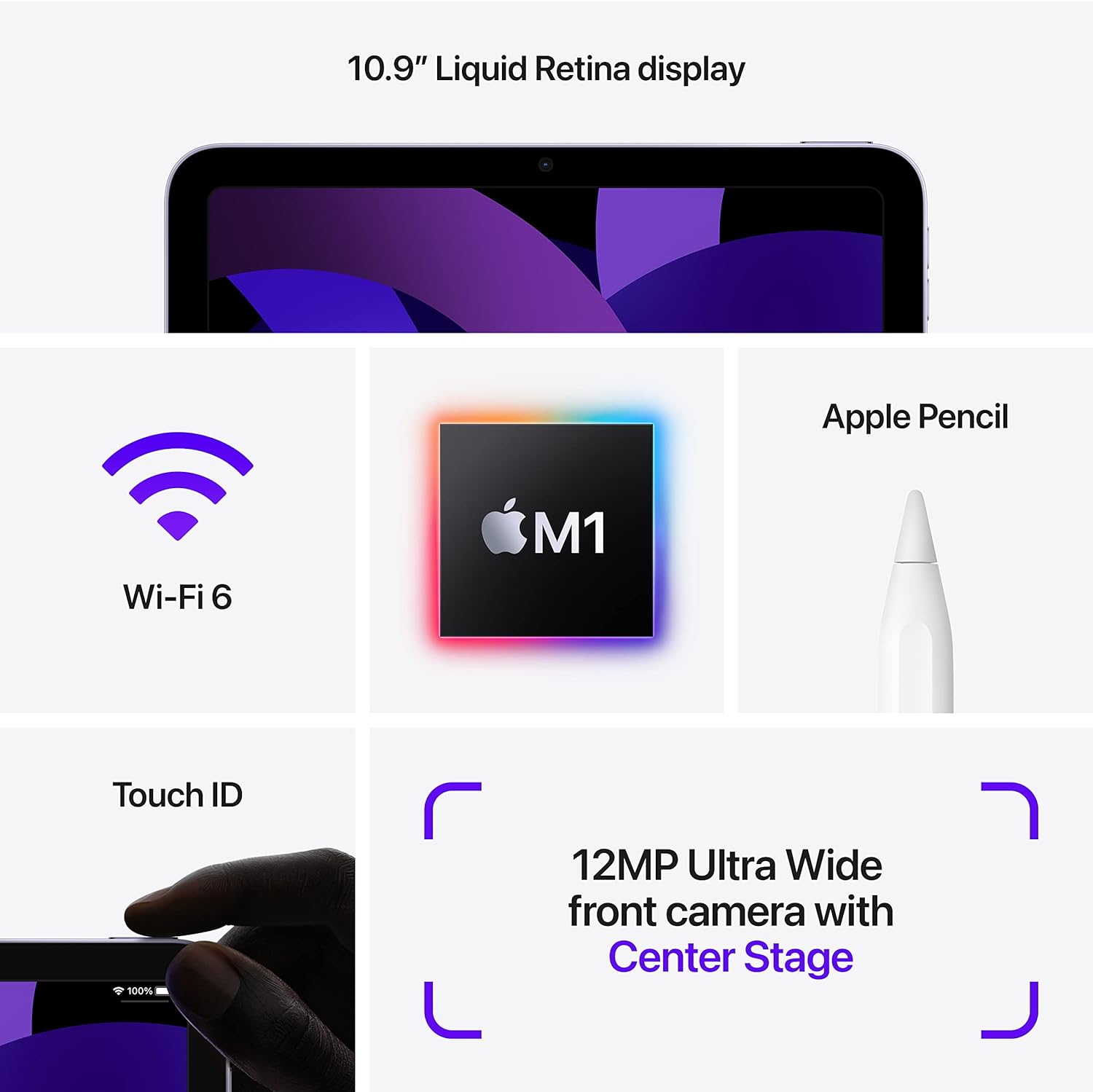
Image: Visual representation of iPad Air features, including Touch ID on the top button.
آپريٽنگ هدايتون
1. Navigating iPadOS
The iPad Air operates using touch gestures on its Liquid Retina display. Swipe up from the bottom to go to the Home screen, swipe down from the top-right for Control Center, and swipe down from the top-center for Notifications. Multitasking is supported, allowing you to run multiple apps simultaneously.

Image: Two iPad Airs demonstrating app usage, including gaming and 3D design.
2. ڪئميرا استعمال ڪرڻ
The iPad Air features a 12MP Ultra Wide front camera and a 12MP Wide back camera. Open the Camera app to take photos or record 4K videos. The front camera supports Center Stage, which automatically keeps you centered during video calls.
3. Apple Pencil (2nd Generation) and Magic Keyboard (Accessories)
The iPad Air is compatible with the Apple Pencil (2nd Generation) for drawing, note-taking, and marking up documents. It also supports the Magic Keyboard for a laptop-like typing experience and trackpad functionality. These accessories are sold separately.

Image: iPad Air with Magic Keyboard and Apple Pencil, demonstrating accessory compatibility.

Image: A user interacting with the iPad Air using an Apple Pencil.
4. Apple Pay
Use Touch ID to securely authorize purchases with Apple Pay within apps and on websites. Set up Apple Pay in سيٽنگون > والٽ ۽ ايپل ادا.
سار سنڀال
1. Cleaning Your iPad Air
To clean the display, use a soft, lint-free cloth. Avoid abrasive materials, aerosols, solvents, or ammonia-based cleaners. For the enclosure, use a soft, damp ڪپڙو. ڊوائيس کي پاڻي ۾ نه ٻوڙيو.
2. بيٽري جي سنڀال
The iPad Air uses a rechargeable lithium-ion battery. For optimal battery life, avoid exposing the device to extreme temperatures. Charge the device using the provided USB-C Power Adapter and cable. Periodically update iPadOS to ensure efficient battery management.
3. سافٽ ويئر اپڊيٽ
Keep your iPad Air's software up to date to benefit from the latest features, security enhancements, and performance improvements. Go to سيٽنگون > جنرل > سافٽ ويئر اپڊيٽ اپڊيٽس جي جانچ ۽ انسٽال ڪرڻ لاءِ.
مشڪلاتون
1. ڊوائيس جواب نه ڏئي رهيو آهي
If your iPad Air is unresponsive, force restart it: Press and quickly release the Volume Up button, press and quickly release the Volume Down button, then press and hold the Top button until the Apple logo appears.
2. وائي فائي ڪنيڪٽيويٽي جا مسئلا
If you experience issues connecting to Wi-Fi, try the following:
- پڪ ڪريو ته وائي فائي فعال آهي سيٽنگون.
- پنهنجو وائي فائي روٽر ٻيهر شروع ڪريو.
- نيٽ ورڪ وساريو ۽ ٻيهر ڳنڍيو: ڏانهن وڃو سيٽنگون > وائي فائي, tap the "i" next to your network, then tap هن نيٽ ورڪ کي وساريو.
3. ايپ جي ڪارڪردگي جا مسئلا
If an app is not functioning correctly, try closing and reopening it. If the issue persists, check the App Store for updates to the app. As a last resort, delete and reinstall the app.
4. بيٽري جلدي ختم ٿيڻ
بيٽري جي استعمال کي چيڪ ڪريو سيٽنگون > بيٽري to identify apps consuming significant power. Adjust screen brightness, disable background app refresh for non-essential apps, and ensure iPadOS is updated.
وضاحتون
| ماڊل نالو | آئي پيڊ ايئر (پنجين نسل) |
| شيون ماڊل نمبر | MM9L3LL/A |
| ڏيکاريو | ٽرو ٽون سان گڏ 10.9 انچ لِڪوِڊ ريٽينا ڊسپلي |
| ڊسپلي قرارداد | 2360 x 1640 پکسلز |
| چُپ | ايپل M1 چپ 8-ڪور سي پي يو، 8-ڪور جي پي يو، ايندڙ نسل جي نيورل انجن سان |
| ميموري رکڻ جي صلاحيت | 256 GB (variant shown, also available in 64GB) |
| سامهون ڪئميرا | سينٽر ايس سان 12 ايم پي الٽرا وائڊtage |
| پوئتي ڪئميرا | 12 ايم پي وائڊ سمارٽ HDR 3 ۽ 4K وڊيو رڪارڊنگ سان |
| بيٽري جي زندگي | Up to 10 hours (Wi-Fi), Up to 9 hours (cellular data) |
| ڳنڍيندڙ | USB-C |
| طول و عرض (H x W x D) | 9.74 x 7.02 x 0.24 انچ (247.6 x 178.5 x 6.1 ملي ميٽر) |
| وزن | 1.0 pound (458 grams) Wi-Fi model; 1.02 pounds (462 grams) Wi-Fi + Cellular model |
| تاريخ پهرين دستياب | مارچ 11، 2022 |
وارنٽي ۽ سپورٽ
For detailed warranty information and technical support, please refer to Apple's official website or contact Apple Support directly. Warranty terms and conditions may vary by region and purchase date.
You can find additional resources and support at سپورٽ. ايپل.com/آئي پيڊ.


