تعارف
This manual provides detailed instructions for the FACOI Smart Watch, Model 206. It covers setup, operation, maintenance, and troubleshooting to help you maximize your device's potential. This smart watch is designed for both men and women, offering comprehensive features including call management, activity tracking, and health monitoring, compatible with both Android phones and iPhones.
دٻي ۾ ڇا آهي
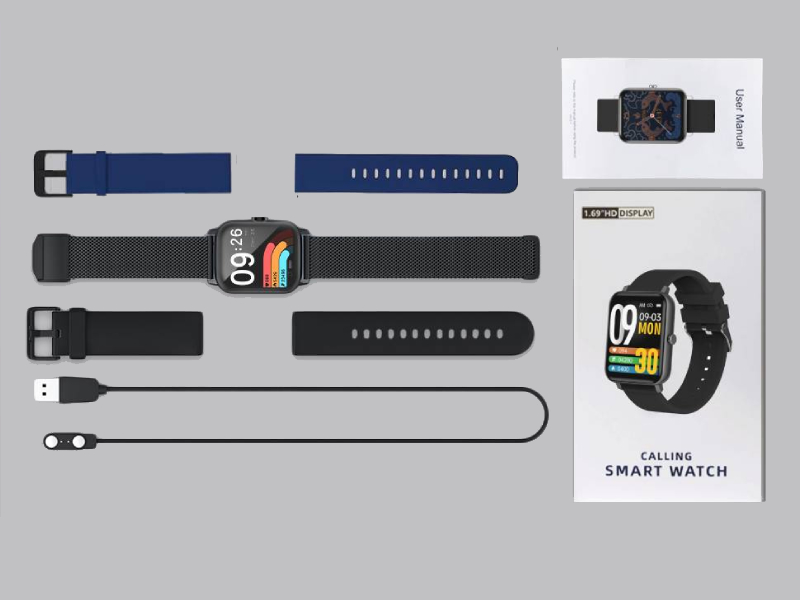
Image: The FACOI Smart Watch package contents, showing the smartwatch unit, a blue silicone strap, a black silicone strap, a black mesh strap, a magnetic charging cable, and the user manual.
- FACOI Smart Watch Unit
- Silicone Watch Straps (typically 2-3, e.g., black, blue)
- مقناطيسي چارجنگ ڪيبل
- استعمال ڪندڙ دستي
سيٽ اپ ڪريو
1. سمارٽ واچ کي چارج ڪرڻ
Before first use, fully charge your smart watch. Connect the magnetic charging cable to the charging points on the back of the watch. Plug the USB end into a standard USB power adapter (not included) or a computer USB port. The watch display will indicate charging status. A full charge typically takes about 2 hours.
2. Installing Watch Straps
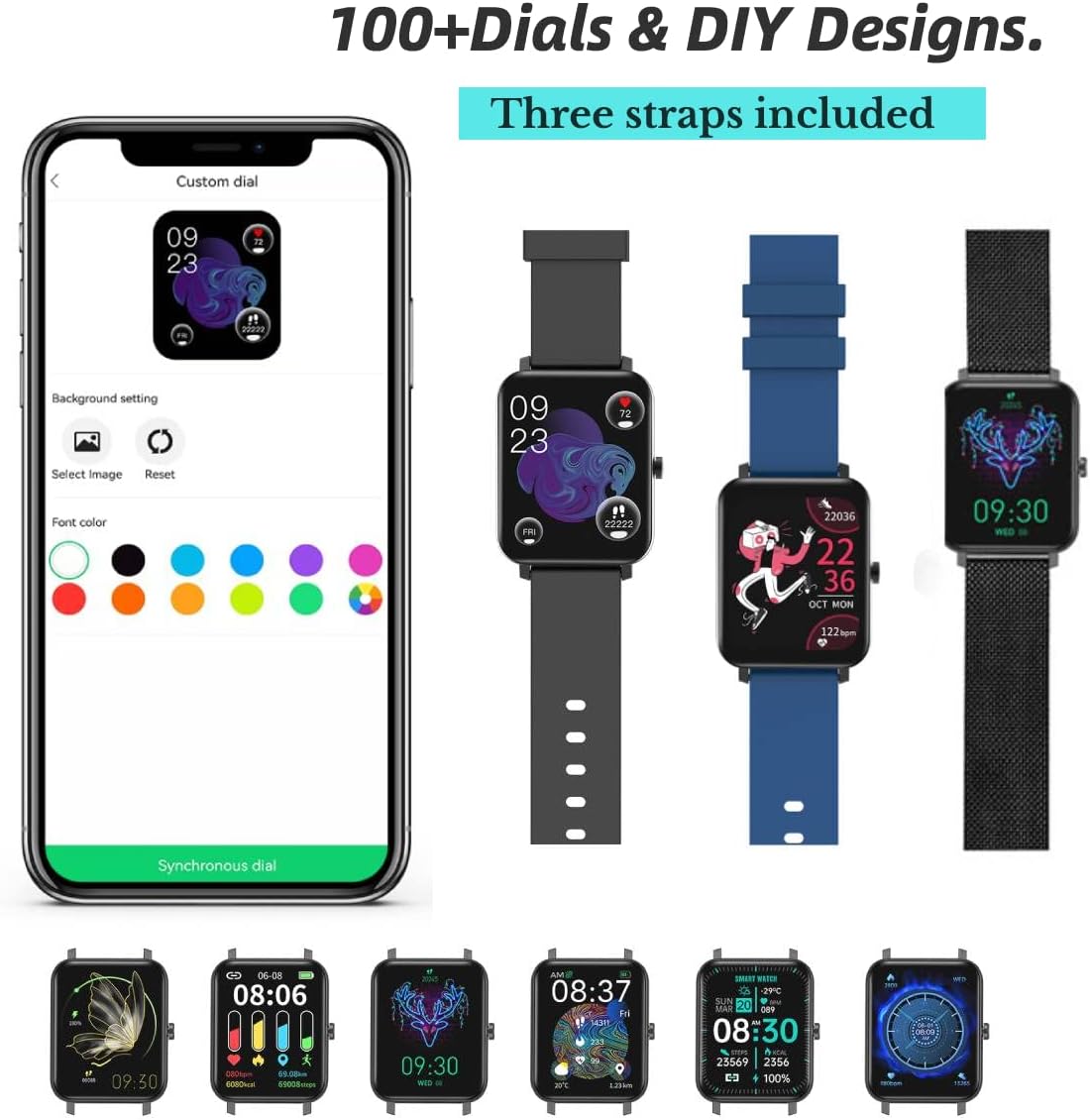
Image: The FACOI Smart Watch with multiple strap options, demonstrating how different straps can be attached to the watch body.
The FACOI Smart Watch comes with interchangeable straps. To attach a strap, align the spring bar with the lug holes on the watch body and push the pin inward to secure it. Release the pin once aligned in the hole. Ensure both ends of the strap are securely fastened before wearing.
3. توهان جي اسمارٽ فون سان جوڙڻ
- ايپ ڊائون لوڊ ڪريو: Scan the QR code provided in the quick start guide or search for "Glory Fit" in your smartphone's app store (App Store for iOS, Google Play Store for Android). Install the application.
- بلوٽوت کي فعال ڪريو: پڪ ڪريو ته توهان جي اسمارٽ فون تي بلوٽوت فعال آهي.
- Open Glory Fit App: Launch the Glory Fit app and follow the on-screen instructions to create an account or log in.
- ڊوائيس شامل ڪريو: In the app, navigate to the "Device" or "My Device" section and select "Add Device." The app will search for nearby smart watches.
- ڳنڍڻ: Select "FACOI Smart Watch" or the corresponding device name from the list. Confirm the pairing request on both your phone and the watch if prompted.
- اجازتون: Grant necessary permissions (e.g., notifications, location, contacts) to the app for full functionality.
Once successfully paired, the watch will synchronize time and data with your smartphone.
آپريٽنگ هدايتون
بنيادي نيويگيشن

Image: A visual representation of the smart watch's user interface, displaying different screens for various functions.
- ٽچ اسڪرين: Swipe left/right to navigate between main screens (e.g., activity data, heart rate). Swipe up/down to access quick settings or notifications. Tap to select an icon or option.
- پاسي واري بٽڻ: Press the side button to wake the screen, return to the main watch face, or access the app menu.
Bluetooth Call and Message Reminders

Image: The smart watch displaying an incoming call, a dialpad for making calls, and notifications from social media applications.
- ڪال ڪرڻ: Once paired via Bluetooth, you can dial numbers directly from the watch's dialpad or select contacts synchronized from your phone.
- ڪال وصول ڪرڻ: When an incoming call arrives, the watch will display the caller ID. You can answer or reject calls directly from the watch. The watch features a built-in speaker and microphone for hands-free communication.
- پيغام جا اطلاع: The watch will display notifications from various apps (e.g., SMS, WhatsApp, Facebook, Twitter) once enabled in the Glory Fit app.
واچ جي منهن کي ترتيب ڏيڻ
The Glory Fit app offers over 100 watch faces and allows for DIY designs. In the app, navigate to the "Dial Settings" or "Watch Face" section to browse and apply new watch faces. You can also upload your own photos to create custom backgrounds.
صحت جي نگراني

Image: The smart watch displaying real-time health metrics such as blood pressure, blood oxygen saturation, heart rate, and sleep duration, along with a graph of heart rate recording.
- دل جي شرح جي نگراني: واچ مسلسل توهان جي دل جي رفتار جي نگراني ڪري ٿي. View real-time data on the watch or detailed historical data in the app.
- رت جي آڪسيجن (SpO2) جي نگراني: ضرورت مطابق پنهنجي رت جي آڪسيجن جي سطح کي ماپيو.
- بلڊ پريشر مانيٽرنگ: Provides an estimate of your blood pressure. Note: This device is not a medical device and should not be used for medical diagnosis or treatment.
- سمهڻ جي ٽريڪنگ: The watch automatically tracks your sleep patterns, including deep sleep, light sleep, and awake time. Review your sleep quality and duration in the Glory Fit app.
- بيڪار ياد ڏياريندڙ: The watch can remind you to move if you have been inactive for too long.
Activity Tracking and Sports Modes

Image: The smart watch being used during various activities, highlighting its waterproof capabilities and the extensive list of supported sports modes.
- پيڊٽر Tracks your daily steps, distance covered, and calories burned.
- راندين جا طريقا: The watch supports 24 different sports modes, including Running, Walking, Cycling, Jump Rope, Badminton, Table Tennis, Tennis, Mountain Climbing, Basketball, Football, Baseball, Volleyball, Cricket, Rugby, Hockey, Dancing, Spinning, Yoga, Sit-ups, Indoor Run, Gymnastics, Rowing, Jumping Jacks, and Free Training. Select the appropriate mode before starting your workout for accurate tracking.
ٻيون خاصيتون
- رڪاوٽ Access the stopwatch function from the watch menu for timing activities.
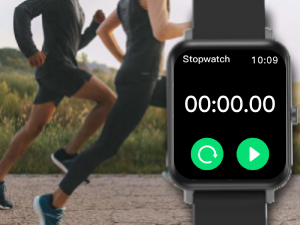
Image: The stopwatch interface on the smart watch.
- ريموٽ ڪئميرا ڪنٽرول: پنهنجي فون جي ڪئميرا لاءِ واچ کي ريموٽ شٽر طور استعمال ڪريو.

Image: The smart watch displaying the camera shutter icon, used to remotely trigger a phone's camera.
- موسمي اڳڪٿي: View current weather conditions and forecasts directly on your watch after synchronization with the app.
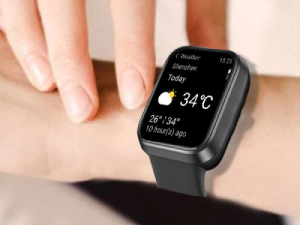
Image: The smart watch screen showing the current temperature and weather conditions.
- موسيقي ڪنٽرول: پنهنجي اسمارٽ فون تي موسيقي جي پلے بیک کي ڪنٽرول ڪريو (کيڏو، روڪيو، ٽريڪ ڇڏي ڏيو) سڌو سنئون واچ مان.
سار سنڀال
- پاڻي جي مزاحمت (IP67): The watch is IP67 waterproof, meaning it is resistant to splashes, rain, and brief immersion in water (up to 1 meter for 30 minutes). It is suitable for daily use and activities like washing hands or light rain. It is not recommended for hot showers, saunas, or diving. Avoid prolonged exposure to water.
- صفائي: Regularly clean the watch and straps with a soft, dry cloth. If necessary, use a slightly damp ڪپڙو ۽ هلڪو صابڻ سان صاف ڪريو، پوءِ چڱيءَ طرح سڪايو. سخت ڪيميڪلز يا رگڙيندڙ مواد کان پاسو ڪريو.
- بيٽري جي سنڀال: بيٽري جي زندگي کي وڌائڻ لاءِ، گھڙي کي بار بار مڪمل طور تي چارج ڪرڻ کان پاسو ڪريو. ان کي چارج ڪريو جڏهن بيٽري جي سطح گهٽ هجي. گھڻي عرصي تائين استعمال ۾ نه هجڻ تي گھڙي کي ٿڌي، سڪل جاءِ تي رکو.
مشڪلاتون
| مسئلو | ممڪن حل |
|---|---|
| Watch does not turn on or respond. | Ensure the watch is fully charged. Connect it to the charger for at least 30 minutes. If unresponsive, try a soft reset by pressing and holding the side button for 10-15 seconds. |
| اسمارٽ فون سان جوڙو نه ٿو ٺاهي سگهجي. |
|
| Inaccurate health data (HR, BP, SpO2). | Ensure the watch is worn snugly on your wrist, about one finger's width from the wrist bone. Avoid excessive movement during measurements. Remember, this device is not a medical instrument. |
| اطلاع نه مليا آهن. |
|
| مختصر بيٽري جي زندگي. | Frequent use of features like Bluetooth calls, continuous heart rate monitoring, and bright screen settings can drain the battery faster. Reduce screen brightness, disable unnecessary notifications, and turn off continuous monitoring if not needed. |
وضاحتون
| خاصيت | تفصيل |
|---|---|
| ماڊل نالو | T8pro (Item model number: 206) |
| برانڊ | FACOI |
| اسڪرين جي ماپ | 1.69 انچ (ڏسندڙ اسڪرين ڊاگونل: 2" / 5 سينٽي ميٽر) |
| آپريٽنگ سسٽم | Android (Compatible with Android and iOS) |
| رابطي ٽيڪنالاجي | بلوٽوٿ |
| خاص خاصيتون | Sleep Monitor, 3 Watch Straps, Multisport Tracker, Sedentary Reminder, Phone Call |
| پاڻي جي مزاحمت | IP67 |
| بيٽري جو قسم | ليٿيم آئن (1 گهربل، شامل آهي) |
| پيداوار جي ماپ | 9.64 x 1.38 x 0.46 انچ |
| شيءِ جو وزن | 0.176 ounces / 5 Grams |
وارنٽي ۽ سپورٽ
For warranty information and technical support, please refer to the official FACOI website or contact their customer service directly. You may also find additional resources and FAQs on the product's Amazon listing page or within the Glory Fit application.
يوزر مينوئل جو ڊجيٽل ورجن ڊائون لوڊ لاءِ موجود آهي: يوزر مينوئل (PDF)


