1. تعارف
This manual provides detailed instructions for the operation and maintenance of your Coby CVR42BK Portable Cassette Player and Recorder. Please read this manual thoroughly before using the device to ensure proper function and longevity.
2. پيڪيج مواد
پڪ ڪريو ته هيٺ ڏنل سڀئي شيون توهان جي پيڪيج ۾ موجود آهن:
- Coby CVR42BK Portable Cassette Player and Recorder
- خارجي بوم مائڪروفون
- 120V AC اڊاپٽر
- استعمال ڪندڙ جو دستياب (ھي دستاويز)

Figure 2.1: Included items in the Coby CVR42BK package.
3. پراڊڪٽ ختمview
The Coby CVR42BK is a portable cassette player and recorder designed for both playback and one-touch recording. It features a built-in handle for portability and includes an external boom microphone for enhanced recording quality.

Figure 3.1: Coby CVR42BK Portable Cassette Player and Recorder.
3.1 ڪنٽرول ۽ اشارا
Familiarize yourself with the controls and ports on your device:
- راند جو بٽڻ: Initiates cassette playback.
- رڪارڊ بٽڻ: Activates recording function (requires a blank cassette).
- Fast Forward Button: ٽيپ کي تيزي سان اڳتي وڌائي ٿو.
- Rewind Button: ٽيپ کي جلدي پوئتي ڪري ٿو.
- Stop/Eject Button: Stops playback/recording and opens the cassette compartment.
- حجم ڪنٽرول: پلے بیک جي مقدار کي ترتيب ڏئي ٿو.
- هيڊ فون جڪ (3.5mm): ذاتي ٻڌڻ لاءِ.
- خارجي مائڪروفون ان پٽ: Connects the included boom microphone.
- اي سي اڊاپٽر پورٽ: For connecting the 120V AC adapter.
- بيٽري جو خانو: Holds 4 C batteries for portable power.
4. سيٽ اپ
4.1 ڊوائيس کي طاقت ڏيڻ
The CVR42BK can be powered by either the included AC adapter or 4 C batteries (not included).
- اي سي پاور: Connect the 120V AC adapter to the AC adapter port on the device and then plug it into a standard wall outlet.
- بيٽري پاور: Open the battery compartment on the underside of the unit. Insert 4 C batteries, ensuring correct polarity (+/-). Close the compartment securely.

Figure 4.1: Power options for the CVR42BK.
4.2 ڪيسٽ ٽيپ لوڊ ڪرڻ
- کي دٻايو روڪيو / ڌڪي ڇڏيو ڪيسٽ ڪمپارٽمينٽ جو دروازو کولڻ لاءِ بٽڻ.
- Insert a cassette tape with the open edge facing upwards and the tape side facing you.
- ڪيسٽ ڪمپارٽمينٽ جو دروازو نرميءَ سان بند ڪريو جيستائين اهو ڪلڪ ڪري بند نه ٿئي.

Figure 4.2: Loading a cassette tape.
5. آپريٽنگ هدايتون
5.1 Playing a Cassette Tape
- پڪ ڪريو ته ڪيسٽ ٽيپ لوڊ ٿيل آهي (سيڪشن 4.2 ڏسو).
- کي دٻايو راند button. The tape will begin to play.
- ترتيب ڏيو حجم ڪنٽرول to your desired listening level.
- تيزيءَ سان اڳتي وڌڻ لاءِ، دٻايو فاسٽ فارورڊ بٽڻ. پوئتي ڪرڻ لاءِ، دٻايو ريوائنڊ بٽڻ
- پلے بیک کي روڪڻ لاءِ ، دٻايو روڪيو / ڌڪي ڇڏيو بٽڻ
- For private listening, connect headphones to the 3.5mm headphone jack.
5.2 Recording Audio (One-Touch Recording)
The CVR42BK features one-touch recording and Automatic Level Control (ALC) to optimize recording levels.
- Load a blank or recordable cassette tape into the device. Note: Re-using older cassettes may affect sound quality. New cassettes are recommended for optimal results.
- کي دٻايو رڪارڊ بٽڻ جي راند button will also engage simultaneously. The device will begin recording audio from its built-in microphone or the connected external microphone.
- رڪارڊنگ روڪڻ لاءِ ، پريس ڪريو روڪيو / ڌڪي ڇڏيو بٽڻ
- The device includes an auto-stop feature that will automatically stop recording when the tape reaches its end.
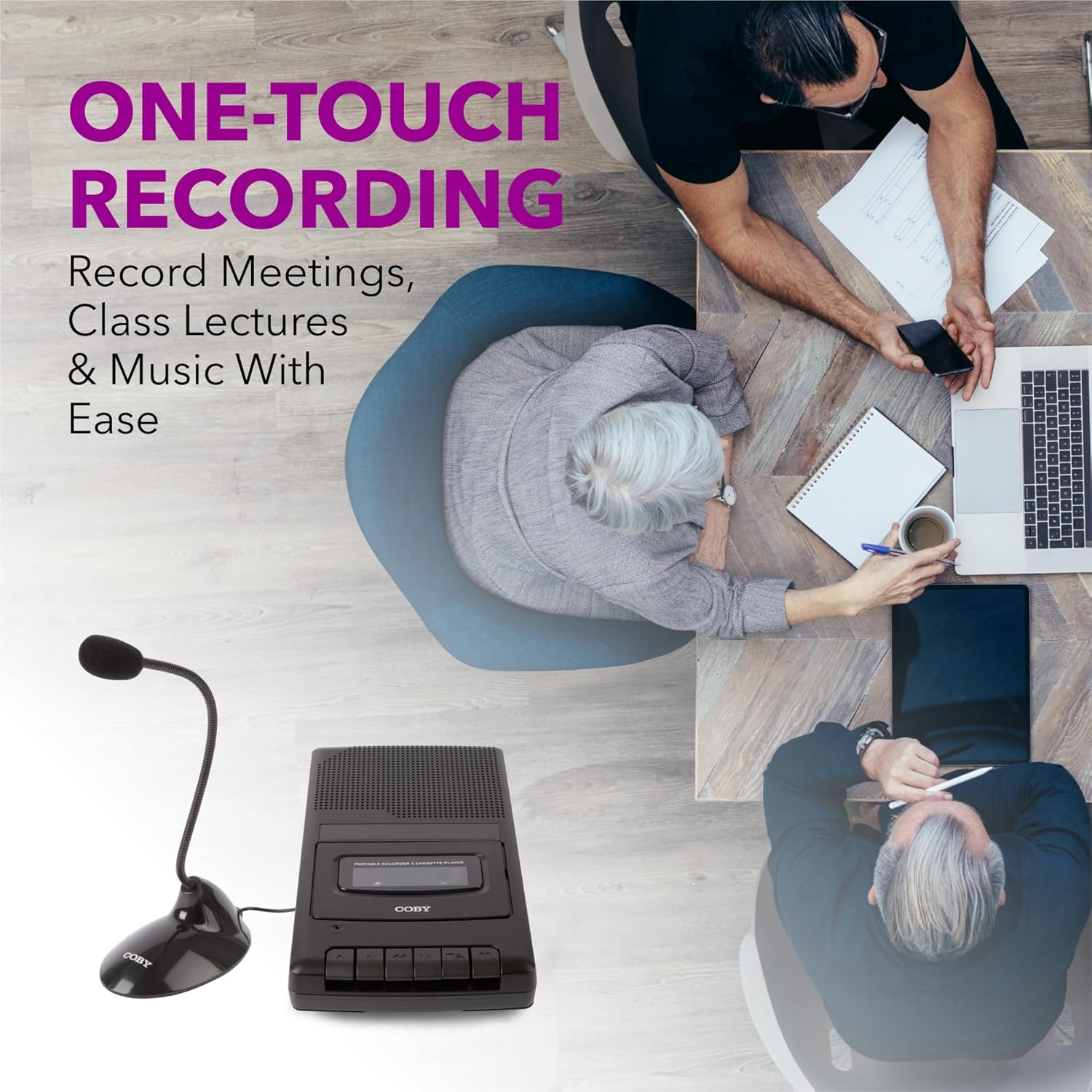
Figure 5.1: Using the CVR42BK for recording.
5.3 Using the External Boom Microphone
For higher quality recordings, especially for lectures or meetings, connect the included external boom microphone.
- Locate the external microphone input port on the CVR42BK.
- Plug the external boom microphone into this port.
- Position the microphone appropriately for the sound source you wish to record.
- Proceed with recording as described in Section 5.2. The device will automatically prioritize the external microphone when connected.

Figure 5.2: External boom microphone in use.
6. سار سنڀال
- صفائي: يونٽ جي ٻاهرين حصي کي صاف ڪرڻ لاءِ نرم، سڪل ڪپڙو استعمال ڪريو. مائع صاف ڪندڙ يا محلول استعمال نه ڪريو.
- ٽيپ جي سر جي صفائي: Periodically clean the tape heads with a specialized cassette head cleaning kit to ensure optimal sound quality and prevent tape damage.
- اسٽوريج: When not in use for extended periods, remove batteries to prevent leakage. Store the device in a cool, dry place away from direct sunlight and extreme temperatures.
- Cassette Care: Store cassette tapes in their cases to protect them from dust and physical damage. Avoid exposing tapes to strong magnetic fields.
7. مسئلا حل ڪرڻ
| مسئلو | ممڪن سبب | حل |
|---|---|---|
| طاقت نه آهي | AC adapter not connected or faulty; batteries depleted or incorrectly inserted. | Check AC adapter connection and power outlet. Replace batteries or ensure correct polarity. |
| پلے بیک دوران ڪو به آواز ناهي | Volume too low; headphones connected; tape head dirty; tape damaged. | Increase volume. Disconnect headphones. Clean tape heads. Try a different tape. |
| رڪارڊنگ ڪم نه ڪري رهي آهي | Tape is write-protected; tape is full; microphone not connected or faulty. | Ensure the write-protect tab on the cassette is intact. Use a blank tape. Check microphone connection. |
| غريب آواز جي معيار | Dirty tape heads; old or damaged cassette tape; external interference. | Clean tape heads. Use a new or known-good cassette tape. Move away from electronic devices. |
| Tape not moving | Tape jammed; mechanism fault. | Gently open compartment and check for tape jams. If problem persists, contact support. |
8. وضاحتون
| ماڊل نمبر | CVR42BK |
| طاقت جو ذريعو | 120V AC Adapter (included) or 4 x 'C' Batteries (not included) |
| خاصيتون | Automatic Level Control (ALC), One-Touch Recording, Fast Forward, Rewind, Volume Control, Auto-Stop |
| مائڪروفون | Built-in microphone, External Boom Microphone (included) |
| هيڊ فون جيڪ | 3.5 ملي اسٽيريو |
| پيداوار جي ماپ (L x W x H) | 10.2 x 5.83 x 1.97 انچ (25.9 x 14.8 x 5 سينٽي) |
| شيءِ جو وزن | 1.75 پائونڊ (0.79 ڪلوگرام) |
| يو پي سي | 810071491450 |
9. وارنٽي ۽ سپورٽ
For warranty information or technical support, please refer to the warranty card included with your product or visit the official Coby webسائيٽ. ڪنهن به وارنٽي دعوائن لاءِ خريداري جي ثبوت طور پنهنجي خريداري جي رسيد رکو.
ٺاهيندڙ: Summit Electronics LLC


