1. تعارف
Thank you for choosing the ASWEE Smart Watch. This device is designed to enhance your daily life by providing convenient access to communications, health monitoring, and fitness tracking. Featuring a 1.83-inch HD touchscreen, Bluetooth calling capabilities, and a wide array of sports modes, your ASWEE Smart Watch is a versatile companion for both men and women. This manual will guide you through the setup, operation, and maintenance of your new smartwatch.

Figure 1: ASWEE Smart Watch Overview
The ASWEE Smart Watch is equipped with advanced sensors for 24/7 heart rate and sleep monitoring, a step counter, and support for over 123 sports activities. Its IP67 waterproof rating ensures durability for various environments, including workouts and outdoor adventures. Enjoy seamless connectivity with your Android or iOS smartphone for notifications, music control, and weather updates.
2. دٻي ۾ ڇا آهي
مھرباني ڪري پنھنجي پيڪيج جي مواد کي چيڪ ڪريو ته جيئن پڪ ڪري سگھجي ته سڀئي شيون موجود آھن:
- ASWEE Smart Watch (P6)
- چارج ڪيبل
- استعمال ڪندڙ دستي
- واچ بينڊ
3. سيٽ اپ
3.1 شروعاتي چارجنگ
Before first use, fully charge your ASWEE Smart Watch. Connect the magnetic charging cable to the charging points on the back of the watch and plug the USB end into a standard USB power adapter (not included). A full charge typically takes approximately 2 hours.
3.2 ايپ جي انسٽاليشن ۽ جوڙو ٺاهڻ
To unlock the full functionality of your smartwatch, download and install the 'Keep Health' app on your smartphone.
- Scan the QR code provided in the quick start guide or search for 'Keep Health' in your phone's app store (App Store for iOS, Google Play Store for Android).
- Install the 'Keep Health' app.
- ايپ کوليو ۽ اڪائونٽ ٺاهيو يا لاگ ان ٿيو.
- پڪ ڪريو ته توهان جي اسمارٽ فون تي بلوٽوت فعال آهي.
- In the 'Keep Health' app, navigate to the 'Device' section and select 'Add Device'.
- The app will search for nearby devices. Select 'ASWEE P6' from the list of found devices.
- Follow the on-screen prompts to complete the pairing process. You may need to confirm a pairing request on both your phone and the watch.

Figure 2: Keep Health App Interface
4. آپريٽنگ
4.1 بنيادي نيويگيشن
The ASWEE Smart Watch features a full touch screen for easy navigation:
- مٿي / هيٺ سوائپ ڪريو: مينيو ۽ اطلاعن ذريعي اسڪرول ڪريو.
- کاٻي/ساڄي سوائپ ڪريو: Access quick functions or different data screens (e.g., heart rate, steps, weather).
- ٽيپ ڪريو: هڪ شيءِ چونڊيو يا هڪ عمل جي تصديق ڪريو.
- دٻايو ۽ رکو: On the watch face, press and hold to change watch faces.
4.2 بلوٽوت ڪالنگ
Once paired with your smartphone, you can make and answer calls directly from your watch:
- ڪالن جو جواب ڏيڻ: When a call comes in, the watch will vibrate and display the caller ID. Tap the green phone icon to answer.
- ڪال ڪرڻ: Access the 'Call' function on your watch to dial numbers or select contacts from your synced phonebook.
4.3 سمارٽ نوٽيفڪيشن
Receive real-time alerts for calls, messages, and app notifications directly on your wrist. Ensure notification permissions are enabled in the 'Keep Health' app and your phone settings.
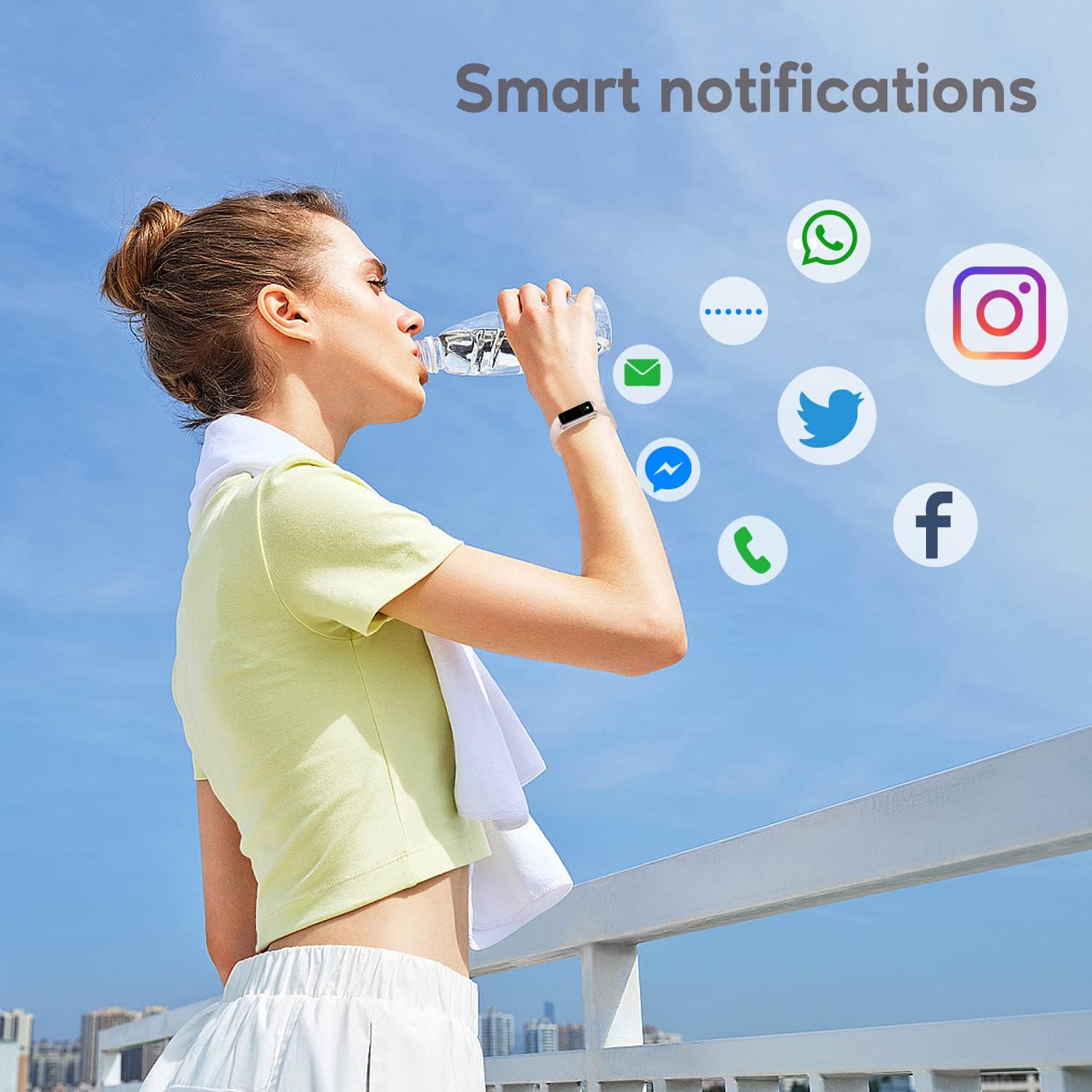
Figure 3: Smart Notifications
4.4 راندين جا طريقا
The watch supports over 123 sports modes to track your workouts. Select your desired activity from the 'Sports' menu to record data such as heart rate, calories burned, and distance.

شڪل 4: اهم خاصيتون ختمview
4.5 صحت جي نگراني
Your ASWEE Smart Watch continuously monitors key health metrics:
- دل جي شرح: Provides 24/7 heart rate monitoring. View واچ تي حقيقي وقت جو ڊيٽا يا ايپ ۾ تفصيلي رجحانات.
- سمهڻ جي نگراني: Tracks your sleep patterns, including deep, light, and REM sleep stages. Review your sleep quality score and duration in the 'Keep Health' app.
- قدم ڪائونٽر: Automatically tracks your daily steps, distance, and calories burned.
- عورت سائيڪل ٽريڪنگ: For women, the watch can help track menstrual cycles and log symptoms through the app.

Figure 5: Heart Rate Monitor in Use

Figure 6: Sleep Monitoring Feature
4.6 ڪسٽم واچ فيسز
Personalize your watch by choosing from a variety of pre-installed watch faces or uploading your own photos and designs via the 'Keep Health' app.

شڪل 7: حسب ضرورت واچ فيسس
4.7 ڪئميرا سنڀال
Use your smartwatch as a remote shutter for your phone's camera. Open the camera function in the 'Keep Health' app and tap the camera icon on your watch to take a photo.

Figure 8: Camera Remote Control
5. سار سنڀال
5.1 پاڻي جي مزاحمت
The ASWEE Smart Watch is IP67 waterproof, meaning it is resistant to splashes, rain, and brief immersion in water. It is suitable for daily use, hand washing, and light rain. However, it is not recommended for hot showers, saunas, or diving, as steam and hot water can damage the seals.

Figure 9: Water Resistance
5.2 صفائي ۽ سنال
To maintain your watch's appearance and functionality:
- گھڙي ۽ پٽي کي باقاعدي طور تي نرم، سڪل ڪپڙي سان صاف ڪريو.
- جيڪڏهن ضروري هجي ته، ٿورڙي ڊي استعمال ڪريوamp صفائي لاءِ ڪپڙو، پوءِ چڱيءَ طرح سڪيو.
- سخت ڪيميڪلز، رگڙيندڙ صاف ڪندڙ، يا محلول استعمال ڪرڻ کان پاسو ڪريو.
- صحيح چارجنگ کي يقيني بڻائڻ لاءِ چارجنگ رابطن کي صاف ۽ سڪل رکو.
6. مسئلا حل ڪرڻ
6.1 Watch Won't Connect or Keeps Disconnecting
جيڪڏهن توهان ڪنيڪٽيويٽي مسئلن جو تجربو ڪريو ٿا:
- پڪ ڪريو ته توهان جي فون جو بلوٽوٿ آن آهي.
- Verify the watch and phone are within the maximum Bluetooth range (8-10 meters). Obstacles can affect connection.
- If issues persist, delete the watch's Bluetooth serial number from the 'Keep Health' app, then uninstall and reinstall the app. Repeat the pairing process.
6.2 Watch Not Receiving Message Notifications
If notifications are not appearing on your watch:
- Confirm your phone is successfully connected to the watch in the 'Keep Health' app.
- Check your phone's settings: Go to phone settings > find the 'Keep Health' app > turn on 'Notifications' permission.
- Within the 'Keep Health' app, ensure the 'notification' function is enabled for the specific apps you wish to receive alerts from.
- If the problem continues, delete the watch's Bluetooth serial number from the 'Keep Health' app, then uninstall and reinstall the app.
7. وضاحتون
| خاصيت | تفصيل |
|---|---|
| برانڊ | ASWEE |
| ماڊل نمبر | P6 |
| اسڪرين جي ماپ | 1.83 Inches (HD Touch Screen) |
| آپريٽنگ سسٽم | Wear OS 3.0 |
| رابطي ٽيڪنالاجي | بلوٽوٿ |
| بيٽري جي گنجائش | 240 مليamp Hours (up to 7 days heavy use, 25 days standby) |
| پاڻي جي مزاحمت | IP67 |
| خاص خاصيتون | Touchscreen, Lightweight, Activity Tracker, Daily Workout Memory, Phone Call |
| پيداوار جي ماپ | 1.2 X 1.5 x 25 سينٽي ؛ 80 گ |
8. وارنٽي ۽ سپورٽ
ASWEE products are manufactured to high quality standards. For any issues or inquiries regarding your ASWEE Smart Watch, please refer to the warranty information provided at the time of purchase or contact ASWEE customer support through the official website or your retailer. Please have your model number (P6) and purchase details ready when contacting support.


