1. پراڊڪٽ ختمview
The TOPDON BT50 is a comprehensive 12V battery analyzer designed to provide professional-grade insights into battery health, cranking capability, and charging system efficiency. It is suitable for most 12V lead-acid batteries, including Regular-Flooded, AGM Flat Plate, AGM Spiral, GEL, and EFB types, within a 100-2000 CCA range.
Utilizing advanced conductivity testing technology, the BT50 delivers accurate results rapidly. It displays essential data such as State of Health (SOH), State of Charge (SOC), CCA, voltage, internal resistance, cranking voltage & time, no-load & loaded voltage, and charging ripple value. The device supports various rating systems including CCA, BCI, CA, MCA, JIS, DIN, IEC, EN, SAE, and GB.
Designed with user safety in mind, the BT50 incorporates three automatic safety protections against reverse-connections, over-heating, and sparks, ensuring safe operation. It can test batteries both in and out of the vehicle, making it a versatile tool for both DIY enthusiasts and professional technicians.

Image: The TOPDON BT50 Car Battery Tester, showcasing its compact design, clear display, and robust battery clamps.
2. دٻي ۾ ڇا آهي
- 1 x TOPDON BT50 Car Battery Tester
- 1 x استعمال ڪندڙ دستياب
3. سيٽ اپ ۽ ڪنيڪشن
Before connecting the BT50, ensure the vehicle's ignition and all accessories are turned off. Clean the battery terminals to ensure a good connection.
- گاڏي تيار ڪريو: Turn off the ignition and all electronic accessories inside the vehicle.
- Cl سان نيوamps:
- ڳنڍيو ڳاڙهو clamp ڏانهن مثبت (+) بيٽري ٽرمينل.
- ڳنڍيو ڪارو clamp ڏانهن منفي (-) بيٽري ٽرمينل.
- پاور آن: The BT50 will automatically power up once correctly connected to the battery. It draws power directly from the battery being tested.
نوٽيس: جيڪڏهن بيٽري جو حجمtage is lower than 8V, the BT50 will stop the test and display a low voltage message. In this case, charge the battery before attempting to test again.

Image: Step-by-step guide for connecting the BT50 to a vehicle battery.
4. آپريٽنگ هدايتون
The BT50 features a user-friendly interface with a 4-button navigation menu (OK, Up, Down, Back/Return). Once powered on, the main menu will appear, allowing you to select various test functions.
4.1. مين مينيو جا اختيار

Image: The BT50's main menu, illustrating the available testing and utility options.
- بيٽري ٽيسٽ: Assesses the overall health of the battery.
- ڇڪڻ ٽيسٽ: گاڏي جي شروعاتي نظام جو جائزو وٺندو آهي.
- چارج ٽيسٽ: Checks the alternator and charging system performance.
- Review ڊيٽا: Accesses previously saved test results.
- ٻولي: Changes the display language (English, Spanish, French, German, Italian, Russian).
- بابت: آلي جي اڻ ڏيکاري ٿي.
4.2. Performing a Battery Test
From the main menu, select "Battery Test" and press OK. Follow the on-screen prompts to input battery type and CCA rating if required. The test will complete in seconds.

Image: The BT50 is compatible with various 12V lead-acid battery types.
4.3. Interpreting Test Results
The BT50 will display one of the following results:
- سٺي بيٽري: The battery is in optimal condition.
- GOOD, CHARGING: The battery is healthy but has a low charge; recharging is recommended.
- مٽايو: The battery is nearing the end of its life, or there might be a poor connection. Re-test, preferably out of the vehicle, and consider replacement.
- RETEST AFTER CHARGING: Fully charge the battery and retest. If the same result occurs, the battery may need replacement.
- BAD CELL, REPLACE: The battery is internally damaged or has a short circuit. Immediate replacement is necessary.

تصوير: Example of detailed test results displayed on the BT50 screen, including battery health, cranking, and charging system status.
5. سار سنڀال
To ensure the longevity and accurate performance of your TOPDON BT50, follow these maintenance guidelines:
- صفائي: هر استعمال کان پوءِ ڊوائيس کي نرم، سڪل ڪپڙي سان صاف ڪريو. رگڙيندڙ صاف ڪندڙ يا محلول استعمال ڪرڻ کان پاسو ڪريو.
- اسٽوريج: Store the BT50 in a cool, dry place away from direct sunlight and extreme temperatures. Keep it in its original packaging or a protective case when not in use.
- ڪيبل جي سنڀال: Do not bend or crimp the cables excessively. Inspect the cables and clamps regularly for any signs of damage or wear.
- Terminal Cleanliness: Always ensure battery terminals are clean before testing to guarantee accurate readings and prevent damage to the clamps.
6. مسئلا حل ڪرڻ
This section addresses common issues you might encounter while using the TOPDON BT50.
| مسئلو | ممڪن سبب | حل |
|---|---|---|
| ڊوائيس تي طاقت نه آهي. |
|
|
| غلط ٽيسٽ جا نتيجا. |
|
|
| "REPLACE" or "BAD CELL, REPLACE" result. |
|
|
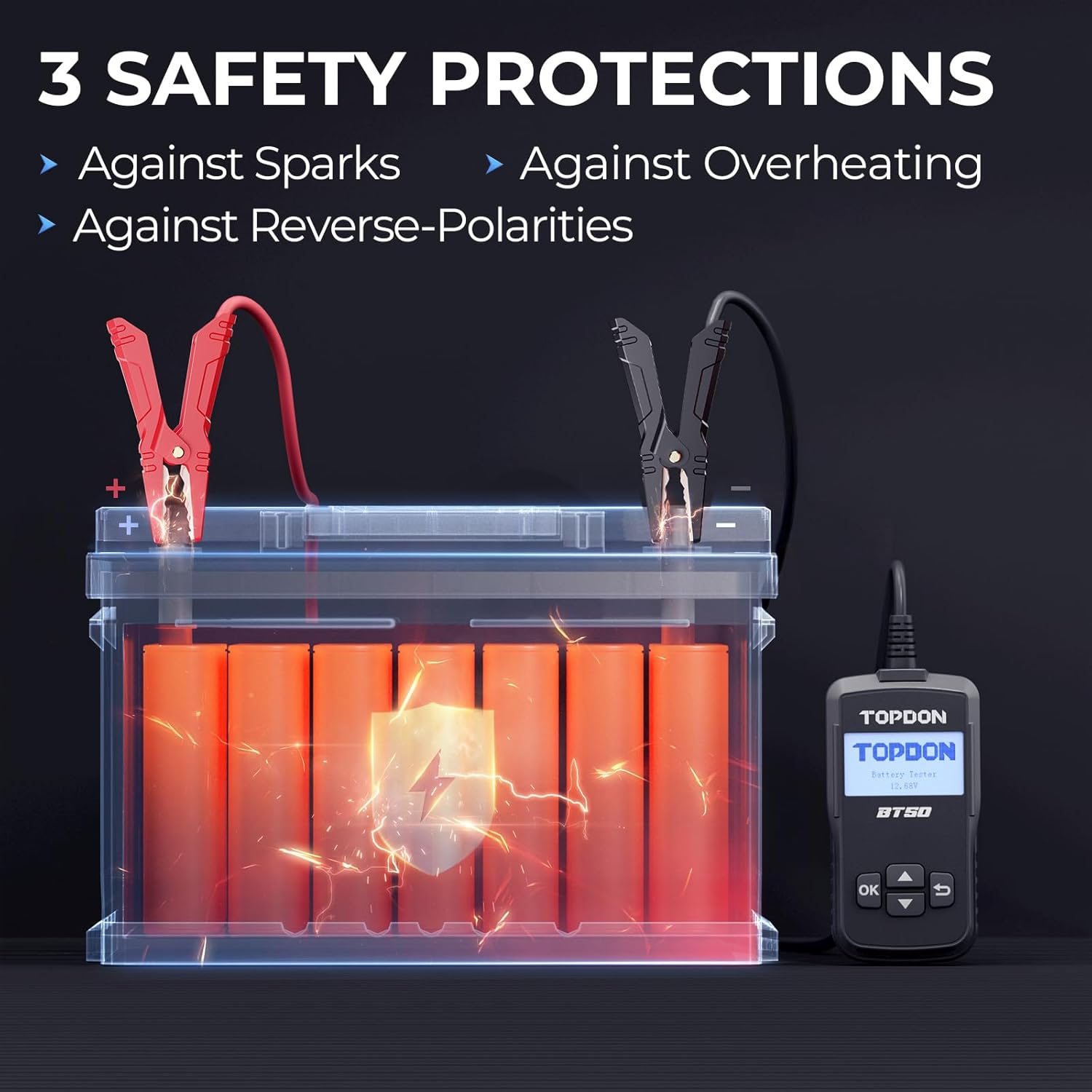
Image: The BT50 features built-in safety protections against sparks, overheating, and reverse polarity.
7. وضاحتون
| خاصيت | تفصيل |
|---|---|
| ڪم ڪرڻ وارو جلدtage | ڊي سي 8V-16V |
| اسٽوريج جي درجه حرارت | -20 ° C کان 70 ° C (-4 ° F کان 158 ° F) |
| ڪم ڪندڙ درجه حرارت | -10 ° C کان 50 ° C (14 ° F کان 122 ° F) |
| ڪيبل ڊگھائي | 0.6 م (23.6 انچ) |
| پيداوار جي ماپ | 4.9 x 2.6 x 0.7 انچ (124.46 x 66.04 x 17.78 ملي ميٽر) |
| شيءِ جو وزن | 215 گرام (7.58 آونس) |
| سپورٽ ٿيل بيٽري جا قسم | 12V Lead-Acid (Regular-Flooded, AGM Flat Plate, AGM Spiral, GEL, EFB) |
| سي سي اي رينج | 100-2000 سي سي اي |

Image: Detailed specifications of the BT50, including dimensions, weight, and operating conditions.
8. وارنٽي ۽ سپورٽ
The TOPDON BT50 battery tester comes with a 12-مهيني وارنٽي خريداري جي تاريخ کان.
TOPDON also provides lifetime access to technical support for this product. For any inquiries, technical assistance, or warranty claims, please contact TOPDON customer service through their official channels or visit their webسائيٽ.
هن دستور ۾ شامل ڪرڻ لاءِ مهيا ڪيل ڊيٽا ۾ "وڪرو ڪندڙ" خالق جي قسم سان ڪو به سرڪاري پراڊڪٽ وڊيو نه مليو.


