1. تعارف
Thank you for choosing the FIFINE BM63 Heavy-Duty Adjustable Microphone Arm Stand. This manual provides detailed instructions for the proper setup, operation, and maintenance of your new microphone arm stand. Please read this manual thoroughly before use to ensure optimal performance and longevity of the product.

Image 1.1: The FIFINE BM63 Microphone Arm Stand in its extended position.
2. پيڪيج مواد
پڪ ڪريو ته هيٺ ڏنل سڀئي شيون توهان جي پيڪيج ۾ شامل آهن:
- 1 x بوم آرم اسٽينڊ
- 1 x ڊيسڪ ڪلamp
- 3 x Velcro Cable Ties
- 1 x استعمال ڪندڙ جو دستور (هي دستاويز)

Image 2.1: Visual representation of the included components: boom arm, desk clamp, and cable ties.
3. سيٽ اپ جون هدايتون
3.1 Mounting the Desk Clamp
- Identify a suitable location on your desk. The desk clamp is designed for desktops with a thickness of 2 inches (5 cm) or less. Ensure the mounting surface is stable and can support the weight of the arm and microphone.
- Unscrew the knob on the desk clamp until the opening is wide enough to fit over your desk edge.
- سلائيڊ ڪريو clamp توهان جي ڊيسڪ جي ڪناري تي.
- Tighten the knob securely until the clamp is firmly attached to the desk. Do not overtighten, as this may damage your desk.

تصوير 3.1: تفصيلي view ڊيسڪ ڪليئرنس جوamp being secured to a desktop.
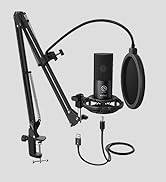
Image 3.2: Illustration showing the maximum desk thickness of 2 inches for clamp مطابقت.
3.2 Attaching the Boom Arm
- Insert the base of the boom arm into the hole on the top of the desk clamp.
- Tighten the side screw on the clamp to secure the boom arm in place. This allows the arm to rotate 360 degrees.
3.3 Attaching Your Microphone
- The FIFINE BM63 features a universal 5/8-inch screw adapter. Carefully screw your microphone (or its shock mount/clip) onto the threaded adapter at the end of the boom arm.
- Ensure the microphone is securely fastened to prevent accidental drops.

Image 3.3: The universal 5/8-inch screw adapter for microphone attachment.
3.4 ڪيبل مينيجمينٽ
Use the included velcro cable ties to neatly secure your microphone cable along the boom arm. This helps maintain a tidy workspace and prevents cables from interfering with arm movement.
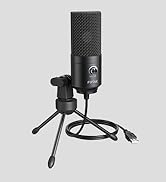
Image 3.4: Velcro cable ties used to organize microphone cables along the arm.
4. آپريٽنگ هدايتون
4.1 Adjusting the Arm Position
The BM63 boom arm offers flexible adjustment for optimal microphone positioning:
- عمودي ترتيب: The arm can be stretched vertically up to 180 degrees.
- افقي ترتيب: The arm can be adjusted horizontally up to 135 degrees.
- گردش: The arm can rotate 360 degrees at its base, allowing you to swing it into or out of your workspace as needed.
Gently move the arm to your desired position. The internal spring mechanism will hold it in place. For precise adjustments, you may need to slightly loosen and then re-tighten the pivot points if they feel too stiff or too loose.

Image 4.1: Diagram illustrating the flexible adjustment capabilities of the boom arm, including vertical and horizontal reach.

Image 4.2: Visual representation of the 360-degree rotation feature at the arm's base.
4.2 وزن جي گنجائش
The BM63 boom arm is designed to support microphones weighing up to 2 kg (4.4 lbs). Ensure your microphone's weight does not exceed this limit to maintain stability and prevent damage to the arm or microphone.

Image 4.3: Indication of the 2 kg (4.4 lbs) maximum weight capacity for the microphone arm.
5. سار سنڀال
- Regularly inspect all screws and connections to ensure they are tight.
- Clean the arm stand with a soft, dry cloth. Avoid using abrasive cleaners or solvents.
- If the arm's movement becomes stiff, a small amount of silicone-based lubricant can be applied to the pivot points, avoiding contact with any electrical components.
6. مسئلا حل ڪرڻ
- Arm not holding position: Ensure all pivot point screws are adequately tightened. If the arm is overloaded, reduce the microphone weight.
- Microphone not fitting: Verify that your microphone or its accessory (shock mount, clip) uses a 5/8-inch threaded connection. Adapters for 3/8-inch threads are commonly available if needed.
- ڊيسڪ clamp unstable: ڊيسڪ ڪل کي ٻيهر مضبوط ڪريوamp. Ensure your desk thickness is within the 2-inch limit and that the clamp هڪ لوڻ، مستحڪم مٿاڇري تي آهي.
7. وضاحتون
| خاصيت | تفصيل |
|---|---|
| ماڊل نمبر | بي ايم 63 |
| مواد | ڌاتو |
| وڌ ۾ وڌ وزن جي گنجائش | 2 ڪلوگرام (4.4 پائونڊ) |
| ڊيسڪ ڪلamp ٿلهو | 2 انچ تائين (5 سينٽي) |
| مائڪروفون ٿريڊ | Universal 5/8 inch |
| پيداوار جا طول و عرض (وڌل) | 16.54 x 7.28 x 15.35 انچ (تقريبن) |
| شيءِ جو وزن | 4.4 پائونڊ (2 ڪلوگرام) |
8. وارنٽي ۽ سپورٽ
For warranty information, technical support, or any inquiries regarding your FIFINE BM63 Microphone Arm Stand, please contact FIFINE customer service through their official website or the retailer where the product was purchased. Please have your model number (BM63) and purchase details ready.


