1. تعارف
The HyperX DuoCast is a versatile USB condenser microphone designed for clear audio capture across various applications, including gaming, streaming, podcasting, and voiceovers. It features customizable RGB lighting, multiple polar patterns, and convenient controls for an optimized user experience.

تصوير 1.1: سامهون view of the HyperX DuoCast microphone with its integrated stand and RGB light ring.
2. پيڪيج مواد
پڪ ڪريو ته سڀئي شيون پيڪيج ۾ موجود آهن:
- HyperX DuoCast USB Condenser Microphone
- USB ٽائپ-سي ٽائيپ-اي ڪيبل تائين
- تڪڙو شروع ھدايت

Image 2.1: Contents of the HyperX DuoCast retail package, including the microphone, USB cable, and documentation.
3. سيٽ اپ جون هدايتون
3.1 مائڪروفون کي ڳنڍڻ
- Connect the USB Type-C end of the provided cable to the USB-C port on the back of the HyperX DuoCast microphone.
- Connect the USB Type-A end of the cable to an available USB port on your PC, PS5, PS4, or Mac.
- The microphone will automatically be detected by your operating system.
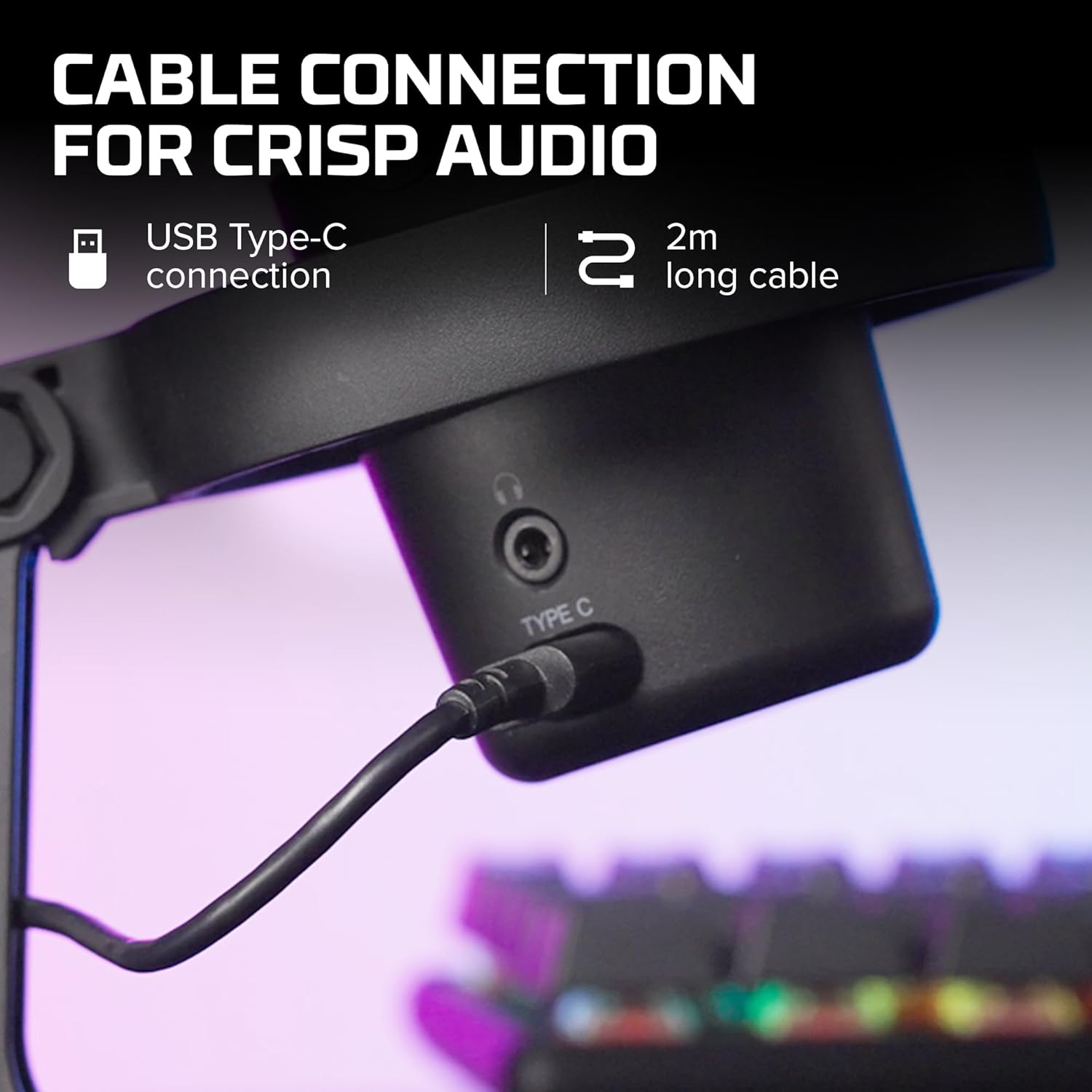
تصوير 3.1: ويجهو تصوير view of the USB Type-C connection port on the HyperX DuoCast microphone.
3.2 Positioning the Microphone
The DuoCast features a low-profile shock mount to reduce unwanted vibrations. For optimal audio quality, position the microphone directly in front of you, approximately 6-12 inches (15-30 cm) from your mouth.

Image 3.2: HyperX DuoCast microphone positioned on a boom arm for optimal recording, with a user wearing headphones.
3.3 سافٽ ويئر انسٽاليشن (اختياري)
For advanced customization of RGB lighting and other settings, download and install the HyperX NGENUITY Software from the official HyperX webسائيٽ. هي سافٽ ويئر ونڊوز آپريٽنگ سسٽم سان مطابقت رکي ٿو.

Image 3.3: User customizing the RGB lighting of the HyperX DuoCast microphone using the HyperX NGENUITY software interface on a computer screen.
4. Operating the Microphone
4.1 پولر نمونا
The DuoCast offers two selectable polar patterns: Cardioid and Omnidirectional. Switch between these patterns using the button located on the microphone.
- ڪارڊيوڊ: Ideal for single-person recording, such as streaming, podcasts, and voiceovers. It captures sound primarily from the front, reducing background noise.
- هر طرفي: Suitable for multi-person recordings, conference calls, or capturing ambient sounds, as it picks up sound equally from all directions.

Image 4.1: Diagram illustrating the Cardioid and Omnidirectional polar patterns and their recommended use cases.
4.2 Tap-to-Mute Sensor
The microphone features a convenient tap-to-mute sensor on the top. Tapping the top of the microphone will instantly mute or unmute your audio. The RGB light ring will change color to indicate the mute status.

Image 4.2: Close-up of the microphone's top showing the tap-to-mute sensor and the gain control knob.
4.3 Gain Control Adjustment
Adjust the microphone's input sensitivity (gain) using the control knob located on the microphone. Rotate the knob to increase or decrease the gain to achieve optimal audio levels and prevent distortion.
4.4 آر جي بي لائيٽنگ
The DuoCast features a customizable RGB light ring with two zones. The lighting can be personalized using the HyperX NGENUITY Software (Windows only) to match your setup or preference.
4.5 هيڊ فون آئوٽ
A 3.5mm headphone jack is integrated into the microphone for direct monitoring of your audio output. Connect your headphones to this port to hear your voice in real-time.
5. سار سنڀال
To ensure the longevity and optimal performance of your HyperX DuoCast microphone, follow these maintenance guidelines:
- صفائي: Use a soft, dry cloth to clean the microphone's exterior. Avoid using harsh chemicals, solvents, or abrasive materials.
- اسٽوريج: جڏهن استعمال ۾ نه هجي، ته مائڪروفون کي انتهائي گرمي پد ۽ نمي کان پري صاف، سڪل ماحول ۾ رکو.
- سنڀالڻ: مائڪروفون کي احتياط سان سنڀاليو. ان کي ڇڏڻ يا مضبوط اثرن کان پاسو ڪريو، جيڪي اندروني حصن کي نقصان پهچائي سگهن ٿا.
6. مسئلا حل ڪرڻ
If you encounter issues with your HyperX DuoCast microphone, refer to the following common solutions:
| مسئلو | ممڪن سبب | حل |
|---|---|---|
| ڪو به آڊيو ان پٽ ناهي | مائڪروفون صحيح طرح سان ڳنڍيل ناهي غلط ان پٽ ڊوائيس چونڊيو ويو آهي. مائڪروفون خاموش | پڪ ڪريو ته USB ڪيبل محفوظ طور تي ڳنڍيل آهي. Verify the DuoCast is selected as the default input device in your system settings. Tap the top of the microphone to unmute. |
| گھٽ آڊيو حجم | Gain setting too low System input volume too low | Adjust the gain control knob on the microphone. Increase the microphone input volume in your system's sound settings. |
| خراب ٿيل آڊيو | Gain setting too high Microphone too close to sound source | Decrease the gain control knob on the microphone. مائڪروفون کي آواز جي ماخذ کان اڳتي وڌايو. |
| تمام گهڻو پس منظر شور | Incorrect polar pattern selected High gain setting | Switch to Cardioid polar pattern for single-person use. Reduce the gain setting. پڪ ڪريو ته توهان هڪ خاموش ماحول ۾ آهيو. |
| آر بي جي روشني ڪم نه ڪندي | سافٽ ويئر مسئلو USB ڪنيڪشن جو مسئلو | Ensure HyperX NGENUITY Software is installed and updated (Windows only). USB ڪيبل conيهر جوڙيو. |
7. وضاحتون
| خاصيت | تفصيل |
|---|---|
| مائڪروفون جو قسم | USB ڪنسنسر |
| پولر نمونن | ڪارڊيوڊ ، هر طرفي |
| آڊيو حساسيت | 6 ڊيسيبل |
| سگنل کان شور جي نسبت | 70 ڊي بي |
| تعدد جواب | 20 هرٽز - 20 ڪلو هرٽز |
| رڪارڊنگ جي قرارداد | 24-بٽ / 96 ڪلوگرام |
| رابطي | USB (Type-C to Type-A) |
| مطابقت رکندڙ ڊوائيسز | PC, PS5, PS4, Mac |
| خاص خاصيتون | Customizable RGB Light Ring, Tap-to-Mute Sensor, Gain Control, Low-profile Shock Mount, Internal Pop Filter, 3.5mm Headphone Output |
| طول و عرض (L x W x H) | 5.5 x 9.3 x 5 انچ (140 x 236 x 127 ملي ميٽر) |
| شيءِ جو وزن | 8.6 آونس (243.2 گرام) |
| ماڊل نمبر | 4P5E2AA |

Image 7.1: Diagram showing the physical dimensions (width, height, depth) and weight of the HyperX DuoCast microphone.
8. وارنٽي ۽ سپورٽ
For warranty information and technical support, please visit the official HyperX webسائيٽ يا هائپر ايڪس ڪسٽمر سروس سان رابطو ڪريو. وارنٽي دعوائن لاءِ خريداري جو ثبوت رکو.
آن لائن سپورٽ: www.hyperx.com/support


