1. تعارف
Thank you for choosing the TESSAN TS-709-C Power Strip. This device is designed to provide convenient power distribution and charging for multiple electronic devices. It features 9 AC outlets, 1 USB-C port, and 2 USB-A ports, all integrated into a compact and versatile design. Please read this manual carefully before use to ensure safe and optimal operation.

Image 1.1: TESSAN TS-709-C Power Strip with 2m cable, 9 AC outlets, 1 USB-C, and 2 USB-A ports.
2. اهم خاصيتون
- 12-ان-1 پاور حل: Equipped with 9 AC outlets, 1 USB-C port, and 2 USB-A ports, providing ample power for multiple devices simultaneously.
- Multi-Device USB Compatibility: USB-C port (Max 15W) and USB-A ports (Max 12W each) automatically detect and deliver optimal current for smartphones, tablets, and other electronic devices.
- غير مداخلت ڪندڙ ڊيزائن: AC outlets are strategically distributed in three directions, preventing larger adapters from blocking adjacent ports.
- ورسٽائل لڳائڻ: Features hook holes for temporary wall mounting and rubber anti-slip mats for stable desktop use.
- بهتري حفاظت: Includes a master power switch for all connected devices and a built-in circuit breaker that activates to cut power in case of overload. A power indicator light shows operational status.
- 180-Degree Swing Plug: The main plug can rotate 180 degrees, allowing for flexible placement in tight spaces behind furniture.
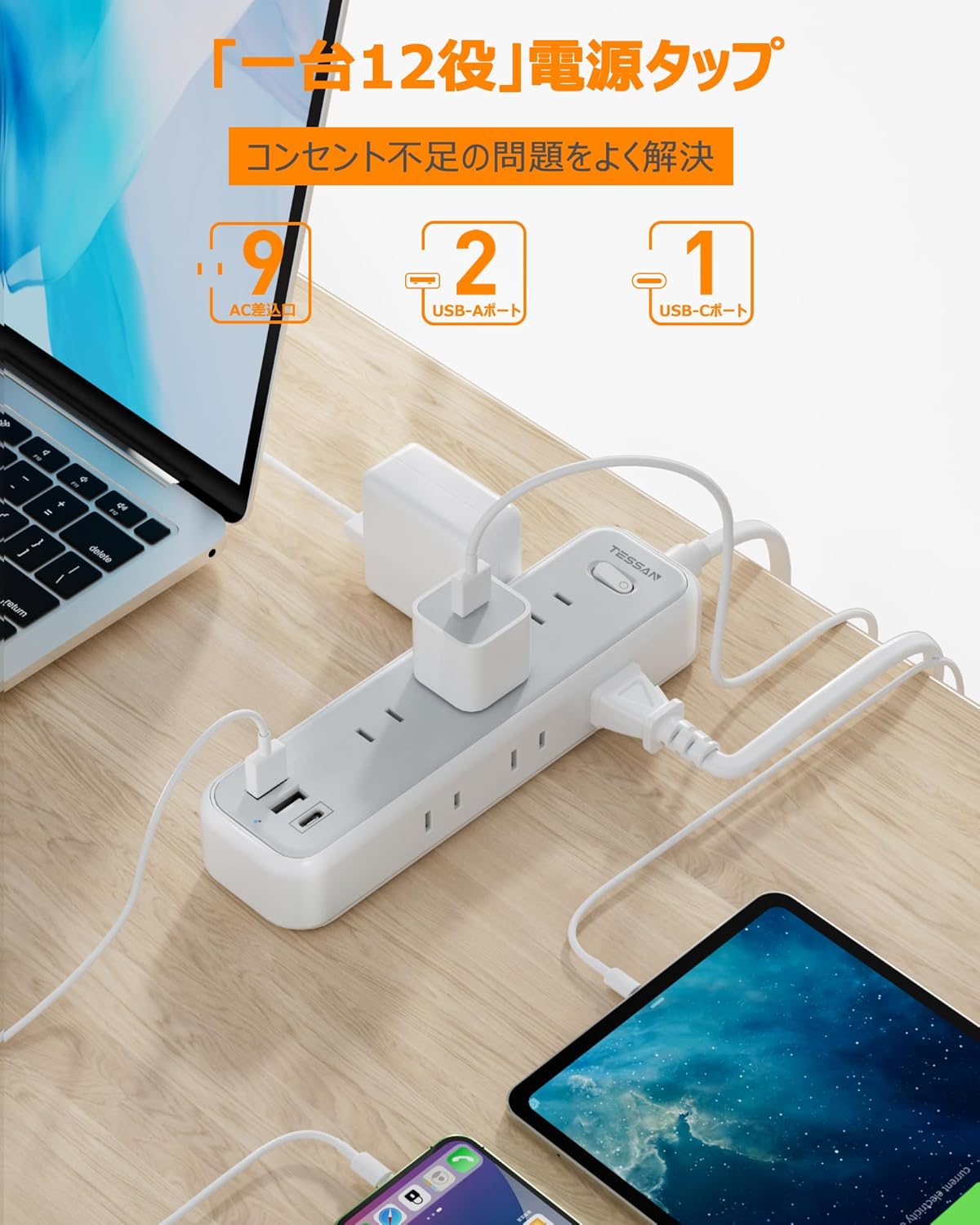
Image 2.1: The power strip in use, demonstrating simultaneous charging of various devices including laptops, tablets, and smartphones.

تصوير 2.2: ويجهو تصوير view of the USB-C and USB-A charging ports, highlighting their functionality for digital devices.
3. سيٽ اپ جون هدايتون
3.1 شروعاتي ڪنيڪشن
- Uncoil the 2-meter power cord.
- Plug the power strip's main plug into a standard 125V AC wall outlet. The 180-degree swing plug allows for flexible positioning, especially in confined spaces.
- Press the master power switch to the 'ON' position. The power indicator light will illuminate, confirming power is supplied.

Image 3.1: The 180-degree swing plug design for easy access in tight spaces and the master power switch with integrated circuit breaker.
3.2 جڳهه جا آپشن
The TESSAN TS-709-C offers two primary placement options:
- ڊيسڪ ٽاپ استعمال: Place the power strip on a flat surface. The rubber anti-slip mats on the base will help keep it stable.
- ڀت لڳائڻ: Utilize the hook holes on the back of the power strip to temporarily mount it on a wall or other vertical surface. This helps save space and keeps cables tidy.

Image 3.2: Illustration of the wall-mounting holes and the anti-slip pads for stable desktop placement.

تصوير 3.3: اڳوڻيample of the power strip mounted on a wall, providing power to devices on a nearby table.
4. آپريٽنگ هدايتون
4.1 اي سي آئوٽليٽ استعمال ڪرڻ
Plug your appliances and electronic devices into any of the 9 available AC outlets. The three-directional layout ensures that even bulky AC adapters do not obstruct adjacent outlets.
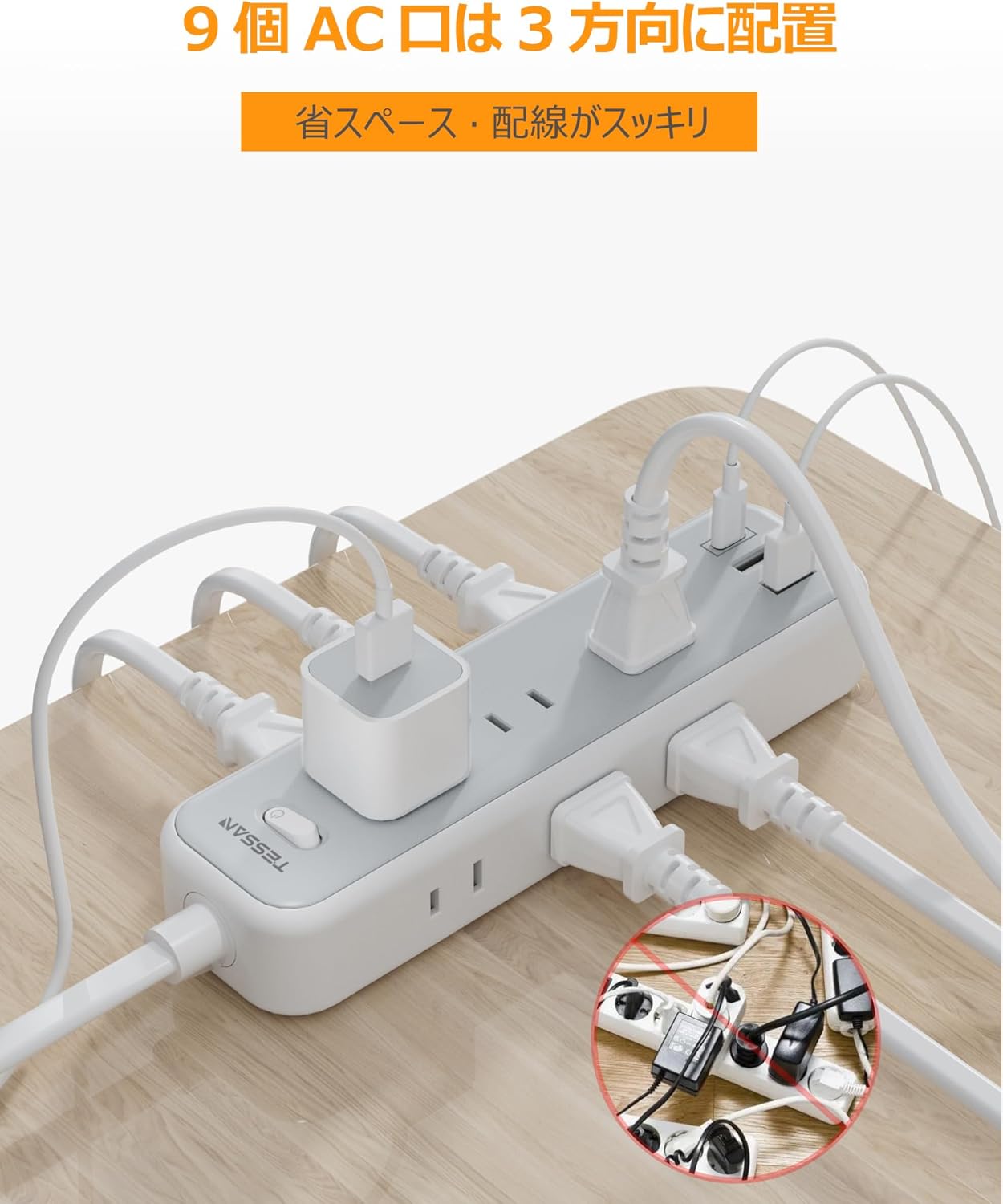
Image 4.1: The power strip's design with AC outlets distributed in three directions to prevent interference.
4.2 USB چارجنگ پورٽ استعمال ڪندي
Connect your USB-powered devices to the USB-C or USB-A ports using appropriate charging cables. The ports feature intelligent recognition to deliver the optimal charging current for your device.
- USB-C پورٽ: Provides a maximum output of 15W when used individually.
- USB-A بندرگاهن: Each provides a maximum output of 12W when used individually.
- ڪل يو ايس بي آئوٽ: The combined output for all USB ports is 15W.
4.3 ماسٽر پاور سوئچ
The integrated master switch controls power to all connected AC outlets and USB ports. Use this switch to conveniently turn all devices ON or OFF simultaneously, helping to conserve energy when not in use.
5. سار سنڀال
- Ensure the power strip is unplugged from the wall outlet before cleaning.
- نرم، سڪل ڪپڙي سان ٻاهرين حصي کي صاف ڪريو. مائع صاف ڪندڙ يا رگڙيندڙ مواد استعمال نه ڪريو.
- Keep the power strip away from moisture, dust, and extreme temperatures.
- Regularly check the power cord and plug for any signs of damage. If damaged, discontinue use immediately.
6. مسئلا حل ڪرڻ
6.1 ڊوائيسز کي ڪابه طاقت ناهي
- Check Master Switch: Ensure the master power switch is in the 'ON' position and the indicator light is illuminated.
- وال آئوٽليٽ چيڪ ڪريو: ٻئي ڊوائيس کي پلگ ان ڪندي تصديق ڪريو ته وال آئوٽليٽ ڪم ڪري رهيو آهي.
- چيڪ ڪريو سرڪٽ برڪر: If the power strip suddenly loses power, the built-in circuit breaker may have tripped due to an overload. Unplug some devices, then press the master switch to reset the breaker.
6.2 Slow USB Charging
- ڪيبل معيار: Ensure you are using a high-quality charging cable that supports the required current for your device.
- ڊوائيس مطابقت: While the ports are intelligent, some devices may have specific charging requirements. Refer to your device's manual.
- ڪل لوڊ: If many devices are charging simultaneously, the total USB output of 15W might be distributed, leading to slower charging for individual devices.
7. وضاحتون
| خاصيت | تفصيل |
|---|---|
| برانڊ | ٽيسن |
| ماڊل نمبر | TS-709-سي |
| رنگ | ڀورو |
| ڪُل اي سي آئوٽليٽس | 9 |
| USB-C بندرگاهن | 1 (Max 15W individual output) |
| USB-A بندرگاهن | 2 (Max 12W individual output) |
| ڪل يو ايس بي آئوٽ | 15W |
| AC جلدtage | 125 وولٽ |
| Max AC Output | 1500W (125V/15A) |
| ڪيبل ڊگھائي | 2 ميٽر |
| پيداوار جي ماپ | 18.7 x 5.2 x 3.2 سينٽي |
| وزن | 380 جي |
| خاص خاصيتون | USB Slots, Master Switch, Circuit Breaker, 180-degree Swing Plug, Wall-Mountable |
8. حفاظت جي ڄاڻ
- Do not exceed the maximum load capacity of 1500W (125V/15A). Overloading can cause the circuit breaker to trip or lead to fire hazards.
- هي پراڊڪٽ صرف اندروني استعمال لاءِ ٺهيل آهي. پاڻي يا تيز نمي جي سامهون نه اچو.
- پاور اسٽرپ کي ڌار نه ڪريو يا تبديل نه ڪريو. سڀني سروسنگ کي قابل اهلڪارن جي حوالي ڪريو.
- ٻارن ۽ پالتو جانورن جي پهچ کان پري رکو.
- Ensure plugs are fully inserted into the outlets. Loose connections can cause overheating.
- Avoid running the power cord under carpets or in areas where it can be easily damaged.
9. وارنٽي ۽ سپورٽ
Specific warranty information is typically provided with your purchase documentation or on the product packaging. For support, please refer to the contact information provided by your retailer or the TESSAN official webسائيٽ.


