1. تعارف
Thank you for choosing the GOWENIC YN50 Solar Panel Battery Camera. This outdoor security camera is designed for easy installation and reliable surveillance, powered by a built-in lithium battery and a solar panel. It offers 1080p high-definition video, advanced motion detection, and two-way audio communication, all managed conveniently through a mobile application.
This manual provides essential information for setting up, operating, and maintaining your camera to ensure optimal performance and longevity.
2. حفاظت جي ڄاڻ
- تنصيب: Ensure the camera is mounted securely to prevent accidental falls. Avoid installing near flammable or explosive materials.
- طاقت: The camera uses solar power and a built-in battery. Do not attempt to replace the battery yourself. Use only specified charging methods if emergency charging is required.
- پاڻي جي مزاحمت: The camera has an IP67 rating for dust and water resistance. However, avoid submerging the device in water or exposing it to high-pressure water jets.
- گرمي پد: Operate the camera within the specified temperature range. Extreme temperatures can affect performance and battery life.
- صفائي: صفائي ڪرڻ کان اڳ بجلي بند ڪريو. نرم، سڪل ڪپڙو استعمال ڪريو. سخت ڪيميڪل يا رگڙيندڙ صاف ڪندڙ استعمال نه ڪريو.
- خارج ٿيڻ: ڪئميرا کي ڌار ڪرڻ يا تبديل ڪرڻ جي ڪوشش نه ڪريو. اهو وارنٽي کي رد ڪري ڇڏيندو ۽ نقصان يا زخم جو سبب بڻجي سگهي ٿو.
3. پراڊڪٽ ختمview
The GOWENIC YN50 camera system includes a 1080p HD camera unit and a dedicated solar panel for continuous power. It features a robust, weather-resistant design suitable for various outdoor environments.

سامهون view of the GOWENIC YN50 camera, showing the lens and housing.

پاسي view of the camera, highlighting the antenna for wireless connectivity.

سامهون view of the solar panel, designed to charge the camera's internal battery.
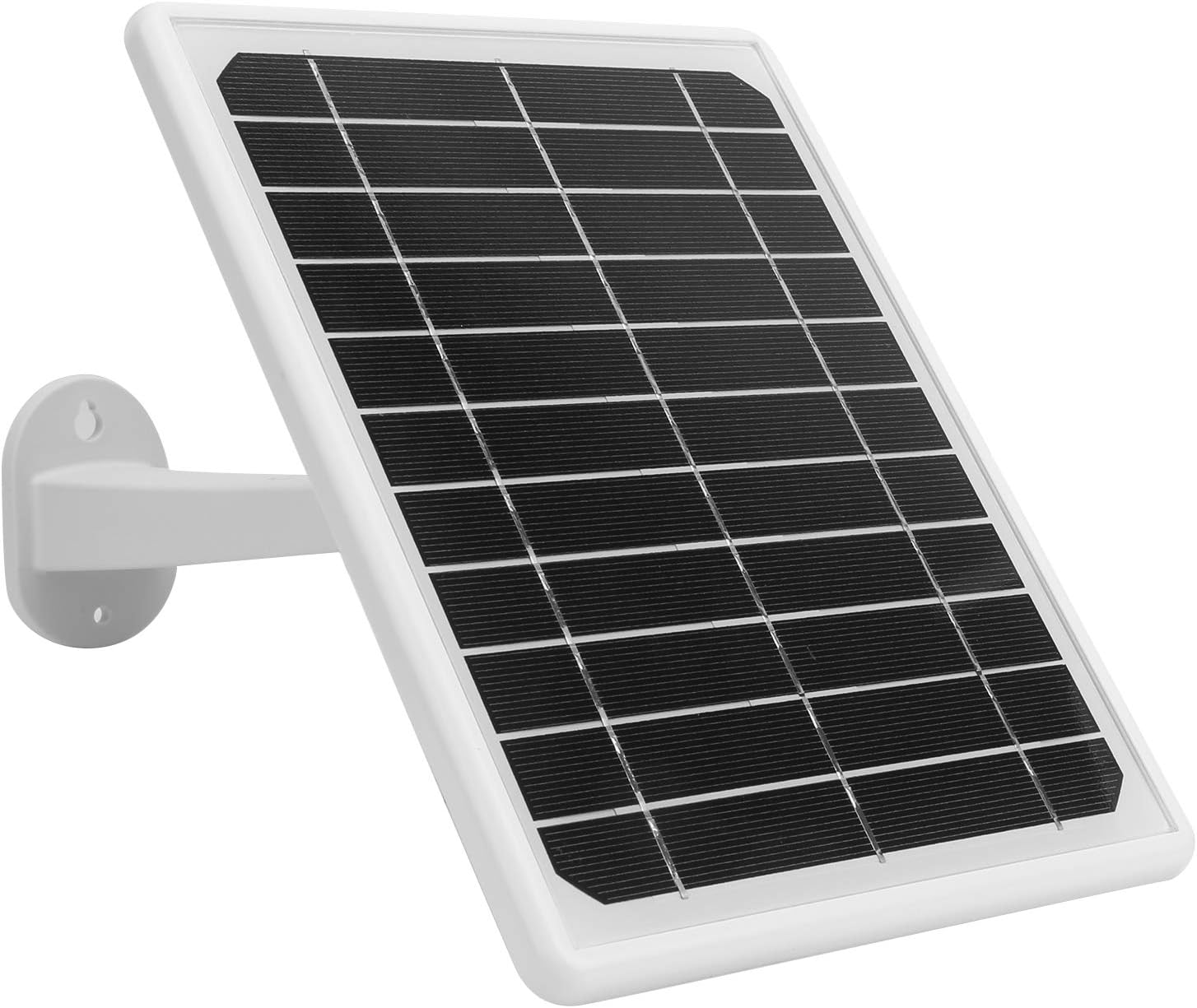
پاسي view of the solar panel, showing its adjustable mounting bracket.
4. سيٽ اپ
4.1 انباڪسنگ ۽ شروعاتي چارج
- Carefully unpack all components and verify against the package contents list (not provided, assume standard camera and solar panel).
- Before first use, it is recommended to fully charge the camera's built-in battery by exposing the solar panel to direct sunlight for at least 2 hours, or by using a compatible USB power adapter (not included) if available.
4.2 ايپ انسٽاليشن ۽ اڪائونٽ ٺاهڻ
- ڊائون لوڊ ڪريو MYCAM توهان جي اسمارٽ فون جي ايپ اسٽور (iOS يا Android) مان ايپ.
- ايپ کوليو ۽ نئون صارف اڪائونٽ ٺاهڻ لاءِ اسڪرين تي ڏنل هدايتن تي عمل ڪريو.
4.3 Camera Pairing and Wi-Fi Connection
- Power on the camera. The camera will enter pairing mode (indicated by an LED light, refer to camera LED indicator guide in app for specifics).
- In the MYCAM app, tap the "Add Device" or "+" icon.
- Select your camera model (YN50) and follow the in-app instructions to connect the camera to your home Wi-Fi network. Ensure your Wi-Fi network is 2.4GHz, as 5GHz networks may not be supported.
- هڪ دفعو ڳنڍيل ٿيڻ کان پوءِ، ڪئميرا جو LED اشارو تبديل ٿي ويندو، ۽ توهان کي ايپ ۾ هڪ تصديق ملندي.
4.4 ڪئميرا ۽ سولر پينل لڳائڻ
The camera and solar panel are designed for wall mounting. Choose a location that provides a clear view of the area you wish to monitor and ensures the solar panel receives ample direct sunlight throughout the day.
- ڪئميرا جي جڳهه: Position the camera at an optimal height (typically 7-10 feet) to cover the desired area. Ensure it is within range of your Wi-Fi signal.
- شمسي پينل لڳائڻ: Mount the solar panel in a location that receives maximum direct sunlight, ideally facing south (in the Northern Hemisphere) or north (in the Southern Hemisphere). Adjust the angle of the solar panel using its bracket to optimize sun exposure.
- محفوظ لڳائڻ: Use the provided screws and anchors to securely fasten both the camera and the solar panel to a sturdy surface.
- شمسي پينل سان ڳنڍيو: شمسي پينل ڪيبل کي ڪئميرا جي چارجنگ پورٽ سان ڳنڍيو.

The camera and solar panel are designed for outdoor use, featuring an IP67 waterproof enclosure, as shown here in rainy conditions.
5. آپريٽنگ هدايتون
5.1 زنده View ۽ ريموٽ مانيٽرنگ
Once the camera is connected to the MYCAM app, you can access live video feed from anywhere with an internet connection.
- Open the MYCAM app and select your camera from the device list.
- The live video stream will appear. You can switch between standard and high-definition views.

The camera provides 1080p image quality, allowing you to watch and record high-definition video directly on your smartphone.
5.2 ٻه طرفي آڊيو انٽرڪام
The camera supports full-duplex two-way voice intercom, allowing you to communicate with people near the camera.
- رهڻ دوران view, tap the microphone icon in the app.
- Speak into your phone's microphone. Your voice will be transmitted through the camera's speaker.
- You will hear audio from the camera's microphone through your phone's speaker.
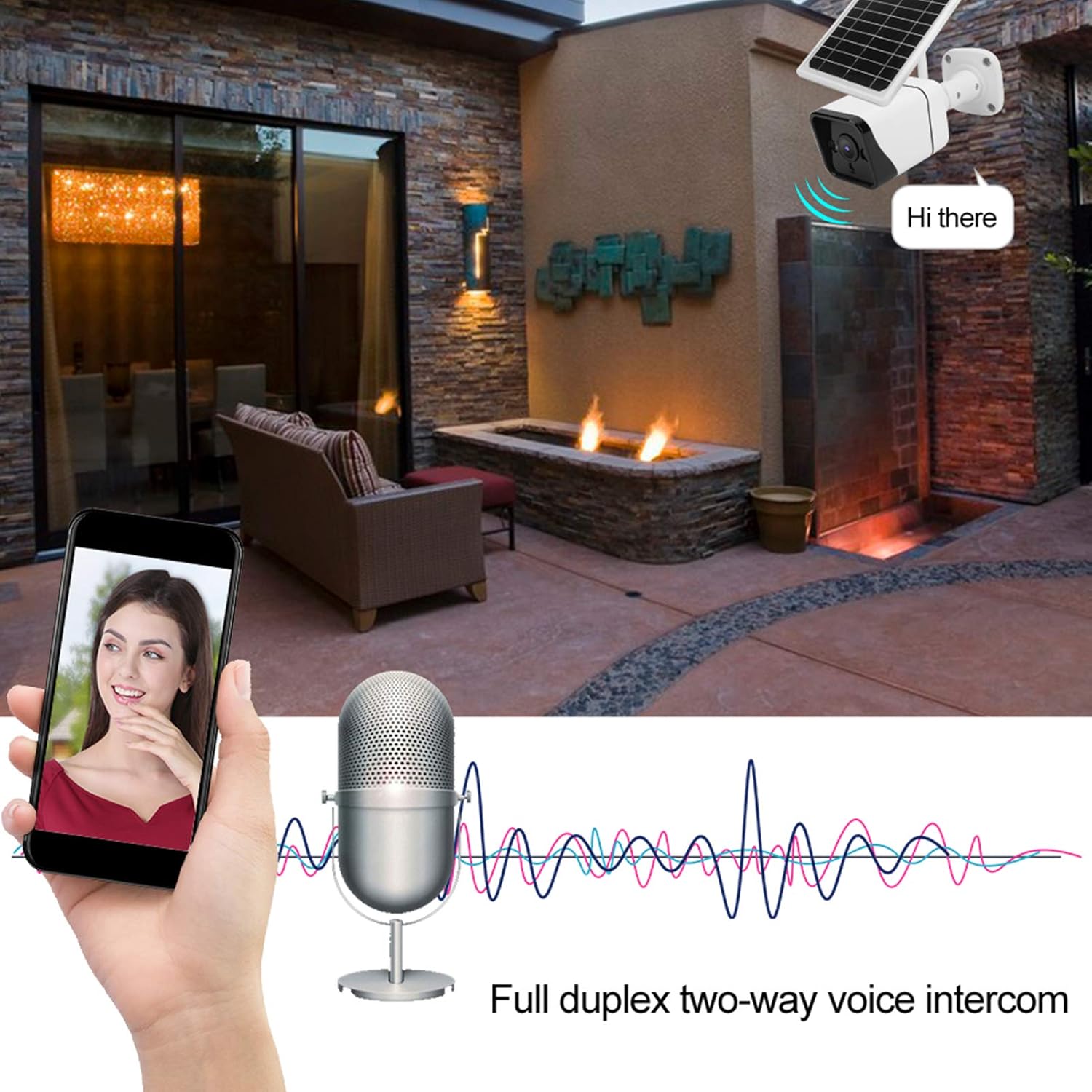
The camera supports full duplex two-way voice intercom, enabling real-time communication through the app.
5.3 حرڪت جي ڳولا ۽ خبرداريون
The GOWENIC YN50 camera utilizes Human Motion Detection (HMD) and microwave induction for accurate and rapid motion sensing.
- چالو ڪرڻ: When a person is detected, the camera will immediately begin recording (within 0.6 seconds) and send an alert notification to your smartphone.
- رات جو خواب: At night, if motion is detected, the camera's white light will automatically activate to enhance visibility and deter intruders.
- سيٽنگون: You can customize motion detection sensitivity and alert preferences within the MYCAM app.
5.4 وڊيو رڪارڊنگ ۽ اسٽوريج
The camera records video in H.265 format for efficient storage. Recordings are stored locally, ensuring privacy.
- واقعي جي رڪارڊنگ: Videos are automatically recorded when motion is detected.
- دستي رڪارڊنگ: You can initiate manual video recording directly from the live view in the MYCAM app.
- پلے بیک: Access recorded videos through the app's playback feature.
- اسٽوريج: The camera supports local storage (e.g., via a microSD card, details not specified in product description but implied by "store locally"). Ensure a compatible storage card is inserted for continuous recording.
6. سار سنڀال
- شمسي پينل جي صفائي: سولر پينل جي مٿاڇري کي باقاعدي طور تي نرم، ڊي سان صاف ڪريوamp مٽي، مٽي، يا ملبہ هٽائڻ لاءِ ڪپڙو جيڪو سج جي روشني ۾ رڪاوٽ بڻجي سگهي ٿو ۽ چارجنگ جي ڪارڪردگي کي گهٽائي سگهي ٿو.
- ڪئميرا لينس جي صفائي: Gently wipe the camera lens with a microfiber cloth to ensure clear image quality. Avoid touching the lens directly with fingers.
- فرم ويئر اپڊيٽس: Check the MYCAM app periodically for firmware updates. Keeping your camera's firmware up-to-date ensures optimal performance and security.
- بيٽري صحت: While the camera is designed for continuous solar charging, ensure the solar panel is positioned to receive adequate sunlight to maintain battery health. If the camera is in a shaded area for extended periods, the battery may deplete.
7. مسئلا حل ڪرڻ
7.1 ڪئميرا آن نه ٿي رهيو آهي
- شمسي پينل چيڪ ڪريو: Ensure the solar panel is connected correctly and receiving direct sunlight.
- بيٽري چارج: Allow the solar panel to charge the camera for several hours in direct sunlight.
7.2 وائي فائي سان ڳنڍڻ ۾ ناڪام
- وائي فائي بينڊ: Confirm your Wi-Fi network is 2.4GHz. The camera may not support 5GHz networks.
- سگنل جي طاقت: Ensure the camera is within range of your Wi-Fi router. Try moving the camera closer to the router during setup.
- پاسورڊ: ٻه ڀيرا چيڪ ڪريو ته توهان صحيح وائي فائي پاسورڊ داخل ڪري رهيا آهيو.
- روٽر سيٽنگون: پنهنجو وائي فائي روٽر ٻيهر شروع ڪريو.
7.3 حرڪت جي ڳولا ڪم نه ڪري رهي آهي
- ايپ سيٽنگون: Verify that motion detection is enabled in the MYCAM app settings.
- حساسيت: ايپ ۾ حرڪت جي سڃاڻپ جي حساسيت کي ترتيب ڏيو.
- رڪاوٽون: Ensure there are no physical obstructions blocking the camera's view or the microwave sensor.
7.4 خراب وڊيو معيار
- لينس جي صفائي: ڪئميرا لينس کي صاف ڪريو جيئن سار سنڀال واري حصي ۾ بيان ڪيو ويو آهي.
- نيٽ ورڪ جي رفتار: Ensure your internet connection has sufficient upload speed for streaming HD video.
- ايپ سيٽنگون: Check if the video quality setting in the MYCAM app is set to HD.
8. وضاحتون
| خاصيت | تفصيل |
|---|---|
| ماڊل | YN50 |
| شيء جو قسم | شمسي بيٽري ڪئميرا |
| مواد | ڌاتو، پلاسٽڪ |
| Sensing Principle | HMD (Human Motion Detection) |
| مين چپ | For Junzheng T31Z |
| سينسر | F23/2063/for 1/2.7in CMOS |
| اي پي پي جو نالو | MYCAM |
| وڊيو انڪوڊنگ | ايڇ.265 |
| مؤثر پکسلز | 2MP |
| وڊيو ڪيپچر ريزوليوشن | 1080 ص |
| بين الاقوامي تحفظ جي درجه بندي | IP67 |
| طاقت جو ذريعو | بيٽري هلائيندڙ ، شمسي |
| ڪنيڪشن پروٽوڪول | وائي فائي |
| چڙهڻ جو قسم | ڀت جبل |
| مطابقت رکندڙ ڊوائيسز | اسمارٽ فون |
| اندروني / ٻاهران استعمال | ٻاھران |
| خاص خصوصيت | موشن سينسر |
| انتباہ جو قسم | صرف حرڪت |
| وڊيو ڪيپچر فارميٽ | ايم پي 4 |
| ٺاهيندڙ | گوينڪ |
9. وارنٽي ۽ سپورٽ
GOWENIC products are manufactured to high-quality standards. For warranty information, please refer to the warranty card included with your product or visit the official GOWENIC website. If you encounter any issues or require technical assistance, please contact GOWENIC customer support through the following channels:
- آن لائن سپورٽ: Visit the GOWENIC official webاڪثر پڇيا ويندڙ سوالن، مسئلن جي حل جي رهنمائي، ۽ رابطي جي فارمن لاءِ سائيٽ.
- اي ميل سپورٽ: Refer to your product packaging or the GOWENIC webڪسٽمر سپورٽ اي ميل ايڊريس لاءِ سائيٽ.
- ايپ ۾ سپورٽ: Some support features may be available directly within the MYCAM application.
Please have your product model (YN50) and purchase details ready when contacting support.
