تعارف
This manual provides essential information for the proper setup, operation, and maintenance of your AOC CU34V5C 34-inch Ultrawide QHD VA monitor. The CU34V5C features a curved panel with Ultrawide QHD 21:9 resolution, designed for an immersive viewing experience and enhanced productivity. It includes USB-C with Power Delivery up to 65W, multiple USB ports, and HDMI connectivity, along with Picture by Picture MultiView ڪارڪردگي.
سيٽ اپ ڪريو
1. پيڪنگ ۽ اسٽينڊ اسيمبلي
Carefully remove the monitor and all components from the packaging. Place the monitor face down on a soft, clean surface to prevent scratches. Assemble the stand base to the stand column, then attach the assembled stand to the monitor. Ensure all screws are securely tightened.
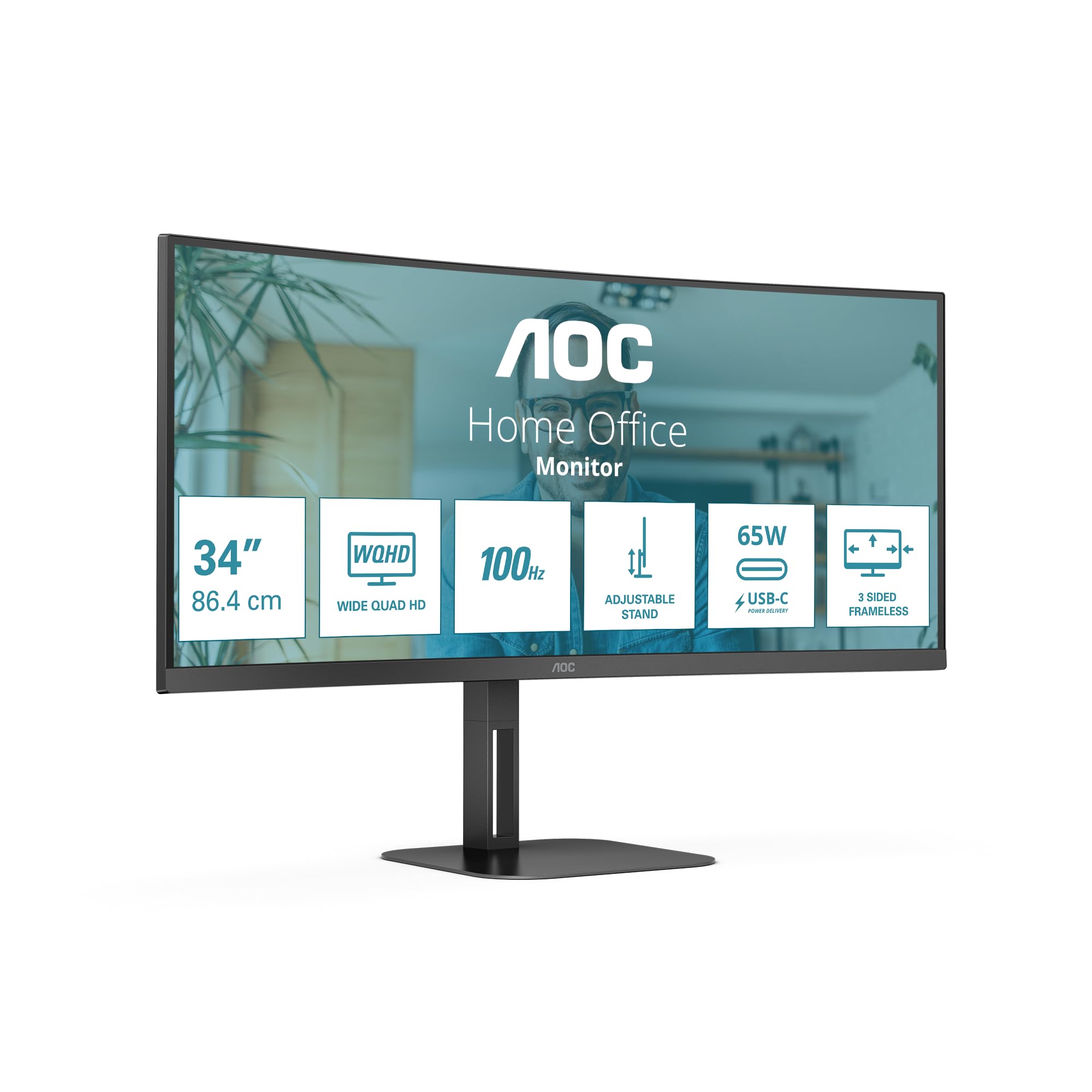
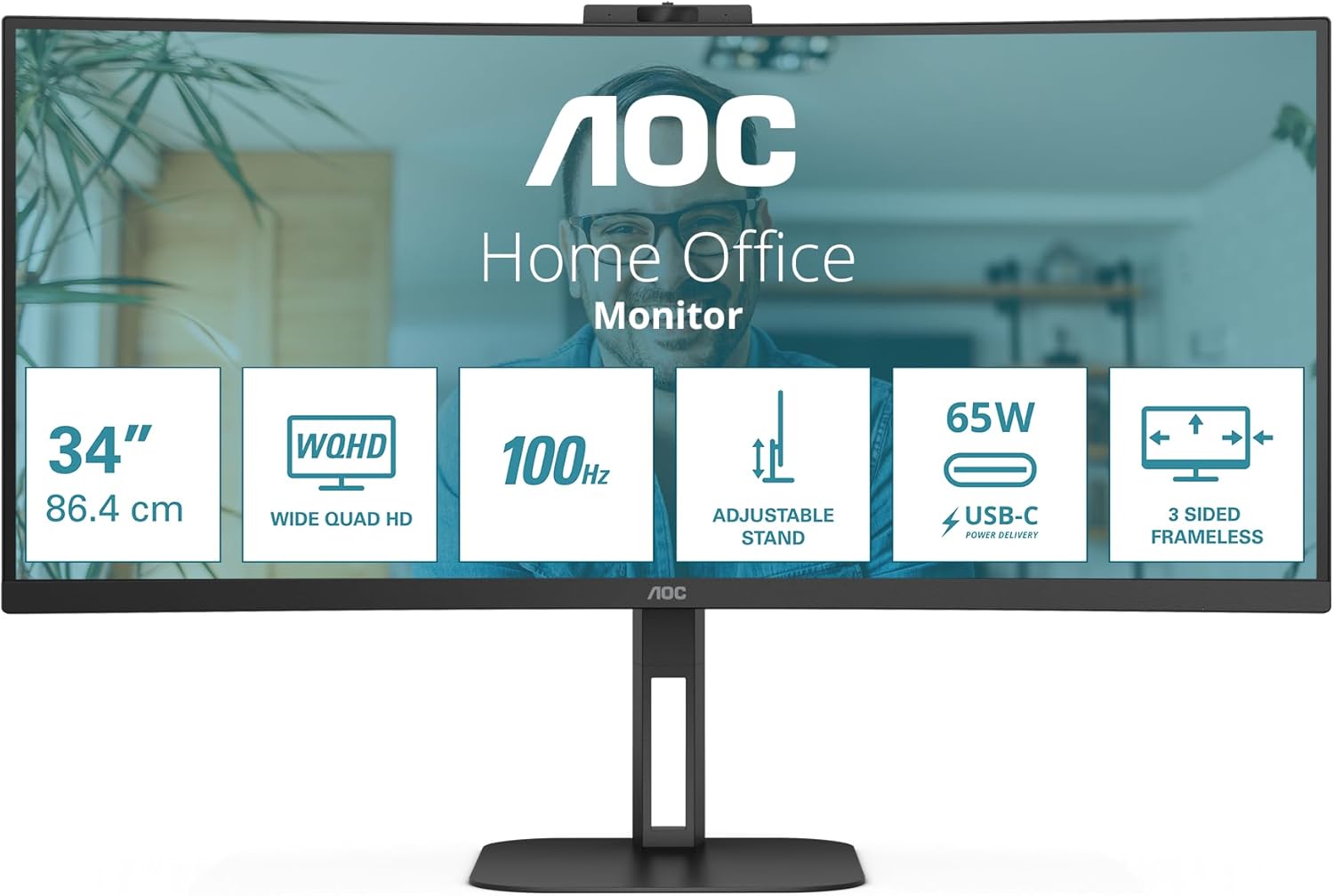
تصوير: سامهون view of the AOC CU34V5C monitor, illustrating its curved screen and adjustable stand.
تصوير: پوئين پاسي view of the AOC CU34V5C monitor, showing the attachment point for the stand and the overall design.
2. ڪيبل ڳنڍڻ
Connect the necessary cables to the monitor's input ports. The monitor supports various connections for versatility.
- پاور ڪيبل: Connect the AC power cable to the monitor's power input and then to a power outlet.
- HDMI: Use an HDMI cable to connect your computer or other video source to the monitor's HDMI 1x2.0 port.
- ڊسپلي پورٽ: For optimal performance, connect your computer to the monitor using a DisplayPort cable.
- USB-سي: Connect a USB-C cable from your compatible device to the monitor's USB-C port. This port supports video, data transfer, and Power Delivery up to 65W, allowing you to charge your device while displaying content.
- USB حب: Utilize the integrated USB hub by connecting the upstream USB cable (if not using USB-C for data) from your computer to the monitor. Then, connect your USB peripherals (keyboard, mouse, etc.) to the monitor's 4x USB 3.2 ports.
- آڊيو آئوٽ: Connect external speakers or headphones to the Audio Out port if desired.
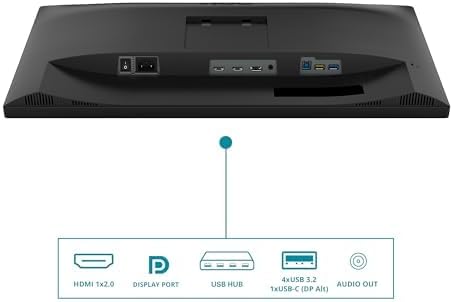
Image: Diagram illustrating the various input and output ports on the AOC CU34V5C monitor, including HDMI, DisplayPort, USB Hub, USB-C, and Audio Out.
3. اسٽينڊ کي ترتيب ڏيڻ
The monitor features an adjustable stand for ergonomic viewing. You can adjust the tilt and height of the display to suit your preference.
- اونچائي جي ترتيب: Gently push or pull the monitor up or down to adjust its height. The stand allows for up to 130 mm of vertical adjustment.
- جھلڻ جي ترتيب: Tilt the screen forward or backward to find your optimal viewزاويه.

تصوير: پاسي view of the AOC CU34V5C monitor, highlighting the range of height adjustment available with its stand.
آپريٽنگ هدايتون
1. پاور آن/آف
Press the power button, usually located on the bottom right or rear of the monitor, to turn the display on or off. The power indicator light will illuminate when the monitor is active.
2. آن-اسڪرين ڊسپلي (OSD) مينيو
The OSD menu allows you to configure various monitor settings. Use the control buttons (joystick or individual buttons) typically found on the bottom or rear of the monitor to navigate the menu.
- تصويري سيٽنگون: Adjust brightness, contrast, color temperature, and other image parameters.
- ان پٽ چونڊ: Manually select the input source (HDMI, DisplayPort, USB-C).
- آڊيو سيٽنگون: Control volume and other audio-related options for the built-in speakers or audio output.
- او ايس ڊي سيٽنگون: Customize the OSD menu's language, transparency, and timeout.
3. ملٽيView (Picture by Picture)
The AOC CU34V5C supports MultiView, specifically Picture by Picture (PbP) mode. This feature allows you to display content from two different input sources simultaneously on the screen, side-by-side. Refer to the OSD menu for specific instructions on activating and configuring PbP mode.
4. USB-C Functionality
The USB-C port provides a single-cable solution for compatible devices, offering:
- وڊيو سگنل: Display content from your device.
- ڊيٽا جي منتقلي: Access devices connected to the monitor's USB hub.
- Power Delivery (65W): Charge your connected laptop or device directly through the monitor.
سار سنڀال
1. اسڪرين صاف ڪرڻ
مانيٽر اسڪرين کي صاف ڪرڻ لاءِ، ان کي نرم، لِنٽ فري ڪپڙي سان نرميءَ سان صاف ڪريو. ضدي نشانن لاءِ، هلڪو ڊيampen the cloth with water or a non-abrasive, monitor-safe cleaning solution. Avoid using harsh chemicals, alcohol, or ammonia-based cleaners, as these can damage the screen surface.
2. عام سنڀال
- مانيٽر کي سڌي سج جي روشني، گهڻي گرمي ۽ نمي کان پري رکو.
- وڌيڪ گرم ٿيڻ کان بچڻ لاءِ مانيٽر جي چوڌاري مناسب وينٽيليشن کي يقيني بڻايو.
- مانيٽر يا ان جي ڪيبل تي ڳري شيون رکڻ کان پاسو ڪريو.
- Unplug the monitor from the power outlet during electrical storms or when not in use for extended periods.
مشڪلاتون
جيڪڏهن توهان کي پنهنجي مانيٽر سان مسئلا درپيش اچن ٿا، ته هيٺ ڏنل عام مسئلا حل ڪرڻ واري قدمن جو حوالو ڏيو:
- طاقت ناهي: پڪ ڪريو ته پاور ڪيبل مانيٽر ۽ پاور آئوٽليٽ ٻنهي سان محفوظ طور تي ڳنڍيل آهي. چيڪ ڪريو ته پاور آئوٽليٽ ڪم ڪري رهيو آهي يا نه.
- ڪوبه سگنل: Verify that the video cable (HDMI, DisplayPort, or USB-C) is correctly connected to both the monitor and your computer. Ensure the correct input source is selected in the monitor's OSD menu.
- ٽمٽار يا بگڙيل تصوير: Check the video cable for damage. Try a different cable or input port. Ensure your computer's graphics drivers are up to date.
- Image Too Dark/Bright: Adjust the brightness and contrast settings in the OSD menu.
- USB بندرگاهن ڪم نه ڪري رهيا آهن: Ensure the USB upstream cable (or USB-C cable) is connected from the monitor to your computer. Check device manager on your computer for any USB driver issues.
If problems persist after trying these steps, contact AOC customer support for further assistance.
وضاحتون
Key technical specifications for the AOC CU34V5C monitor:
| خاصيت | تفصيل |
|---|---|
| اسڪرين جي ماپ | 34 انچ (86.36 سينٽي) |
| پينل جو قسم | VA |
| قرارداد | 3440 x 1440 Pixels (QHD Ultra Wide) |
| اسپيڪٽ ريشو | 21:9 |
| اسڪرين جي مٿاڇري | مڙيل |
| تصوير جي روشني | 300 cd/m² |
| ريفريش جي شرح | 100 هز |
| ڪل USB بندرگاهن | 4 (USB 3.2) |
| USB-C پاور پهچائڻ | 65W تائين |
| پيداوار جي ماپ | 7.36 x 19.57 x 42.44 انچ |
| شيءِ جو وزن | 26.6 پائونڊ |
| ٺاهيندڙ | AOC |
| ماڊل نمبر | CU34V5C/BK |
توانائي جي ڄاڻ
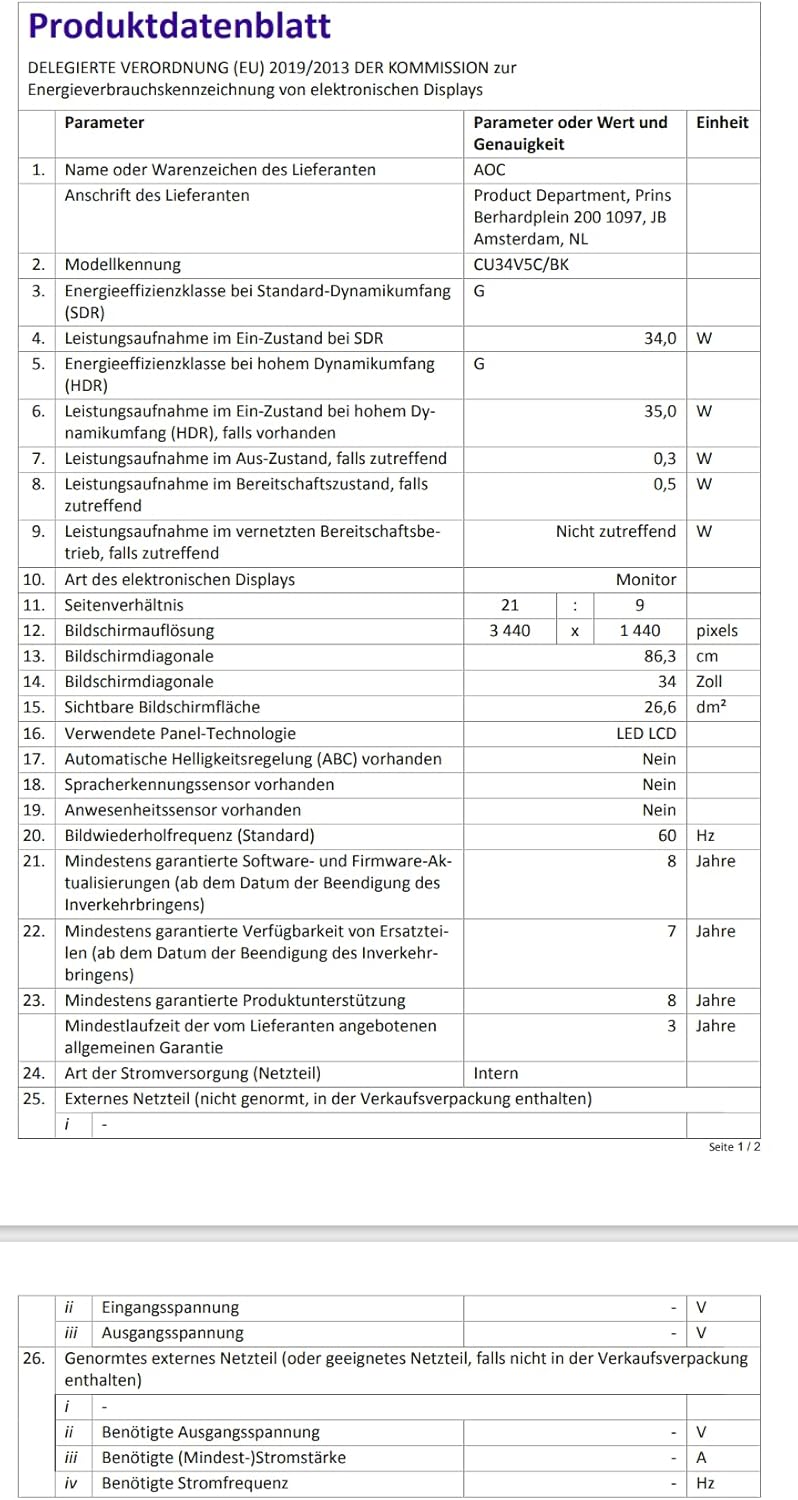
Image: EU Energy Label for the AOC CU34V5C monitor, indicating its energy efficiency class and consumption.
For detailed product information and energy efficiency data, please visit the EPREL database: https://eprel.ec.europa.eu/qr/1245431
وارنٽي ڄاڻ
AOC monitors typically come with a limited warranty. The exact terms and duration of your warranty may vary by region and retailer. Please refer to the warranty card included with your purchase or visit the official AOC website for detailed warranty information specific to your product and location. Keep your proof of purchase for warranty claims.
حمايت
For technical assistance, troubleshooting beyond this manual, or warranty inquiries, please contact AOC customer support. You can usually find contact information, FAQs, and driver downloads on the official AOC webسائيٽ.
Thank you for choosing AOC.


