1. تعارف
The FEELWORLD HV10X is a professional live streaming camera designed for high-quality video capture and seamless integration into various streaming platforms. It features Full HD 1080P resolution at 60 frames per second, a 10X optical zoom lens, and auto-focus capabilities. Equipped with USB3.0 and HDMI outputs, built-in microphones, and remote control support, the HV10X offers a versatile solution for content creators, educators, and businesses.
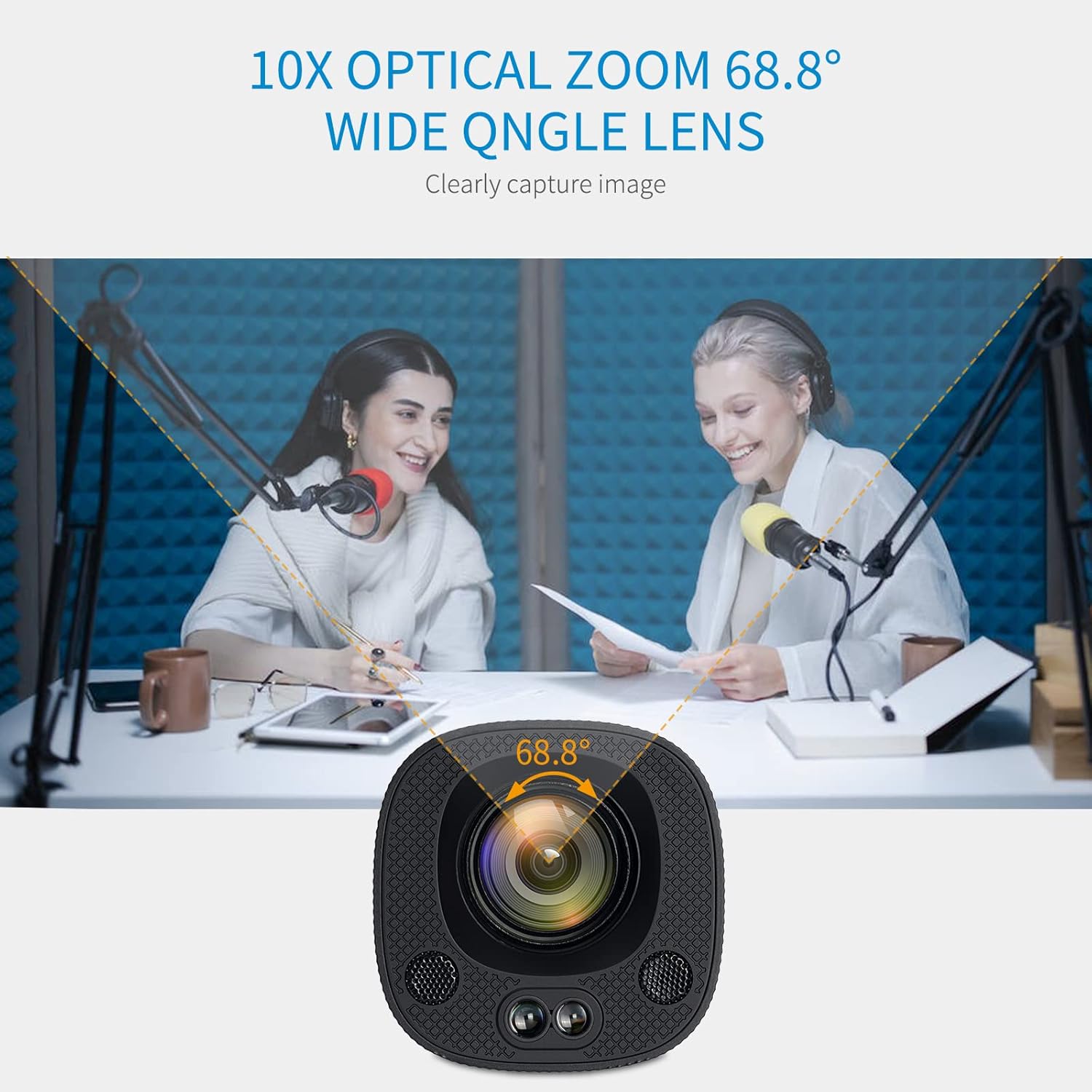
Figure 1.1: FEELWORLD HV10X Professional Live Streaming Camera.
2. اهم خاصيتون
- 1080P@60fps Video Output: Delivers crisp and ultra-smooth video with a resolution of up to 1920x1080 at 60 frames per second.
- 10X Optical Zoom & 68.8° Wide Angle Lens: Allows for clear capture of distant subjects and broad scenes.
- خودڪار فوٽو: Automatically adjusts focus to keep subjects sharp and clear.
- Low Noise with 2D/3D Noise Reduction: Advanced technology reduces video noise for high image clarity, especially in challenging lighting conditions.
- Horizontal or Vertical Screen Live Stream: Supports switching between horizontal and vertical output modes via a DIP switch for flexible streaming orientations.
- USB3.0 & HDMI Output: Provides versatile connectivity for various streaming platforms and display devices.
- بلٽ ان مائڪروفون: Two integrated microphones ensure clear audio capture without the need for external equipment.
- IR ريموٽ ڪنٽرول: Enables convenient control over zoom, focus, and menu settings from a distance.
3. پيڪيج مواد
مھرباني ڪري تصديق ڪريو ته سڀ شيون پيڪيج ۾ موجود آھن:
- FEELWORLD HV10X Streaming Camera
- پاور اڊاپٽر
- USB3.0 ڪيبل
- IR ريموٽ ڪنٽرول
- استعمال ڪندڙ جو دستياب (ھي دستاويز)
4. سيٽ اپ گائيڊ
4.1 ڪئميرا ڳنڍڻ
- پاور ڪنيڪشن: Connect the provided power adapter to the DC 12V input port on the camera and then to a power outlet.
- وڊيو آئوٽ:
- For USB output, connect the USB3.0 cable from the camera's USB port to your computer's USB3.0 port.
- For HDMI output, connect an HDMI cable from the camera's HDMI port to a display or capture device.

Figure 4.1: HDMI and USB ports on the HV10X camera.
4.2 Horizontal/Vertical Screen Setup
The HV10X supports both horizontal and vertical screen output modes. To switch between these modes, use the DIP switch located on the camera. اهم: This setting must be configured اڳ ڊوائيس تي طاقت.

Figure 4.2: Adjusting the DIP switch for horizontal or vertical streaming.
5. آپريشن
5.1 پاور آن/آف
- To power on, ensure the power adapter is connected and plugged into an outlet. The camera will automatically power on.
- To power off, disconnect the power adapter from the camera or the outlet.
5.2 Zoom and Focus Control
The HV10X features 10X optical zoom and auto-focus. You can also manually adjust these settings using the IR remote control.

Figure 5.1: The 10X optical zoom and 68.8° wide-angle lens capture clear images.

Figure 5.2: Precision auto-focus keeps your subject sharp.
5.3 ريموٽ ڪنٽرول استعمال ڪندي
The included IR remote control allows for convenient adjustment of camera settings. Point the remote directly at the camera's IR receiver for optimal response.
- زوم ان / آئوٽ: Use the zoom buttons to adjust the optical zoom level.
- فوڪس ايڊجسٽمينٽ: Manually adjust focus if needed.
- مينيو ڪنٽرول: Access and navigate the camera's on-screen menu for advanced settings.

Figure 5.3: Operating the camera with the IR remote controller.
5.4 Adjusting Image Style
The camera supports manual adjustment of various parameters to achieve a professional image style. Access these settings through the on-screen menu using the remote control.
- پڌرائي
- رنگ
- تصوير
- فڪر
- شور جي گھٽتائي
- Image Style presets
Figure 5.4: On-screen menu for professional image style adjustments.
6. آڊيو خاصيتون
The HV10X camera includes two built-in microphones, eliminating the need for external audio input in many scenarios. These microphones are designed to capture clear voice audio.

Figure 6.1: Location of the two built-in microphones on the camera.
7. مسئلا حل ڪرڻ
This section addresses common issues you might encounter with your FEELWORLD HV10X camera.
| مسئلو | ممڪن سبب | حل |
|---|---|---|
| ڪابه وڊيو آئوٽ | Loose cable connection, incorrect input selection on display, camera not powered on. | Check USB/HDMI cable connections. Ensure the display is set to the correct input source. Verify the camera is powered on. |
| تصوير ڌنڌلي يا ڌيان کان ٻاهر آهي. | Auto-focus issue, manual focus needed. | Allow the camera to auto-focus. If persistent, use the remote control to manually adjust focus. Ensure the lens is clean. |
| ريموٽ ڪنٽرول جواب نه ڏئي رهيو آهي | Low battery, obstructed signal, camera frozen. | Replace remote batteries. Ensure a clear line of sight to the camera's IR receiver. If the camera is frozen, power cycle the device. |
| No audio from built-in mics | Audio settings incorrect, software issue on receiving device. | Check camera audio settings via the menu. Verify audio input selection on your computer or streaming software. |
| Cannot switch horizontal/vertical mode | DIP switch adjusted while camera is on. | Power off the camera, adjust the DIP switch to the desired orientation, then power the camera back on. |
8. وضاحتون
| خاصيت | تفصيل |
|---|---|
| برانڊ | محسوس ڪيو |
| ماڊل نمبر | HV10X |
| وڊيو ڪيپچر ريزوليوشن | 1080p (مڪمل HD) |
| فريم جي شرح | 60fps تائين |
| بصري زوم | 10X |
| لينس زاويه | 68.8° وائڊ اينگل |
| فوڪس جو قسم | خودڪار فوڪس |
| رابطي ٽيڪنالاجي | HDMI, USB3.0, Infrared |
| آڊيو | بلٽ ان 2 مائڪروفون |
| خاص خاصيتون | Low Light Performance, 2D/3D Noise Reduction, Horizontal/Vertical Streaming |
| شيءِ جو وزن | 2.38 پائونڊ (تقريبن 1.08 ڪلوگرام) |
| پيڪيج جي ماپ | 10.31 x 7.36 x 5.39 انچ (تقريبن 26.19 x 18.69 x 13.69 سينٽي ميٽر) |
9. وڊيو مظاهرو
Watch the official product video for a visual guide on the FEELWORLD HV10X camera's features and capabilities.
وڊيو 9.1: سرڪاري پراڊڪٽ ختمview of the FEELWORLD HV10X 1080p60 USB3.0 HDMI Live Streaming Camera, demonstrating its key features and applications.
10. وارنٽي ۽ سپورٽ
FEELWORLD products are designed for reliability and performance. For warranty information, technical support, or service inquiries, please refer to the official FEELWORLD webسائيٽ تي وڃو يا انهن جي ڪسٽمر سروس ڊپارٽمينٽ سان رابطو ڪريو. وارنٽي دعوائن لاءِ پنهنجي خريداري جي رسيد رکو.
وڌيڪ مدد لاءِ، توهان دورو ڪري سگهو ٿا FEELWORLD Store on Amazon.


