1. تعارف
Welcome to the Metapen Pencil A11 user manual. This document provides detailed instructions on how to set up, operate, maintain, and troubleshoot your Metapen Pencil A11, ensuring you get the most out of your device. The Metapen Pencil A11 is designed to enhance your iPad experience with precision and ease of use.
2. پراڊڪٽ ختمview
The Metapen Pencil A11 is a versatile stylus pen compatible with various iPad models from 2018 to 2025. It features a customizable side button, advanced signal adjuster for pixel precision, fast charging, and palm rejection technology.
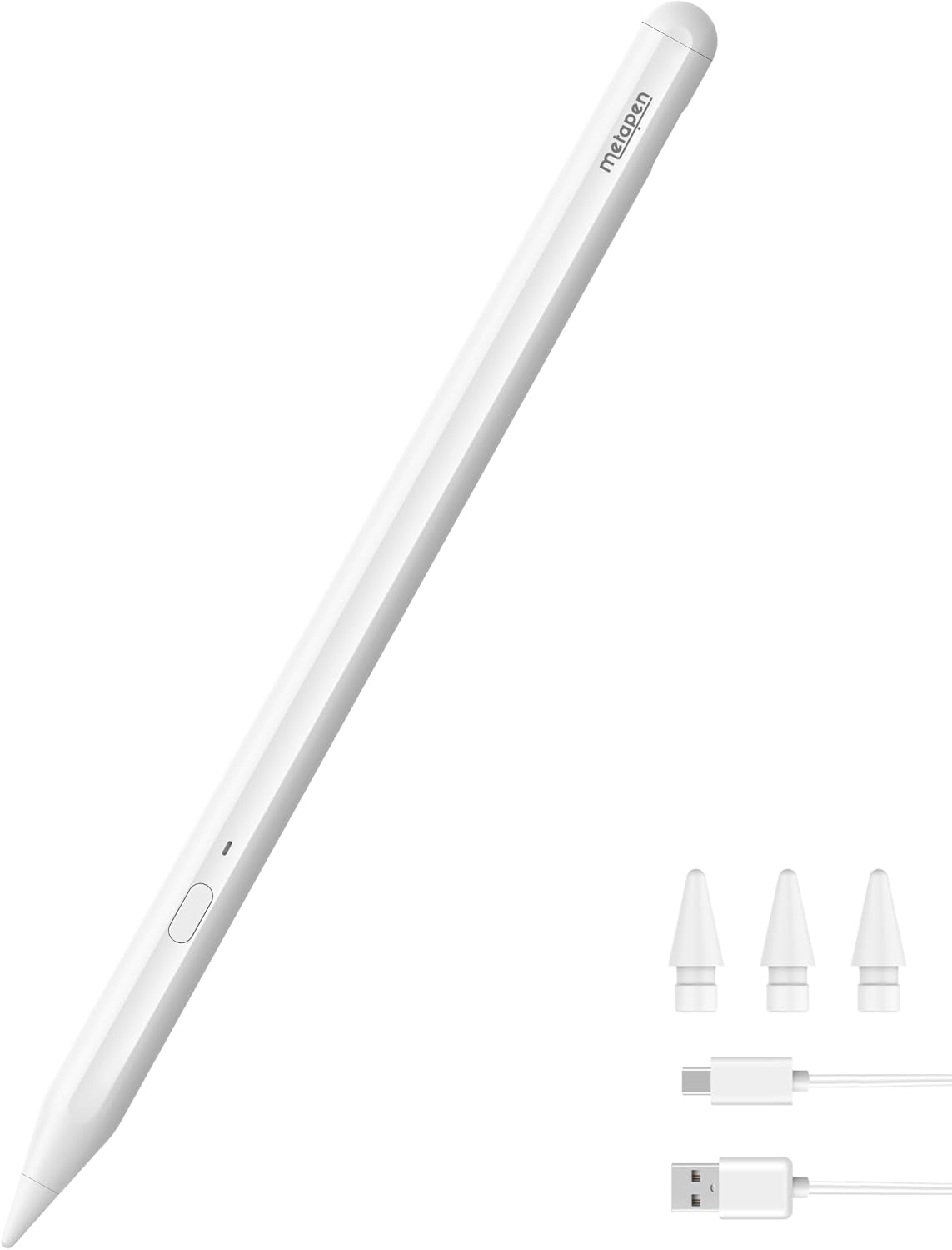
Figure 2.1: Metapen Pencil A11 with included tips and charging cable.
اهم خاصيتون:
- مطابقت: Specialized for iPad 11/10/9/8/7/6 Gen, iPad Air 3/4/5/M2/M3, iPad Pro 13 inch M4, iPad Pro 11 inch 1/2/3/4/M4, iPad Pro 12.9 inch 3/4/5/6 Gen, iPad Mini 5/6 Gen.
- Customizable Side Button: Programmable via the Wellnote App for single, double, or triple clicks to assign personalized functions.
- Cutting-Edge Signal Adjuster: P2 chip for 0.1mm pixel precision and responsiveness across various tip options.
- تيز چارج: 30 minutes of charging provides 8 hours of battery life; 4 minutes of charge can provide 100 minutes of use.
- Instant Battery Indicator: Battery widget on iPad via Bluetooth connection.
- کجيءَ جو انڪار: Allows comfortable writing or drawing without accidental screen touches.
- مقناطيسي ڳنڍڻ: Strong magnets for easy storage and carrying (Note: Not all iPad models support magnetic attachment).

Figure 2.2: Handy side button shortcuts for efficient workflow.

Figure 2.3: Fast charging capabilities of the Metapen Pencil A11.
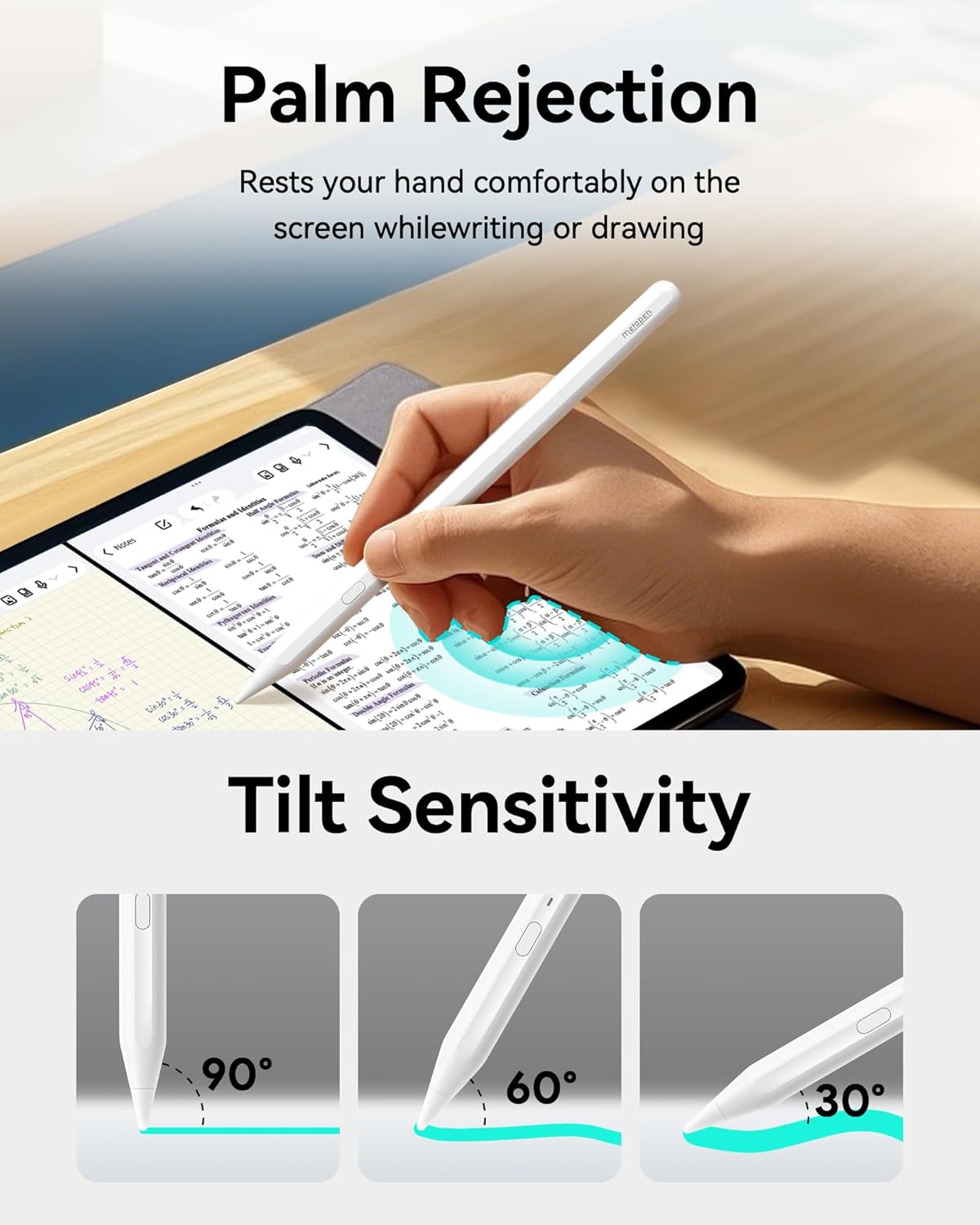
Figure 2.4: Demonstrating palm rejection feature for comfortable use.

Figure 2.5: Tilt sensitivity allows for varied line thickness based on pen angle.

Figure 2.6: List of compatible iPad models for Metapen Pencil A11.

Figure 2.7: Smooth and precise writing experience with Metapen Pencil A11.

Figure 2.8: Wellnote App for enhanced note-taking and customization.
3. سيٽ اپ ۽ تنصيب
Follow these steps to set up your Metapen Pencil A11 and begin using it with your iPad.
3.1 پيڪنگ ۽ پيڪيج جو مواد
پيڪيج کولڻ تي، پڪ ڪريو ته سڀئي جزا موجود آهن:
- 1x Metapen Pencil A11
- 1x USB چارجنگ ڪيبل
- 2x Pen Tips
- 2x Charging Port Covers
- 1x استعمال ڪندڙ دستياب
Video 3.1: Metapen A11 User Guide - Unpacking and Packing List. This video demonstrates the contents of the Metapen Pencil A11 package.
3.2 Powering On/Off and Pairing
- To turn on the Metapen Pencil A11, press the side button once. A white light will illuminate.
- To turn off the pen, press and hold the side button for two seconds. The red light will turn off.
- For initial pairing, press and hold the side button until the red light blinks, indicating pairing mode.
- پنهنجي iPad تي، وڃو سيٽنگون > بلوٽوٿ ۽ پڪ ڪريو ته بلوٽوت چالو آهي.
- Locate "Metapen Pencil A11" in the list of devices and tap to connect. Tap "Pair" when prompted.
- Once paired, the battery level will be displayed in the iPad's plug-in bar.
Video 3.2: Metapen A11 User Guide - Pairing with iPad. This video demonstrates the steps to power on, power off, and pair the Metapen Pencil A11 with an iPad.
3.3 چارج ڪرڻ
The Metapen Pencil A11 features fast charging. Connect the included USB-C cable to the pen's charging port and a power source. A full charge takes approximately 30 minutes, providing 8 hours of battery life. A quick 4-minute charge can provide 100 minutes of use.

Figure 3.1: Charging indicators and times for the Metapen Pencil A11.
3.4 مقناطيسي منسلڪ
The Metapen Pencil A11 can magnetically attach to compatible iPad models for convenient storage and carrying. Simply place the flat side of the pen against the magnetic edge of your iPad.
Note: Magnetic attachment is not supported on Apple iPad Air 3rd Gen, iPad 6th/7th/8th/9th/10th Gen, and iPad mini 5th Gen.

Figure 3.2: Magnetic attachment of the Metapen Pencil A11 to an iPad.
4. آپريشن
The Metapen Pencil A11 offers various functionalities to enhance your digital experience.
4.1 بنيادي استعمال
- After pairing, simply tap the iPad screen with the pen to activate it for writing or drawing.
- The pen supports quick pull-out of notes and slide screenshots.
- Enjoy smooth writing without breaking lines, and utilize tilt and pressure sensitivity for varied strokes.

Figure 4.1: Palm rejection feature in use, allowing natural hand placement on the screen.

Figure 4.2: Adjusting line thickness by tilting the Metapen Pencil A11.
4.2 Quick Memo and Text Input
Double-tap the locked screen of your iPad to quickly enter the Notes interface and start recording your ideas. The pen also supports direct text input, smart doodling, and highlighting within compatible applications.

Figure 4.3: Quick Memo feature for instant note-taking from the locked screen.

Figure 4.4: Quick pairing instructions and battery level display.
5. سار سنڀال
5.1 قلم جي ٽوڪن کي تبديل ڪرڻ
The Metapen Pencil A11 allows for easy replacement of pen tips. Simply twist the old tip counter-clockwise to remove it, and then twist a new tip clockwise to secure it. This ensures consistent performance and precision.
Figure 5.1: Instructions for replacing the pen tip.
6. مسئلا حل ڪرڻ
If you encounter any issues with your Metapen Pencil A11, refer to the common problems and solutions below:
- My iPad is compatible with A11. Why does it not seem to work?
- Before first use, charge A11 for 10 minutes.
- Ensure your iPad is running iOS 12.2 or later.
- Disconnect Apple Pencil (if you have) by going to سيٽنگون > بلوٽوٿ > ٽيپ ڪريو (i) next to Apple Pencil > هن ڊوائيس کي وساريو.
- In سيٽنگون > ايپل پنسل, turn off "Only draw with Apple Pencil".
- If your iPad's original screen has been replaced, the A11 may not work.
- Why did the battery run out so quickly?
Under normal circumstances, the A11 should last for around 10 hours on a full charge. If the battery drains quickly, you may have a defective product. Please reach out to customer support.
- Why can't I pair my iPad with A11 via Bluetooth?
Check Wellnote Bluetooth permission: On iPad, go to سيٽنگون > Wellnote > بلوٽوٿ > Turn on.
- Why is it so intermittent and not smooth when drawing lines?
- Try to loosen the pen tip/replace the pen tip.
- Click the gain adjustment in the "Wellnote" app to adjust the pen tip signal.
- If the above operations cannot solve the problem, please contact us.
- Why doesn't tilt sensitivity work?
Tilt sensitivity is designed for certain brushes such as pencil, crayon, and marker brushes. You can select any pencil brush under 'Sketch' in iPad Notes or Procreate, such as "HB Pencil", and tilt the pen at different angles to get different shading effects.
- Why doesn't palm rejection work?
Please go to iPad سيٽنگون > ايپل پنسل > Turn on "Only draw with Apple Pencil".

Figure 6.1: Common troubleshooting steps for Metapen Pencil A11.

Figure 6.2: Additional troubleshooting for writing smoothness and palm rejection.
7. وضاحتون
| وصف | قدر |
|---|---|
| برانڊ | ميٽاپين |
| ماڊل نمبر | ME-APP412 |
| شيءِ جو وزن | 0.529 آونس (15 گرام) |
| پيداوار جي ماپ (LxWxH) | 6.5 x 0.37 x 0.37 انچ |
| رنگ | کلاسي اڇو |
| بيٽري جو قسم | ليتيم-آئن پوليمر |
| بيٽرين جي ضرورت آهي | Yes (1 CR5 included) |
| Battery Average Life Standby | 365 ڏينهن |
| مطابقت رکندڙ ڊوائيسز | 2025 iPad 11th, iPad Air M3, 11-inch & 13-inch (M2), iPad Pro 11-inch (M4), iPad Pro 13-inch (M4), iPad (6th, 7th, 8th, 9th and 10th 2022 Gen), iPad Air (3rd, 4th and 5th 2022 Gen), iPad Pro 12.9-inch (3rd, 4th, 5th and 6th 2022 Gen), iPad Pro 11-inch (1st, 2nd, 3rd and 4th 2022 Gen), iPad mini (5th and 6th Gen) |
8. وارنٽي ۽ سپورٽ
Metapen is committed to providing excellent customer service and product support.
- 2 Years Care: Enjoy extended warranty and support.
- 30 ڏينهن جي متبادل: Hassle-free replacement within 30 days of purchase.
- 7x24 Hours Customer Service: Dedicated support available around the clock.
ڪنهن به سوال يا مدد لاء، مهرباني ڪري اسان سان رابطو ڪريو: support@metapen.com

Figure 8.1: Metapen customer care details.


