1. تعارف
Thank you for choosing the PeriPage A6 Mini Portable Thermal Printer. This compact and versatile device allows you to print photos, labels, notes, lists, and more directly from your smartphone or PC. With its high-resolution thermal printing technology, you can enjoy clear and crisp prints without the need for ink cartridges. This manual provides essential information on setting up, operating, maintaining, and troubleshooting your new printer.
3. پيڪيج مواد
پڪ ڪريو ته سڀئي شيون توهان جي پيڪيج ۾ موجود آهن:
- PeriPage A6 Mini Printer
- حرارتي پيپر رول
- USB ڪيبل
- استعمال ڪندڙ دستي

Image: Contents of the PeriPage A6 Mini Printer package, showing the printer, a roll of thermal paper, a USB charging cable, and the user manual.
4. پراڊڪٽ ختمview
4.1 اهم خاصيتون
- Ultra HD Printing: 304 DPI resolution for clear and detailed prints.
- انڪلیس ٿرمل پرنٽنگ: No ink cartridges required, reducing operating costs.
- ملٽي فنڪشنل: Supports printing of photos, labels, notes, lists, QR codes, web صفحا ، ۽ ويڪ.
- بلوٽوت ڪنيڪشن: Seamless wireless connection to iOS and Android smartphones.
- پورٽبل ڊيزائن: Compact and lightweight with a built-in 1000mAh rechargeable battery.
- Versatile Paper Support: Compatible with various thermal paper types including standard, sticky, transparent, and colorful options.
4.2 پرنٽر جا جزا
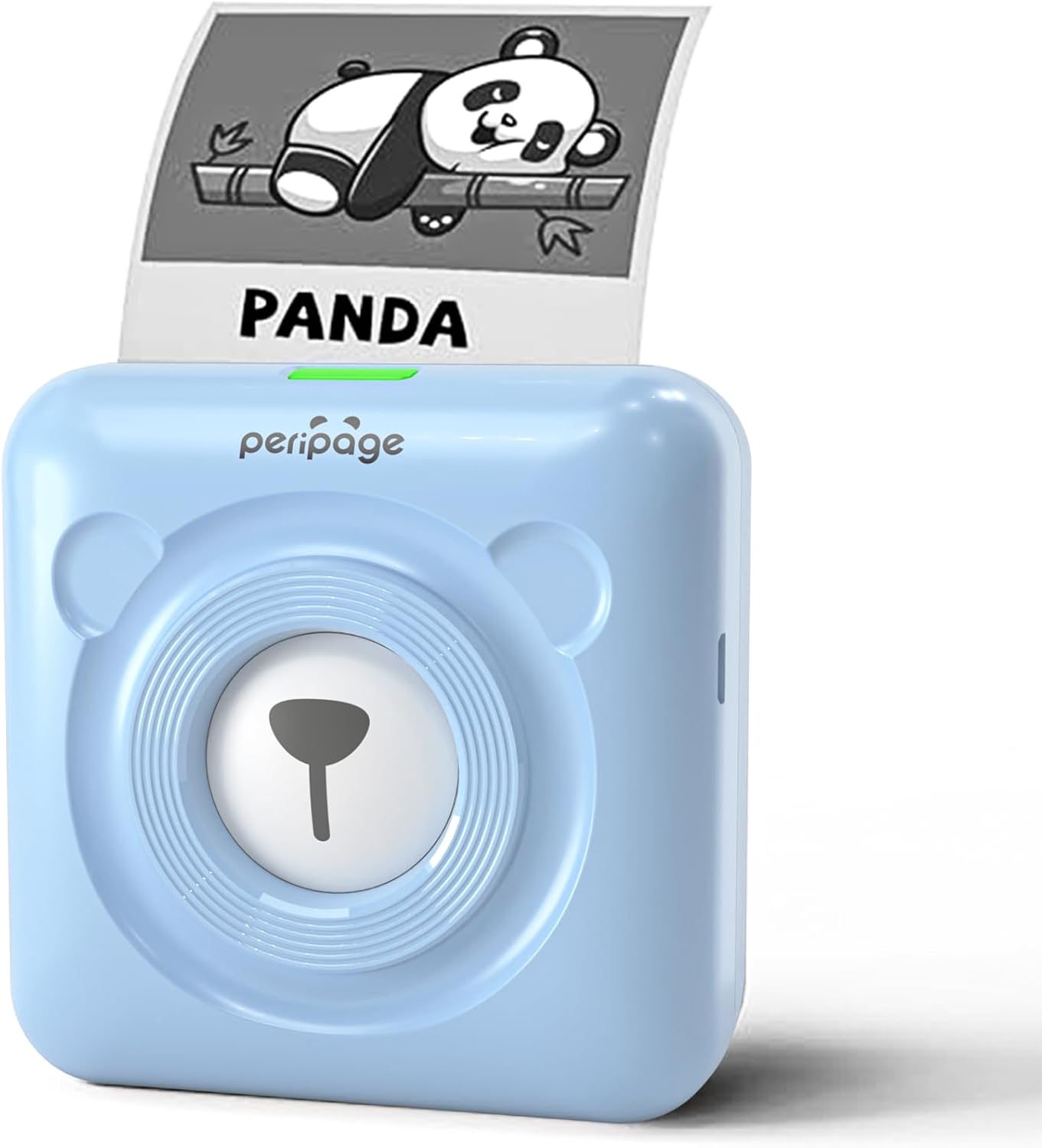
Image: The PeriPage A6 Mini Printer in blue, demonstrating a printed output. The printer features a bear-like design on its front.

Image: A visual comparison highlighting the superior print resolution of the PeriPage A6 Mini Printer (304 DPI) compared to a standard definition printer, showing finer details in the printed image.
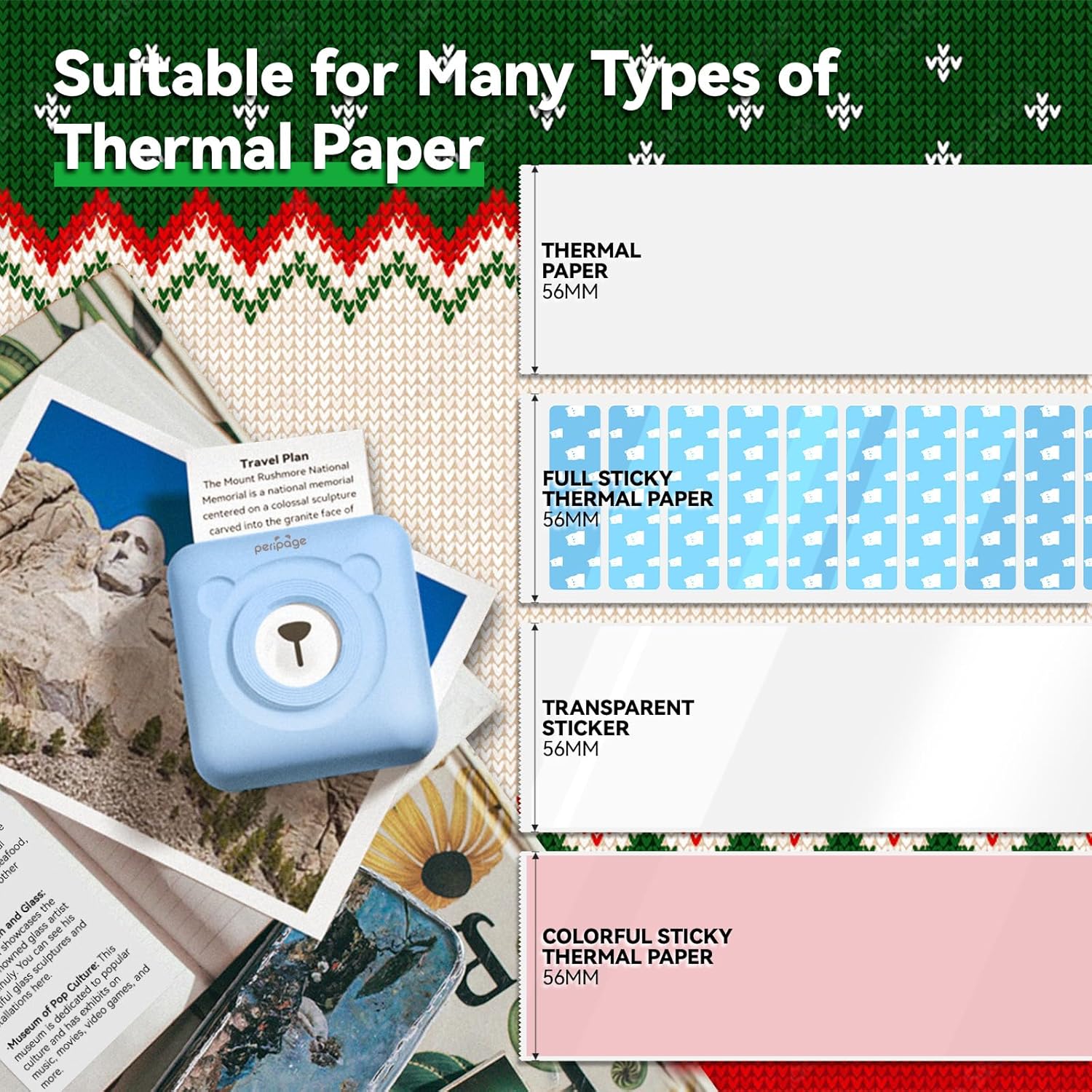
Image: An illustration showing the different types of thermal paper that can be used with the PeriPage A6 Mini Printer, such as standard thermal paper, full sticky thermal paper, transparent stickers, and colorful sticky thermal paper, all 56mm wide.
5. سيٽ اپ گائيڊ
5.1 پرنٽر کي چارج ڪرڻ
Before first use, fully charge the printer using the provided USB cable. Connect the USB cable to the printer's charging port and the other end to a USB power adapter (not included) or a computer's USB port. The indicator light will show charging status.
5.2 ٿرمل پيپر لڳائڻ
- Open the printer cover by gently sliding the release button or pressing the designated area.
- Insert the thermal paper roll into the paper compartment, ensuring the printing side faces the print head.
- Pull a small amount of paper out beyond the print head.
- پرنٽر جي ڍڪ کي مضبوطيءَ سان بند ڪريو جيستائين اهو جاءِ تي ڪلڪ نه ڪري.
5.3 Downloading the PeriPage App
The PeriPage A6 Mini Printer requires the official PeriPage APP for full functionality. You can download it via:
- Searching for "PeriPage" in your device's APP store (Apple App Store for iOS, Google Play Store for Android).
- Scanning the QR code provided in the instruction manual or on the product packaging.
- Visiting the official download page: https://www.ileadtek.com/download/app/peripage.html

Image: A guide illustrating two methods to download the PeriPage App: searching on Google Play or Apple App Store, or scanning a QR code.
5.4 Connecting to Your Device (Bluetooth)
- Ensure your PeriPage A6 printer is turned on.
- پنهنجي اسمارٽ فون تي بلوٽوت کي فعال ڪريو.
- Open the PeriPage App. The app will guide you to connect to the printer.
- Select your printer from the list of available Bluetooth devices within the app. The printer's name usually starts with "PeriPage".
- Once connected, the app will indicate a successful connection.

Image: A visual representation of connecting the PeriPage A6 Mini Printer to a smartphone via the PeriPage App, showing the app interface and Bluetooth icon.
6. آپريٽنگ هدايتون
The PeriPage App offers a wide range of functions to maximize your printer's utility.
6.1 Basic Printing Steps (via App)
- پرنٽر کي چالو ڪريو: پرنٽر تي پاور بٽڻ کي دٻايو.
- Open the PeriPage App: Ensure your printer is connected via Bluetooth.
- Select Printing Type: On the app's homepage, choose the type of content you wish to print (e.g., Photo Print, Label Print, Notes, Web Page Printing, OCR Text Recognition).
- Import/Create Content: Select the image, text, or template you want to print. The app provides various fonts and themes.
- سيٽنگون ترتيب ڏيو (اختياري): Modify print density, size, or other parameters as needed.
- ڇپائي: Tap the print button in the app. The printer will begin printing.

Image: A five-step visual guide demonstrating the printing process using the PeriPage App: 1. Press button to boot, 2. Enter PeriPage app, 3. Import file, 4. Connect via Bluetooth, 5. Get printed document.
6.2 استعمال جا منظر
The PeriPage A6 is suitable for a variety of applications:
- رڌڻي: Print labels for jars and containers.
- مطالعو: Print study notes, lists, or quick references.
- تصويرون: Print black and white photos for journaling or scrapbooking.
- DIY اسٽيڪر: Create custom stickers for various purposes.
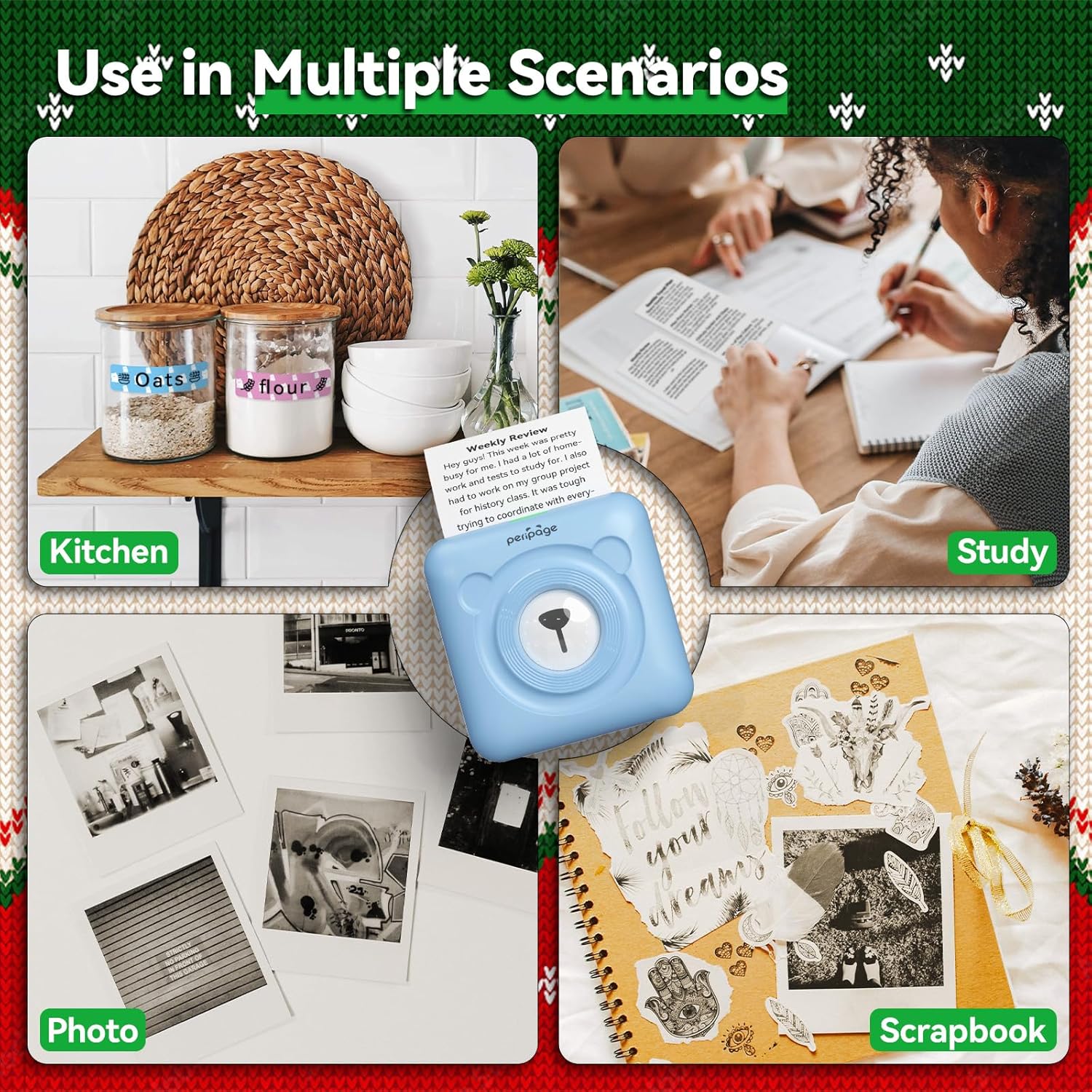
تصوير: Examples of the PeriPage A6 Mini Printer's use in multiple scenarios, including creating kitchen labels, printing study notes, printing photos, and enhancing scrapbooks.
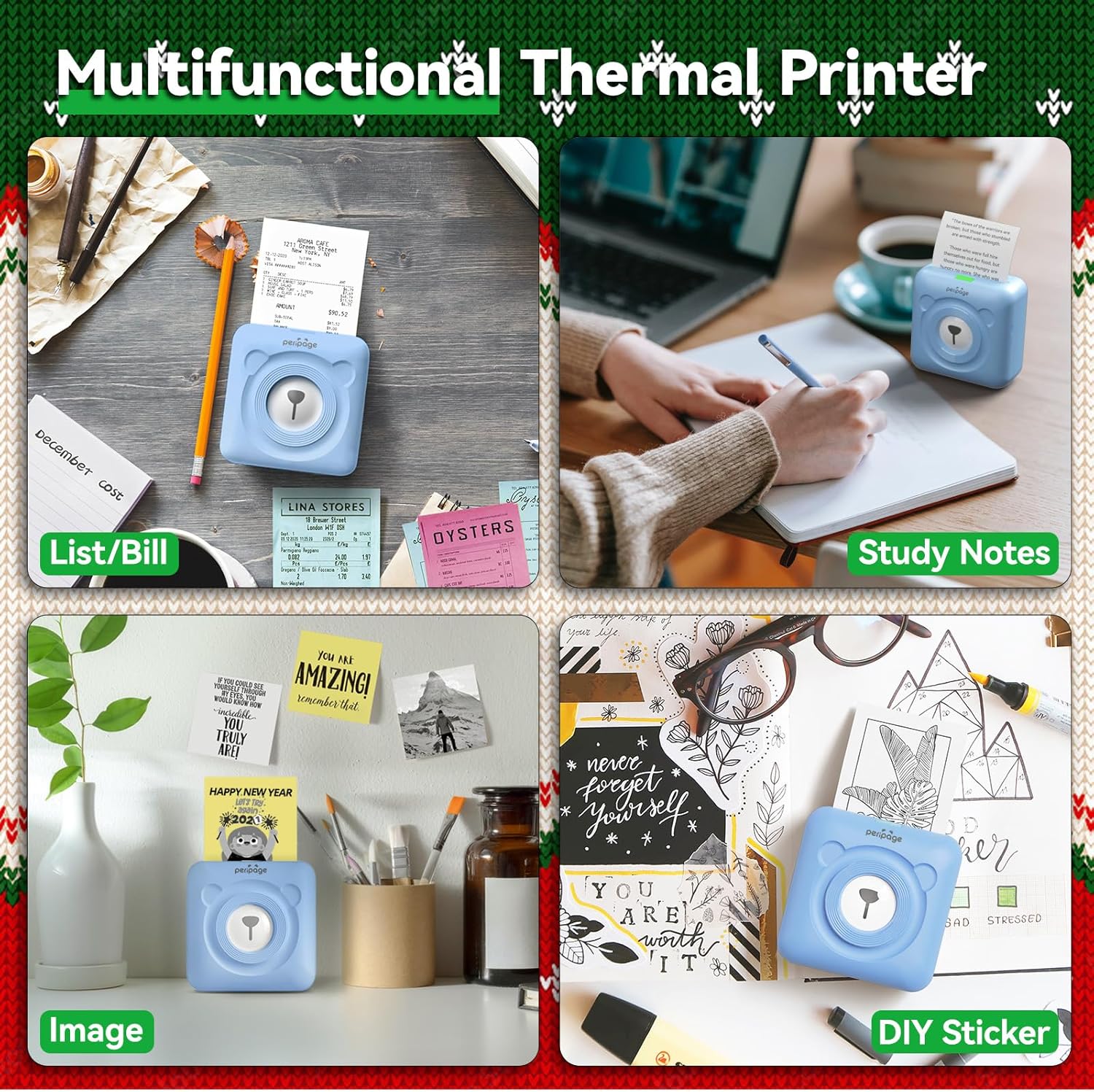
Image: A display of the PeriPage A6 Mini Printer's multifunctional thermal printing capabilities, showing its use for lists/bills, study notes, images, and DIY stickers.
7. سار سنڀال
7.1 پرنٽر جي صفائي
To ensure optimal print quality and prolong the life of your printer, regular cleaning is recommended.
- Turn off the printer and disconnect the power cable before cleaning.
- پرنٽر جي ٻاهرين حصي کي صاف ڪرڻ لاءِ نرم، سڪل، لِنٽ فري ڪپڙو استعمال ڪريو.
- For the print head, gently wipe it with a cotton swab lightly dampened with isopropyl alcohol. Allow it to dry completely before use.
- استعمال نه ڪريو abrasive cleaners يا solvents.
7.2 بيٽري جي سنڀال
- بيٽري جي صحت کي برقرار رکڻ لاءِ پرنٽر کي باقاعدي چارج ڪريو، جيتوڻيڪ استعمال ۾ نه هجي.
- بيٽري کي بار بار مڪمل طور تي چارج ڪرڻ کان پاسو ڪريو.
- جڏهن گهڻي عرصي تائين استعمال ۾ نه هجي ته پرنٽر کي ٿڌي، سڪل جاءِ تي رکو.
8. مسئلا حل ڪرڻ
If you encounter issues with your PeriPage A6 Mini Printer, refer to the following common problems and solutions:
| مسئلو | ممڪن سبب | حل |
|---|
| پرنٽر آن نٿو ٿئي | بيٽري گهٽ آهي؛ پاور بٽڻ صحيح طرح سان نه دٻايو ويو آهي | پرنٽر کي چارج ڪريو؛ ڪجهه سيڪنڊن لاءِ پاور بٽڻ کي دٻايو ۽ رکو. |
| بلوٽوٿ ذريعي ڳنڍي نٿو سگھجي | Bluetooth off; Printer not discoverable; App issue | Ensure Bluetooth is enabled on your phone; Restart printer and phone; Reinstall PeriPage App. |
| Poor print quality / Faint prints | Paper installed incorrectly; Low battery; Dirty print head; Expired thermal paper | Reinstall paper with printing side facing up; Charge printer; Clean print head; Use new thermal paper. |
| ڪاغذ جو جام | Paper not inserted straight; Too much paper pulled out | Open cover and carefully remove jammed paper; Reinsert paper correctly. |
| App is buggy or freezes | Software glitch; Outdated app version | Close and reopen the app; Check for app updates; Reinstall the app. |
9. وضاحتون
| خاصيت | تفصيل |
|---|
| برانڊ | PeriPage |
| ماڊل نالو | PeriPage A6 |
| ڇپائي ٽيڪنالاجي | حرارتي |
| قرارداد | 304 ڊي پي آئي |
| رابطي | بلوٽوٿ، يو ايس بي |
| مطابقت رکندڙ ڊوائيسز | Smartphones (iOS & Android), PC, Laptops |
| وڌ ۾ وڌ ميڊيا سائيز | 57mm (width) x 30mm (roll diameter) |
| بيٽري | 1000mAh ليٿيم آئن (شامل) |
| شيءِ جو وزن | 5.6 آونس (160 گرام) |
| پيداوار جي ماپ | 2.95"ڊي x 2.95"ڊي x 1.57"ايڇ |
| شامل اجزاء | ڪاغذ |
10. وارنٽي ۽ سپورٽ
10.1 وارنٽي ڄاڻ
Please note that this product is listed with ڪابه وارنٽي. For specific details regarding returns or defects, please refer to the retailer's policy where the product was purchased.
10.2 ڪسٽمر سپورٽ
For further assistance, technical support, or inquiries not covered in this manual, please contact PeriPage customer service through their official website or the contact information provided by your retailer. Ensure you have your product model number (A6) and purchase details ready when contacting support.


