Google Pixel Watch 1st Gen - Android Smartwatch User Manual
Model: G943M, GQF4C, G77PA
1. تعارف
The Google Pixel Watch 1st Gen combines a sleek, circular design with advanced Wear OS by Google features and comprehensive Fitbit health tracking. This manual provides essential information for setting up, operating, and maintaining your smartwatch.
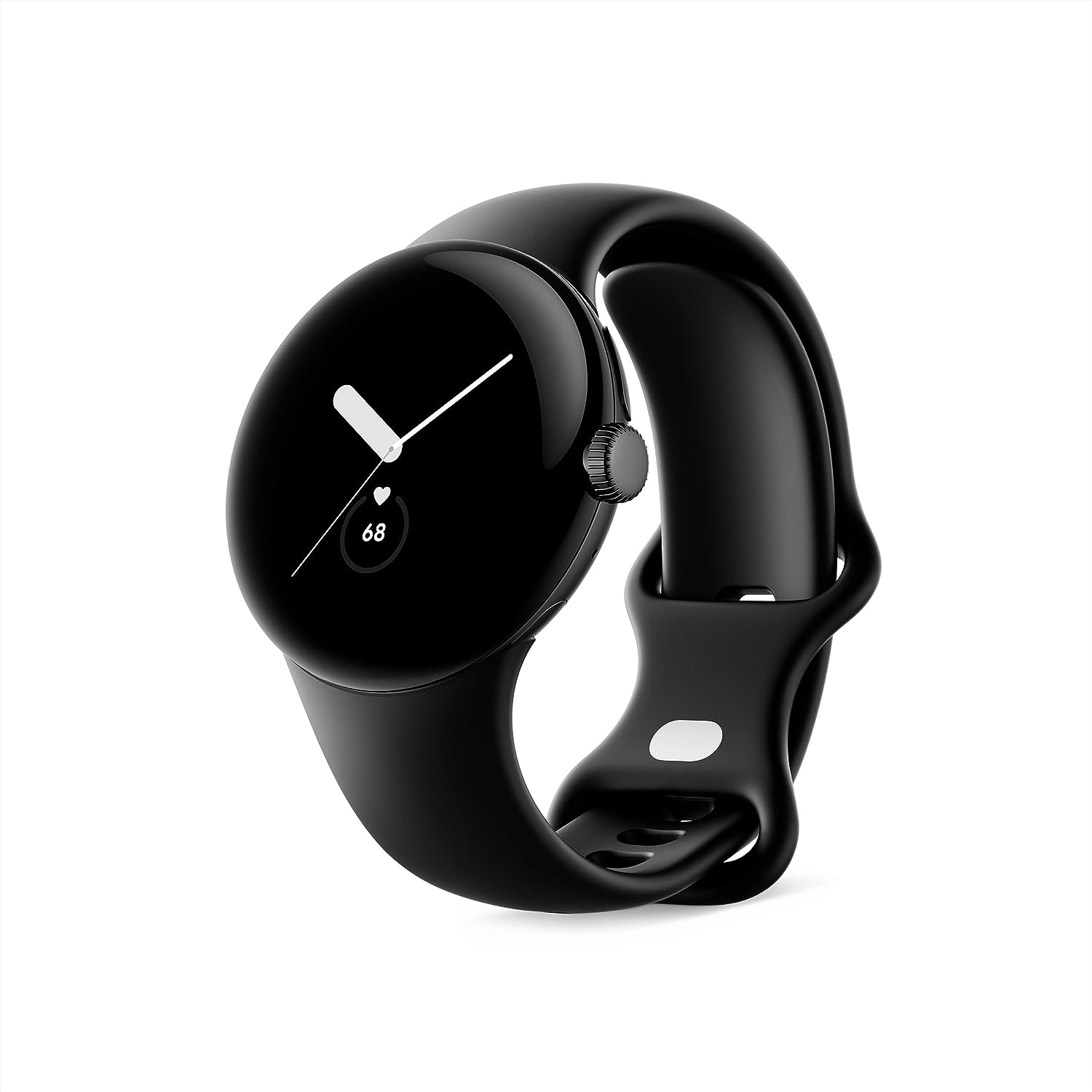
Image: Google Pixel Watch 1st Gen in Matte Black with Obsidian Active band, showcasing its circular, domed design.
2. دٻي ۾ ڇا آهي
Your Google Pixel Watch package includes the following items:
- گوگل پکسل واچ
- Active Band (Small and Large sizes)
- USB-C مقناطيسي چارجنگ ڪيبل
- تڪڙو شروع ھدايت

Image: The contents of the Google Pixel Watch box, displaying the watch, two active bands (small and large), and the USB-C magnetic charging cable.
3. سيٽ اپ
To begin using your Google Pixel Watch, follow these initial setup steps:
- پنهنجي واچ چارج ڪريو: Connect the USB-C Magnetic Charging Cable to your Pixel Watch and a power source. Ensure the watch is fully charged before first use.
- پنهنجي فون سان جوڙيو: Download the Google Pixel Watch app on your Android smartphone (Android 8.0 or newer required). Follow the on-screen instructions in the app to pair your watch.
- Attach the Band: Select the appropriate size (small or large) of the Active Band and attach it to your watch. Ensure it clicks securely into place.
- Complete On-Screen Setup: Follow the prompts on your watch and phone to complete the setup, including signing into your Google Account and Fitbit account.
Video: An unboxing and initial setup guide for the Google Pixel Watch, demonstrating how to attach the band and power on the device.
4. آپريٽنگ
The Google Pixel Watch features a circular, domed display and a rotating crown for navigation. Swipe gestures and button presses allow you to access various functions.
4.1 بنيادي نيويگيشن
- مٿي / هيٺ سوائپ ڪريو: Scroll through notifications and quick settings.
- کاٻي/ساڄي سوائپ ڪريو: Access tiles for quick information like weather, heart rate, or activity goals.
- پريس ڪرائون: Return to the watch face or open the app launcher.
- Long Press Crown: گوگل اسسٽنٽ کي فعال ڪريو.
- پاسي وارو بٽڻ دٻايو: Access recently used apps.
Video: A demonstration of key features and navigation on the Google Pixel Watch, including fitness tracking, notifications, and Google Assistant integration.
5. فٽنيس ۽ صحت جي ٽريڪنگ
Leveraging Fitbit's advanced tracking capabilities, the Pixel Watch helps you monitor your health and fitness goals.
5.1 سرگرمي ٽريڪنگ
- Track daily steps, distance, and calories burned.
- Monitor Active Zone Minutes to ensure you meet your weekly activity goals.
- Choose from over 40 exercise modes for accurate workout tracking.
5.2 Heart Rate and Sleep Monitoring
- مسلسل دل جي شرح جي ٽريڪنگ توهان جي دل جي صحت ۾ بصيرت فراهم ڪري ٿي.
- Advanced sleep tracking monitors sleep stages (light, deep, REM) and provides a sleep score.
- The ECG app allows you to assess your heart rhythm for signs of AFib (available in select countries).

Image: The Google Pixel Watch displaying heart rate tracking and sleep insights, alongside visuals for activity tracking and Emergency SOS features.
6. سمارٽ خاصيتون ۽ ڪنيڪٽوٽي
Stay connected and productive with seamless integration of Google services.
- گوگل اسسٽنٽ: Get hands-free help, set reminders, and control smart home devices.
- گوگل والٽ: پنهنجي کلائي مان سڌو سنئون رابطي کان سواءِ ادائيگيون ڪريو.
- گوگل نقشا: Receive turn-by-turn directions on your watch.
- نوٽيفڪيشن: Receive and respond to messages, manage your inbox, and answer calls.
- ايمرجنسي SOS: Quickly alert trusted contacts or emergency services if you feel unsafe.
- منهنجي ڊوائيس ڳوليو: Locate your misplaced Pixel phone or watch.

Image: The Google Pixel Watch showcasing its integration with Google apps such as Google Assistant, Google Wallet, Google Maps, and Gmail/Calendar.
7. پائيداري ۽ ڊيزائن
The Pixel Watch is built for everyday wear with a focus on both aesthetics and resilience.
- ڊيزائن: Features a beautiful circular, domed design with a matte black stainless steel case.
- پاڻي جي مزاحمت: Designed to comply with a water protection rating of 5 ATM (50 meters) under ISO standard 22810:2010. Suitable for shallow water activities, but not for high-velocity water sports.
- ڇڪڻ جي مزاحمت: Equipped with scratch-resistant Corning Gorilla Glass to protect the display.

Image: The Google Pixel Watch emphasizing its durability features, including 5 ATM water resistance and scratch-resistant Corning Gorilla Glass.
8. بيٽري جي زندگي ۽ چارجنگ
The Google Pixel Watch is designed for up to 24 hours of battery life with typical usage. Actual battery life may vary based on features enabled and usage patterns.
- چارج ڪرڻ: Use the included USB-C Magnetic Charging Cable. A full charge typically takes about an hour.
- اصلاح: To extend battery life, consider disabling unnecessary apps or features like always-on display when not needed.
وڊيو: هڪ استعمال ڪندڙ ٻيهرview of the Google Pixel Watch 1st Generation, discussing battery life, connectivity, and various features.
9. سار سنڀال
Proper care ensures the longevity and optimal performance of your Pixel Watch.
- صفائي: Regularly clean your watch and band with a soft, lint-free cloth. For stubborn dirt, a slightly damp ڪپڙو استعمال ڪري سگهجي ٿو. سخت ڪيميڪلز کان پاسو ڪريو.
- خشڪ ڪرڻ: Ensure the watch is completely dry after exposure to water or cleaning to prevent damage.
- انتهائي گرمي پد کان بچاء: Do not expose the watch to extreme hot or cold temperatures, as this can affect battery life and internal components.
10. مسئلا حل ڪرڻ
If you encounter issues with your Pixel Watch, try the following common troubleshooting steps:
- واچ ٻيهر شروع ڪريو: هڪ سادي ٻيهر شروع ڪرڻ سان ڪيتريون ئي ننڍيون سافٽ ويئر خرابيون حل ٿي سگهن ٿيون.
- ڪنيڪشن چيڪ ڪريو: Ensure your watch is properly paired with your phone and that Bluetooth/Wi-Fi are enabled.
- اپڊيٽ سافٽ ويئر: Make sure your watch and the Google Pixel Watch app are running the latest software versions.
- فيڪٽري ريسٽ: As a last resort, you can perform a factory reset through the watch settings or the companion app. This will erase all data on the watch.
11. وضاحتون
| خاصيت | تفصيل |
|---|---|
| پيداوار جي ماپ | 10.81 x 0.55 x 1.69 انچ |
| شيءِ جو وزن | 10.6 اونس |
| شيون ماڊل نمبر | G943M; GQF4C; G77PA |
| بيٽريون | 1 AA بيٽريون گھربل (شامل) |
| OS | Android |
| وائرليس ڪميونيڪيشن ٽيڪنالاجيون | Cellular, Wi-Fi, Bluetooth |
| ڪنيڪشن ٽيڪنالاجيز | USB، وائي فائي |
| جي پي ايس | اسمارٽ فون ذريعي GPS |
| خاص خاصيتون | Notifications, Text Messaging, Activity Tracker, Heart Rate Monitor, Calorie Tracker, Sleep Monitor, Contactless Payments, GPS, Phone Call, Email, SOS Button, Scratch Resistant, Water Resistant |
| انساني انٽرفيس ان پٽ | ٽچ اسڪرين |
| اسڪينر قرارداد | 390 x 390 |
| رنگ | Matte Black case w/ Obsidian Active band - WiFi |
| ٺاهيندڙ | گوگل |
| تاريخ پهرين دستياب | آڪٽوبر 6، 2022 |
| اسٽينڊنگ اسڪرين ڊسپلي سائيز | 41 ملي ميٽر |
| ميموري رکڻ جي صلاحيت | 8 جي بي |
| بيٽري جي گنجائش | 56 Amp ڪلاڪ |
12. وارنٽي ۽ سپورٽ
For warranty information and customer support, please refer to the official Google Pixel Watch website or the documentation included in your product packaging. Google offers various support resources to assist with any product-related inquiries or issues.
- حفاظتي منصوبا: اختياري 2 سالن ۽ 3 سالن جي حفاظتي منصوبا خريداري لاءِ موجود آهن.
- واپسي: A 30-day refund/replacement policy is typically offered.


