1. تعارف
This manual provides detailed instructions for the installation, operation, and maintenance of your SV3C Dual-Lens 4MP Outdoor Security Camera. Please read this manual thoroughly before use to ensure proper functionality and safety. This camera features advanced technology including 4MP high-resolution video, dual-band 2.4G/5G WiFi connectivity, Pan-Tilt-Zoom (PTZ) capabilities, AI human detection with auto-tracking, multiple night vision modes, two-way audio, and IP66 weatherproofing.
2. مصنوعات جون خاصيتون
- 4MP High Resolution & Three Night Vision Modes: The camera offers 4-megapixel high-definition video, providing clear and detailed images. It features four infrared lights for night vision up to 25 meters and supports three night vision modes (Infrared, Color, Smart) for clear color recording even in dark environments.
- PTZ Rotation Function: Control the camera's horizontal rotation from 0° to 180° and vertical rotation from 0° to 90° via the app, allowing for comprehensive monitoring of your surroundings.
- AI Human Detection & Auto-Tracking: Equipped with human detection and auto-tracking functions. When a human shape is detected in the monitoring area, an alarm is triggered, and the camera automatically tracks the movement, continuing to record. Motion detection sensitivity, range, and time can be adjusted via the app. The dual-lens system (8mm and 2.8mm lenses) automatically switches to zoom in on detected human movement for clearer identification.
- Recording Functions & 128GB Micro SD Card Support: Supports 24-hour recording and scheduled recording. Recordings are saved to a Micro SD card (up to 128GB, not included). When the storage is full, older footage is automatically overwritten. New image compression technology saves 1/3 to 1/4 of storage space, allowing for longer recording times.
- الارم لنڪيج: When an alarm is triggered, notifications are sent to your email and app. Photos and motion detection recordings are saved to FTP and the Micro SD card.
- ٻه طرفي آڊيو ۽ IP66 پنروڪ: Built-in high-quality speaker and microphone enable two-way communication. You can check your home's status, warn intruders, or communicate directly with family members. With IP66 waterproof and dustproof rating, it operates reliably in temperatures from -10℃ to +55℃, withstanding harsh weather conditions like typhoons, heavy rain, and snow. Suitable for outdoor installation at entrances, gardens, parking lots, and shops.
- Family Sharing & Connectivity: This network camera supports both wired and wireless connections. It features an AP mode, allowing use even without WiFi. Live viewing, recording playback, and settings can be managed via the smartphone app. Multiple 4MP cameras can be connected simultaneously, and the family sharing function allows real-time viewing by multiple users. Remote monitoring is possible when away from home, enabling you to watch over elderly family members or children's safety.
- ڊبل بينڊ وائي فائي: Compatible with both 2.4Ghz and 5Ghz WiFi networks.
3. پيڪيج مواد
پيڪيج ۾ عام طور تي هيٺيون شيون شامل هونديون آهن:
- SV3C Dual-Lens 4MP Outdoor Security Camera
- پاور اڊاپٽر (3 ميٽر)
- لين ڪيبل
- پنروڪ ڪنيڪٽر
- Mounting Sticker/Template
- اينٽينا
- وڌندڙ خط
- اسڪرو ۽ وال پلگ
- هيڪس رنچ
- تڪڙو شروع ھدايت
- استعمال ڪندڙ دستورالعمل (جاپاني)

Image: Package contents of the SV3C camera.
4. سيٽ اپ گائيڊ
4.1 جسماني تنصيب
Follow these steps to physically install your camera:
- جڳھ چونڊيو: هڪ ٻاهرين جڳهه چونڊيو جيڪا گهربل فراهم ڪري viewing angle and is within range of your WiFi network or can be connected via LAN cable. Avoid direct sunlight, reflections from glass, and areas with extreme light/dark contrast.
- Attach Mounting Sticker: Place the mounting sticker on the wall at your desired installation point.
- سوراخ سوراخ: Use a drill to create appropriate pilot holes according to the marks on the sticker.
- وال پلگ داخل ڪريو: Gently tap the wall plugs into the drilled holes using a hammer.
- محفوظ بریکٹ: Align the mounting bracket with the holes and secure it to the wall using screws. Ensure the angled side of the bracket faces downwards.
- ڪئميرا لڳايو: Mount the camera onto the secured bracket and tighten the remaining screws to fix it in place.
- اينٽينا انسٽال ڪريو: Screw the 5DB antennas onto the camera's antenna ports.
Video: Demonstrates how to insert a Micro SD card and install the camera.
4.2 مائڪرو ايس ڊي ڪارڊ داخل ڪرڻ
مائڪرو ايس ڊي ڪارڊ داخل ڪرڻ لاءِ:
- ڪئميرا بند ڪريو پاور.
- Locate the Micro SD card slot, usually under a protective cover on the camera body.
- احتياط سان مائڪرو ايس ڊي ڪارڊ کي سلاٽ ۾ داخل ڪريو جيستائين اهو جاءِ تي ڪلڪ نه ڪري.
- Replace the protective cover to ensure waterproofing.
4.3 نيٽورڪ ڪنيڪشن
The camera supports both WiFi and wired LAN connections.
- وائي فائي ڪنيڪشن: Ensure your camera is within range of your 2.4Ghz or 5Ghz WiFi router.
- LAN Cable Connection: Connect a LAN cable from your router to the camera's LAN port.

Image: WiFi and LAN cable connection options.
4.4 App Setup (CamHiPro)
Download the CamHiPro app from your smartphone's app store (iOS/Android).
- ايپ لانچ ڪريو: Open the CamHiPro app.
- ڪئميرا شامل ڪريو: نئون ڊوائيس شامل ڪرڻ لاءِ '+' آئڪن تي ٽيپ ڪريو.
- Select IP Camera: Choose 'IP Camera' from the device type options.
- ڳولھيو ڪئميرا: The app will search for cameras within your LAN. Select your camera from the list.
- وائرليس ترتيب ڏيو: Enter your WiFi network details (SSID and password) if connecting wirelessly.
- Set Device Name: Assign a name to your camera (e.g., 'Front Door', 'Garden').
- مڪمل سيٽ اپ: سيٽ اپ مڪمل ڪرڻ لاءِ باقي رهيل اسڪرين اشارن تي عمل ڪريو.
Video: Initial camera setup using Bluetooth.
Video: Demonstrates adding a camera via the CamHiPro app.
5. آپريٽنگ هدايتون
5.1 PTZ ڪنٽرول
Use the directional controls within the CamHiPro app to pan (horizontal) and tilt (vertical) the camera to adjust its viewزاويه.
Video: Demonstrates PTZ (Pan-Tilt-Zoom) functionality.

Image: PTZ (Pan-Tilt-Zoom) functionality with auto-tracking.
5.2 نائيٽ ويزن موڊس
ڪئميرا ٽي رات جي نظر جا موڊ پيش ڪري ٿو:
- انفراريڊ موڊ: Black and white video using infrared lights.
- رنگ موڊ: Full-color video using built-in spotlights.
- اسمارڊ موڊ: Automatically switches from infrared to color night vision when human motion is detected.

Image: Different night vision modes (Black & White, Color, Smart).
Video: Demonstrates color and monochrome night vision.
5.3 ٻه طرفي آڊيو
Use the microphone and speaker icons in the app to engage in two-way conversations with people near the camera.

تصوير: ٻه طرفي آڊيو ڪميونيڪيشن.
Video: Demonstrates two-way audio functionality.
5.4 رڪارڊنگ ۽ پلے بیک
رسائي رڪارڊ ٿيل footage via the CamHiPro app. You can view 24-hour recordings, scheduled recordings, or event-triggered recordings saved on the Micro SD card.

Image: SD card recording and playback via the app.
وڊيو: ختمview of app features including recording and playback.
5.5 حرڪت جي ڳولا ۽ الرٽ
Configure motion detection zones and sensitivity in the app. When motion is detected, the camera will trigger alarms, send notifications, and begin auto-tracking.
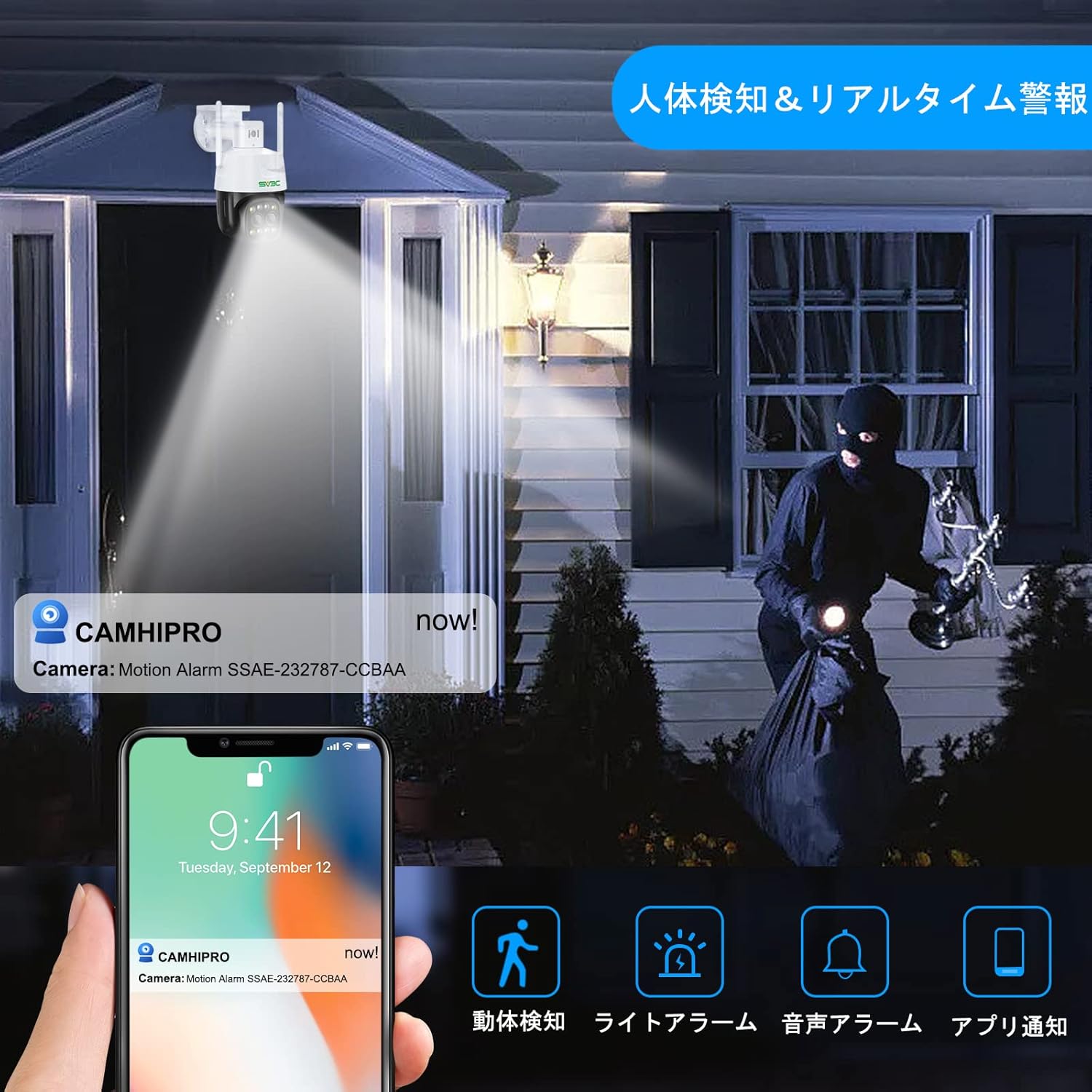
Image: AI human detection and real-time alerts.
Video: Demonstrates the auto-tracking feature.
Video: Demonstrates human detection and auto-tracking.
6. سار سنڀال
- باقاعده صفائي: صاف تصوير جي معيار کي يقيني بڻائڻ لاءِ وقتي طور تي ڪئميرا لينس کي نرم، سڪل ڪپڙي سان صاف ڪريو.
- فرم ويئر اپڊيٽس: Check the CamHiPro app regularly for firmware updates to ensure optimal performance and security.
- ڪيبل جي چڪاس: Inspect all cables and connections for any signs of wear or damage, especially for outdoor installations.
7. مسئلا حل ڪرڻ
- طاقت ناهي: Ensure the power adapter is correctly connected and the power outlet is functional.
- ڪوبه نيٽ ورڪ ڪنيڪشن ناهي: Verify your WiFi password is correct. Ensure the camera is within WiFi range or the LAN cable is securely connected. Try restarting your router and camera.
- خراب تصويري معيار: Clean the camera lens. Check your network speed. Ensure the camera is not facing direct sunlight or extreme light sources.
- حرڪت جي چڪاس ڪم نه ڪندي: Check motion detection settings in the app (sensitivity, detection zones). Ensure the auto-tracking feature is enabled if desired.
- نه آڊيو: Check microphone and speaker settings in the app. Ensure volume is not muted.
- ايس ڊي ڪارڊ رڪارڊ نه ٿي رهيو آهي: Ensure the Micro SD card is correctly inserted and formatted. Check if the card is full or damaged.
8. وضاحتون
| خاصيت | تفصيل |
|---|---|
| وڊيو ڪيپچر ريزوليوشن | 1440p (4 ايم پي) |
| ڪنيڪشن پروٽوڪول | Wi-Fi (2.4Ghz/5Ghz) |
| مطابقت رکندڙ ڊوائيسز | Smartphones (iOS/Android) |
| ماحول جو استعمال | ٻاھران |
| خاص خاصيتون | PTZ Technology, Night Vision (Infrared, Color, Smart), AI Human Detection, Auto-Tracking, Two-Way Audio, IP66 Waterproof |
| چڙهڻ جو قسم | Screw mount (ceiling/wall) |
| زوم ريٽو | 4x ڊجيٽل زوم |
| پيداوار جو وزن | 780 جي |
| پيڪيج جي ماپ | 22.7 x 21.1 x 14.1 سينٽي |
9. وارنٽي ۽ سپورٽ
SV3C surveillance cameras come with a 12-month quality guarantee from the date of purchase. If you have any issues or questions about the product, please feel free to contact the seller via email. Please note that a Micro SD card is not included with the product.


