تعارف
This manual provides essential information for the safe and efficient operation of your Optoma CinemaX D2 Smart White 4K UHD Laser Projector. Please read this manual thoroughly before using the product and retain it for future reference.
حفاظت جي ڄاڻ
باهه، بجليءَ جي جھٽڪي، يا زخم کان بچڻ لاءِ هميشه هيٺ ڏنل حفاظتي احتياطن تي عمل ڪريو:
- وينٽيليشن جي افتتاح کي نه روڪيو.
- پروجيڪٽر کي مينهن يا نمي جي سامهون نه رکو.
- پروجيڪٽر نه کوليو casing؛ سڀني خدمتن کي قابل اهلڪارن جي حوالي ڪريو.
- جڏهن ايلamp تي آهي.
- ٺاهيندڙ طرفان بيان ڪيل صرف منسلڪ / لوازمات استعمال ڪريو.
پيڪيج مواد
پڪ ڪريو ته سڀئي شيون پيڪيج ۾ موجود آهن:
- CinemaX D2 Smart White Projector
- AC پاور ڪنڊ
- 2x AAA بيٽريون
- Basic user manual (this document)
- Android ٽي وي اسٽيڪ
- Android TV stick remote
پيداوار ختمview
Familiarize yourself with the components of your Optoma CinemaX D2 Smart White projector.

شڪل 1: سامهون View. This image shows the front of the Optoma CinemaX D2 Smart White projector, featuring its sleek, minimalist design with a white top panel and a grey fabric-covered front speaker grille.

شڪل 2: پوئين پينل. This image displays the rear panel of the projector, highlighting various connectivity ports including HDMI inputs, USB ports, audio output, and the power input. Ventilation grilles are also visible.

Figure 3: Android TV Stick and Remote. This image shows the compact black Android TV streaming stick alongside its dedicated remote control, which features dedicated buttons for popular streaming services like Netflix and Prime Video.
بندرگاهن ۽ رابطا:
- HDMI ان پٽ: ٻاهرين ڊوائيسز جهڙوڪ بلو-ري پليئر، گيمنگ ڪنسول، يا ليپ ٽاپ ڳنڍيو.
- USB بندرگاهن: For connecting the Android TV stick, external storage, or firmware updates.
- Audio Output (eARC): For connecting to external sound systems.
- پاور ان پٽ: اي سي پاور ڪنڊ کي ڳنڍڻ لاءِ.
سيٽ اپ ڪريو
Follow these steps for initial setup of your projector:
- لڳائڻ: Place the projector on a stable, flat surface a few inches away from the projection surface (wall or screen). The ultra-short throw design allows for a large image from a very short distance.
- پاور ڪنيڪشن: Connect the AC power cord to the projector's power input and then to a power outlet.
- Android TV Stick Installation: Insert the Hako mini Android TV streaming adapter into an available HDMI port on the projector. Power the stick if required (usually via a USB port on the projector or a separate power adapter).
- شروعاتي پاور آن: يونٽ کي آن ڪرڻ لاءِ پروجيڪٽر يا ريموٽ ڪنٽرول تي پاور بٽڻ کي دٻايو.
- تصوير جي ترتيب:
- فوڪس: Adjust the focus to achieve a clear image.
- ڪيسٽون جي اصلاح: Use the 4-corner adjustment and 2D keystone correction features in the projector's menu to square the image if it appears trapezoidal.
- ڊجيٽل زوم: Adjust the image size if needed.
- SmartFIT: Utilize the SmartFIT app (if available for your device) for automated image alignment.

Figure 4: Ultra-Short Throw Placement. This image illustrates how the projector can be placed very close to a wall (less than 1 foot) to project a large 100-inch image, demonstrating its ultra-short throw capability.

Figure 5: SmartFIT Alignment. This image shows a smartphone screen displaying the Optoma SmartFIT app interface, used to assist in automatically aligning the projected image to the screen or wall.
- نيٽ ورڪ ڪنيڪشن: Connect the Android TV stick to your Wi-Fi network to access streaming services and updates.
- اڪائونٽ سيٽ اپ: Log in to your Google account on the Android TV interface to access the Google Play Store and various streaming applications.
آپريٽنگ هدايتون
بنيادي آپريشن:
- پاور آن / آف: Use the power button on the projector or the remote.
- ان پٽ ماخذ جي چونڊ: Use the remote to select the desired HDMI input for external devices or the Android TV stick.
- نيويگيشن: Use the directional buttons and OK button on the remote to navigate menus and select options.
- حجم ڪنٽرول: Adjust audio volume using the volume buttons on the remote.
Smart Features (via Android TV Stick):
- اسٽريمنگ ائپس: Access pre-installed apps like Netflix, HBO Max, Disney+, Paramount+, and YouTube. Download more from the Google Play Store.
- وائس ڪنٽرول: Use the voice assistant feature on the Android TV remote for hands-free control and content search.
- Chromecast بلٽ ان: Cast content directly from your compatible smartphone or tablet to the projector.

Figure 6: Cinematic Experience. This image visually compares the large screen size achievable with the D2 Smart Laser TV (100 inches) against a standard 50-inch television, emphasizing the immersive home theater experience.
وڌايل گيمنگ موڊ:
The projector features an Enhanced Gaming mode for optimal performance with video games.
- چالو ڪرڻ: Navigate to the projector's settings menu and enable "Enhanced Gaming Mode."
- فائدا: This mode reduces input lag to as low as 4ms and supports a 240Hz refresh rate at 1080p, providing a smoother and more responsive gaming experience.
HDR مواد:
The CinemaX D2 Smart supports HDR10 content for enhanced contrast and color depth.
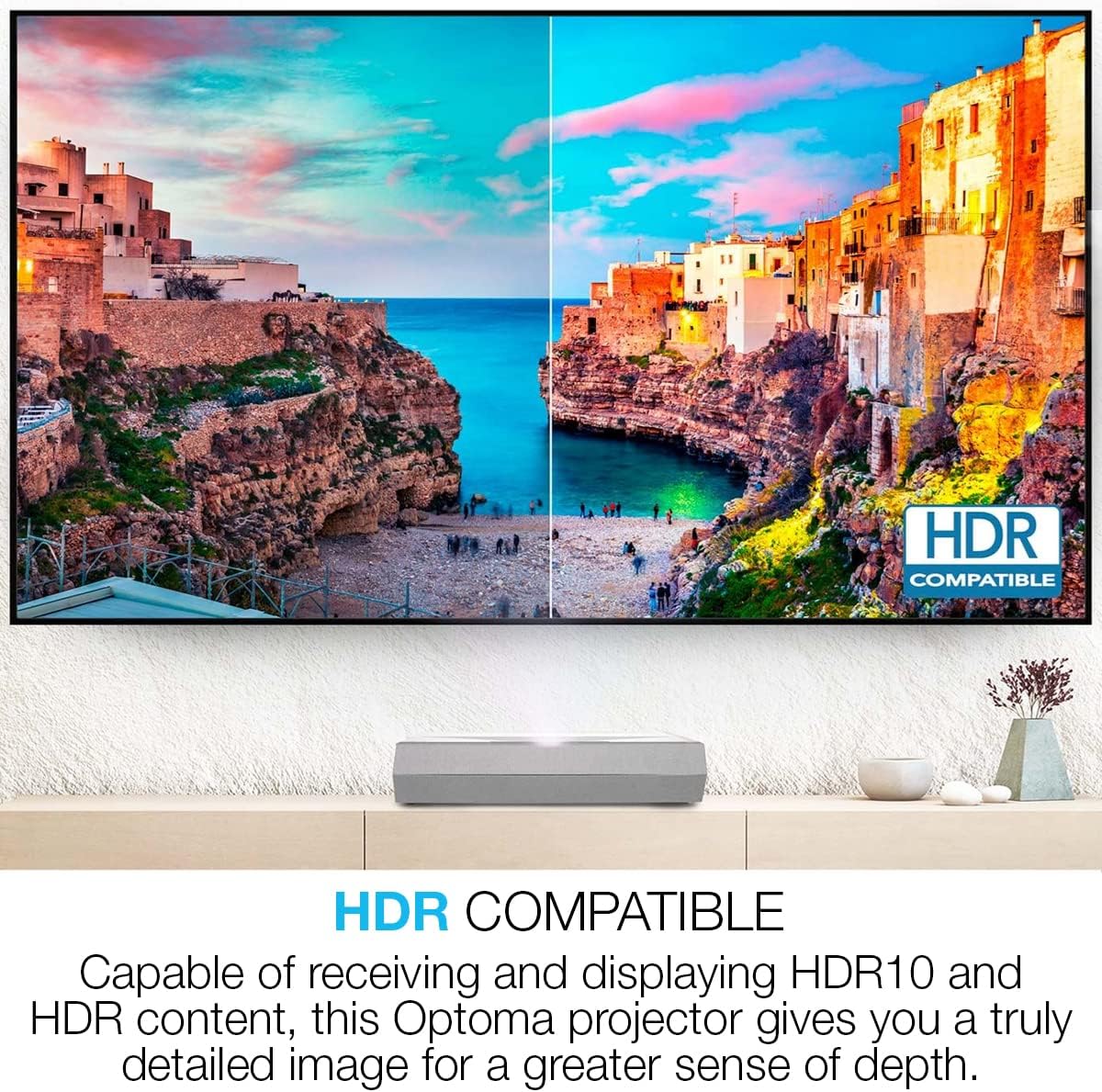
Figure 7: HDR Compatibility. This image demonstrates the visual difference with HDR content, showing a split screen where one side displays standard dynamic range and the other displays the richer colors and contrast of HDR10.
سار سنڀال
مناسب سار سنڀال توهان جي پروجيڪٽر جي ڊگهي عمر ۽ بهترين ڪارڪردگي کي يقيني بڻائي ٿي.
- لينس جي صفائي: خاص طور تي آپٽيڪل لينس لاءِ ٺهيل نرم، لِنٽ فري ڪپڙو استعمال ڪريو. رگڙيندڙ صاف ڪندڙ استعمال نه ڪريو.
- سي جي صفائيasing: Wipe the projector's exterior with a soft, damp ڪپڙو. سخت ڪيميائي کان بچاء.
- وينٽيليشن: Ensure that the ventilation openings are clear of dust and obstructions to prevent overheating.
- ليزر لائيٽ جو ذريعو: The laser light source has a long lifespan (up to 30,000 hours) and does not require replacement under normal use.
مشڪلاتون
جيڪڏهن توهان کي مسئلا درپيش اچن ٿا، ته هيٺ ڏنل عام مسئلن ۽ حلن جو حوالو ڏيو:
| مسئلو | ممڪن سبب / حل |
|---|---|
| ڪابه تصوير ڏيکاريل ناهي |
|
| تصوير urري آهي |
|
| Image is trapezoidal or distorted |
|
| آواز ڪونهي |
|
| ريموٽ ڪنٽرول ڪم نه ڪري رهيو آهي |
|
وضاحتون
| خاصيت | تفصيل |
|---|---|
| ماڊل نمبر | CinemaX D2 Smart White |
| ڊسپلي قرارداد | 3840 x 2160 (4K UHD) |
| روشني | 3,000 Lumens |
| مقابلي جي نسبت | 1,800,000:1 |
| نور جو ذريعو | Laser (up to 30,000 hours lifespan) |
| اڇلائڻ جو قسم | Ultra-Short Throw |
| HDR سپورٽ | HDR10 |
| آڊيو | eARC Audio support |
| گيمنگ خاصيتون | 4ms input lag (1080p), 240Hz refresh rate (1080p) |
| سمارٽ خاصيتون | Android TV (via Hako mini adapter), Google and Netflix certified |
| رابطي | USB، HDMI |
| پيداوار جي ماپ | 15 x 22.1 x 5.1 انچ |
| شيءِ جو وزن | 18.52 پائونڊ |
وارنٽي ۽ سپورٽ
For detailed warranty information and technical support, please refer to the official Optoma website or contact Optoma customer service. Keep your purchase receipt as proof of purchase for warranty claims.
آن لائين وسيلا: www.optoma.com هتي


