1. سيٽ اپ ۽ شروعاتي استعمال
1.1 پيڪيج مواد
تصديق ڪريو ته توھان جي پيڪيج ۾ ھيٺيون شيون شامل آھن:
- EURANS Smart Watch IW1 Lite
- چارج ڪيبل
- استعمال ڪندڙ دستي
1.2 ڊوائيس چارج ڪرڻ
Before first use, fully charge your smart watch. The device features a 7-day battery life with typical use and a standby time of 30 days. A full charge typically takes 1 hour.
- مقناطيسي چارجنگ ڪيبل کي واچ جي پوئين پاسي چارجنگ رابطن سان ڳنڍيو.
- ڪيبل جي USB پڇاڙي کي معياري USB پاور اڊاپٽر (5V/1A تجويز ڪيل) يا ڪمپيوٽر جي USB پورٽ ۾ لڳايو.
- The watch screen will display a charging indicator. Ensure the contacts are clean and dry before charging.
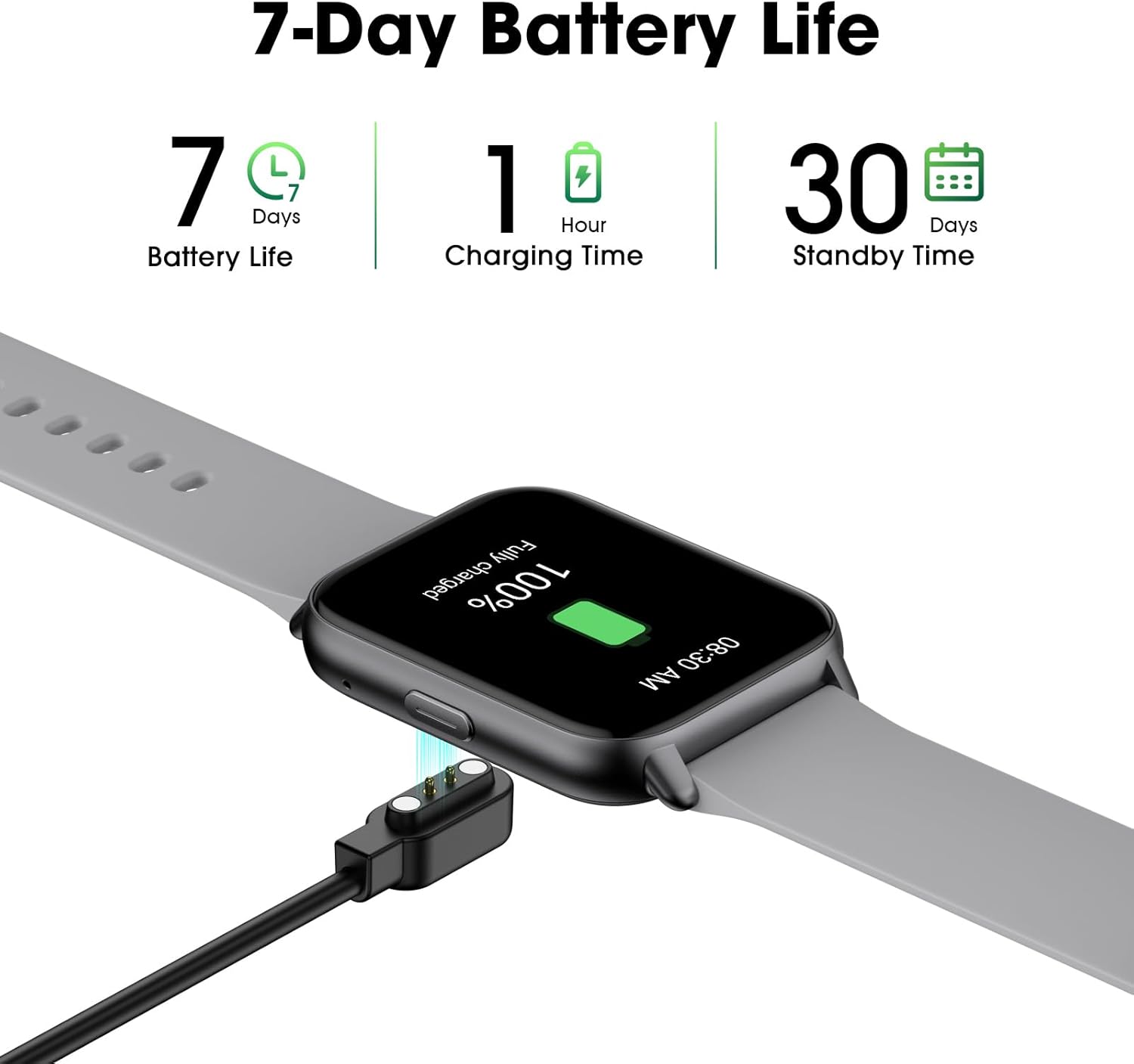
Image: The EURANS Smart Watch IW1 Lite connected to its magnetic charging cable, showing a full charge. Text on the image indicates '7 Days Battery Life', '1 Hour Charging Time', and '30 Days Standby Time'.
1.3 پاور آن/آف
- پاور آن: Press and hold the side button for a few seconds until the screen lights up.
- بجلي بند: From the watch face, swipe down to access the quick settings, then tap the power icon, or navigate to 'Settings' > 'Power Off' and confirm.
1.4 بنيادي نيويگيشن
The EURANS Smart Watch IW1 Lite features a touch-sensitive HD screen and a side button for navigation.
- مٿي / هيٺ سوائپ ڪريو: مينيو يا اطلاعن ذريعي اسڪرول ڪريو.
- کاٻي/ساڄي سوائپ ڪريو: Access different function screens (e.g., activity data, heart rate).
- ٽيپ ڪريو: هڪ شيءِ چونڊيو يا هڪ عمل جي تصديق ڪريو.
- پاسي واري بٽڻ: Press to return to the watch face or wake the screen.

Image: The EURANS Smart Watch IW1 Lite showing the main watch face with current time (08:26), date (APR 06, SATURDAY), and activity metrics including calories burned (234), steps taken (8000), and distance (4.25). A smaller inset image shows options for 'Binding APP' or 'Skip Binding'.
1.5 Optional App Connection
The EURANS Smart Watch IW1 Lite is designed to function independently without requiring a smartphone app. All core features like step counting, calorie tracking, and health monitoring are accessible directly on the watch. However, an optional companion application can be used to access additional features:
- Data Record & Check: View historical fitness and health data.
- Weather Display: Receive weather updates on your watch.
- Message Notification: Receive alerts from your smartphone.
Refer to the app's instructions for pairing and setup if you choose to use these extended features.
2. سمارٽ واچ هلائڻ
2.1 سرگرمي ٽريڪنگ
The watch automatically tracks your daily activity. Swipe through the watch faces to view your current statistics.
- قدم ڪائونٽر: Records the number of steps taken throughout the day.
- ڪيوري جو ٽريڪيندڙ: توهان جي سرگرمي جي بنياد تي ساڙيل ڪيلورين جو اندازو لڳائي ٿو.
- Distance Tracker: Calculates the distance covered.

Image: A man and a woman running outdoors. Below them, three circular icons display activity data: 426 Kcal (Calories), 9973 Steps, and 3.96 KM (Distance).
2.2 صحت جي نگراني
The EURANS Smart Watch IW1 Lite provides continuous health monitoring features.
- دل جي شرح مانيٽر: Measures your heart rate throughout the day. Access the heart rate screen to view حقيقي وقت جي ڊيٽا ۽ تاريخي رجحانات.
- رت جي آڪسيجن (SpO2) جي ماپ: Provides on-demand blood oxygen saturation readings.
- ننڊ مانيٽر: توهان جي ننڊ جي نمونن کي ٽريڪ ڪري ٿو، جنهن ۾ گهري ننڊ، هلڪي ننڊ، ۽ جاڳڻ جا وقت شامل آهن.
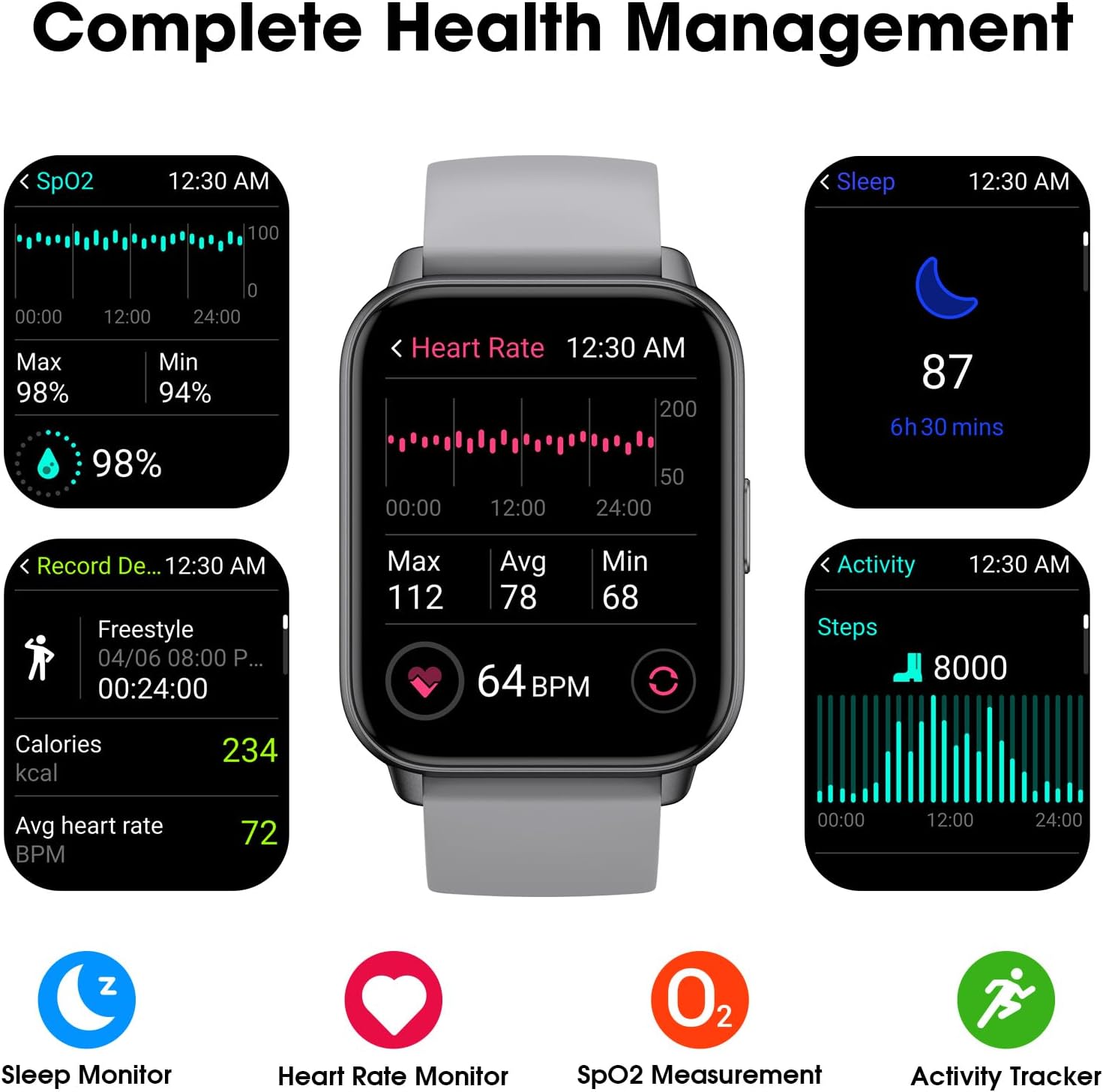
Image: A collage of watch screens demonstrating various health management features. These include SpO2 measurement (98%), heart rate monitoring (64 BPM with max/avg/min), sleep tracking (87, 6h 30 mins), and activity recording (calories, heart rate, steps).
2.3 Watch Functions
Beyond fitness tracking, the watch includes several utility functions:
- وقت ڏيکاري: Customizable watch faces to show time and date.
- الارم ڪلاڪ: الارم سيٽ ڪريو سڌو واچ تي.
- رڪاوٽ وقت جي سرگرمين لاءِ.
- ٽائمر: For countdowns.
2.4 ڊسپلي پڙهڻ جي صلاحيت
The EURANS Smart Watch IW1 Lite features a 1.69-inch HD screen designed for clear visibility.
- وڏو نمبر: Time and data are displayed with large, easy-to-read digits.
- Sunlight Readability: The screen is optimized for visibility even under direct sunlight.

تصوير: هڪ ويجهو تصوير view of the EURANS Smart Watch IW1 Lite screen, demonstrating its large and easy-to-read display. The image shows the time (08:26), date (APR 06), and activity metrics, emphasizing clarity and readability under various lighting conditions.
3. سار سنڀال
3.1 پنهنجي واچ کي صاف ڪرڻ
باقاعده صفائي گھڙي جي ڪارڪردگي ۽ ظاهر کي برقرار رکڻ ۾ مدد ڪري ٿي.
- اسڪرين ۽ پٽي کي نرم، ڊي سان صاف ڪريوamp, lint-free ڪپڙو.
- سخت ڪيميڪلز، رگڙيندڙ صاف ڪندڙ، يا محلول استعمال ڪرڻ کان پاسو ڪريو.
- پڪ ڪريو ته چارجنگ ڪانٽيڪٽس صاف ۽ سڪل آهن ته جيئن زنگ کي روڪيو وڃي ۽ مناسب چارجنگ کي يقيني بڻايو وڃي.
3.2 پاڻي جي مزاحمت
The EURANS Smart Watch IW1 Lite is IP68 waterproof, meaning it is resistant to dust and can withstand immersion in water up to 1.5 meters for up to 30 minutes.
- It is suitable for daily use, such as hand washing, rain, and swimming in shallow water.
- Do not use the watch in hot water, saunas, or steam rooms, as steam can penetrate the seals.
- Avoid prolonged immersion or high-pressure water activities like diving or high-speed water sports.
- پاڻي جي اندر بٽڻ کي هلائڻ نه ڪريو.
3.3 اسٽوريج
When not in use for extended periods, store the watch in a cool, dry place. It is recommended to charge the watch periodically to maintain battery health.
4. مسئلا حل ڪرڻ
If you encounter issues with your EURANS Smart Watch IW1 Lite, refer to the following common solutions:
- واچ پاور آن نه ٿي رهي آهي: پڪ ڪريو ته گھڙي مڪمل طور تي چارج ٿيل آهي. ان کي گهٽ ۾ گهٽ 10 منٽن لاءِ چارجر سان ڳنڍيو.
- چارج نه ٿيندڙ واچ: Check that the charging cable is securely connected to both the watch and the power source. Ensure the charging contacts on the watch and cable are clean and free of debris.
- غلط سرگرمي ڊيٽا: Ensure the watch is worn snugly on your wrist, about one finger's width above your wrist bone. Movement of the watch on your wrist can affect sensor accuracy.
- اسڪرين غير جوابده: Try restarting the watch by holding the side button until the power off option appears, then power off and on again. If unresponsive, allow the battery to fully drain and then recharge.
- وقت/تاريخ غلط: If connected to an app, ensure the watch is synced. If not using an app, manually adjust the time and date through the watch's settings.
4.1 فيڪٽري ري سيٽ
If problems persist, a factory reset may resolve the issue. Note that this will erase all data on the watch.
- Navigate to 'Settings' on your watch.
- Select 'System' or 'Reset'.
- Choose 'Factory Reset' and confirm the action.
5. وضاحتون
| خاصيت | تفصيل |
|---|---|
| ماڊل نمبر | IW1 Lite |
| برانڊ | يوران |
| اسڪرين جي ماپ | 1.69 انچ |
| بيٽري جي گنجائش | 350 مليamp ڪلاڪ |
| عام بيٽري جي زندگي | 7 ڏينهن تائين |
| اسٽينڊ بائي ٽائيم | 30 ڏينهن تائين |
| چارج ڪرڻ وقت | تقريبن 1 ڪلاڪ |
| پاڻي جي مزاحمت | IP68 |
| رابطي | بلوٽوٿ |
| آپريٽنگ سسٽم مطابقت | Android, iOS (for optional app features) |
| خاص خاصيتون | Activity Tracker, Sleep Monitor, Time Display, Heart Rate Monitor, SpO2 Measurement |
6. وارنٽي ۽ سپورٽ
6.1 وارنٽي ڄاڻ
Your EURANS Smart Watch IW1 Lite is covered by a limited manufacturer's warranty. Please refer to the warranty card included in your product packaging for specific terms and conditions, including warranty period and coverage details.
6.2 ڪسٽمر سپورٽ
For technical assistance, troubleshooting, or warranty claims, please contact EURANS customer support. Contact details can typically be found on the product packaging, the official EURANS webسائيٽ، يا توهان جي پرچون ڪندڙ ذريعي.


