1. تعارف
This manual provides comprehensive instructions for the installation, operation, and maintenance of your SJOYBRING JOY-W005 Double Din Car Stereo. This unit features Wireless Apple CarPlay & Android Auto, Bluetooth connectivity, 4.2-Channel Audio Output, Mirror Link, a 7-inch Touchscreen, and includes a Backup Camera. Please read this manual thoroughly before use to ensure proper functionality and safety.
2. حفاظت جي ڄاڻ
Always prioritize safety. Improper installation or operation can lead to accidents or damage. Observe the following:
- انسٽاليشن کان اڳ پڪ ڪريو ته گاڏي جي بجلي بند ٿيل آهي.
- It is recommended to have the unit installed by a professional car audio technician.
- Do not operate the unit in a way that distracts you from driving.
- ڪم ڪرڻ وارو جلدtage: 12V. Max power output: 60W*4.
- يونٽ جي چوڌاري مناسب وائيٽليشن کي يقيني بڻائي.
3. پيڪيج مواد
پڪ ڪريو ته سڀئي شيون پيڪيج ۾ موجود آهن:

تصوير 3.1: Illustration of included package contents.
- هيڊ يونٽ
- ريڙهه View ڪئميرا
- بيڪ اپ ڪيمرا ڪيبل
- وائرنگ وارن
- ريموٽ ڪنٽرول
- چڙهڻ واري بريڪٽس
- Screws (various types)
- استعمال ڪندڙ جو دستياب (ھي دستاويز)
4. پراڊڪٽ ختمview
The SJOYBRING JOY-W005 is a versatile car stereo designed to enhance your driving experience with modern connectivity and audio features.

تصوير 4.1: SJOYBRING JOY-W005 Head Unit and Accessories.
اهم خاصيتون:
- Wireless Apple CarPlay & Android Auto: Seamless smartphone integration via Wi-Fi and Bluetooth for navigation, calls, and music.
- 4.2-چينل آڊيو آئوٽ پُٽ: Enhanced sound quality with dedicated outputs for front, rear, and two subwoofers.
- Upgraded Bluetooth System: Stable and clear calls/music streaming with independent Bluetooth module and antenna.
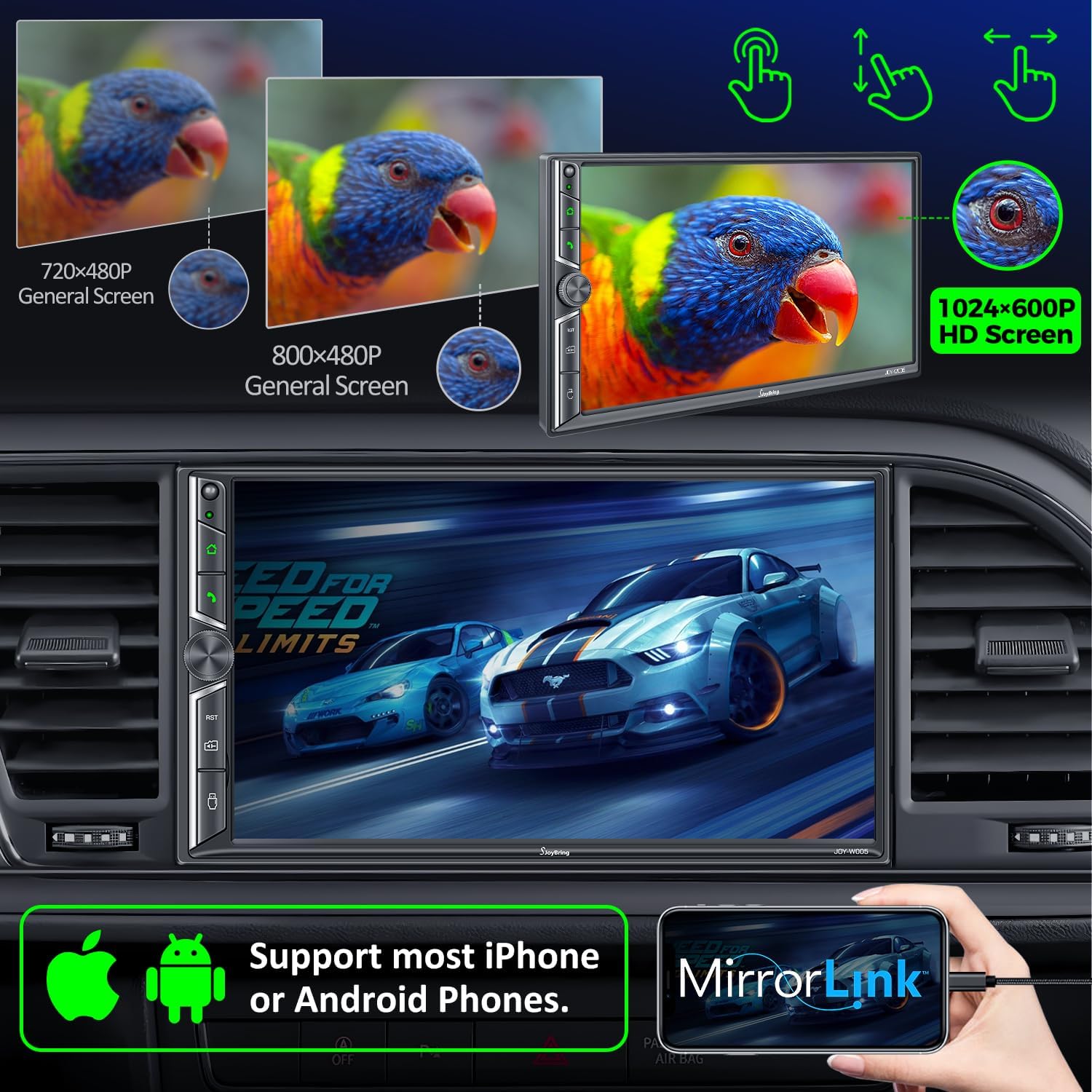
- آئيني لنڪ: Display your iOS/Android phone screen on the 7-inch HD touchscreen via USB.
- 7 انچ HD ٽچ اسڪرين: 1024 x 600 resolution for clear visuals and 1920 x 1080P video playback.
- بيڪ اپ ڪئميرا شامل آهي: HD night vision, 170° ultra-wide viewing angle, IP68 waterproof design for safer parking.
- AM/FM ريڊيو: Standard radio functionality.
5. سيٽ اپ ۽ انسٽاليشن
5.1 قبل از انسٽاليشن چيڪ
Before beginning installation, ensure your vehicle's dashboard opening size is compatible with the stereo. The unit supports common double din sizes:
- 170 x 97mm (6.69 x 3.81 inches) - Common for US and European car series.
- 178 x 100mm (7 x 3.93 inches) - Common for Asian car series.
- 189 x 117mm (7.44 x 4.61 inches) - Other common sizes.
If your dash size does not match, an additional suitable dash kit may be required. Some cars may also need a wire harness adapter and a radio antenna adapter.
تصوير 5.1: Dash Size Compatibility and Wiring Diagrams.
5.2 وائرنگ ڊاگرام
Refer to the following diagram for proper wiring connections. It is crucial to connect wires correctly to avoid damage to the unit or vehicle.
| تار جو رنگ | فنڪشن |
|---|---|
| پيلو | +12V Constant Power Supply |
| ڪارو | زمين (-) |
| ڳاڙهو | +12V Ignition Switch (ACC) |
| نارنگي | روشنيءَ جي روشني |
| نيرو | Power on Antenna/Ampزندگي گذاريندڙ |
| ڳاڙهو / ڪارو | Right Front Speaker - |
| اڇو/ڪارو | Left Front Speaker - |
| سائو/ڪارو | Left Rear Speaker - |
| واڱڻائي/ڪارو | Right Rear Speaker - |
| ناسي | Brake Detect |
| گلابي | Back Car Control (Reverse Trigger) |
| ڀورو | Steering Wheel Control (1) |
| سائو | Steering Wheel Control (2) |
| ڪارو | Ground (Steering Wheel Control) |
| گلابي/ڪارو | سامهون View ڪئميرا پاور سپلائي |
5.3 پوئتي View ڪئميرا جي انسٽاليشن
شامل ٿيل HD نائيٽ ويزن ريئر view camera automatically displays the image when the vehicle shifts into reverse. Connect the camera's video output to the unit's "R-CAM" input and its power to the vehicle's reverse light circuit.
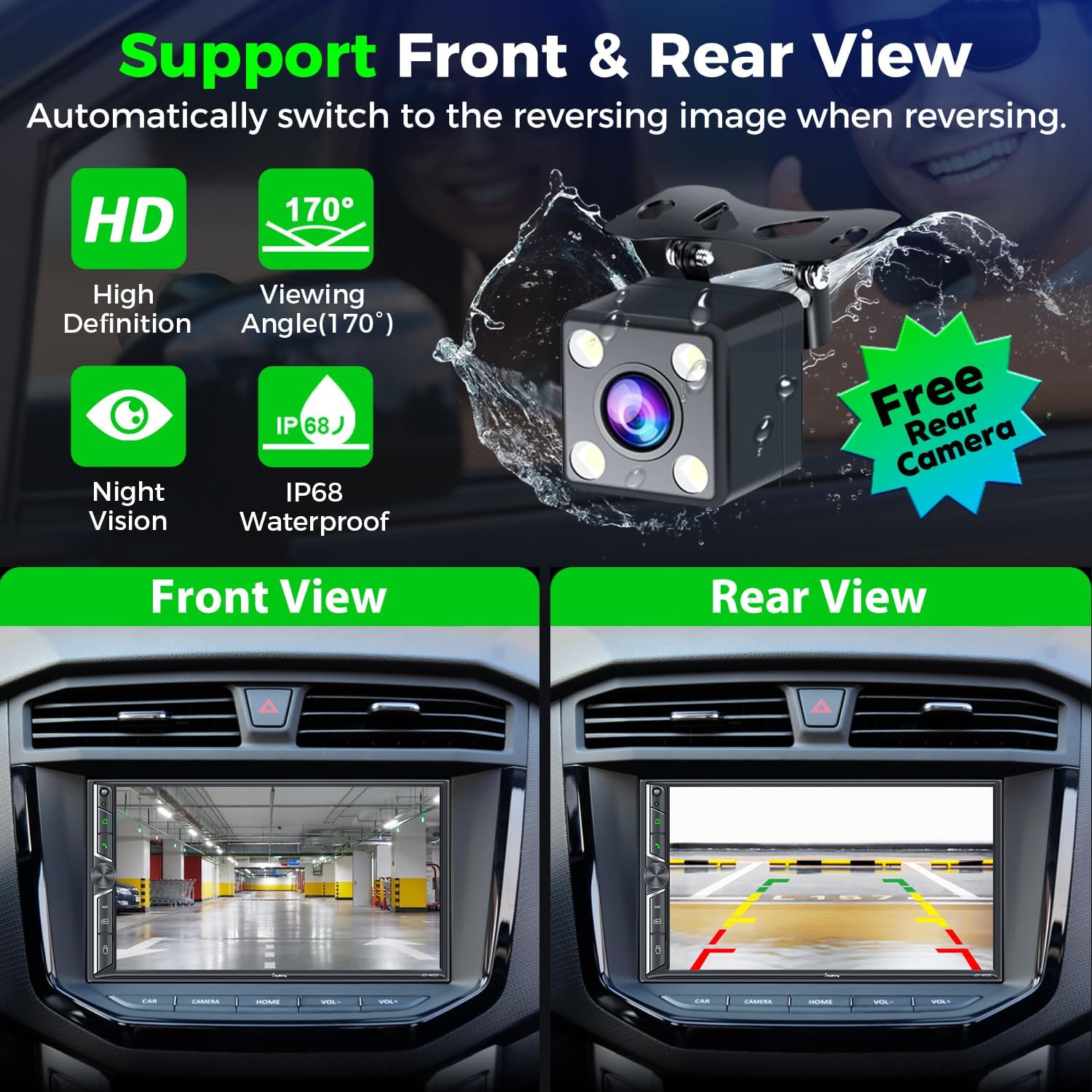
تصوير 5.2: ريڙهه View Camera Functionality.
6. آپريٽنگ هدايتون
6.1 وائرليس ايپل ڪار پلي ۽ اينڊرائيڊ آٽو
Connect your smartphone to the car radio via Wi-Fi and Bluetooth to activate Wireless Apple CarPlay or Android Auto. This allows you to access navigation, make calls, play music, and use voice assistants (Siri, Google Assistant) safely while driving.

تصوير 6.1: Wireless CarPlay & Android Auto Interface.
6.2 Bluetooth System
The upgraded Bluetooth system provides a stable connection for hands-free calls and music streaming. Pair your device through the unit's Bluetooth settings. The independent Bluetooth module and antenna ensure clear communication.

تصوير 6.2: Bluetooth Call and Music Interface.
6.3 آئيني لنڪ
Connect your iOS or Android smartphone via USB to mirror its screen onto the 7-inch display. This allows you to view content like Google Maps, Spotify, or YouTube directly on the car stereo (Note: Not compatible with iOS 18.0 and above).

تصوير 6.3: Mirror Link Functionality.
6.4 Audio Output & Equalizer
The unit supports 4.2-channel audio output, including front (FR/FL), rear (RR/RL) speaker outputs, and two subwoofer outputs (SW1/SW2). Utilize the built-in EQ bands and professional DSP to customize your sound experience.

تصوير 6.4: 4.2-Channel Audio Output and EQ Setup.
6.5 ايم/ايف ايم ريڊيو
Access your favorite radio stations using the integrated AM/FM tuner. Scan for stations and save presets for quick access.

تصوير 6.5: AM/FM Radio Interface.
6.6 اسٽيئرنگ ويل ڪنٽرول (SWC)
If your vehicle supports it, connect the steering wheel control wires to the unit. This allows you to control basic functions like volume, track skipping, and call management directly from your steering wheel.

تصوير 6.6: اسٽيئرنگ ويل ڪنٽرول سيٽ اپ.
6.7 7 Colors LED Buttons
The physical buttons on the unit feature 7-color LED backlighting, which can be customized to match your vehicle's interior lighting or personal preference.

تصوير 6.7: Customizable LED Button Colors.
7. سار سنڀال
- نرم، لِنٽ فري ڪپڙي سان ٽچ اسڪرين کي صاف رکو. رگڙيندڙ صاف ڪندڙن کان پاسو ڪريو.
- اوور گرم ٿيڻ کان بچڻ لاءِ يونٽ جي چوڌاري مناسب وائيٽليشن کي يقيني بڻايو وڃي.
- سيڪيورٽي لاءِ وائرنگ ڪنيڪشن کي باقاعدي چيڪ ڪريو.
- يونٽ کي ڊگهي عرصي تائين انتهائي گرمي پد يا سڌي سج جي روشني ۾ بي نقاب ڪرڻ کان پاسو ڪريو.
8. مسئلا حل ڪرڻ
عام مسئلا ۽ حل:
- طاقت ناهي: Check power connections (Yellow, Red, Black wires). Ensure the fuse is intact.
- آواز ناهي: Verify speaker connections. Check audio settings (volume, mute, fader/balance). Ensure external ampلائفائر (جيڪڏهن استعمال ڪيو وڃي) پاور آن آهي.
- بلوٽوٿ ڪنيڪشن جا مسئلا: Ensure Bluetooth is enabled on both the unit and your phone. Try unpairing and re-pairing the device. Check for interference.
- ڪار پلي/اينڊرائيڊ آٽو نه ڳنڍجي رهيو آهي: Ensure Wi-Fi and Bluetooth are on. For wired connection, use a high-quality USB data cable. Check phone compatibility (iOS 18.0+ not supported for Mirror Link).
- بيڪ اپ ڪئميرا نه ڏيکاري رهيو آهي: Check camera power and video connections. Ensure the "Back Car Control" (Pink) wire is correctly connected to the reverse light trigger.
- Screen Unresponsive/Lagging: Perform a soft reset (refer to the unit's reset button, usually a small pinhole). If persistent, contact customer support.
9. وضاحتون
| خاصيت | تفصيل |
|---|---|
| پيداوار جي ماپ | 3.94 x 7.01 x 3.23 انچ |
| شيءِ جو وزن | 2.72 پائونڊ |
| ماڊل نمبر | جوئي-ڊبليو005 |
| ٺاهيندڙ | جوئبرنگ |
| رابطي ٽيڪنالاجي | بلوٽوٿ، وائي فائي، يو ايس بي |
| ڪنٽرولر جو قسم | iOS، Android |
| خاص خاصيتون | Touchscreen, Android Auto, Apple CarPlay, AM Tuner, Built-In Wi-Fi |
| مطابقت رکندڙ ڊوائيسز | اسمارٽ فون ، اسپيڪر |
| ڪنيڪٽر جو قسم | USB، 3.5mm جيڪ |
| آڊيو آئوٽ پٽ موڊ | اسٽيريو |
| چوڌاري آواز چينل جي جوڙجڪ | 4 Channel (4.2-channel with 2 subwoofer outputs) |
| وڊيو انڪوڊنگ | ايڇ.264، ايڇ.265/ايڇ اي وي سي، ايم پي اي جي-4 |
| رنگ | ڪارو |
| ڪم ڪرڻ وارو جلدtage | 12V |
| وڌ ۾ وڌ پاور آئوٽ | 60W*4 |
10. وارنٽي ۽ سپورٽ
For warranty information and technical support, please refer to the contact details provided with your purchase or visit the official SJOYBRING website. You can also refer to the full User Manual PDF for more detailed instructions:


