1. تعارف
This instruction manual provides essential information for the proper setup, operation, and maintenance of your LogiLink USB 3.2 Gen2 3-Port Hub, Model UA0395. This device is designed to expand the USB connectivity of your computer or laptop, offering high-speed data transfer and broad compatibility.
The hub features an aluminium housing for durability and includes a protective cap for the USB-A connector. It provides two USB 3.2 Gen2 ports and one USB 2.0 port, supporting data transfer rates up to 10 Gbps. The device is plug-and-play, requiring no driver installation.
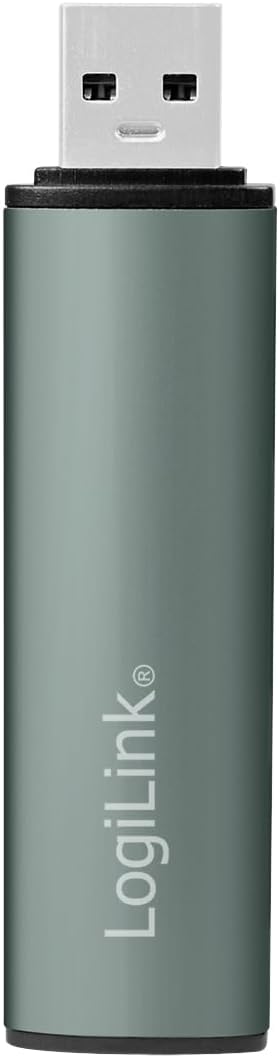
تصوير 1.1: سامهون view of the LogiLink USB 3.2 Gen2 3-Port Hub with its protective cap.
2. پيڪيج مواد
- LogiLink USB 3.2 Gen2 3-Port Hub (Model UA0395)
- حفاظتي ڪپ
3. سيٽ اپ جون هدايتون
The LogiLink USB 3.2 Gen2 3-Port Hub is designed for simple plug-and-play operation. No software drivers are required for installation.
- حب سان ڳنڍيو: Insert the USB-A connector of the LogiLink hub into an available USB-A port on your computer or laptop. Ensure the connection is firm.
- پاور اشارو: A blue LED light on the hub will illuminate, indicating that the device is powered and ready for use.
- آپريٽنگ سسٽم مطابقت: The hub is compatible with Windows, Mac OS, Linux, Android, and Chrome OS. Your operating system will automatically detect and configure the hub.
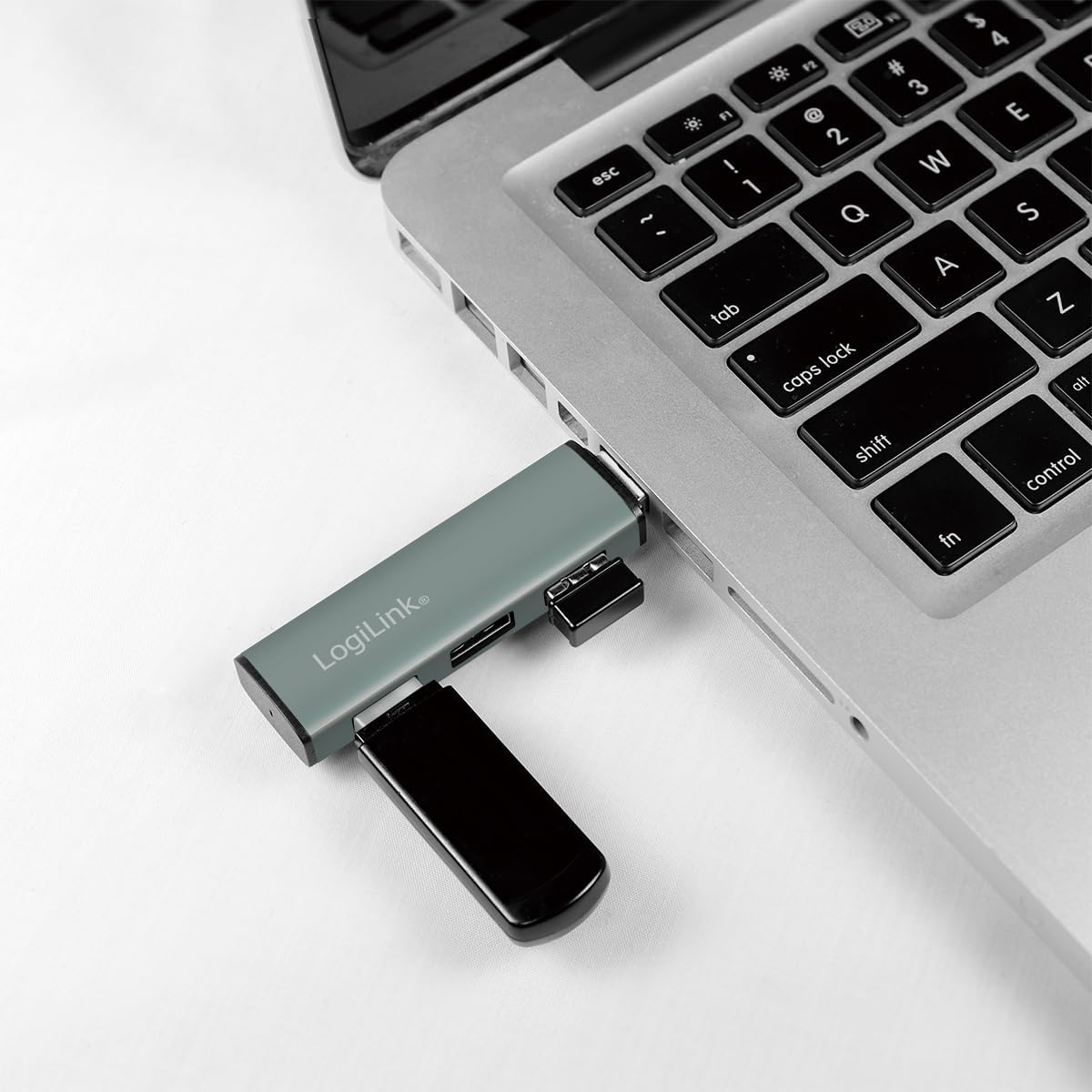
Image 3.1: The LogiLink USB hub connected to a laptop, demonstrating its compact use.
4. آپريٽنگ هدايتون
Once connected, the hub allows you to expand your device's USB capabilities.
- USB ڊوائيسز کي ڳنڍڻ: Insert your USB devices (e.g., flash drives, external hard drives, keyboards, mice) into the available ports on the hub. The hub features two USB 3.2 Gen2 ports (blue inserts) and one USB 2.0 port (black insert).
- Hot Swap Support: The hub supports hot swapping, meaning you can connect and disconnect USB devices without needing to restart your computer or the hub.
- ڊيٽا جي منتقلي: For optimal performance, connect USB 3.2 Gen2 compatible devices to the blue USB 3.2 Gen2 ports to achieve transfer rates up to 10 Gbps. Older USB generations are also supported, but will operate at their respective maximum speeds.
- طاقت: The hub is powered via the USB connection from your host device. It includes over-current and over-voltage protection to safeguard connected devices.

Image 4.1: Diagram illustrating the ports and features of the LogiLink USB Hub.

تصوير 4.2: تفصيلي view of the hub's ports.
5. سار سنڀال
To ensure the longevity and optimal performance of your LogiLink USB Hub, follow these simple maintenance guidelines:
- صفائي: Use a soft, dry cloth to gently wipe the surface of the hub. Avoid using liquid cleaners or abrasive materials, as they may damage the aluminium finish or internal components.
- حفاظتي ڪپڙا: When the hub is not in use, especially during transport, place the protective cap over the USB-A connector to prevent dust and damage.
- اسٽوريج: حب کي سڌي سج جي روشني ۽ انتهائي گرمي پد کان پري ٿڌي، سڪل جاءِ تي رکو.
6. مسئلا حل ڪرڻ
If you encounter issues with your LogiLink USB Hub, please refer to the following common troubleshooting steps:
- Hub Not Recognized:
- Ensure the hub is firmly connected to your computer's USB port.
- ڪوشش ڪريو حب کي USBنڻ جي مختلف USB پورٽ تي توھان جي ڪمپيوٽر تي.
- پنهنجو ڪمپيوٽر ٻيهر شروع ڪريو ۽ حب کي ٻيهر ڳنڍيو.
- Connected Device Not Working:
- Ensure the device is properly inserted into the hub's port.
- Try connecting the device to a different port on the hub.
- Connect the device directly to your computer's USB port to verify its functionality.
- Some high-power devices may require a direct connection to the computer or a powered USB hub.
- سست ڊيٽا منتقلي جي رفتار:
- Ensure both the connected device and the hub port are USB 3.2 Gen2 compatible for maximum speeds. USB 2.0 devices will operate at USB 2.0 speeds.
- Verify that the computer's USB port to which the hub is connected is also a USB 3.2 Gen2 port.
- جيڪڏهن توهان کي سست رفتاري جو تجربو ٿئي ٿو ته هڪ ئي وقت ڪيترن ئي هاءِ بينڊوڊٿ ڊوائيسز کي ڳنڍڻ کان پاسو ڪريو.
- Loose Connection to Computer's USB Port:
- While the hub is designed to be compact, ensure it is not subjected to excessive leverage or movement that could loosen its connection.
- If the connection feels consistently loose, try a different USB port on your computer.
7. وضاحتون
| خاصيت | تفصيل |
|---|---|
| پراڊڪٽ ماڊل نمبر | UA0395 |
| ھارڊويئر انٽرفيس | USB-A (Input), 2x USB 3.2 Gen2, 1x USB 2.0 (Output) |
| ڊيٽا جي منتقلي جي شرح | 10 Gbps تائين (USB 3.2 Gen2) |
| مطابقت رکندڙ ڊوائيسز | Laptops, PCs, and other devices with USB-A ports |
| آپريٽنگ سسٽم جي حمايت | Windows, Mac OS, Linux, Android, Chrome OS |
| خاص خصوصيت | Portable, Plug & Play, Hot Swap, Over-current/Over-voltage تحفظ |
| هائوسنگ مواد | المونيم |
| رنگ | ڀورو |
| LED اشارو | نيرو |
| پيداوار جي ماپ | 3.29 x 0.8 x 0.47 انچ (8.36 x 2.03 x 1.19 سينٽي) |
| شيءِ جو وزن | 0.67 آونس (19 گرام) |
8. وارنٽي ڄاڻ
LogiLink products are covered by a manufacturer's warranty against defects in materials and workmanship. The specific terms and duration of the warranty may vary by region and product. Please retain your proof of purchase for warranty claims.
For detailed warranty information, please refer to the warranty card included with your product or visit the official LogiLink webسائيٽ.
9. سپورٽ
If you require further assistance or have questions not covered in this manual, please contact LogiLink customer support.
- آن لائن سپورٽ: Visit the official LogiLink webاڪثر پڇيا ويندڙ سوالن، ڊرائيور ڊائون لوڊ (جيڪڏهن قابل اطلاق هجي)، ۽ سپورٽ رابطي جي معلومات لاءِ سائيٽ.
- رابطي جي ڄاڻ: Refer to the product packaging or the LogiLink webجديد ترين ڪسٽمر سروس رابطي جي تفصيلن لاءِ سائيٽ.


