1. تعارف
Welcome to the Vivitar Kids Tech Ultimate Kids Action Camera user manual. This guide provides essential information for setting up, operating, maintaining, and troubleshooting your new action camera. Designed for young adventurers, this camera allows for capturing high-definition photos and videos, even in challenging environments, thanks to its waterproof case and durable design.
Please read this manual thoroughly before using your camera to ensure proper operation and to maximize your experience.
2. پراڊڪٽ ختمview
2.1 اهم خاصيتون
- 5 Megapixel HD Photo and Video: Capture crisp, clear images and high-definition videos.
- 2 انچ رنگين اسڪرين: Easily frame shots and review قبضو ڪيل مواد.
- پنروڪ ڪيس: Protects the camera from water, dust, and impacts, allowing use in various environments.
- ڊگھي بيٽري زندگي: Built-in battery supports over 100 minutes of continuous recording on a full charge.
- Included Mounts: Comes with bike and helmet mounts for versatile attachment options.
2.2 ڪئميرا جا حصا
Familiarize yourself with the camera and its accessories:

شڪل 1: سامهون view of the Vivitar Kids Tech Action Camera within its waterproof housing.

شڪل 2: اڳيان ۽ پوئتي views of the camera inside the waterproof case, highlighting the screen and buttons.

شڪل 3: تفصيلي view of the camera's rear, indicating the Photo, Video, Power On/Off, Select, OK, Previous, and Next buttons around the display.

Figure 4: All items included in the product package: camera, waterproof case, 5 mounts, 4 bandages, and a USB charging cable.
3. سيٽ اپ
3.1 بيٽري کي چارج ڪرڻ
The camera includes a built-in Lithium Ion battery. Before first use, fully charge the camera using the provided USB cable. Connect the small end of the USB cable to the camera's USB port and the larger end to a standard USB power adapter (not included) or a computer's USB port. The charging indicator will show the charging status.
3.2 مائڪرو ايس ڊي ڪارڊ داخل ڪرڻ
Important: A MicroSD card (not included) is required to save photos and videos. The camera supports SDHC and SDXC flash memory types.
- Open the camera's MicroSD card slot cover.
- Insert a MicroSD card (Class 10 or higher recommended) with the metal contacts facing down, until it clicks into place.
- Close the MicroSD card slot cover securely.
3.3 پنروڪ ڪيس استعمال ڪرڻ
The waterproof case protects your camera from water, dust, and impacts. Ensure the camera is properly seated and the case is sealed before use in wet or dusty conditions.
- Open the latch on the waterproof case.
- Carefully place the camera inside the case, ensuring it fits snugly.
- Close the latch firmly until it clicks, creating a watertight seal.
- Before submerging the camera, perform a test by closing the empty case and submerging it in water to check for leaks.
3.4 ماؤنٽ ڳنڍڻ
The camera comes with various mounts, including bike and helmet mounts, to secure it during activities.

Figure 5: The action camera securely mounted on a bicycle handlebar.
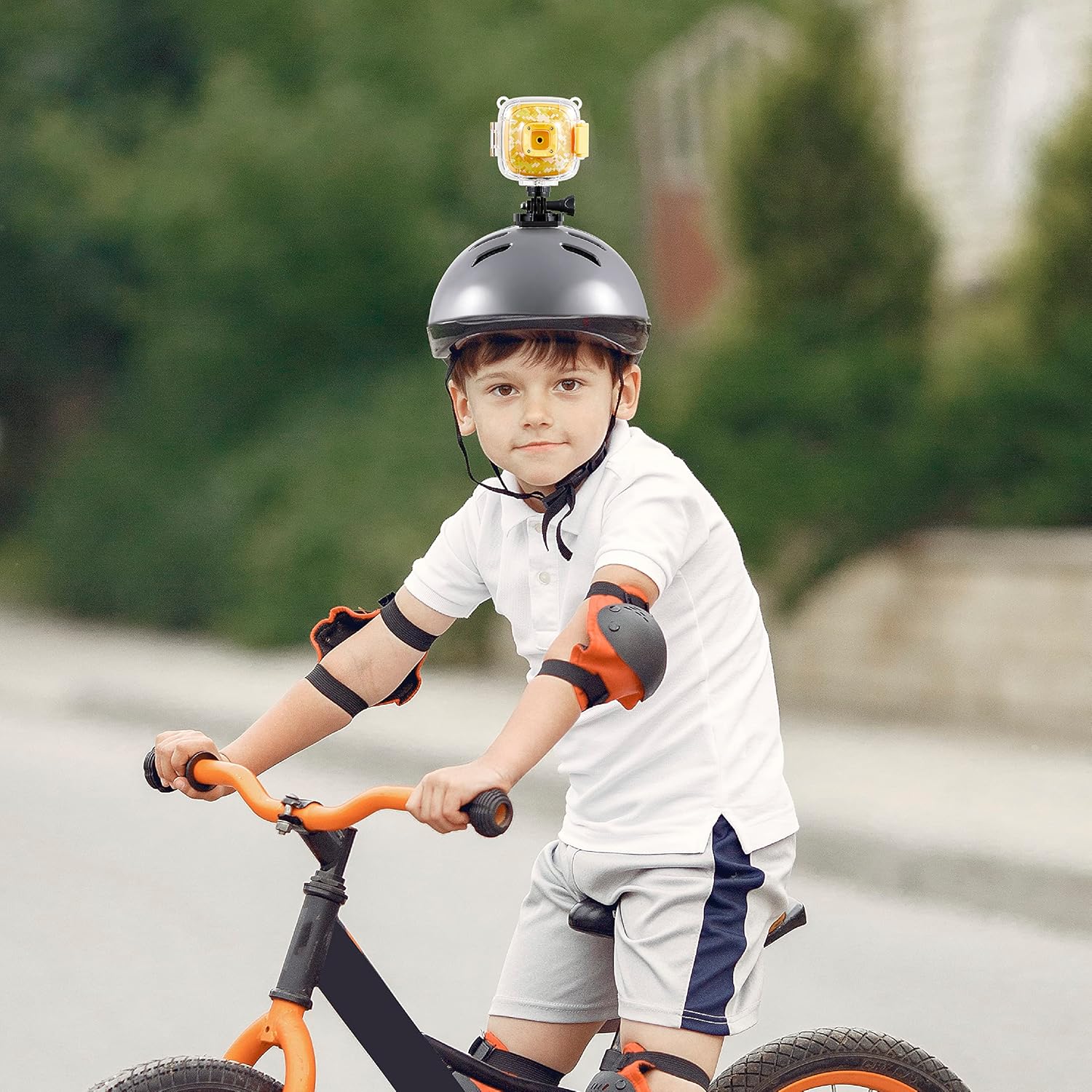
Figure 6: The action camera attached to a child's helmet, ready for recording.
- Select the appropriate mount for your activity (e.g., bike mount for cycling, helmet mount for head-mounted recording).
- Attach the camera to the chosen mount using the provided screws and adapters. Ensure all connections are tight and secure.
- Secure the mount to your desired location (e.g., bike handlebars, helmet) using the straps or clamps.
4. آپريٽنگ هدايتون
4.1 پاور آن/آف
- پاور آن ڪرڻ: Press and hold the Power On/Off button (refer to Figure 3) for a few seconds until the screen illuminates.
- پاور آف ڪرڻ: Press and hold the Power On/Off button again until the screen turns off.
4.2 سوئچنگ موڊس
The camera typically has Photo and Video modes. Use the dedicated Photo and Video buttons (refer to Figure 3) to switch between these modes.
- کي دٻايو ڦوٽو بٽڻ to enter Photo mode.
- کي دٻايو وڊيو جو بٽڻ to enter Video recording mode.
4.3 تصويرون ڪڍڻ
- Ensure the camera is in Photo mode.
- Frame your shot using the 2-inch screen.
- کي دٻايو ٺيڪ بٽڻ (refer to Figure 3) to capture a photo.
4.4 رڪارڊنگ وڊيوز
- Ensure the camera is in Video mode.
- کي دٻايو ٺيڪ بٽڻ to start recording. A recording indicator (e.g., a red dot or timer) will appear on the screen.
- کي دٻايو ٺيڪ بٽڻ again to stop recording. The video file will be saved to the MicroSD card.
4.5 پلے بیک
Toيهر ڪرڻview توهان جون پڪڙيل تصويرون ۽ وڊيوز:
- Enter Playback mode (if available as a separate mode, otherwise navigate through the menu).
- استعمال ڪريو پويون ۽ اڳيان buttons (refer to Figure 3) to browse through your files.
- کي دٻايو ٺيڪ بٽڻ جي طرف view هڪ فوٽو يا وڊيو کيڏيو.
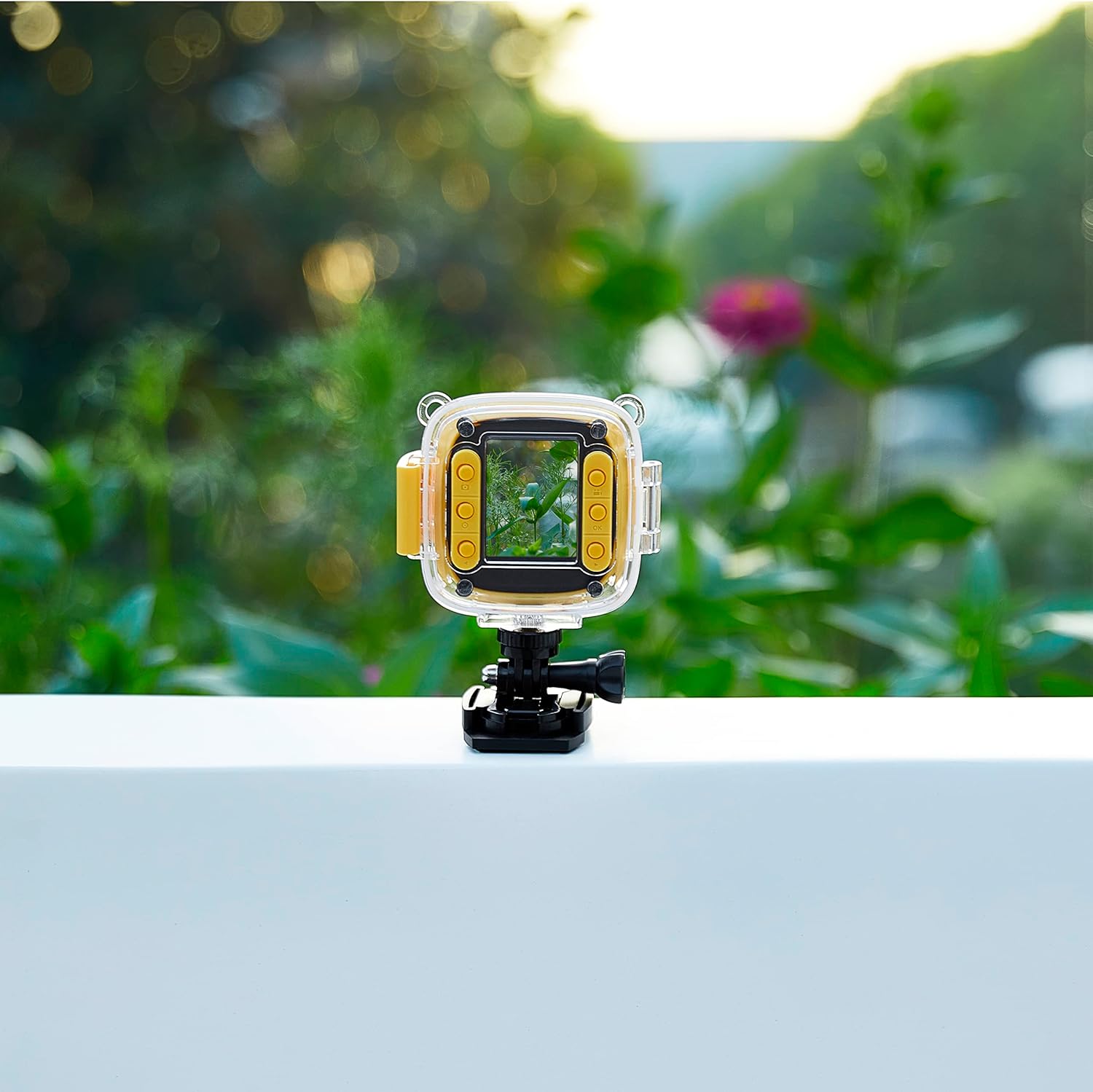
Figure 7: The camera in use, displaying an image on its screen.
5. سار سنڀال
5.1 صفائي
- ڪئميرا جسم: ڪئميرا جي باڊي کي صاف ڪرڻ لاءِ نرم، سڪل ڪپڙو استعمال ڪريو. ضدي مٽيءَ لاءِ، ٿورو ڊيampپاڻي سان ڪپڙو.
- لينس: Use a lens cleaning cloth or a soft, lint-free cloth specifically designed for optics. Avoid touching the lens with your fingers.
- پنروڪ ڪيس: Rinse the case with fresh water after use in saltwater or chlorinated water. Ensure the seals are clean and free of debris.
5.2 اسٽوريج
- ڪئميرا کي سڌي سج جي روشني ۽ انتهائي گرمي پد کان پري ٿڌي، سڪل جاءِ تي رکو.
- جيڪڏهن گهڻي عرصي تائين ذخيرو ڪري رهيا آهيو، ته پڪ ڪريو ته بيٽري جزوي طور تي چارج ٿيل آهي (تقريبن 50٪) ته جيئن ان جي عمر وڌندي.
- Remove the MicroSD card if not in regular use.
6. مسئلا حل ڪرڻ
If you encounter issues with your Vivitar Kids Tech Action Camera, refer to the following common problems and solutions:
| مسئلو | ممڪن سبب | حل |
|---|---|---|
| ڪئميرا آن نٿو ٿئي. | گھٽ يا ختم ٿيل بيٽري. | Charge the camera fully using the USB cable. |
| تصويرون/ وڊيوز رڪارڊ نه ٿا ڪري سگهجن. | ڪو به مائڪرو ايس ڊي ڪارڊ داخل نه ڪيو ويو آهي يا ڪارڊ پورو/خراب آهي. | Insert a MicroSD card. If one is inserted, check if it's full and delete files, or try formatting the card (this will erase all data). Replace with a new card if corrupted. |
| خراب تصوير/وڊيو معيار. | Dirty lens; insufficient lighting. | Clean the camera lens. Ensure adequate lighting for your shots. |
| Water inside the waterproof case. | Case not properly sealed; damaged seal. | Ensure the case latch is firmly closed. Check the rubber seal for any debris or damage. Do not use the case if the seal is compromised. |
7. وضاحتون
- ماڊل نمبر: 99379-YEL-STK-6
- فوٽو سينسر ٽيڪنالاجي: CMOS
- وڊيو ڪيپچر جو حل: HD
- فليش ميموري جو قسم: SDHC, SDXC (MicroSD card required, not included)
- وڊيو ڪيپچر فارميٽ: ايم پي 4
- معاون آڊيو فارميٽ: ايم پي 3، اي اي سي
- اسڪرين جي ماپ: 2 انچ
- رابطي ٽيڪنالاجي: USB
- خاص خصوصيت: Waterproof (with included case)
- بيٽري: 1 ليتيم آئن بيٽري (شامل)
- شيء جو وزن: 12.6 اونس
- پيڪيج جي ماپ: 12.44 x 7.17 x 2.44 انچ
8. وارنٽي ۽ سپورٽ
For warranty information or technical support, please refer to the documentation included with your purchase or visit the official Vivitar webسائيٽ. ڪنهن به وارنٽي دعوائن لاءِ خريداري جو ثبوت رکو.


