1. تعارف
Thank you for choosing the KLIM Tandem Wireless Keyboard and Mouse Set. This product is designed to provide a seamless and responsive wireless experience for both gaming and office use. This manual will guide you through the installation, operation, and maintenance of your new device.

Image 1: The KLIM Tandem wireless keyboard and mouse set, featuring RGB backlighting and a compact USB receiver.
2. پيڪيج مواد
مھرباني ڪري پڪ ڪريو ته سڀئي شيون توھان جي پيڪيج ۾ موجود آھن:
- KLIM Tandem Wireless Keyboard
- KLIM Tandem Wireless Mouse
- USB Wireless Receiver (located in the mouse battery compartment)
- USB Charging Cable (for both keyboard and mouse)
- استعمال ڪندڙ دستي
3. سيٽ اپ جون هدايتون
3.1 ڊوائيسز کي ڳنڍڻ
- Locate the USB wireless receiver. It is typically stored in a compartment on the underside of the mouse.
- Plug the USB wireless receiver into an available USB port on your computer.
- Turn on the keyboard using the power switch, usually located on the top edge.
- پاور سوئچ استعمال ڪندي ماؤس کي آن ڪريو، جيڪو عام طور تي هيٺئين پاسي هوندو آهي.
- Your computer should automatically detect and install the necessary drivers. The devices are ready for use once detected.

Image 2: Close-up of the KLIM Tandem mouse and its USB receiver, ready for connection.
3.2 شروعاتي چارج
For optimal performance, it is recommended to fully charge both the keyboard and mouse before first use. Use the provided USB charging cable to connect the devices to your computer or a USB wall adapter. An indicator light will typically show charging status and turn off or change color when fully charged.
4. آپريٽنگ هدايتون
4.1 ڪي بورڊ جا ڪم
- پٺتي ڪنٽرول: The keyboard features RGB backlighting. Use the dedicated backlight key (often labeled with a lightbulb icon or combined with Fn key) to cycle through brightness levels or turn the backlight on/off. Note that the keyboard's colors are fixed in a rainbow pattern.
- فنڪشن ڪيز (Fn): The keyboard includes a special Function (Fn) key. Press and hold the Fn key, then press the corresponding F1-F12 keys to access multimedia controls and other shortcuts (e.g., volume control, media playback).
- خودڪار ننڊ موڊ: To conserve battery, the keyboard backlight will automatically turn off after a period of inactivity. Press any key to reactivate it.
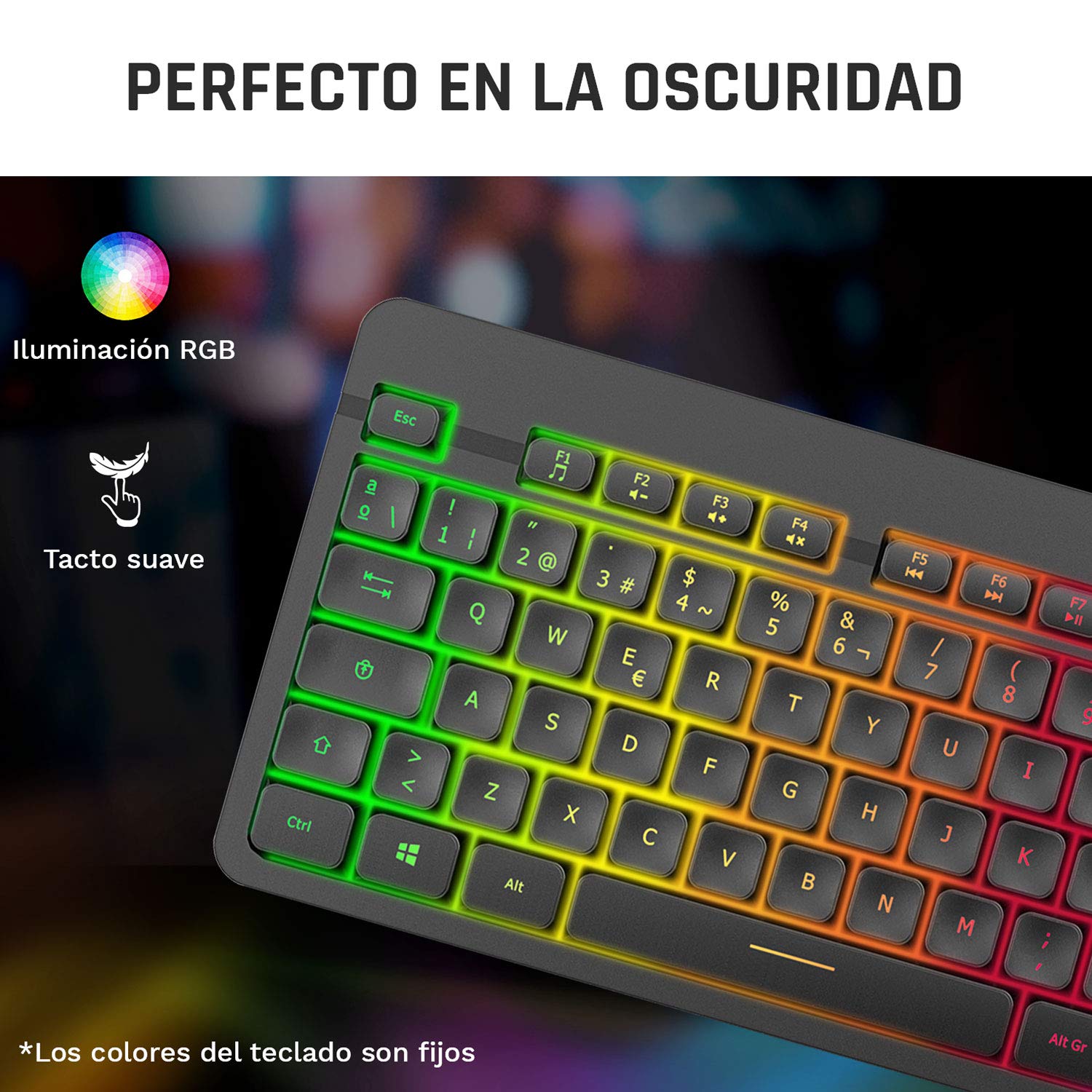
Image 3: Close-up of the KLIM Tandem keyboard showcasing its RGB illumination and soft-touch keys.
4.2 مائوس جا ڪم
- ڊي پي آءِ ايڊجسٽمينٽ: The mouse features adjustable DPI (Dots Per Inch) settings, allowing you to change cursor sensitivity. Use the dedicated DPI button (usually located behind the scroll wheel) to cycle through different sensitivity levels.
- پاسي جا بٽڻ: The mouse includes side buttons, typically used for forward and backward navigation in web browsers or customizable for gaming.
- Illuminated Logo: The mouse features an illuminated KLIM logo. This lighting can usually be toggled on or off via a switch on the underside of the mouse, separate from the main power switch.
- Ergonomic ڊيزائن: The mouse is designed for an ergonomic grip, recommended for right-hand users.
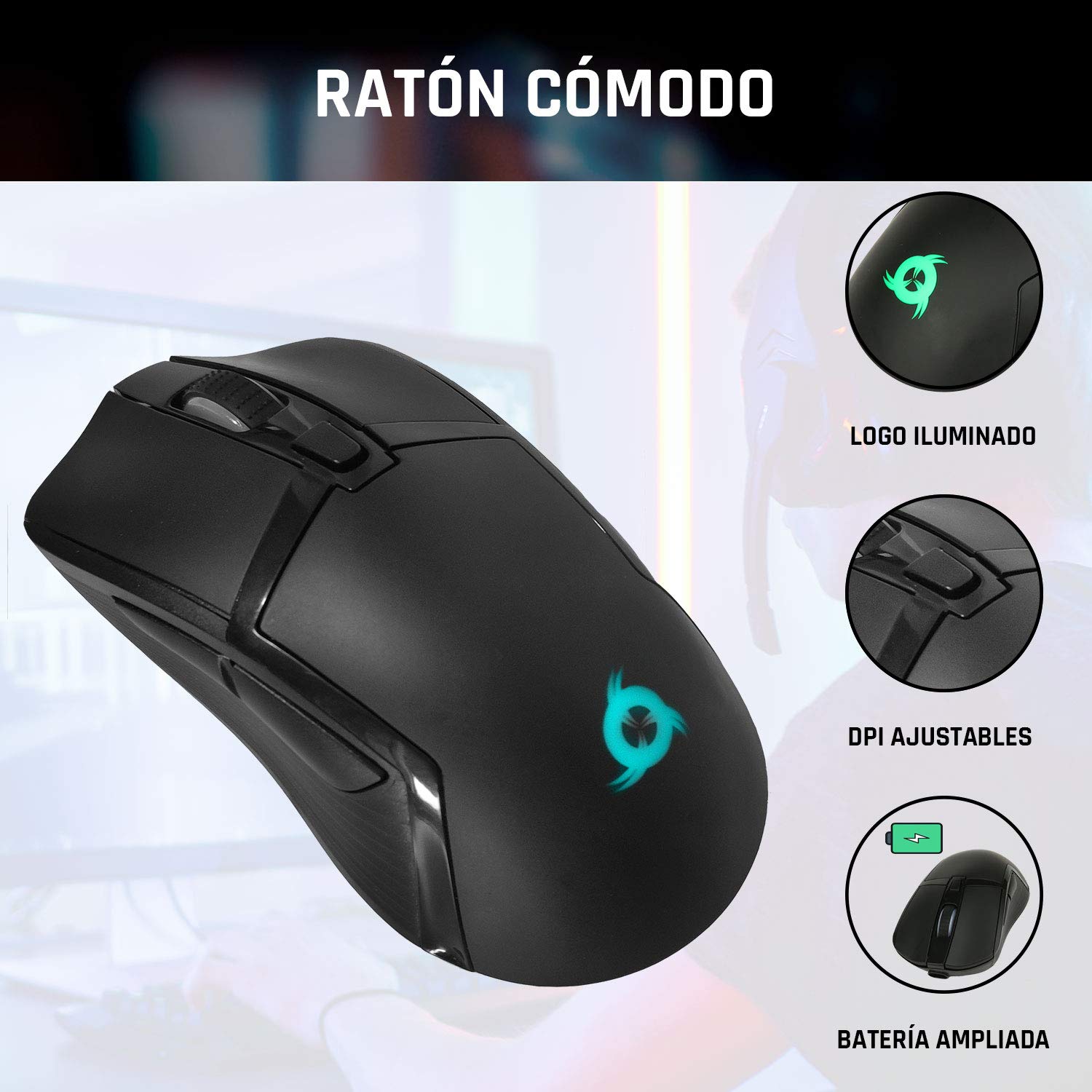
Image 4: The KLIM Tandem mouse highlighting its illuminated logo, adjustable DPI settings, and extended battery capacity.
5. چارجنگ ۽ بيٽري جي زندگي
Both the KLIM Tandem keyboard and mouse are equipped with built-in rechargeable batteries. Use the provided USB cable to charge them. You can continue to use the devices while they are charging.
- چارجنگ اشارو: A small LED light on each device will indicate charging status. Refer to the device for specific light behavior (e.g., red for charging, off for full).
- بيٽري جي زندگي جي اصلاح: Lowering the keyboard's backlight brightness or turning it off will significantly extend battery life. The mouse's illuminated logo can also be toggled off to save power.
- گھٽ بيٽري ڊيڄاريندڙ: Devices will typically provide a visual cue (e.g., flashing indicator light) when the battery is low, signaling that charging is required.
6. سار سنڀال
To ensure the longevity and optimal performance of your KLIM Tandem set, follow these maintenance guidelines:
- صفائي: ڪيبورڊ ۽ مائوس کي صاف ڪرڻ لاءِ نرم، سڪل ڪپڙو استعمال ڪريو. ضدي مٽيءَ لاءِ، ٿورو ڊيamp نرم صابڻ وارو ڪپڙو استعمال ڪري سگهجي ٿو، انهي ڳالهه کي يقيني بڻائڻ لاءِ ته ڪو به مائع ڊوائيس ۾ داخل نه ٿئي. سخت ڪيميڪلز کان پاسو ڪريو.
- اسٽوريج: ڊوائيسز کي سڌي سج جي روشني ۽ انتهائي گرمي پد کان پري ٿڌي، سڪل جاءِ تي رکو.
- ڦڦڙن کان بچڻ: While the keyboard is designed to be resistant to minor spills, it is best to avoid liquid contact to prevent damage.
- USB وصول ڪندڙ: When not in use, the USB receiver can be stored in the mouse's dedicated compartment to prevent loss.
7. مسئلا حل ڪرڻ
If you encounter any issues with your KLIM Tandem set, please refer to the following table:
| مسئلو | ممڪن سبب | حل |
|---|---|---|
| ڪي بورڊ/ماؤس جواب نه ڏئي رهيو آهي | Low battery; Devices turned off; USB receiver disconnected; Driver issue. | Charge devices; Ensure power switches are ON; Re-plug USB receiver; Restart computer. |
| Backlight ڪم نه ڪندي | Backlight turned off; Low battery; Brightness set to minimum. | Press backlight key; Charge keyboard; Adjust brightness. |
| Mouse cursor erratic or slow | Dirty sensor; Incompatible surface; Low DPI setting. | Clean mouse sensor; Use a mouse pad; Adjust DPI setting. |
| مختصر بيٽري جي زندگي | High backlight brightness; Frequent use. | Reduce backlight brightness; Ensure full charge before use. |
8. وضاحتون
Key technical specifications for the KLIM Tandem Wireless Keyboard and Mouse Set:
- رابطي: 2.4 GHz Wireless (single USB receiver)
- وائرليس رينج: 10 ميٽر تائين
- Keyboard Key Type: جھلي
- ڪي بورڊ Backlight: Fixed RGB (rainbow pattern)
- ڪي بورڊ لائف ٽائيم: 10 ملين کان وڌيڪ ڪلڪون
- مائوس DPI: Adjustable (multiple levels)
- Mouse Lifetime: 10 ملين کان وڌيڪ ڪلڪون
- بيٽري: Built-in rechargeable (long-lasting)
- مواد: پائيدار ABS
- مطابقت: PC, Mac, PS4, Xbox One (check specific game/system compatibility)

Image 5: Multilingual specifications sheet for the KLIM Tandem wireless keyboard and mouse set.
9. وارنٽي ۽ سپورٽ
KLIM Technologies offers a 5 سال وارنٽي on the KLIM Tandem Wireless Keyboard and Mouse Set, demonstrating confidence in product quality. For any questions, technical assistance, or warranty claims, please contact KLIM Customer Service. Our team is available to assist you and aims to respond within 24 hours.
For further support, please visit the official KLIM webسائيٽ تي وڃو يا پنهنجي پراڊڪٽ پيڪنگنگ سان مهيا ڪيل رابطي جي معلومات جو حوالو ڏيو.


