1. تعارف
This manual provides detailed instructions for the installation, operation, and maintenance of your Energeeks Guardian EG-CIPEXT002 Outdoor WiFi IP Camera. This camera is designed for outdoor surveillance, offering features such as high-resolution video, motion detection with human filtering, two-way audio, and night vision. Please read this manual thoroughly before using the product to ensure proper functionality and safety.
2. حفاظت جي ڄاڻ
- پڪ ڪريو ته انسٽاليشن يا سار سنڀال کان اڳ پاور سپلائي منقطع آهي.
- Use only the power adapter provided with the camera.
- Do not expose the camera to extreme temperatures or corrosive environments.
- Avoid placing the camera in direct sunlight for prolonged periods, as this may affect performance.
- Ensure all cables are properly secured to prevent tripping hazards or damage.
- This product is rated IP65 for water resistance, meaning it is protected against dust and low-pressure water jets. Do not submerge the camera in water.
3. پيڪيج مواد
پڪ ڪريو ته سڀئي شيون پيڪيج ۾ موجود آهن:
- Energeeks Guardian EG-CIPEXT002 IP Camera
- ڀت تي چڙهڻ واري لهر
- Power Adapter (Transformer)
- ماؤنٽنگ اسڪرو ۽ وال پلگ
- استعمال ڪندڙ جو دستياب (ھي دستاويز)

Image: The product box for the Energeeks Guardian EG-CIPEXT002 camera, showing the camera and its features.
4. سيٽ اپ ۽ تنصيب
4.1 جسماني تنصيب
- جڳھ چونڊيو: هڪ ٻاهرين جڳهه چونڊيو جيڪا گهربل فراهم ڪري viewing angle and is within range of your Wi-Fi network. Ensure the camera is mounted securely and has access to a power outlet.
- بریکٹ جبل: Use the provided wall mounting bracket, screws, and wall plugs to securely attach the bracket to the chosen surface.
- ڪئميرا ڳنڍيو: Secure the camera to the mounted bracket.
- پاور Connectنيو: Connect the power adapter to the camera and plug it into a suitable outdoor power outlet.
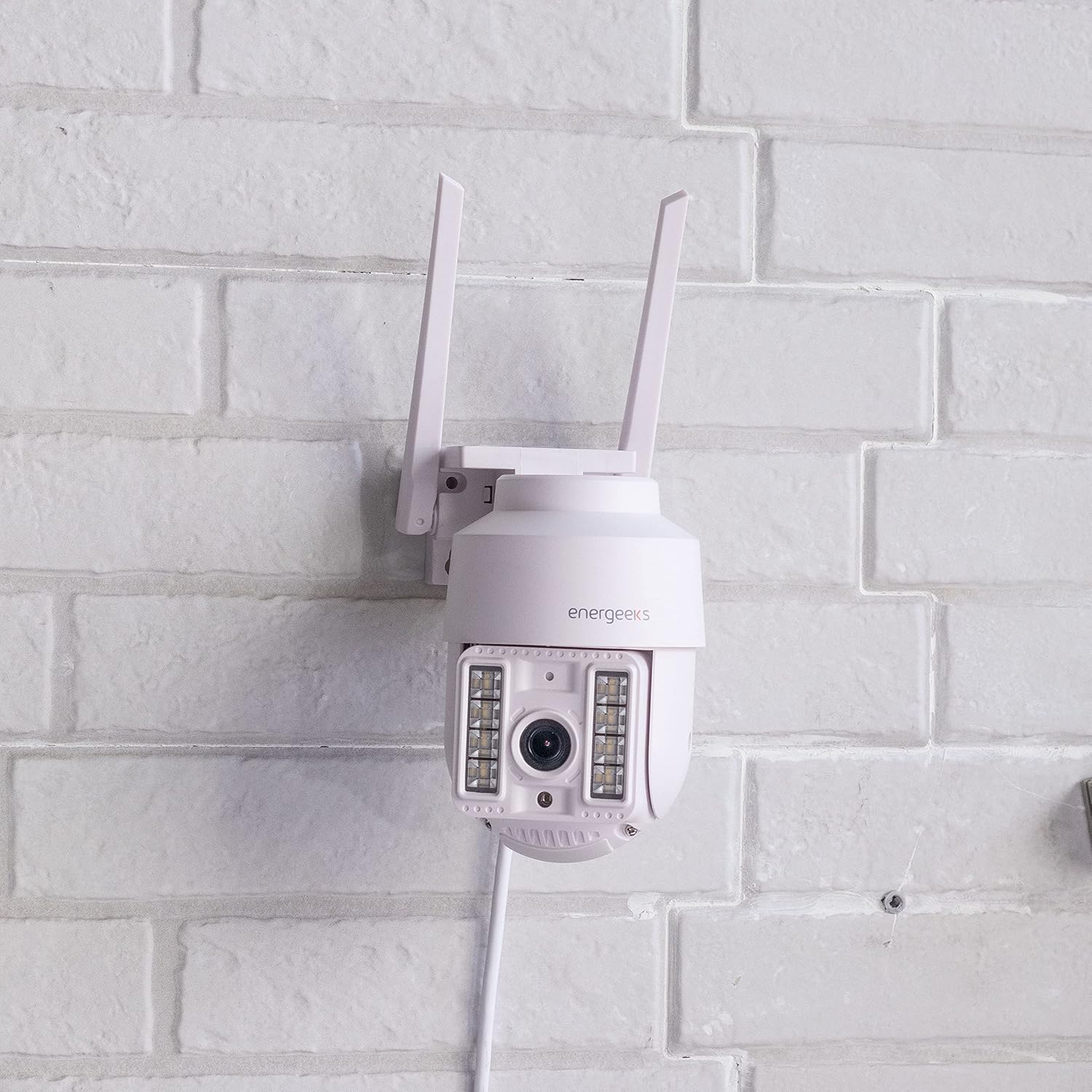
Image: The Energeeks Guardian EG-CIPEXT002 camera mounted on a white brick wall, showing its outdoor installation.

Image: The Energeeks Guardian EG-CIPEXT002 camera mounted on a white brick wall, with its integrated lights illuminated.
4.2 نيٽورڪ ڪنيڪشن
- ايپ ڊائون لوڊ ڪريو: ڳولھيو the "Energeeks 3.0" app on Google Play Store or Apple App Store and install it on your smartphone.
- اڪائونٽ ٺاهيو: ايپ کوليو ۽ اسڪرين تي ڏنل هدايتن تي عمل ڪريو نئون يوزر اڪائونٽ ٺاهڻ لاءِ يا جيڪڏهن توهان وٽ اڳ ۾ ئي آهي ته لاگ ان ٿيو.
- ڊوائيس شامل ڪريو: In the app, select "Add Device" or the "+" icon. Choose "Security Camera" or the relevant camera type.
- وائي فائي سان ڳنڍيو: Follow the app's instructions to connect the camera to your 2.4GHz Wi-Fi network. This typically involves scanning a QR code displayed on your phone with the camera.
- (Optional) Wired Connection: The camera also supports an RJ45 Ethernet connection for a stable wired network connection. Connect an Ethernet cable from your router to the camera's RJ45 port.
5. آپريٽنگ هدايتون
5.1 زنده View ۽ ڪنٽرول
- Open the Energeeks 3.0 app and select your camera from the device list.
- توهان ڪئميرا مان هڪ لائيو فيڊ ڏسندا.
- Use the on-screen controls to pan (355° horizontal) and tilt (90° vertical) the camera lens to adjust the viewزاويه.
5.2 اهم خاصيتون
- هاء ريزوليوشن وڊيو: Records in Super HD 3 Megapixel (1296p) resolution for clear images.
- Motion Detection with Human Filter: The camera detects movement and can specifically filter for human shapes, reducing false alarms. Notifications are sent to your smartphone upon detection.
- رات جو خواب: Equipped with infrared LEDs for clear vision in low-light conditions. Integrated lights can also be activated.
- ٻه طرفي آڊيو: Use the app to listen to the camera's surroundings and speak through the camera's built-in speaker.
- مقامي اسٽوريج: Supports recording to a MicroSD card (not included). Insert the card into the designated slot on the camera.
- Cloud Storage: Optional cloud storage service is available (subscription required) for secure off-site video backup.
- مربوط سائرن: The camera features an integrated siren that can be activated manually or automatically upon detection to deter intruders.
- سمارٽ گهر انٽيگريشن: Compatible with Google Home and Amazon Alexa for voice control and integration into smart home routines.
6. سار سنڀال
- صفائي: وقتي طور تي ڪئميرا لينس ۽ هائوسنگ کي نرم، ڊي سان صاف ڪريوamp ڪپڙو. استعمال نه ڪريو سخت ڪيميائي يا گھڻائي صاف ڪندڙ.
- فرم ويئر اپڊيٽس: Check the Energeeks 3.0 app regularly for available firmware updates. Keeping the firmware updated ensures optimal performance and security.
- ڪيبل جي چڪاس: Regularly inspect power and network cables for any signs of wear or damage. Replace damaged cables immediately.
7. مسئلا حل ڪرڻ
| مسئلو | ممڪن سبب | حل |
|---|---|---|
| ڪئميرا وائي فائي سان ڳنڍيل ناهي | غلط وائي فائي پاسورڊ؛ ڪئميرا روٽر کان تمام پري آهي؛ روٽر صرف 5GHz آهي؛ نيٽ ورڪ مداخلت. | Verify Wi-Fi password; Move camera closer to router; Ensure router supports 2.4GHz (camera only supports 2.4GHz); Reduce interference from other devices. |
| خراب تصوير جو معيار | Dirty lens; Low light conditions; Poor network connection. | Clean the camera lens; Ensure night vision is active in low light; Check Wi-Fi signal strength or use wired connection. |
| حرڪت جي چڪاس ڪم نه ڪندي | Motion detection disabled in app; Sensitivity set too low; Incorrect detection zone. | Enable motion detection in the app settings; Adjust sensitivity; Configure detection zones correctly. |
| ٻه طرفي آڊيو ڪم نه ڪري رهيو آهي | Microphone/speaker muted in app; App permissions not granted. | Check audio settings in the app; Ensure the app has microphone permissions on your phone. |
8. وضاحتون
| خاصيت | تفصيل |
|---|---|
| ماڊل نمبر | EG-CIPEXT002 |
| وڊيو رڪارڊنگ جي قرارداد | 1296p (3 Megapixel Super HD) |
| پان / ٽلھ کڻڻ | 355° افقي / 90° عمودي |
| پاڻي جي مزاحمت جي درجه بندي | IP65 |
| رابطي ٽيڪنالاجي | Wi-Fi (2.4GHz), RJ45 Ethernet |
| خاص خاصيتون | Two-way audio, Motion detection with human filter, Night vision, Integrated siren, Integrated lights |
| مطابقت رکندڙ ڊوائيسز | گوگل هوم، ايمازون ايڪسا |
| طاقت جو ذريعو | اليڪٽرڪ ڪيبل |
| طول و عرض (L x W x H) | 12 x 14 x 18 سينٽي |
| وزن | 570 گرام |
| اجزاء شامل | Camera, Wall Mounting Bracket, Power Adapter |
9. وارنٽي ۽ سپورٽ
For warranty information and technical support, please refer to the documentation provided with your purchase or visit the official Energeeks website. Information regarding spare parts availability is not provided at this time. Please retain your proof of purchase for warranty claims.


