تعارف
Thank you for choosing the Mohard BC61 Bluetooth 5.3 FM Transmitter. This device allows you to add Bluetooth functionality to older car models, enabling hands-free calls, Hi-Fi music streaming, and fast charging for your mobile devices through your car's speaker system. Please read this manual carefully before use to ensure proper operation and to maximize your experience.
حفاظتي ڊيڄاريندڙ
- Use this product strictly according to the instructions provided in this manual.
- Avoid placing the device near other wireless equipment to prevent interference.
- Handle the device with care. Do not disassemble or modify it.
- Ensure proper recycling of any associated batteries or electronic components.
- Operate the device within specified temperature and humidity limits to prevent damage.
- ڊوائيس کي وڌيڪ نمي يا انتهائي گرمي پد تي ظاهر نه ڪريو.
پيڪيج مواد
مھرباني ڪري ھيٺ ڏنل شين لاءِ پيڪيج چيڪ ڪريو:
- 1 x Mohard BC61 Bluetooth FM Transmitter
- 1 x استعمال ڪندڙ دستياب
پيداوار ختمview
The Mohard BC61 features a compact, all-metal design for durability and efficient heat dissipation. It integrates a digital display, control buttons, and dual fast-charging ports.

Image: The Mohard BC61 Bluetooth FM Transmitter, showcasing its compact design, digital display, and control buttons. A blue LED ring illuminates the device.
اهم خاصيتون:
- بلوٽوٽ 5.3: Provides faster pairing, more stable transmission, and lower power consumption for enhanced audio quality.
- ڊبل فاسٽ چارجنگ پورٽس: Equipped with a 30W PD3.0 Type-C port and an 18W QC3.0 Type-A port for simultaneous rapid charging of multiple devices.
- هينڊ فري ڪالنگ: Integrated high-sensitivity microphone with CVC noise reduction technology ensures clear call quality by suppressing wind and road noise.
- Hi-Fi Music Streaming: Supports lossless music playback from any Bluetooth-enabled device.
- جلدtagاي مانيٽرنگ: Helps monitor your car's voltage.
- نيرو ايل اي ڊي رنگ: An illuminated blue ring around the device aids in locating it in the dark and adds to the car's interior aesthetics.
- سڀ ڌاتو تعمير: Durable zinc alloy casing for longevity and improved heat dissipation compared to plastic alternatives.

Image: Close-up of the Mohard BC61 showing the illuminated blue LED ring, which helps locate the device in low light conditions and enhances the car's interior.

Image: Comparison illustrating the robust zinc alloy construction of the Mohard BC61 against a typical plastic car charger, highlighting its durability and heat dissipation benefits.
سيٽ اپ جون هدايتون
- Insert into Car Cigarette Lighter: Plug the Mohard BC61 FM Transmitter firmly into your car's 12V-24V cigarette lighter socket. The device will power on, and the LED display will show the current car voltage for a few seconds, then switch to the FM frequency.
- ڪار ريڊيو ٽيون ڪريو: Tune your car's FM radio to an empty frequency (one with static or no broadcast). This frequency should be between 87.5 MHz and 108.0 MHz.
- Match FM Transmitter Frequency:
- Press the "CH" button (often integrated with the call button) on the FM transmitter. The frequency display will start flashing.
- Use the "Previous Track" (<<) and "Next Track" (>>) buttons to adjust the transmitter's frequency to match the empty frequency you selected on your car radio.
- Once matched, wait a few seconds for the display to stop flashing, or press the "CH" button again to confirm.
- بلوٽوٿ ڊيوائس سان جوڙيو:
- پنهنجي اسمارٽ فون يا ٻئي آڊيو ڊوائيس تي بلوٽوٿ کي فعال ڪريو.
- ڳولھيو available Bluetooth devices and select "BC61" (or similar name) from the list.
- Once paired, the device will confirm the connection, and you can now stream audio.

تصوير: هڪ اندروني view of the Mohard BC61 highlighting the Bluetooth 5.3 chip, indicating advanced connectivity for faster and more stable pairing.
آپريٽنگ هدايتون
ميوزڪ پلے بیک:
- بلوٽوٿ اسٽريمنگ: Once paired, open your music app on your phone and start playing. The audio will be transmitted to your car's speakers.
- ڪنٽرول بٽڻ:
- Press the "Previous Track" (<<) button to go to the previous song.
- Press the "Next Track" (>>) button to go to the next song.
- Press the multi-function button (often the call button) to Play/Pause music.
- حجم جي ترتيب: Adjust the volume directly on your phone or through your car's audio system.

Image: A visual representation of the Mohard BC61 enabling Hi-Fi music streaming from a smartphone to a car's audio system, illustrating seamless audio transmission.
هينڊ فري ڪالنگ:
- جواب ڏيو ڪال: When an incoming call rings, press the multi-function button (call button) once to answer.
- ڪال ختم ڪريو: During a call, press the multi-function button once to end the call.
- ڪال رد ڪريو: When an incoming call rings, press and hold the multi-function button for 2 seconds to reject the call.
- ريڊل آخري نمبر: Double-press the multi-function button to redial the last dialed number.
- پرائيويٽ ڪال: During a call, press and hold the multi-function button to switch the call between the transmitter and your phone.

Image: A user demonstrating hands-free calling with the Mohard BC61, showing the device's interface for answering, rejecting, and redialing calls, facilitated by CVC noise reduction.
جي چارج ڪرڻ جي ڊوائيسز:
- Connect your device (smartphone, tablet, etc.) to the PD 30W Type-C port for Power Delivery fast charging.
- Alternatively, connect your device to the QC3.0 18W Type-A port for Quick Charge 3.0 fast charging.
- The intelligent circuitry protects your devices against overcurrent, short-circuit, overheating, and overcharging.
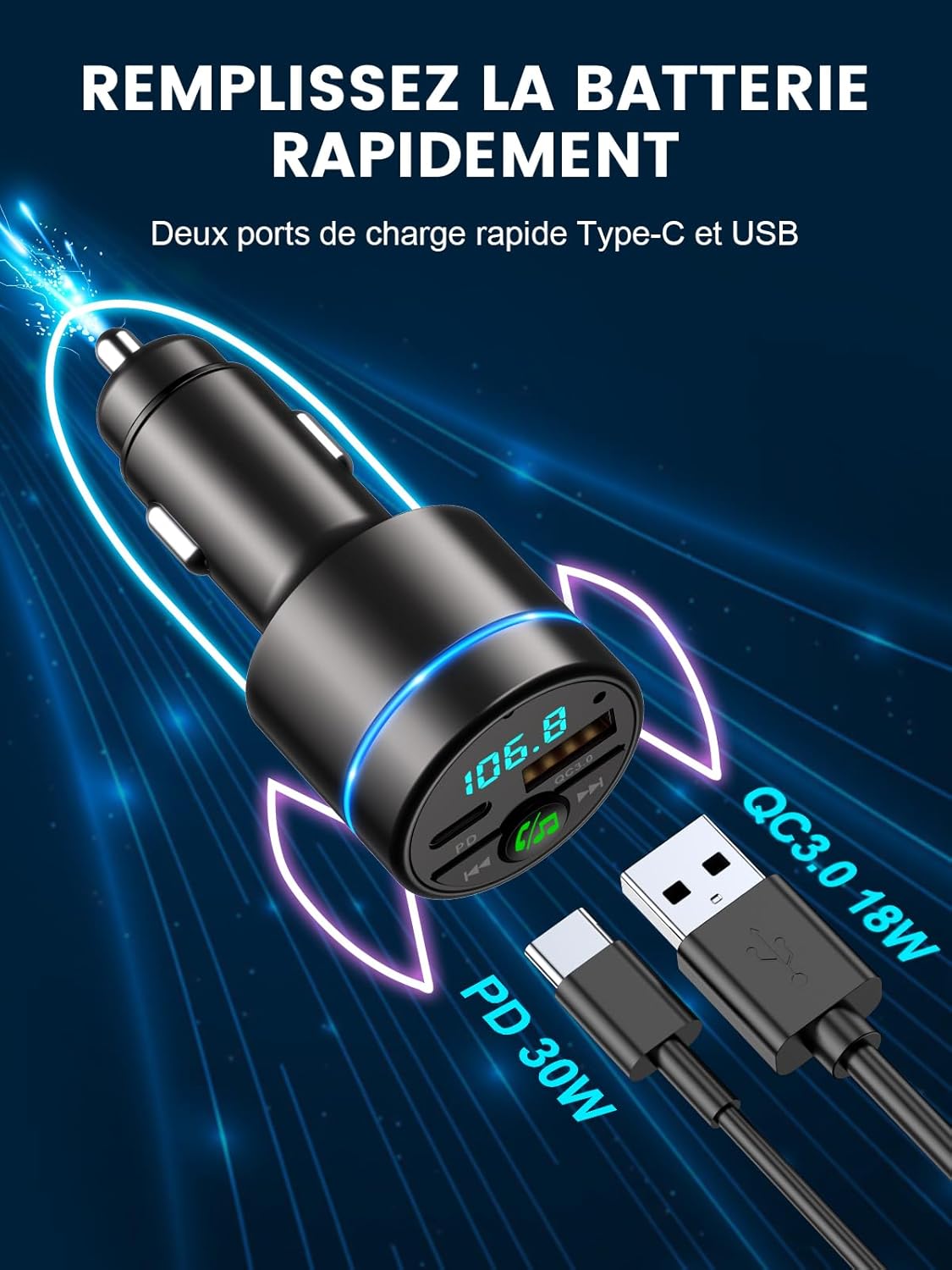
Image: The Mohard BC61 displaying its dual fast-charging ports: a PD 30W Type-C port and a QC3.0 18W USB-A port, capable of rapidly charging compatible devices.
سار سنڀال
- ڊوائيس کي صاف ۽ سڪل رکو. مٿاڇري کي صاف ڪرڻ لاءِ نرم، سڪل ڪپڙو استعمال ڪريو.
- سخت ڪيميائي استعمال ڪرڻ کان پاسو ڪريو، صفائي جي سولوينٽس، يا مضبوط صابن.
- جڏهن استعمال ۾ نه هجي ته ڊوائيس کي ٿڌي، سڪل جڳهه ۾ ذخيرو ڪريو.
- ڊگھي عرصي تائين ڊيوائس کي سڌو سورج جي روشنيءَ ۾ نه لڳايو.
مشڪلاتون
| مسئلو | ممڪن سبب | حل |
|---|---|---|
| ڪابه پاور/ڊوائيس آن نه ٿي رهي آهي. | Loose connection; Car cigarette lighter faulty; Car battery low. | Ensure the device is firmly plugged in. Check if the car cigarette lighter is working. Check car battery voltage. |
| جامد يا خراب آڊيو معيار. | FM frequency interference; Volume too low/high; Bluetooth connection issue. | Find a clearer, empty FM frequency on your car radio and match the transmitter. Adjust volume on both phone and car stereo. Re-pair Bluetooth. |
| بلوٽوٿ ذريعي جوڙي نه ٿو سگهجي. | Bluetooth not enabled on phone; Device not in pairing mode; Incorrect device selected. | Ensure Bluetooth is enabled on your phone. Restart the transmitter and your phone. Select "BC61" from the Bluetooth list. |
| چارجنگ سست آهي يا ڪم نه ڪري رهي آهي. | Cable issue; Device not compatible with fast charging; Overload protection activated. | Use a high-quality charging cable. Ensure your device supports PD or QC3.0. Unplug and replug the device. |
| هٿ کان سواءِ ڪال جو معيار خراب آهي. | High background noise; Microphone obstruction; Low volume. | Ensure the microphone is not obstructed. Adjust call volume. CVC noise reduction should minimize background noise, but extreme conditions may affect clarity. |
وضاحتون
| ماڊل نمبر | BC61 |
| بلوٽوت ورزن | V5.3 |
| FM فريکوئنسي رينج | 87.5 - 108.0 ميگا هرٽز |
| انٽ واليمtage | DC12V-24V |
| QC3.0 پيداوار | 5V/3A، 9V/2A، 12V/1.5A (وڌ ۾ وڌ 18W) |
| پي ڊي آئوٽ | 5V/3A، 9V/2.22A، 12V/1.67A (وڌ ۾ وڌ 30W) |
| موسيقي فارميٽ سپورٽ | WMA, MP3, WAV, APE, FLAC |
| بلوٽوٽ مفاصلو | 10 ميٽر |
| مواد | زنڪ مصر |
| طول و عرض | 8.4L x 4.7W x 4.2H سينٽي ميٽر |
| وزن | 36 گرام |
وارنٽي ۽ سپورٽ
Mohard is committed to providing high-quality products and excellent customer service.
- وارنٽي: This product comes with a 12-month after-sales service warranty.
- ڪسٽمر سپورٽ: Professional 24/7 customer support is available to assist you with any questions or issues. Please refer to the contact information provided with your purchase or visit the official Mohard webحمايت لاء سائيٽ.


