1. تعارف
The ATTACK SHARK G6 Gaming Mouse is a versatile peripheral designed for both gaming and daily productivity. It offers three distinct connection modes: wired, 2.4G wireless, and Bluetooth, ensuring reliable and accurate transmission across various devices. Its ergonomic design, adjustable DPI settings, and customizable RGB lighting provide a tailored user experience.

Figure 1: The ATTACK SHARK G6 Gaming Mouse (Blue/White) with its USB receiver.
2. خاصيتون
- ٽرائي موڊ ڪنيڪٽوٽي: Seamlessly switch between wired (USB-C), 2.4G wireless (via USB receiver), and Bluetooth connections for maximum flexibility.
- ترتيب ڏيڻ وارو DPI: Features 5 adjustable DPI levels (1200/1600/2000/2400/4000) for precise control and responsiveness, suitable for various tasks from detailed work to fast-paced gaming.
- 11 Chroma RGB Lighting Modes: Customize your setup with 11 distinct RGB lighting effects, enhancing your gaming atmosphere.
- 10 پروگراميبل بٽڻ: Equipped with 10 function buttons, strategically placed for easy access, allowing for quick actions like light changes, one-click web access, and navigation.
- Ergonomic ڊيزائن: Specifically designed for right-hand users with a comfortable thumb rest, reducing fatigue during extended use.
- خاموش ڪلڪ بٽڻ: Left and right buttons feature a silent click design, minimizing noise and preventing disturbance to others.
- Rechargeable بيٽري: Built-in 500mAh lithium battery, rechargeable via Type-C, providing long-lasting use on a single charge (approx. 3-4 hours for full charge).
- وسيع مطابقت: Compatible with Windows, Mac, Android, and other operating systems, ensuring broad usability.

شڪل 2: ختمview of the 10 programmable buttons and ergonomic finger rests.
3. پيڪيج مواد
مھرباني ڪري پيڪيج جي مواد کي انباڪس ڪرڻ وقت چيڪ ڪريو ته جيئن سڀ شيون موجود ھجن:
- ATTACK SHARK G6 Gaming Mouse
- USB 2.4G وائرليس رسيور
- USB-C چارجنگ ڪيبل
- استعمال ڪندڙ جو دستياب (ھي دستاويز)
4. سيٽ اپ
4.1. مائوس کي چارج ڪرڻ
Before first use, it is recommended to fully charge the mouse. Connect the supplied USB-C charging cable to the mouse's Type-C port and the other end to a USB power source (e.g., computer USB port, USB wall adapter). The charging indicator will show status (refer to LED indicator section for details). A full charge typically takes 3-4 hours.

Figure 3: Charging the G6 Gaming Mouse via its Type-C port.
4.2. ڪنيڪشن جا طريقا
The G6 mouse supports three connection methods:
- 2.4G وائرليس موڊ:
- Locate the USB 2.4G wireless receiver, usually stored in a compartment on the underside of the mouse.
- وصول ڪندڙ کي توهان جي ڪمپيوٽر تي موجود USB پورٽ ۾ پلگ ان ڪريو.
- هيٺئين پاسي واري پاور سوئچ کي استعمال ڪندي مائوس کي آن ڪريو. مائوس کي خودڪار طريقي سان ڳنڍجي وڃڻ گهرجي.
- بلوٽوٽ موڊ:
- Turn on the mouse and switch it to Bluetooth mode (refer to the switch on the underside).
- توهان جي ڊوائيس (ڪمپيوٽر، ٽيبليٽ، فون) تي، بلوٽوٿ سيٽنگون ڏانهن وڃو ۽ نوان ڊوائيسز ڳوليو.
- Select "ATTACK SHARK G6" (or similar name) from the list to pair.
- وائرڊ موڊ
- Connect the supplied USB-C cable to the mouse's Type-C port.
- ڪيبل جي ٻئي پڇاڙي کي توهان جي ڪمپيوٽر تي USB پورٽ سان ڳنڍيو.
- مائوس فوري طور تي وائرڊ موڊ ۾ ڪم ڪندو ۽ هڪ ئي وقت چارج پڻ ٿيندو.
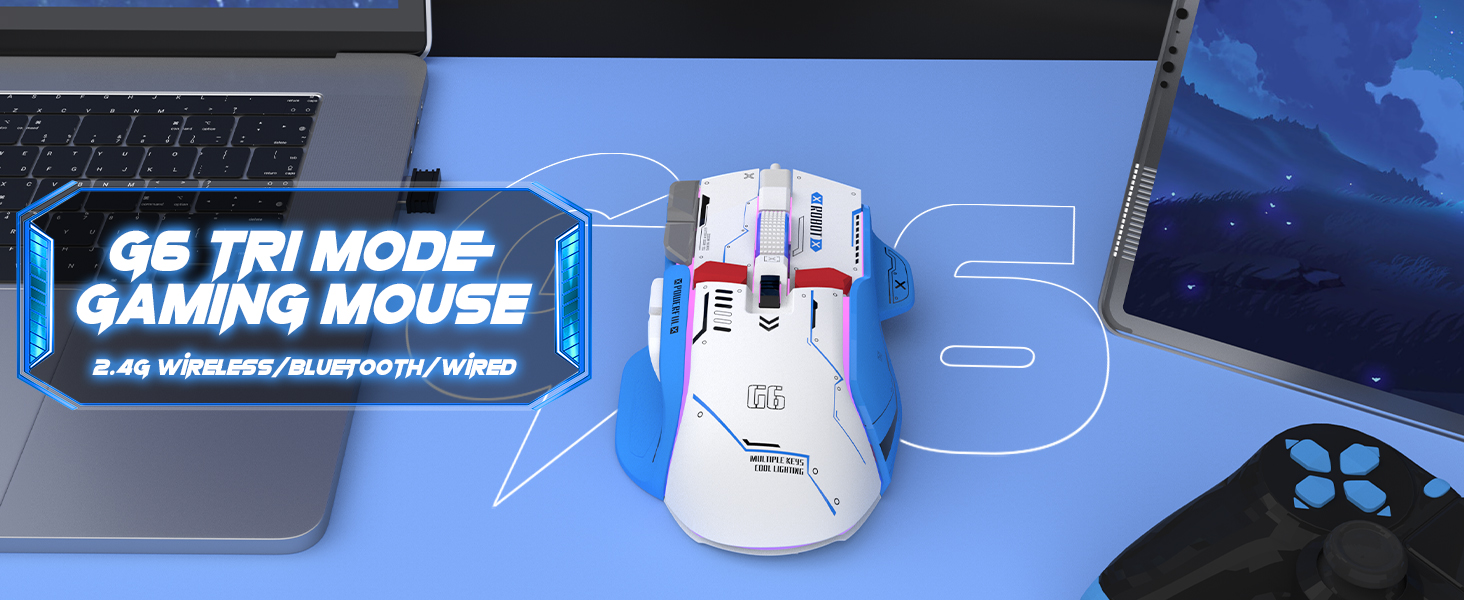
Figure 4: The G6 mouse supports 2.4G wireless, Bluetooth, and wired connections.
5. آپريٽنگ هدايتون
5.1. ڊي پي آءِ ايڊجسٽمينٽ
The G6 mouse features a dedicated DPI button (refer to Figure 2 for location) to cycle through 5 adjustable DPI levels: 1200, 1600, 2000, 2400, and 4000. Press the DPI button to switch between sensitivity settings to match your preference or game requirements.
5.2. آر جي بي لائيٽنگ ڪنٽرول
The mouse offers 11 Chroma RGB lighting modes. Use the dedicated Light Control button (refer to Figure 2) to cycle through the different lighting effects. To turn off the RGB lighting, continue pressing the button until the lights are off, or refer to the software if available for more advanced control.

Figure 5: The G6 mouse features 11 kinds of RGB backlight modes.
5.3. بٽڻ افعال
The G6 mouse has 10 function buttons. Their default functions are:
- کاٻي ڪلڪ ڪريو: Standard left mouse button.
- ساڄي ڪلڪ ڪريو: Standard right mouse button (silent click).
- اسڪرول ويل: مٿي/هيٺ اسڪرول ڪريو، وچ ۾ ڪلڪ ڪريو.
- DPI بٽڻ: ڊي پي آءِ سيٽنگن ذريعي چڪر.
- هلڪو ڪنٽرول بٽڻ: Cycles through RGB lighting modes.
- فارورڊ بٽڻ: اڳتي نيويگيٽ ڪري ٿو web browsers/folders.
- پوئتي بٽڻ: پوئتي نيويگيٽ ڪري ٿو web browsers/folders.
- Fire Button: Rapid fire function (default, may be programmable).
- Desktop Button: One-click access to desktop.
- Webpage Button: One-click access to web برائوزر.

شڪل 6: تفصيلي view of key features including finger rests and Type-C port.

Figure 7: The silent click feature ensures quiet operation, ideal for shared spaces.
6. سار سنڀال
To ensure the longevity and optimal performance of your ATTACK SHARK G6 Gaming Mouse, follow these maintenance guidelines:
- صفائي: مائوس جي مٿاڇري کي صاف ڪرڻ لاءِ نرم، سڪل ڪپڙو استعمال ڪريو. ضدي مٽيءَ لاءِ، ٿورو ڊيamp cloth with mild soap can be used, but ensure no liquid enters the mouse. Do not use harsh chemicals or abrasive materials.
- اسٽوريج: مائوس کي سڌي سج جي روشني ۽ انتهائي گرمي پد کان پري ٿڌي، سڪل جاءِ تي رکو.
- قطرن کان پاسو ڪريو: Protect the mouse from drops and impacts, which can damage internal components.
- ڪيبل جي سنڀال: When using wired mode or charging, handle the USB-C cable carefully to prevent bending or fraying.
7. مسئلا حل ڪرڻ
If you encounter issues with your ATTACK SHARK G6 Gaming Mouse, please refer to the following common solutions:
| مسئلو | ممڪن حل |
|---|---|
| Mouse not responding (Wireless/Bluetooth) |
|
| DPI سيٽنگون تبديل نه ٿيون |
|
| آر جي بي لائيٽنگ ڪم نه ڪري رهي آهي يا ڦاسي پئي آهي |
|
| دير يا وقفي وقفي سان ڪنيڪشن |
|
7.1. پراڊڪٽ وڊيو گائيڊ
For a visual guide on the mouse's features and operation, please watch the official product video:
Video: G6 Wireless/wired/bluetooth gaming mouse. This video demonstrates the RGB lighting effects and general appearance of the G6 gaming mouse in different colors.
8. وضاحتون
| خاصيت | تفصيل |
|---|---|
| برانڊ | شارڪ تي حملو |
| ماڊل نمبر | G6 |
| رابطي ٽيڪنالاجي | Bluetooth, Wired, Wireless (2.4G) |
| تحريڪ جي سڃاڻپ ٽيڪنالاجي | بصري |
| ترتيب ڏيڻ وارا ڊي پي آءِ ليول | 1200/1600/2000/2400/4000 |
| RGB موڊس | 11 Chroma RGB modes |
| بٽڻ جو تعداد | 10 |
| بيٽري جي گنجائش | 500mAh ريچارجبل ليتيم بيٽري |
| چارجنگ پورٽ | ٽائپ-سي |
| شيءِ جو وزن | 7.4 آونس (تقريبن 210 گرام) |
| پيڪيج جي ماپ | 6.38 x 5.43 x 2.13 انچ |
| مطابقت | ونڊوز، ميڪ، اينڊرائيڊ، آئي او ايس |
9. وارنٽي ۽ سپورٽ
ATTACK SHARK products are designed and manufactured to the highest quality standards. This product is covered by a limited warranty from the date of purchase. For detailed warranty terms, technical support, or customer service inquiries, please contact your retailer or visit the official ATTACK SHARK webسائيٽ.
آن لائن سپورٽ: Visit the ATTACK SHARK Store on Amazon


