تعارف
Welcome to the user manual for your Spigen ArcPack 30W 10000mAh Super-Compact USB C Power Bank. This manual provides essential information for setting up, operating, and maintaining your device to ensure optimal performance and longevity. Please read this manual carefully before using the product.
ڇا شامل آهي
Your Spigen ArcPack Power Bank package includes the following items:
- Spigen ArcPack USB C Power Bank
- 3.3ft USB-C to USB-C Cable
- اسٽوريج جي بوتل
- استعمال ڪندڙ جو دستياب (ھي دستاويز)

Image: The Spigen ArcPack Power Bank shown alongside its included USB-C to USB-C cable, highlighting the complete package contents.
اهم خاصيتون
The Spigen ArcPack Power Bank is designed with advanced features for efficient and reliable charging:
- Compact Powerhouse: Boasts a generous 10000mAh capacity in a super-compact form factor, making it easy to carry.
- Lightning-Fast Charging: Experience PD PPS 30W high-speed charging and recharging capabilities. The Type C port supports 30W Power Delivery 3.0 and 25W PPS.
- سليڪ ۽ سجيل ڊيزائن: Its sleek edges and premium materials enhance durability and portability, perfect for travel and daily use.
- يونيورسل مطابقت: Compatible with a wide range of devices including iPhone, Galaxy, Apple Vision Pro, Steam Deck, Nintendo Switch, and more.

Image: A hand placing the compact Spigen ArcPack Power Bank into a handbag, illustrating its excellent portability for on-the-go use.

Image: The Spigen ArcPack Power Bank positioned centrally with a smartphone, tablet, and wireless earbuds around it, showcasing its broad compatibility with different electronic devices.
سيٽ اپ ڪريو
Before first use, it is recommended to fully charge your Spigen ArcPack Power Bank.
پاور بئنڪ کي چارج ڪرڻ
- Connect the included USB-C to USB-C cable to the power bank's USB-C port.
- Connect the other end of the cable to a compatible USB Power Delivery (PD) wall charger. For the fastest charging, a 30W or higher PD charger is recommended.
- The LED indicators on the power bank will illuminate to show the charging progress. All four LEDs will be solid when the power bank is fully charged.
A full charge takes approximately 1.8 hours when using a 30W PD charger.

Image: The Spigen ArcPack Power Bank connected to a wall adapter on a nightstand, with its indicator lights showing a full 100% charge, ready for use.
آپريٽنگ هدايتون
Using your Spigen ArcPack Power Bank to charge your devices is simple and efficient.
توهان جي ڊوائيسز کي چارج
- هڪ مطابقت رکندڙ USB-C ڪيبل استعمال ڪندي پنهنجي ڊوائيس کي پاور بينڪ جي USB-C پورٽ سان ڳنڍيو.
- پاور بينڪ خودڪار طريقي سان توهان جي ڊوائيس کي چارج ڪرڻ شروع ڪندو.
- پاور بينڪ تي ايل اي ڊي اشارا باقي بيٽري جي سطح ڏيکاريندا.
The power bank supports Power Delivery (PD 3.0) up to 30W and Programmable Power Supply (PPS) up to 25W, delivering rapid power replenishment for compatible devices.
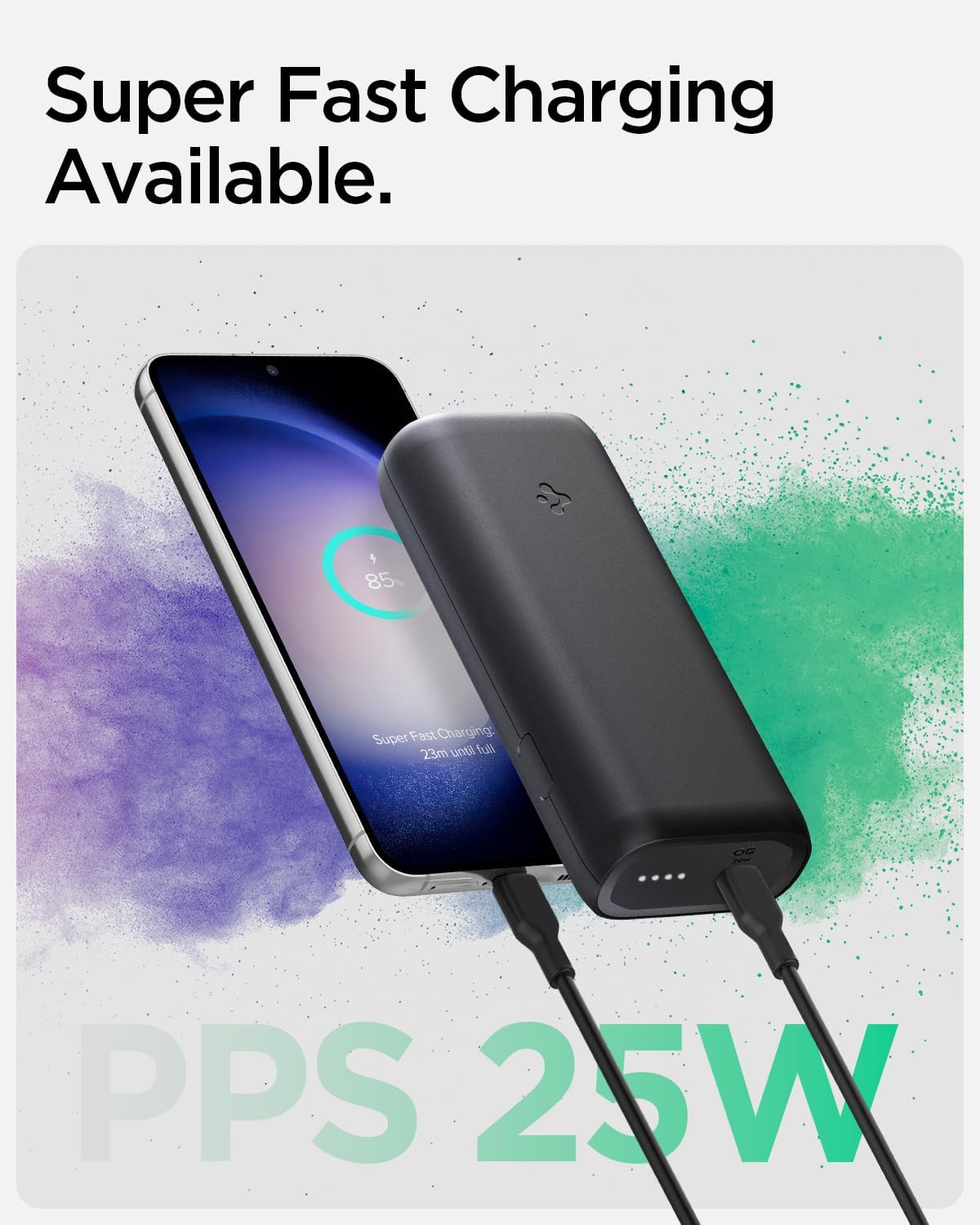
Image: The Spigen ArcPack Power Bank actively charging a smartphone, with the phone's display indicating 'Super Fast Charging' and 'PPS 25W', demonstrating its fast charging capability.

Image: The Spigen ArcPack Power Bank displayed with a variety of popular electronic devices including an iPhone, Samsung Galaxy phone, iPad, and AirPods, emphasizing its broad universal compatibility.
وضاحتون
| خاصيت | تفصيل |
|---|---|
| پيداوار جي ماپ | 4.1 x 1.9 x 0.9 انچ |
| شيءِ جو وزن | 7.4 اونس |
| شيون ماڊل نمبر | پي اي 2100 |
| بيٽريون | 1 Lithium Ion بيٽريون گھربل (شامل) |
| ڪنيڪٽر جو قسم | USB قسم سي |
| برانڊ | اسپيگن |
| بيٽري جي گنجائش | 10000 مليamp ڪلاڪ |
| خاص خصوصيت | پورٽبل چارجر |
| جلدtage | 20 وولٽ |
| ٺاهيندڙ | Spigen Korea Co., Ltd |
| تاريخ پهرين دستياب | اپريل 24، 2023 |
سار سنڀال
To ensure the longevity and optimal performance of your Spigen ArcPack Power Bank, follow these maintenance guidelines:
- پاور بئنڪ کي سڌي سج جي روشني ۽ انتهائي گرمي پد کان پري ٿڌي، سڪل جاءِ تي رکو.
- پاور بئنڪ کي مضبوط اثرن لاءِ ڇڏڻ يا تابع ڪرڻ کان پاسو ڪريو.
- ٻاهرين حصي کي نرم، سڪل ڪپڙي سان صاف ڪريو. سخت ڪيميڪل يا رگڙيندڙ مواد استعمال نه ڪريو.
- If not in regular use, charge the power bank at least once every three months to maintain battery health.
مشڪلاتون
If you encounter any issues with your Spigen ArcPack Power Bank, please refer to the following common problems and solutions:
پاور بئنڪ نه چارج
- پڪ ڪريو ته چارجنگ ڪيبل پاور بينڪ ۽ وال اڊاپٽر ٻنهي سان محفوظ طور تي ڳنڍيل آهي.
- Verify that the wall adapter is functioning correctly and provides sufficient power (30W PD recommended for optimal charging).
- Try using a different USB-C cable or wall adapter to rule out cable/adapter issues.
پاور بئنڪ مان ڊوائيس چارج نه ٿي رهي آهي
- Ensure the power bank has sufficient charge. Check the LED indicators for remaining battery level.
- Verify the charging cable connecting your device to the power bank is not damaged and is securely connected at both ends.
- Some devices may require specific charging protocols. The Spigen ArcPack supports PD 3.0 and PPS. Ensure your device is compatible.
- If your device is a high-power consumption device (e.g., certain gaming handhelds like ROG Ally), it might draw more power than the power bank can supply during active use, leading to slow charging or even draining. Ensure the device is in a low-power state or off for effective charging.
سست چارجنگ
- Ensure both the power bank and the device support fast charging protocols (PD/PPS).
- گھٽ واٽ استعمال ڪنديtage wall adapter to charge the power bank will result in slower recharge times.
- Charging speed can be affected by various factors such as network conditions, background applications, device usage during charging, and device-specific software optimizations (e.g., Apple's iOS optimizations).
Power Bank Getting Warm During Use
- It is normal for the power bank to become warm during high-speed charging or discharging, especially when delivering maximum power.
- If the power bank becomes excessively hot to the touch, disconnect it immediately from all devices and power sources and allow it to cool down. If the issue persists, contact customer support.
حفاظت جي ڄاڻ
پراڊڪٽ کي نقصان پهچڻ يا پاڻ کي نقصان پهچڻ کان بچائڻ لاءِ مھرباني ڪري ھيٺ ڏنل حفاظتي احتياطي تدبيرن تي عمل ڪريو:
- Do not expose the power bank to water, fire, or extreme temperatures (above 45°C / 113°F or below 0°C / 32°F).
- Do not disassemble, puncture, or modify the power bank. This may cause damage, fire, or explosion.
- ٻارن جي پهچ کان پري رکو.
- Dispose of the power bank responsibly according to local regulations for electronic waste. Do not dispose of it in household trash.
- Avoid using damaged cables or adapters, as this can lead to overheating or malfunction.
وارنٽي ۽ سپورٽ
For detailed warranty information and customer support, please refer to the official Spigen webسائيٽ تي وڃو يا سڌو سنئون انهن جي ڪسٽمر سروس سان رابطو ڪريو. وارنٽي دعوائن لاءِ پنهنجي خريداري جي رسيد رکو.
هن يوزر مينوئل جو ڊجيٽل ورجن ڊائون لوڊ لاءِ موجود آهي:
Spigen ArcPack User Manual (PDF)
You can also visit the official Spigen Store on Amazon for more products and information:


