1. تعارف
This manual provides essential instructions for setting up, operating, and maintaining your Tibuta Android 13 Tablet. Please read this guide thoroughly to ensure proper use and to maximize your device's performance.
The Tibuta 10-inch tablet features the Android 13 operating system, an Octa-Core processor, 8GB RAM, 64GB internal storage (expandable up to 1TB), a 7000mAh battery, and a 1280x800 IPS display. It supports Wi-Fi 6, Bluetooth 5.2, and Widevine L1 for enhanced streaming.

Image 1.1: Tibuta Android 13 Tablet overview, highlighting its 8GB+64GB configuration, Android 13 OS, Wi-Fi 6, 7000mAh battery, and Widevine L1 support.
2. ڊوائيس جي ترتيب
Familiarize yourself with the physical components and ports of your tablet.

تصوير 2.1: اڳيان ۽ پاسي view of the tablet with numbered components and dimensions.
اجزاء جي سڃاڻپ:
- پاور بٽڻ: ڊوائيس کي آن/آف ڪرڻ يا اسڪرين کي جاڳائڻ/سليپ ڪرڻ لاءِ استعمال ڪيو ويندو آهي.
- قسم-سي پورٽ: For charging the tablet and data transfer.
- حجم بٽڻ: آڊيو حجم کي ترتيب ڏيو.
- مائڪرو ايس ڊي ڪارڊ سلاٽ: Insert a Micro SD card for expanded storage.
- ڪئميرا: پوئين پاسي واري ڪئميرا.
- ري سيٽ بٽڻ: A small pinhole button to force restart the device if unresponsive.
- Headphone Terminal: هيڊفونز لاءِ 3.5 ايم ايم آڊيو جيڪ.
- ڳالهائيندڙ: آڊيو آئوٽ.

تصوير 2.2: تفصيلي view of the tablet's ports and buttons, including front and rear cameras, speakers, and the 3.5mm headphone jack.
3. شروع ڪرڻ
3.1. بيٽري کي چارج ڪرڻ
Before first use, fully charge the tablet's 7000mAh lithium polymer battery. Connect the provided Type-C cable to the tablet's Type-C port and the other end to the power adapter, then plug the adapter into a wall outlet. The charging indicator will show the charging status.

Image 3.1: Visual representation of the tablet's 7000mAh battery capacity and Type-C charging port.
3.2. پاور آن/آف
- پاور آن ڪرڻ: Press and hold the Power Button until the Tibuta logo appears on the screen.
- پاور آف ڪرڻ: Press and hold the Power Button until the power options menu appears, then select 'Power off'.
- سمهڻ/جاڳڻ: Briefly press the Power Button to put the tablet into sleep mode or wake it up.
3.3. شروعاتي سيٽ اپ
Upon first power-on, the tablet will guide you through an initial setup process. This includes selecting your language, connecting to a Wi-Fi network, and setting up your Google account. Follow the on-screen prompts to complete the setup.
4. بنيادي آپريشن
4.1. ٽچ اسڪرين اشارو
The tablet's 10.1-inch IPS touchscreen responds to various gestures:
- ٽيپ ڪريو: Select an item or activate a button.
- ڇڪيو ۽ رکو: لاڳاپيل مينيو تائين رسائي ڪريو يا شيون ڇڪيو.
- سوائپ Navigate through screens or scroll lists.
- زوم ڪرڻ لاءِ پنچ: تصويرن کي زوم ان يا آئوٽ ڪريو ۽ web صفحا.
4.2. وائي فائي ڪنيڪشن
وائي فائي نيٽ ورڪ سان ڳنڍڻ لاء:
- ڏانهن وڃو سيٽنگون > نيٽ ورڪ ۽ انٽرنيٽ > انٽرنيٽ.
- وائي فائي کي چالو ڪريو.
- فهرست مان پنھنجو گهربل نيٽ ورڪ چونڊيو ۽ جيڪڏھن چيو وڃي ته پاسورڊ داخل ڪريو.
The tablet supports 2.4G/5G dual-band Wi-Fi 6 for stable and fast connections.
4.3. بلوٽوٽ جوئر
بلوٽوٽ ڊوائيس سان جوڙي ٺاھڻ:
- ڏانهن وڃو سيٽنگون > ڳنڍيل ڊوائيسز > ڪنيڪشن جون ترجيحون > بلوٽوٿ.
- بلوٽوت کي چالو ڪريو.
- پڪ ڪريو ته توهان جو بلوٽوٿ ڊوائيس پيئرنگ موڊ ۾ آهي.
- Select the device from the 'Available devices' list and follow any on-screen prompts.
4.4. ڪئميرا جو استعمال
The tablet is equipped with an 8MP rear camera and a 5MP front camera. Open the Camera application to capture photos and videos.

تصوير 4.1: اڳوڻيamples of camera usage and the split-screen function for multitasking.
4.5. اسٽوريج جو انتظام
The tablet comes with 64GB of internal storage. You can expand this by inserting a Micro SD card (up to 1TB) into the dedicated slot.
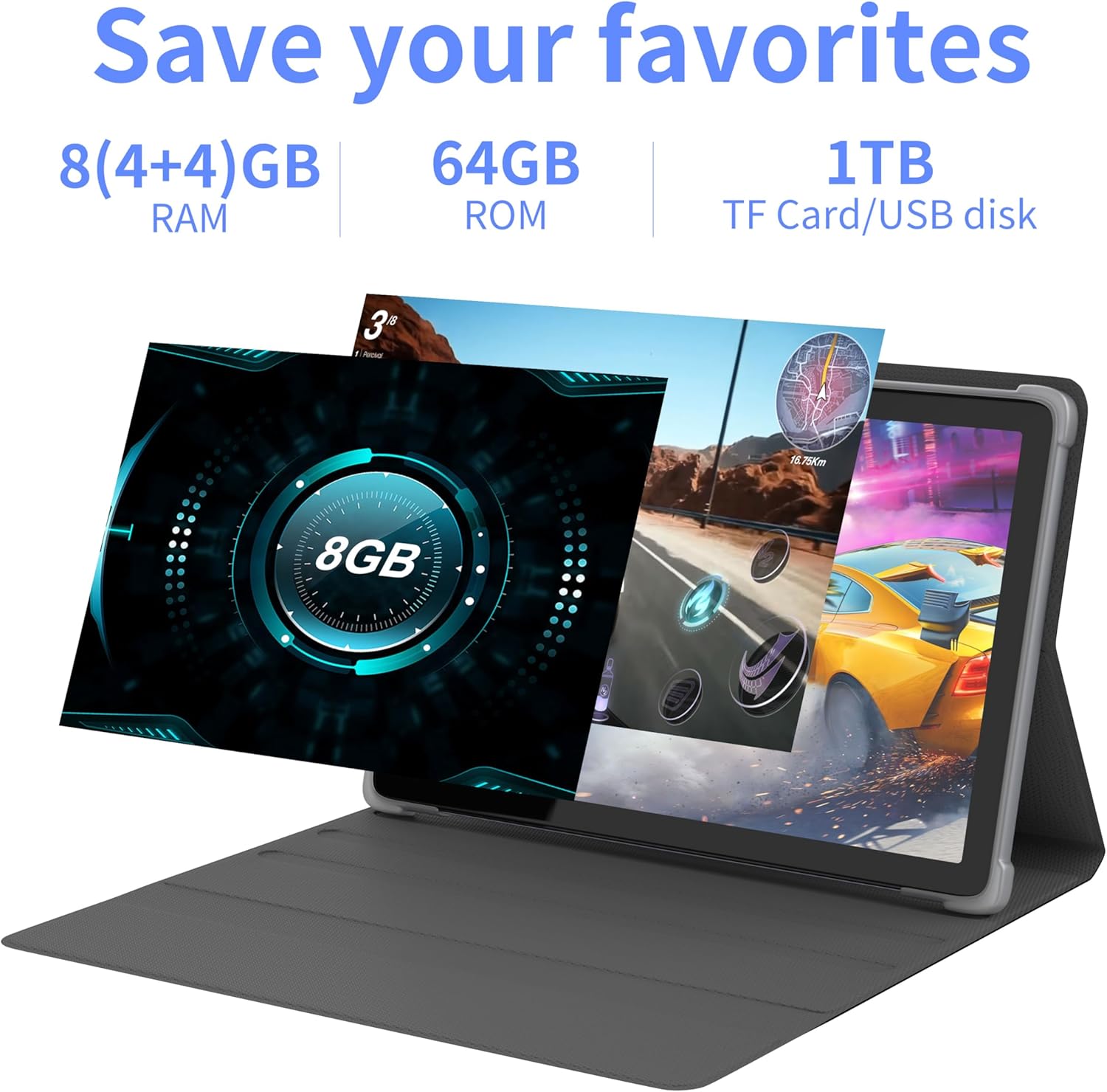
تصوير 4.2: مٿيview of the tablet's memory and storage capabilities, including RAM, ROM, and expansion options.
4.6. Split-Screen Function
Android 13 allows for split-screen multitasking. To activate, open an app, then swipe up from the bottom of the screen to view recent apps. Touch and hold the app icon at the top of the app's card, then select 'Split screen'. Choose a second app to use simultaneously.
5. ڊسپلي خاصيتون
The tablet features a 10.1-inch IPS display with a resolution of 1280 x 800 pixels, providing clear visuals and wide viewing angles.

Image 5.1: The tablet's 10.1-inch HD IPS display, showcasing its resolution and wide-angle viewصلاحيتون.
5.1. Widevine L1 Support
The tablet supports Widevine L1, enabling high-definition streaming content from compatible services.
6. سار سنڀال
6.1. ڊوائيس صاف ڪرڻ
ٽيبليٽ جي اسڪرين ۽ باڊي کي صاف ڪرڻ لاءِ نرم، لِنٽ فري ڪپڙو استعمال ڪريو. سخت ڪيميڪلز يا رگڙيندڙ مواد استعمال ڪرڻ کان پاسو ڪريو.
6.2. سافٽ ويئر اپڊيٽ
بهترين ڪارڪردگي ۽ سيڪيورٽي کي يقيني بڻائڻ لاءِ باقاعدي طور تي سسٽم اپڊيٽس جي جانچ ڪريو ۽ انسٽال ڪريو. وڃو سيٽنگون > سسٽم > سسٽم اپڊيٽ.
6.3. اسٽوريج جي اصلاح
To maintain performance, periodically clear unnecessary files and applications. Go to سيٽنگون > ذخيرو توهان جي ڊوائيس جي اسٽوريج کي منظم ڪرڻ لاءِ.
7. مسئلا حل ڪرڻ
هي حصو عام مسئلن کي حل ڪري ٿو جيڪي توهان کي منهن ڏئي سگهن ٿا.
| مسئلو | حل |
|---|---|
| ٽيبليٽ آن نٿو ٿئي. | Ensure the battery is charged. Connect the tablet to the charger for at least 30 minutes before attempting to power on again. |
| Tablet is unresponsive. | Use a thin pin or paperclip to press the Reset Button (refer to Device Layout section) to force a restart. |
| وائي فائي سان ڳنڍجي نٿو سگھي. | Check if Wi-Fi is enabled in Settings. Ensure the Wi-Fi password is correct. Restart your router and the tablet. |
| سست ڪارڪردگي. | غير استعمال ٿيل ايپليڪيشنون بند ڪريو. ڪيش صاف ڪريو ۽ عارضي files. Consider performing a factory reset if the issue persists (backup data first). |
8. وضاحتون
Detailed technical specifications for the Tibuta Android 13 Tablet (Model: 8GB+64GB).
| خاصيت | تفصيل |
|---|---|
| برانڊ | تبوتا |
| ماڊل نمبر | 8GB + 64GB |
| آپريٽنگ سسٽم | Android 13 |
| پروسيسر | Octa-Core (Allwinner A523) |
| رام | 8 GB (4GB + 4GB virtual) |
| اندروني اسٽوريج | 64 جي بي |
| وسعت وارو اسٽوريج | Up to 1TB (Micro SD card) |
| اسڪرين جي ماپ | 10.1 انچ |
| اسڪرين جي قرارداد | 1280 x 800 Pixels (IPS) |
| پوئين ڪئميرا | 8 ايم پي |
| سامهون ڪئميرا | 5 ايم پي |
| بيٽري جي گنجائش | 7000 mAh ليتيم پوليمر |
| سراسري بيٽري جي زندگي | Up to 8 hours (usage dependent) |
| رابطي | Wi-Fi 6 (802.11ac, b, g, n), Bluetooth 5.2 |
| طول و عرض | 24.8 x 16.7 x 1.2 سينٽي |
| وزن | 539 جي |
| رنگ | ڀورو |
| خاص خاصيتون | Widevine L1, GMS Certified |
9. سپورٽ
For technical assistance or if you encounter any issues with your Tibuta tablet, please contact our customer service team. Refer to your purchase documentation or the retailer's webمخصوص رابطي جي تفصيل لاءِ سائيٽ.


