1. تعارف
This manual provides detailed instructions for the proper use and maintenance of your HOCO BS45 Deep Sound Sports Wireless Speaker. Please read this manual thoroughly before operating the device to ensure optimal performance and longevity. The HOCO BS45 is a portable wireless speaker featuring Bluetooth V5.0 connectivity, FM radio, and TF card support, designed for versatile audio playback.
2. پيڪيج مواد
- HOCO BS45 Wireless Speaker
- USB چارجنگ ڪيبل
- استعمال ڪندڙ دستي
3. پراڊڪٽ ختمview
The HOCO BS45 speaker features a compact, spherical design with a durable mesh fabric finish. It incorporates a single speaker unit and intuitive controls for various functions.
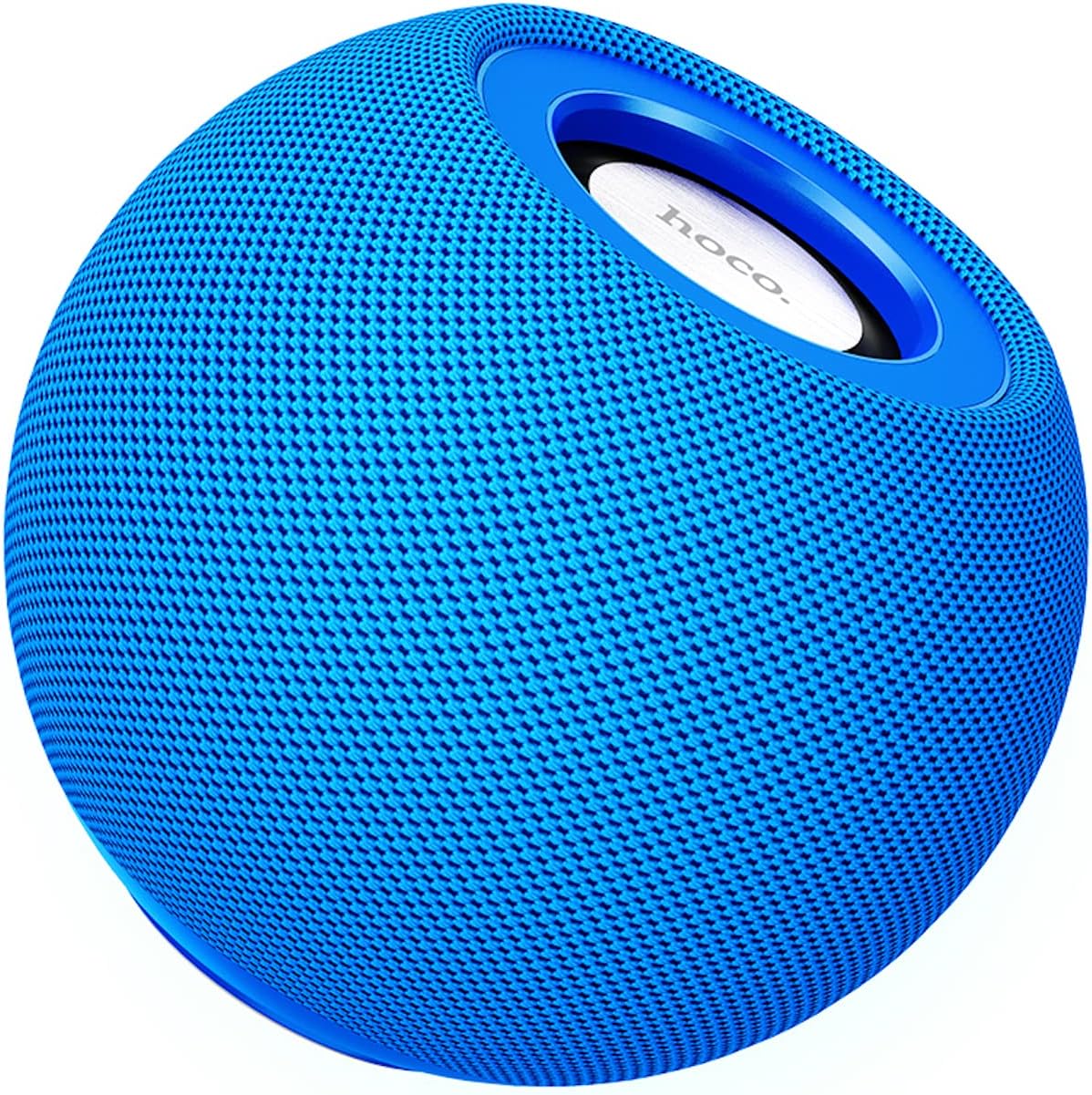
شڪل 3.1: سامهون view of the HOCO BS45 speaker, showcasing its blue mesh exterior and top-mounted control area with the HOCO logo.
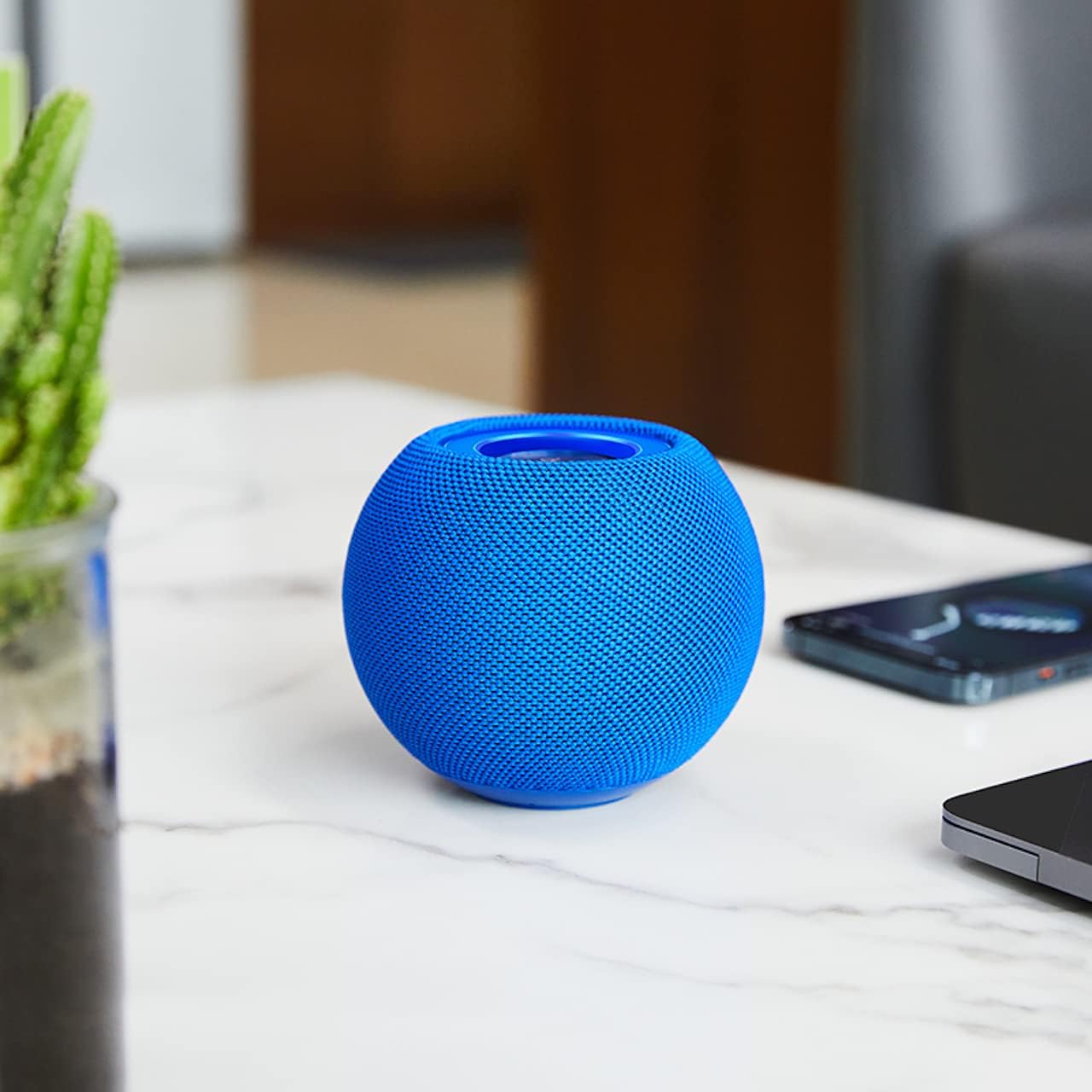
شڪل 3.2: The HOCO BS45 speaker positioned on a tabletop, illustrating its compact size relative to a smartphone and a small plant, suitable for various indoor settings.

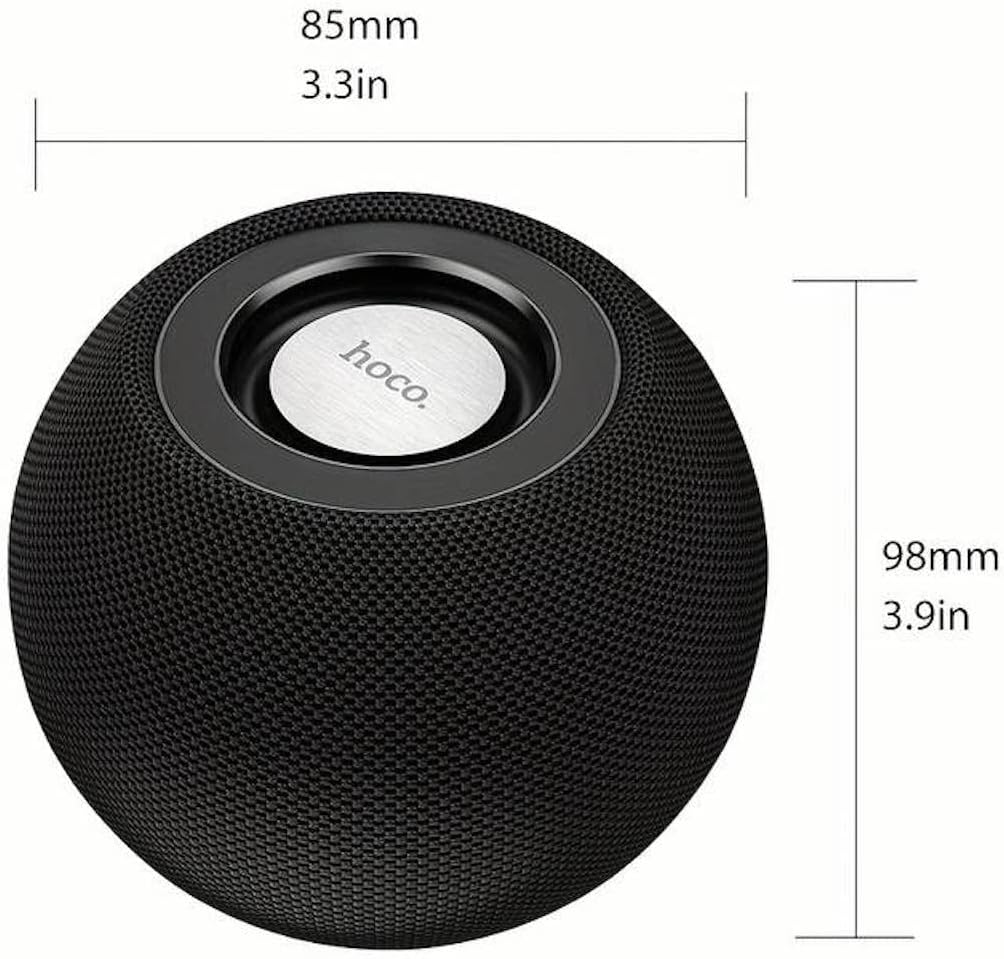
شڪل 3.3: Technical diagram indicating the dimensions of the HOCO BS45 speaker: 85mm (3.3 inches) in width and 98mm (3.9 inches) in height.
4. سيٽ اپ
4.1 اسپيڪر کي چارج ڪرڻ
- مهيا ڪيل USB چارجنگ ڪيبل کي اسپيڪر تي چارجنگ پورٽ سان ڳنڍيو.
- USB ڪيبل جي ٻئي ڇيڙي کي هڪ مطابقت رکندڙ USB پاور اڊاپٽر (شامل نه آهي) يا ڪمپيوٽر جي USB پورٽ سان ڳنڍيو.
- چارجنگ انڊيڪيٽر لائيٽ چارجنگ دوران روشن ٿيندي.
- مڪمل چارج ٿيڻ ۾ لڳ ڀڳ 1.5 ڪلاڪ لڳن ٿا. چارجنگ مڪمل ٿيڻ کان پوءِ انڊيڪيٽر لائيٽ تبديل يا بند ٿي ويندي.
The speaker has a built-in 500mAh battery, providing approximately 2 hours of talk or music playback time on a full charge.
4.2 پاور آن/آف
- To power on, press and hold the Power button (location not specified, typically a multi-function button) for a few seconds until you hear an audible prompt or see an indicator light.
- پاور آف ڪرڻ لاءِ، پاور بٽڻ کي ڪجهه سيڪنڊن لاءِ ٻيهر دٻايو ۽ رکو جيستائين توهان کي ٻڌڻ وارو اشارو نه ٻڌي يا اشاري جي روشني بند نه ٿئي.
4.3 بلوٽوٽ جوڙي
- پڪ ڪريو ته اسپيڪر آن آهي ۽ بلوٽوٿ پيئرنگ موڊ ۾ آهي (جيڪڏهن موجود هجي ته چمڪندڙ LED لائيٽ سان اشارو ڪيو ويو آهي).
- پنهنجي موبائل ڊوائس (اسمارٽ فون، ٽيبليٽ، ليپ ٽاپ) تي، بلوٽوٿ کي فعال ڪريو.
- ڳولھيو available Bluetooth devices. The speaker will appear as "HOCO BS45" or similar.
- Select "HOCO BS45" from the list to connect.
- Once successfully paired, you will hear a confirmation sound, and the LED indicator will typically stop flashing and remain solid.
The HOCO BS45 uses Bluetooth 5.0 technology for a stable and reliable connection.
4.4 TWS (ٽرو وائرليس اسٽيريو) جوڙڻ
To achieve a stereo sound experience, you can pair two HOCO BS45 speakers together.
- Ensure both HOCO BS45 speakers are powered on and not connected to any other Bluetooth device.
- On one of the speakers (this will be the primary speaker), press and hold the TWS pairing button (if available, or a multi-function button) until you hear a pairing prompt.
- The two speakers will automatically search for and connect to each other. A confirmation sound will indicate successful TWS pairing.
- هڪ دفعو TWS جوڙو ٿي ويو، پنهنجي موبائل ڊوائيس کي بلوٽوٿ ذريعي پرائمري اسپيڪر سان ڳنڍيو جيئن سيڪشن 4.3 ۾ بيان ڪيو ويو آهي.
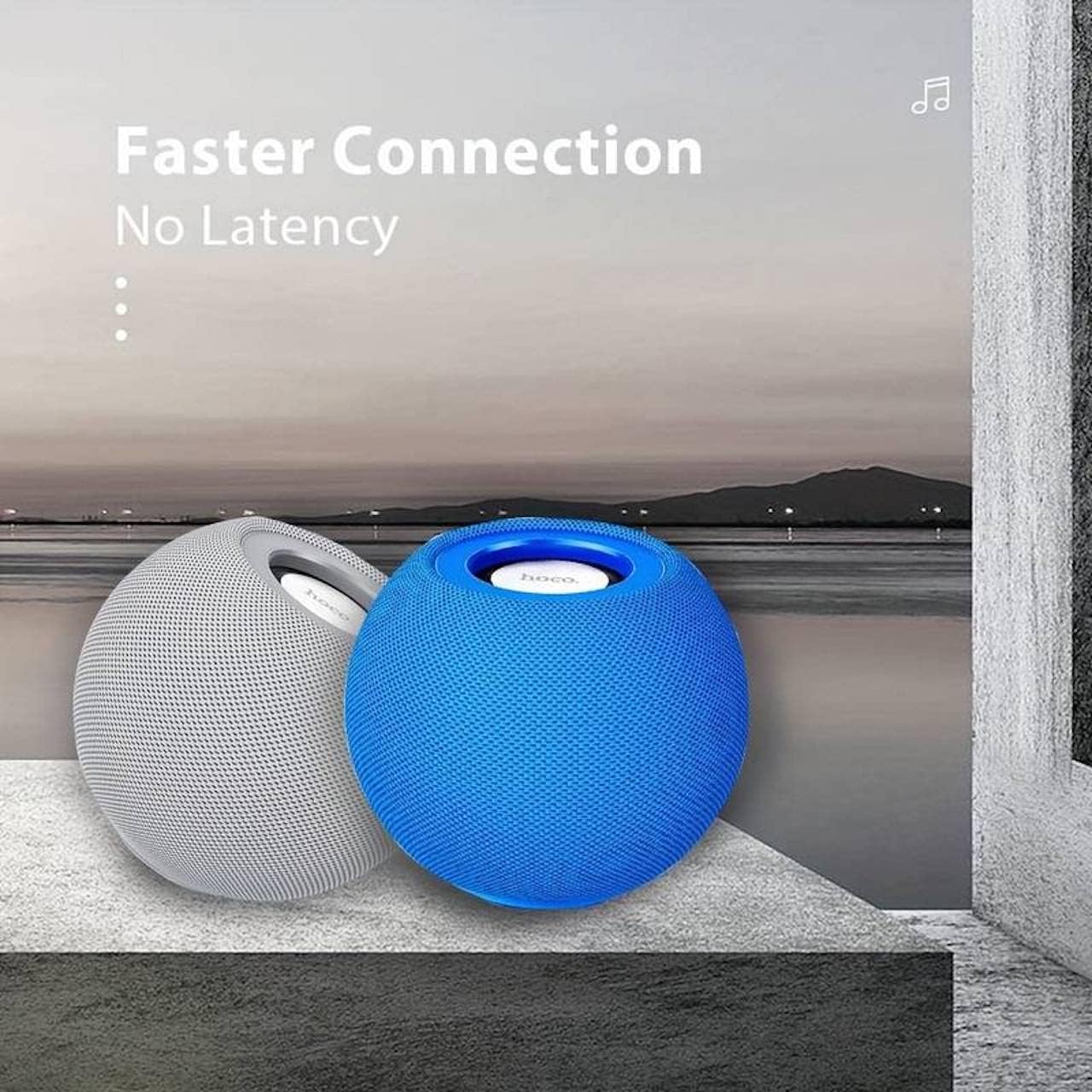
شڪل 4.1: Two HOCO BS45 speakers, one grey and one blue, shown together to illustrate the True Wireless Stereo (TWS) pairing capability for enhanced audio.
5. آپريٽنگ موڊس
5.1 بلوٽوٽ موڊ
After successful Bluetooth pairing (Section 4.3), you can play audio from your connected device. Use your device's media player to control playback (play, pause, skip tracks) and volume. Some speaker models may also support these controls directly via integrated buttons.
5.2 FM ريڊيو موڊ
- Press the Mode button (if available) to switch to FM Radio mode.
- Press the Play/Pause button to initiate an automatic scan for FM stations. The speaker will save available stations.
- محفوظ ڪيل ايف ايم اسٽيشنن جي وچ ۾ نيويگيٽ ڪرڻ لاءِ اڳيون/پوئين ٽريڪ بٽڻ استعمال ڪريو.
5.3 TF ڪارڊ موڊ
- آڊيو سان گڏ هڪ TF (مائڪرو ايس ڊي) ڪارڊ داخل ڪريو files into the designated TF card slot on the speaker.
- The speaker should automatically switch to TF Card mode and begin playing music. If not, press the Mode button to select TF Card mode.
- Use the speaker's control buttons (e.g., Play/Pause, Next/Previous) to manage playback.
6. ڪنٽرول
The HOCO BS45 speaker features integrated controls for easy operation. While specific button layouts may vary, common functions include:
- پاور بٽڻ: پاور آن / آف ڪرڻ لاءِ دٻايو ۽ رکو.
- راند/روڪ بٽڻ: Press to play or pause audio. In FM mode, press to auto-scan.
- حجم مٿي/ا Traيون ٽريڪ: حجم وڌائڻ لاءِ مختصر پريس، ايندڙ ٽريڪ لاءِ ڊگهو پريس.
- حجم ھي//پوئين ٽريڪ: حجم گهٽائڻ لاءِ مختصر پريس، پوئين ٽريڪ لاءِ ڊگهو پريس.
- موڊ بٽڻ: Press to switch between Bluetooth, FM Radio, and TF Card modes.
- Call Siri / Voice Assistant: Some models support touch operation to activate voice assistants.

شڪل 6.1: A black HOCO BS45 speaker, illustrating its high power capacity and support for various controls including song switching and voice assistant activation via touch operation.
7. سار سنڀال
- اسپيڪر کي سڪل رکو. ان کي پاڻي يا گهڻي نمي جي سامهون نه رکو.
- اسپيڪر کي نرم، سڪل ڪپڙي سان صاف ڪريو. گھڙڻ وارا صاف ڪندڙ يا محلول استعمال نه ڪريو.
- انتهائي گرمي پد کان پاسو ڪريو. اسپيڪر کي ٿڌي ۽ سڪل جاءِ تي رکو.
- اسپيڪر کي پاڻ ڌار ڪرڻ يا مرمت ڪرڻ جي ڪوشش نه ڪريو. اهو وارنٽي کي رد ڪري ڇڏيندو.
8. مسئلا حل ڪرڻ
| مسئلو | ممڪن سبب | حل |
|---|---|---|
| اسپيڪر پاور آن نٿو ٿئي. | گھٽ بيٽري. | اسپيڪر کي گهٽ ۾ گهٽ 1.5 ڪلاڪن لاءِ چارج ڪريو. |
| بلوٽوٿ ذريعي جوڙي نه ٿو سگهجي. | اسپيڪر پيئرنگ موڊ ۾ نه آهي؛ ڊوائيس بلوٽوٿ بند آهي؛ ڊوائيس کان تمام پري آهي. | Ensure speaker is in pairing mode. Enable Bluetooth on your device. Move speaker closer to device (within 10 meters). |
| آواز ڪونهي. | Volume too low; speaker not connected; incorrect mode. | Increase volume on both speaker and connected device. Re-pair Bluetooth. Ensure correct operating mode (Bluetooth, FM, TF card). |
| ايف ايم ريڊيو جي وصولي خراب آهي. | ڪمزور سگنل؛ ماحولياتي مداخلت. | Move the speaker to a location with better signal. Avoid obstructions. |
9. وضاحتون
- ماڊل: بي ايس 45
- بلوٽوت ورزن: 5.0 (Chip: JL AC6965)
- بيٽري جي گنجائش: 500mAh
- چارج ڪرڻ وقت: لڳ ڀڳ 1.5 ڪلاڪ
- ڳالهائڻ/موسيقي جو وقت: لڳ ڀڳ 2 ڪلاڪ
- اسپيڪر يونٽ: 57mm * 1
- اسپيڪر پاور آئوٽ: ايڪسڪسڪس * 5
- رابطي ٽيڪنالاجي: Bluetooth, FM, TF card, TWS
- آڊيو آئوٽ موڊ: چوڌاري
- چڙهڻ جو قسم: ٽيبل ٽاپ
- اسپيڪر جو قسم: ٻاھران
- پيداوار جي ماپ: 9.8 x 8.5 x 8.5 سينٽي (3.9 x 3.3 x 3.3 انچ)
- پيداوار جو وزن: 242 جي
- مطابقت رکندڙ ڊوائيسز: ڊيسڪ ٽاپ، ليپ ٽاپ، ايم پي 3 پليئر، اسمارٽ فون، ٽيبليٽ
شڪل 9.1: A display of four HOCO BS45 speakers in various colors (black, blue, red, grey), emphasizing core specifications such as Bluetooth 5.0, 2 hours of music playback, and a 500mAh battery capacity.
10. حفاظت جي ڄاڻ
- اسپيڪر کي انتهائي گرمي پد، سڌي سج جي روشني، يا کليل شعلن جي سامهون نه رکو.
- ڊپ کان پاسو ڪريو يا اسپيڪر کي مضبوط اثرن جي تابع ڪرڻ.
- اسپيڪر کي ٻارن ۽ پالتو جانورن کان پري رکو.
- Use only the provided or a certified charging cable.
- Do not operate the speaker in wet environments or near water.
- مقامي ضابطن جي مطابق ذميواري سان پيداوار کي ختم ڪريو.
11. وارنٽي ۽ سپورٽ
Specific warranty details for the HOCO BS45 speaker may vary by region and retailer. Please refer to your purchase documentation or contact your point of sale for warranty information. For technical support or inquiries, please visit the official HOCO webسائيٽ يا انهن جي ڪسٽمر سروس سان رابطو ڪريو.


