1. تعارف
This manual provides detailed instructions for the SoundPEATS Opera05 True Wireless Earbuds. Please read this guide thoroughly to ensure proper usage and to maximize your audio experience. The Opera05 earbuds feature Hi-Res Audio, LDAC codec support, active noise cancellation, and Bluetooth 5.3 connectivity.
2. پيڪيج مواد
- SoundPEATS Opera05 True Wireless Earbuds
- چارج ڪيس
- USB قسم-سي چارجنگ ڪيبل
- ڪنن جا کشن (مختلف سائز)
- استعمال ڪندڙ دستي

Image: Contents of the SoundPEATS Opera05 package, showing the earbuds, charging case, USB-C cable, various ear tip sizes, and the user manual.
3. پراڊڪٽ ختمview
The SoundPEATS Opera05 earbuds are designed for high-fidelity audio with advanced features. They come with a portable charging case for extended use.

Image: The SoundPEATS Opera05 True Wireless Earbuds, black with gold accents, resting beside their matching charging case.

Image: Close-up of the SoundPEATS Opera05 earbuds highlighting the mirror surface, laser-engraved slogan, and deconstructionism design elements.

Image: A person wearing a SoundPEATS Opera05 earbud, illustrating the Bluetooth 5.3 connectivity feature.
4. سيٽ اپ
4.1 ائربڊس ۽ ڪيس کي چارج ڪرڻ
Before first use, fully charge both the earbuds and the charging case. Use the provided USB Type-C cable to charge the case. The indicator light on the case will flash slowly during charging and remain green when fully charged.
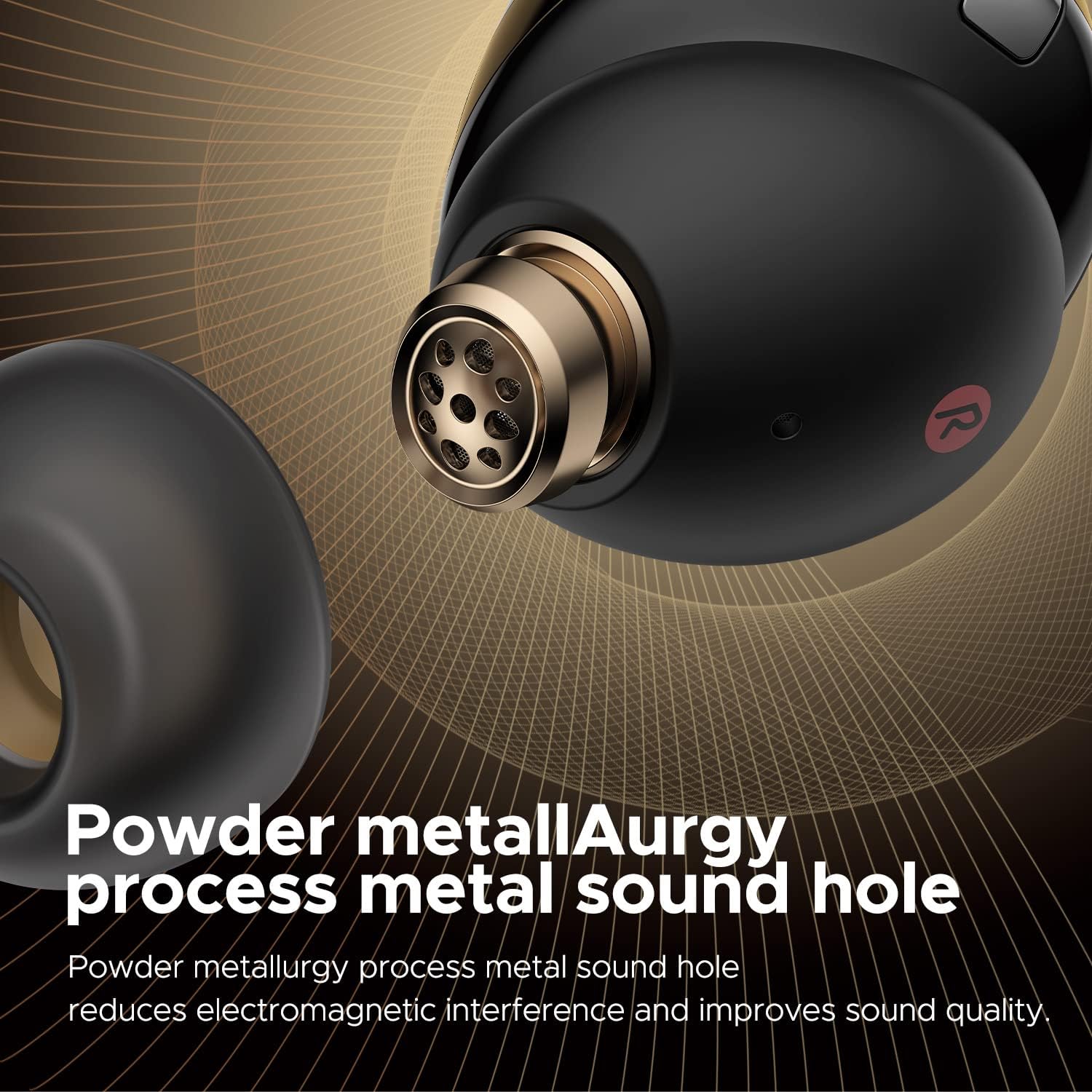
Image: The SoundPEATS Opera05 charging case, highlighting its Type-C charging port and indicating a total of 33 hours of playtime.
4.2 شروعاتي جوڙو
- چارجنگ ڪيس کوليو.
- Long press the button on the charging case for 3 seconds until the indicator light flashes white. The earbuds are now in pairing mode.
- پنهنجي ڊوائيس (اسمارٽ فون، ٽيبليٽ، وغيره) تي بلوٽوٿ کي فعال ڪريو.
- Select "SOUNDPEATS Opera05" from the list of available Bluetooth devices to complete the pairing.
Video: This official SoundPEATS Opera05 User Guide video demonstrates the initial pairing process, smart touch controls, charging, and resetting the earbuds. (Relevant segment: 0:10 - 0:25 for pairing)
5. آپريٽنگ هدايتون
5.1 سمارٽ ٽچ ڪنٽرول
The SoundPEATS Opera05 earbuds feature intuitive touch controls on the outer surface of each earbud. Refer to the following table for common operations:
| عمل | کاٻي Earbud | سا Earي ڪنڊ |
|---|---|---|
| اڪيلو ٽيپ | حجم ھيٺ | حجم مٿي |
| ڊبل ٽيپ ڪريو | Play/Pause Music, Answer/Hang Up Call | |
| ڊگھو پريس (1.5s) | Switch Noise Reduction Mode (ANC On/Pass Through/Normal Mode) | ايندڙ ٽريڪ |
| ٽيپ ٽيپ | وائيس اسسٽنٽ کي فعال ڪريو | |
Video: This official SoundPEATS Opera05 User Guide video demonstrates the initial pairing process, smart touch controls, charging, and resetting the earbuds. (Relevant segment: 0:26 - 1:06 for smart touch controls)
6. سار سنڀال
To ensure the longevity and optimal performance of your SoundPEATS Opera05 earbuds, follow these maintenance guidelines:
- صفائي: Regularly clean the earbuds, especially the ear tips and charging contacts, with a soft, dry, lint-free cloth. Avoid using harsh chemicals or abrasive materials.
- اسٽوريج: جڏهن استعمال ۾ نه هجي، ته ائربڊس کي انهن جي چارجنگ ڪيس ۾ رکو ته جيئن انهن کي مٽي، نمي ۽ جسماني نقصان کان بچائي سگهجي.
- پاڻي جي مزاحمت: The earbuds are IPX4 water-resistant, meaning they are protected against splashing water from any direction. They are not waterproof and should not be submerged in water. Avoid exposing them to heavy rain or sweat for prolonged periods.
- گرمي پد: Avoid exposing the earbuds and charging case to extreme temperatures (hot or cold) as this can affect battery life and overall performance.
7. مسئلا حل ڪرڻ
If you encounter any issues with your SoundPEATS Opera05 earbuds, please refer to the following common troubleshooting steps:
7.1 جوڙو ٺاهڻ جا مسئلا
- ائربڊس نه ڳنڍجي رهيا آهن: Ensure both earbuds are in the charging case and have sufficient charge. Open the case and press the button for 3 seconds to enter pairing mode.
- Device not finding earbuds: Turn off and on your device's Bluetooth. Try restarting your device.
- Previous connection issues: Delete the "SOUNDPEATS Opera05" pairing information from your device's Bluetooth settings and attempt to pair again.
7.2 آواز جا مسئلا
- ڪابه آواز يا گهٽ آواز: Check the volume levels on both your device and the earbuds. Ensure earbuds are properly seated in your ears for a good seal.
- وقفي وقفي سان آواز: پڪ ڪريو ته توهان جي ڊوائيس ۽ ائربڊس جي وچ ۾ ڪا به رڪاوٽ نه آهي. پنهنجي ڊوائيس جي ويجهو وڃو. مضبوط برقي مقناطيسي مداخلت واري ماحول کان پاسو ڪريو.
7.3 چارجنگ جا مسئلا
- ائربڊس چارج نه ٿي رهيا آهن: Ensure the charging contacts on the earbuds and inside the case are clean and dry. Place the earbuds correctly into the charging slots.
- چارجنگ ڪيس چارج نه ٿي رهيو آهي: Use the provided USB Type-C cable and a compatible power adapter. Check the cable and port for any damage.
7.4 ائربڊس کي ري سيٽ ڪرڻ
If the above steps do not resolve the issue, you may need to reset the earbuds:
- Delete the earbuds' pairing information from your device.
- ٻئي ائربڊ واپس چارجنگ ڪيس ۾ رکو.
- چارجنگ ڪيس کليل رکو.
- Press and hold the charging case button for 10 seconds until the red and white indicator light of the charging case blinks twice alternately. The reset is finished.
Video: This official SoundPEATS Opera05 User Guide video demonstrates the initial pairing process, smart touch controls, charging, and resetting the earbuds. (Relevant segment: 1:20 - 1:53 for resetting)
8. وضاحتون
| خاصيت | تفصيل |
|---|---|
| ماڊل نالو | اوپيرا 05 |
| رابطي ٽيڪنالاجي | وائرليس (بلوٽوت) |
| بلوٽوت ورزن | 5.3 |
| بلوٽوٿ رينج | 10 ميٽر |
| شور ڪنٽرول | فعال شور منسوخي |
| آڊيو ڊرائيور جو قسم | هائبرڊ ڊرائيور |
| آڊيو ڊرائيور جي ماپ | 12 ملي ميٽر |
| بيٽري جي زندگي (ايربڊس) | 9 ڪلاڪ |
| ڪُل راند جو وقت (ڪيس سان) | 33 ڪلاڪ |
| چارج ڪرڻ وقت | 1.5 ڪلاڪ |
| هيڊ فون جيڪ | ٽائپ-سي |
| ڪنٽرول جو طريقو | ڇڪڻ |
| پاڻي جي مزاحمت جي سطح | پاڻي جي مزاحمتي (IPX4) |
| شيءِ جو وزن (ايئربڊز) | 10 گرام (تقريبن 0.353 آونس) |
| پيداوار جي ماپ | 2 x 2 x 2 انچ |
9. وارنٽي ۽ سپورٽ
SoundPEATS is committed to providing excellent customer service. If you have any questions or require assistance with your Opera05 earbuds, please contact SoundPEATS Customer Service. You can typically find contact information through your purchase platform or the official SoundPEATS webسائيٽ.
To contact customer service via Amazon:
- Go to "Account Service"
- Select "Order History"
- Find your order for the SoundPEATS Opera05
- Click on "Sold By" and then "Ask Question"
SoundPEATS products typically come with a 12-month warranty. Please refer to your purchase documentation for specific warranty details.


