1. تعارف
This manual provides comprehensive instructions for the installation, operation, and maintenance of your EK Nucleus AIO All-in-One Liquid CPU Cooler. Designed for efficient thermal management, this cooler ensures optimal performance for your Intel or AMD CPU. Please read this manual thoroughly before installation to ensure proper setup and safe operation.
2. حفاظت جي ڄاڻ
پنهنجي سسٽم جي حصن کي زخم يا نقصان کان بچڻ لاءِ هميشه هيٺ ڏنل حفاظتي احتياطن تي عمل ڪريو:
- Ensure your computer system is powered off and unplugged from the wall outlet before beginning installation.
- Handle all components with care to avoid physical damage.
- Do not open the liquid cooling loop; it is a sealed system.
- Avoid contact with the pre-applied thermal paste or any liquid. If contact occurs, wash thoroughly with water.
- ٻارن جي پهچ کان پري رکو.
3. پيڪيج مواد
Verify that all components are present in your EK Nucleus AIO package:
- EK Nucleus AIO Liquid CPU Cooler (Radiator, Pump/Coldplate, Tubing)
- 2x EK FPT 120mm Fans
- Mounting Hardware for Intel Sockets (LGA 115x, 1200, 1700, 2011, 2066)
- Mounting Hardware for AMD Sockets (AM4, AM5)
- فين ۽ ريڊيٽر تي چڙهڻ اسڪرو
- ٿرمل پيسٽ (اڳ ۾ لاڳو ٿيل يا ٽيوب ۾)
- استعمال ڪندڙ جو دستياب (ھي دستاويز)
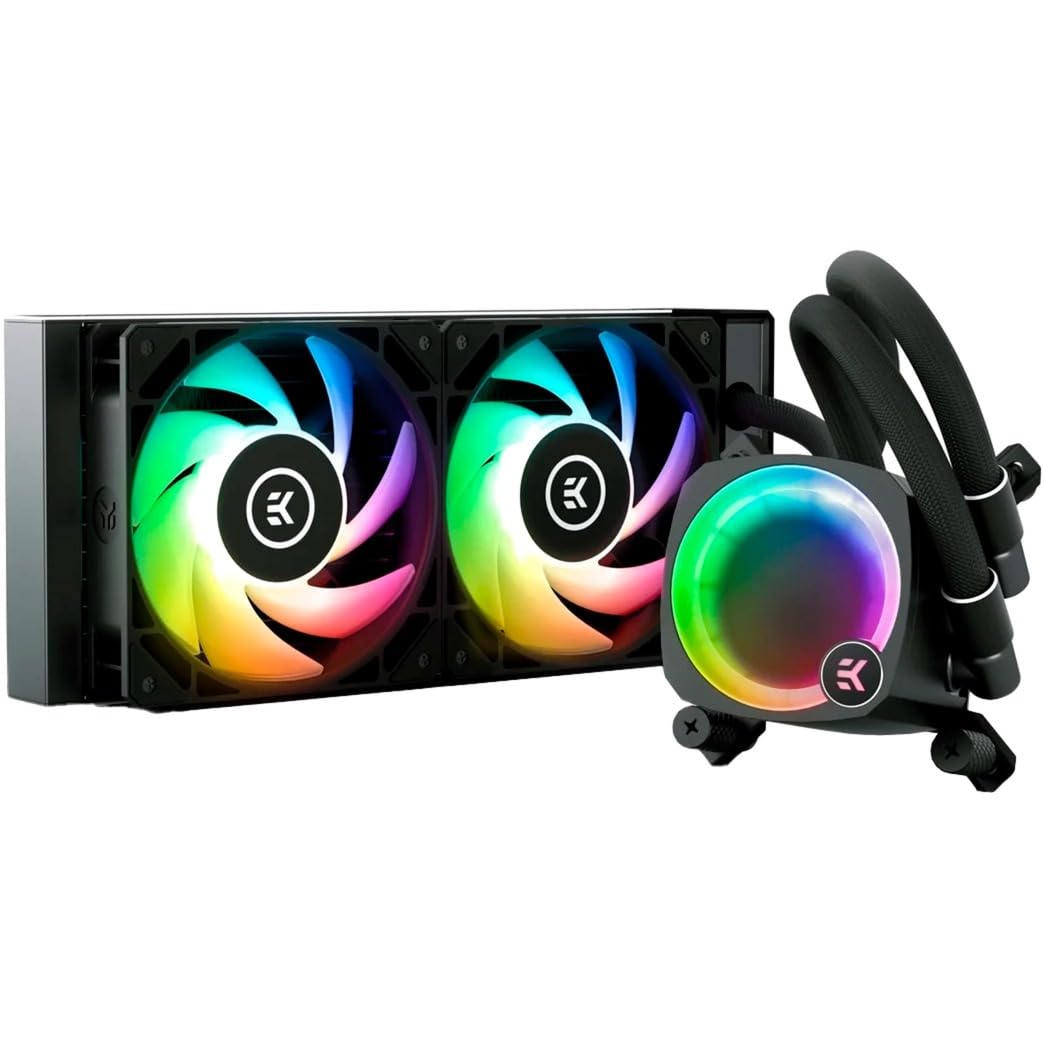
Figure 3.1: Complete EK Nucleus AIO Liquid CPU Cooler assembly.
4. انسٽاليشن گائيڊ
4.1. تياري
- Ensure your motherboard is compatible with the cooler's mounting system (Intel LGA 115x/1200/1700/2011/2066 or AMD AM4/AM5).
- Clean the CPU surface thoroughly if thermal paste is not pre-applied or if replacing an existing cooler.
- Identify the optimal mounting location for the radiator in your PC case (front, top, or rear).
4.2. Mounting the Coldplate
Select the appropriate mounting brackets for your CPU socket (Intel or AMD) and attach them to the pump unit according to the included hardware guide. Carefully align the coldplate with your CPU, ensuring the pre-applied thermal paste makes full contact, and secure it with the provided thumb nuts or screws.

Figure 4.2.1: Coldplate installation on a motherboard.
The pump top features a rotatable design, allowing you to re-orient the EK badge for optimal aesthetic alignment regardless of the cooler's installation angle.
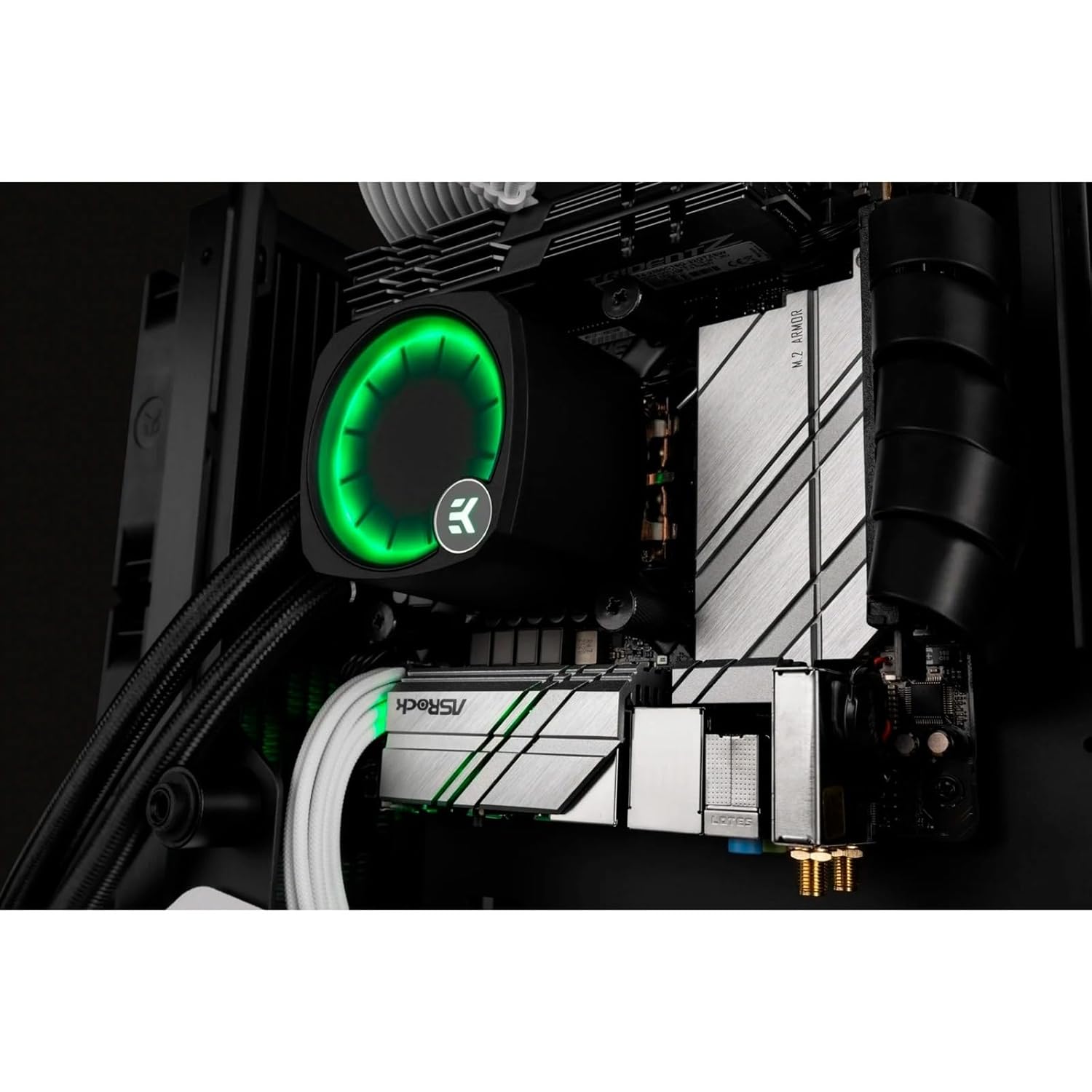
Figure 4.2.2: Rotatable pump top for aesthetic alignment.
4.3. ريڊيئيٽر ۽ فين جي انسٽاليشن
Attach the two EK FPT fans to the radiator using the longer fan screws. Ensure the fan airflow direction is appropriate for your case's cooling configuration (intake or exhaust). Mount the radiator assembly to your chosen location in the PC case using the shorter radiator screws.

Figure 4.3.1: Radiator and fan assembly.
4.4. ڪيبل جو انتظام
Connect the pump's 4-pin PWM cable to the CPU_FAN or AIO_PUMP header on your motherboard. Connect the fan cables to available fan headers, or daisy-chain them if supported by your motherboard. Connect the RGB cables to a compatible 3-pin 5V addressable RGB header on your motherboard (e.g., ASUS Aura Sync, GIGABYTE RGB Fusion, MSI Mystic Light Sync, ASRock Polychrome Sync).
5. آپريٽنگ هدايتون
5.1. First Power-On
After completing installation, power on your system. Monitor CPU temperatures and fan/pump speeds through your motherboard's BIOS or monitoring software. The pump and fans will automatically adjust based on CPU load and temperature, controlled by your motherboard's PWM settings.
5.2. Fan and Pump Control
The EK Nucleus AIO utilizes PWM (Pulse Width Modulation) for precise control of fan and pump speeds. You can configure fan curves and pump speeds via your motherboard's BIOS settings or dedicated software utilities provided by your motherboard manufacturer. Adjusting these settings can optimize for either quiet operation or maximum cooling performance.
5.3. آر جي بي لائيٽنگ
The integrated RGB lighting on the pump and fans can be customized using your motherboard's RGB synchronization software. Connect the RGB cables to the appropriate 3-pin 5V addressable RGB header on your motherboard and use software such as ASUS Aura Sync, GIGABYTE RGB Fusion, MSI Mystic Light Sync, or ASRock Polychrome Sync to control lighting effects and colors.
6. سار سنڀال
Regular maintenance ensures the longevity and optimal performance of your EK Nucleus AIO cooler:
- مٽي صاف ڪرڻ: وقتي طور تي ريڊيئيٽر جي پنن ۽ پنن جي بليڊن مان مٽي کي دٻيل هوا يا نرم برش استعمال ڪندي صاف ڪريو. پڪ ڪريو ته صفائي دوران پنکھا نه گھمي رهيا آهن.
- نلي جي چڪاس: Visually inspect the tubing for any signs of kinks, wear, or leaks. While the system is sealed, regular checks are recommended.
- حرارتي پيسٽ: The pre-applied thermal paste is designed for long-term use. If you ever remove the coldplate, clean off old thermal paste and apply new high-quality thermal paste before reinstallation.
7. مسئلا حل ڪرڻ
If you encounter issues with your EK Nucleus AIO, refer to the following common problems and solutions:
| مسئلو | ممڪن سبب | حل |
|---|---|---|
| اعليٰ سي پي يو گرمي پد | Improper coldplate mounting, insufficient thermal paste, low fan/pump speed, dust buildup. | Re-seat coldplate, check thermal paste application, ensure fan/pump speeds are adequate in BIOS, clean radiator fins. |
| Unusual Noise (Pump/Fans) | Air bubbles in pump, fan imbalance, high fan/pump speed. | Gently tilt case to dislodge air bubbles, check fan mounting, reduce fan/pump speed if temperatures allow. |
| آر بي جي روشني ڪم نه ڪندي | Incorrect cable connection, incompatible motherboard header, software issue. | Verify RGB cable connection to a 3-pin 5V addressable RGB header, ensure motherboard software is installed and updated. |
| Cooler Not Powering On | Pump power cable disconnected, faulty motherboard header. | Ensure pump's 4-pin PWM cable is securely connected to the CPU_FAN or AIO_PUMP header. |
8. وضاحتون
Key technical specifications for the EK Nucleus AIO CR240 Liquid CPU Cooler:
| خاصيت | تفصيل |
|---|---|
| ماڊل نمبر | 3831109851678 |
| ريڊيٽر جي ماپ | 240mm |
| پيداوار جي ماپ (L x W x H) | 19.69" x 19.69" x 11.02" |
| وزن | 2.2 پائونڊ |
| کولڻ جو طريقو | پاڻي |
| مطابقت رکندڙ ڊوائيسز | Desktop CPUs |
| مطابقت رکندڙ ساکٽ | Intel: LGA 115x, 1200, 1700, 2011, 2066 AMD: AM4، AM5 |
| فين جي ماپ | 120mm |
| Maximum Fan Rotational Speed | 2200 RPM |
| Noise Level (Fans) | 21 dB (at specified conditions) |
| پاور کنیکٹر جو قسم | 4-Pin PWM |
| جلدtage | 12 وولٽ |
| واتtage | 25 واٽ |
| مواد | Rubber (tubing) |
9. وارنٽي ۽ سپورٽ
EK products are manufactured to the highest standards and come with a limited warranty. For detailed warranty information, terms, and conditions, please refer to the official EK website or contact EK customer support directly. If you require technical assistance or have questions not covered in this manual, please reach out to EK support for expert guidance.