1. تعارف
The VAIS Technology GSR-GM05-w/Tuner Kit is designed to seamlessly integrate SiriusXM Satellite Radio into your vehicle's existing factory radio system. This adapter preserves the original aesthetic and functionality of your vehicle's dashboard by eliminating the need for additional mounts or FM modulation adapters. Enjoy a vast array of music, sports, news, and entertainment channels through your factory radio controls.
2. ڇا شامل آهي
The GSR-GM05-w/Tuner Kit includes the following components:
- GSR انٽرفيس اڊاپٽر
- GSR USB Cable
- طاقت جو استعمال
- گاڏين جي اينٽينا
- سيريس ايڪس ايم ٽيونر ايس ايڪس وي 300

3. پراڊڪٽ ختمview: GSR Connectors and Ports
Familiarize yourself with the connectors and ports on the GSR Interface Adapter:

4. مطابقت
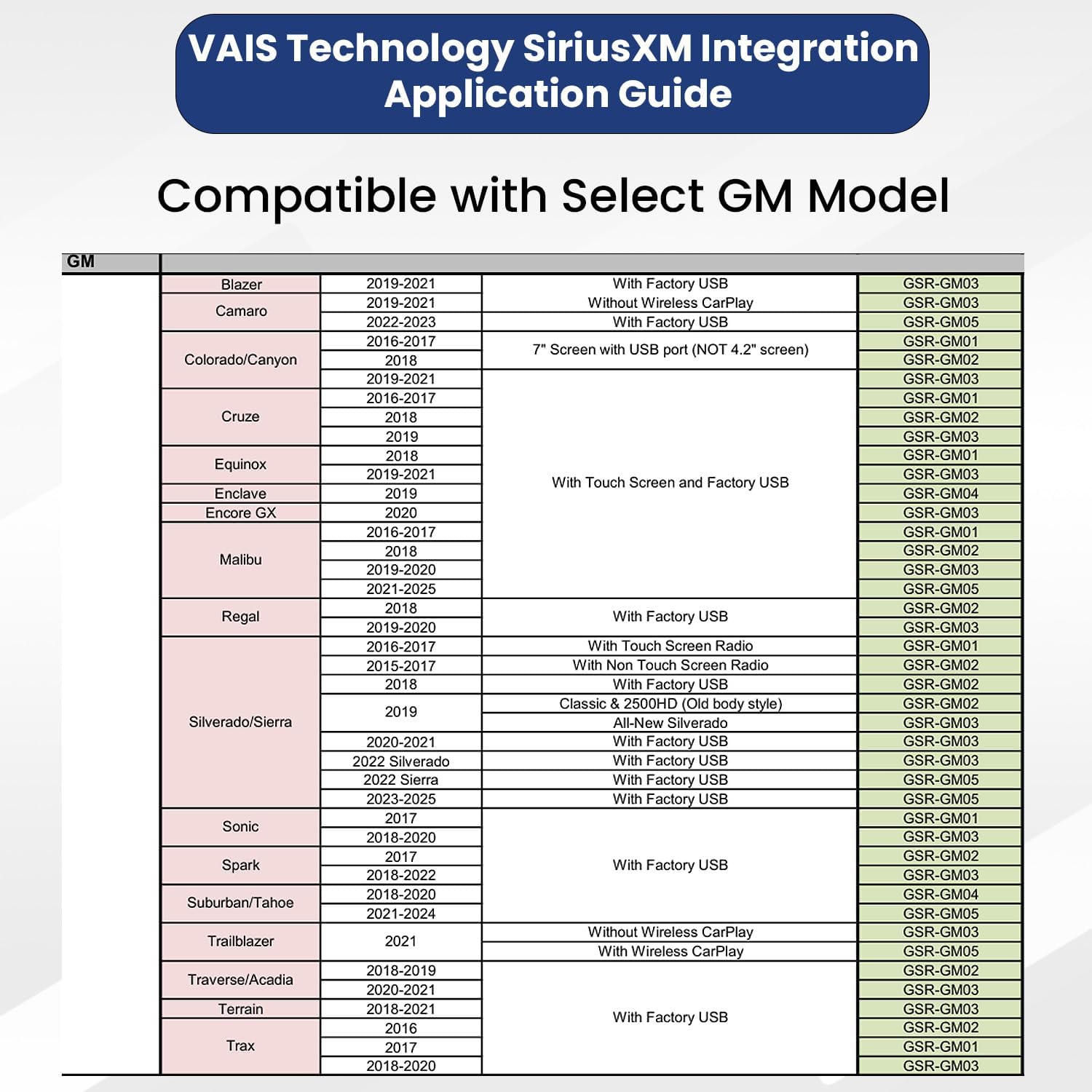
The VAIS GSR-GM05 is specifically designed for select Factory GM models. Ensure your vehicle model is listed below for proper functionality:
- Camaro (2022-2023) - With Factory USB
- Malibu (2021-2025) - With Touch Screen and Factory USB
- Silverado/Sierra (2022 Sierra) - With Factory USB
- Silverado/Sierra (2023-2025) - With Factory USB
- Suburban/Tahoe (2021-2024) - With Factory USB
- Trailblazer (2021) - With Wireless CarPlay
5. تنصيب
Follow these steps to install your VAIS Technology GSR-GM05-w/Tuner Kit:
- Connect OBD II Connector: Connect the OBD II connector to your vehicle's OBD II port for power.
- Connect GSR to Factory USB Port: Plug the VAIS adapter into the factory USB data port to send SiriusXM data to the radio. This port can typically be found on the dashboard or in the center console.
- ڇت تي اينٽينا لڳايو: For the best Satellite Radio reception, install the antenna on the highest point of the vehicle. It must be mounted outside the vehicle.
- پينلن جي پويان هر شيءِ کي لڳايو: Secure the GSR and SiriusXM tuner behind the dash panels.

5.1. تنصيب وڊيوز
وڊيو 5.1.1: This video demonstrates how to add SiriusXM to your factory original radio using the VAIS adapter, highlighting the seamless integration.
وڊيو 5.1.2: A guide on how to properly install the SiriusXM antenna for optimal reception.
وڊيو 5.1.3: This video illustrates how to add SiriusXM to your factory radio in minutes using a GSR adapter, showcasing the quick and easy process.
6. آپريٽنگ هدايتون
Once installed, adding and enjoying SiriusXM is straightforward:
- Locate the USB port in your vehicle's dashboard where the adapter is connected.
- Activate your SiriusXM subscription.
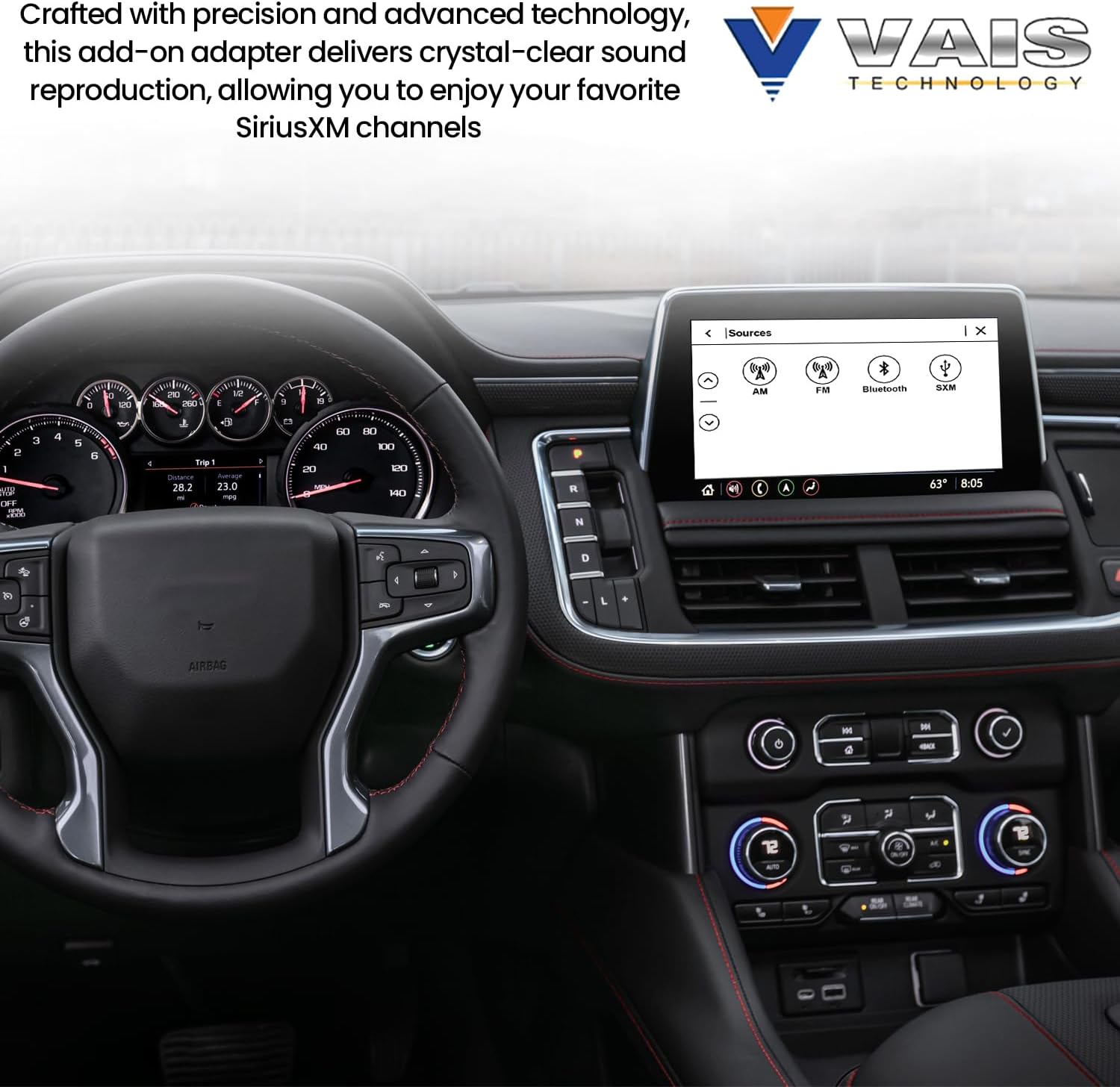
- Turn on your vehicle and select SiriusXM from the source menu on your factory radio.
- Use your factory radio controls to browse channels, add presets (up to 36), and enjoy SiriusXM content.


7. سار سنڀال
The VAIS Technology GSR-GM05-w/Tuner Kit requires minimal maintenance. Ensure all connections remain secure and free from debris. Periodically check the antenna for any damage or obstructions that might affect signal reception. Keep the interior of your vehicle clean to prevent dust buildup around the installed components.
8. مسئلا حل ڪرڻ
If you encounter issues with your SiriusXM adapter, consider the following:
- ڪوبه سگنل: Verify the antenna is correctly mounted on the highest point of the vehicle with a clear view of the sky. Check all cable connections for tightness.
- نه آڊيو: Ensure SiriusXM is selected as the audio source on your factory radio. Check the volume levels on both your radio and the SiriusXM system.
- وقفي وقفي سان سگنل: Confirm the antenna cable is not pinched or damaged. Avoid placing the antenna near other antennas or obstructions.
- Subscription Issues: Contact SiriusXM customer service to verify your subscription status and activation.
- اڊاپٽر جي سڃاڻپ نه ٿي: Ensure the USB data port is functioning correctly and the adapter is securely plugged in.
9. وضاحتون
| خاصيت | تفصيل |
|---|---|
| پيداوار جي ماپ | 5 x 1 x 9 انچ |
| شيءِ جو وزن | 1 پونڊ (16 آونس) |
| ماڊل نمبر | GSR-GM05-w/Tuner Kit |
| برانڊ | VAIS ٽيڪنالاجي |
| رابطي ٽيڪنالاجي | USB |
| Tuner ٽيڪنالاجي | انٽرنيٽ ريڊيو |
| طاقت جو ذريعو | ڊي سي پاور سپلائي |
| مطابقت رکندڙ ڊوائيسز | ڪارخانو ريڊيو |
| يو پي سي | 793611840751 |
10. وارنٽي ۽ سپورٽ
For warranty information and technical support, please refer to the official VAIS Technology webسائيٽ تي وڃو يا سڌو سنئون انهن جي ڪسٽمر سروس سان رابطو ڪريو. وارنٽي دعوائن لاءِ پنهنجي خريداري جي رسيد رکو.


