پيداوار ختمview
The pTron Zenbuds Ultima ANC Earbuds are advanced wireless headphones designed for an immersive audio experience. Featuring 35dB Hybrid Active Noise Cancellation (ANC) and Transparency Mode, they allow you to control your sound environment. Equipped with 4 QuadPro Microphones and TruTalk Environmental Noise Cancellation (ENC), these earbuds ensure crystal-clear calls. Enjoy up to 50 hours of total playtime with the charging case, 4D Panoramic Audio, and ultra-low 40ms latency for gaming. The earbuds are also IPX5 water-resistant, making them suitable for various activities.

This image displays the pTron Zenbuds Ultima ANC Earbuds in Jade Black, alongside their sleek charging case. The earbuds feature a stem design with an in-ear fit, showcasing their compact and modern aesthetic.
پيڪيج مواد
مھرباني ڪري ھيٺ ڏنل شين لاءِ دٻي کي چيڪ ڪريو:
- 1 x Pair of pTron Zenbuds Ultima ANC Earbuds
- 1 x چارجنگ ڪيس
- 1 x USB قسم-سي چارجنگ ڪيبل
- 1 x Set of Extra Ear Tips (S/M/L sizes)
- 1 x استعمال ڪندڙ دستياب
- 1 x وارنٽي ڪارڊ
سيٽ اپ گائيڊ
1. ائربڊس ۽ ڪيس کي چارج ڪرڻ
Before first use, fully charge the earbuds and the charging case. Place the earbuds into the charging case, ensuring they are correctly seated. Connect the provided USB Type-C cable to the charging port on the case and the other end to a 5V-1A power adapter (not included). The indicator lights on the case will show the charging status. A full charge typically takes approximately 1.5 hours for the earbuds and 2 hours for the case.
2. توهان جي ڊوائيس سان جوڙو ٺاهڻ
The pTron Zenbuds Ultima feature 1-step pairing for convenience.
- پڪ ڪريو ته چارجنگ ڪيس ۾ ڪافي طاقت آهي.
- Open the charging case lid. The earbuds will automatically power on and enter pairing mode, indicated by a flashing LED light on the earbuds.
- پنهنجي اسمارٽ فون يا بلوٽوٿ-فعال ڊوائيس تي، بلوٽوٿ سيٽنگز ڏانهن وڃو.
- ڳولھيو "pTron Zenbuds Ultima" in the list of available devices.
- Select it to connect. Once connected, you will hear a confirmation tone, and the earbud LED lights will turn off.
- بعد ۾ استعمال لاءِ، ڪيس لِڊ کولڻ تي ائربڊس پاڻمرادو آخري جوڙيل ڊوائيس سان ڳنڍجي ويندا، بشرطيڪ توهان جي ڊوائيس تي بلوٽوٿ فعال هجي.

This image shows the pTron Zenbuds Ultima earbuds removed from their charging case, ready for use or pairing. The open case is visible in the background, highlighting the compact design.
آپريٽنگ هدايتون
ٽچ ڪنٽرول
The pTron Zenbuds Ultima feature intuitive touch controls on each earbud. The following table outlines the common functions:
| عمل | فنڪشن |
|---|---|
| سنگل ٽيپ (L/R) | موسيقي هلايو/روڪيو، ڪال جو جواب ڏيو/ختم ڪريو |
| ڊبل ٽيپ (L) | اڳيون ٽريڪ |
| ڊبل ٽيپ (ر) | ايندڙ ٽريڪ |
| ٽرپل ٽيپ (ايل/ر) | وائيس اسسٽنٽ کي فعال ڪريو (گوگل اسسٽنٽ/سري) |
| ڊگھو پريس (2s) (L/R) | Switch between ANC / Transparency / Normal Mode |
| Long Press (2s) during call | ڪال رد ڪريو |
فعال شور منسوخي (ANC) ۽ شفافيت موڊ
The Zenbuds Ultima feature 35dB Hybrid ANC to significantly reduce ambient noise, allowing for an immersive listening experience. Transparency Mode allows you to hear your surroundings without removing the earbuds, which is useful for awareness in busy environments. To switch between ANC, Transparency, and Normal modes, long-press either earbud's touch sensor for 2 seconds.
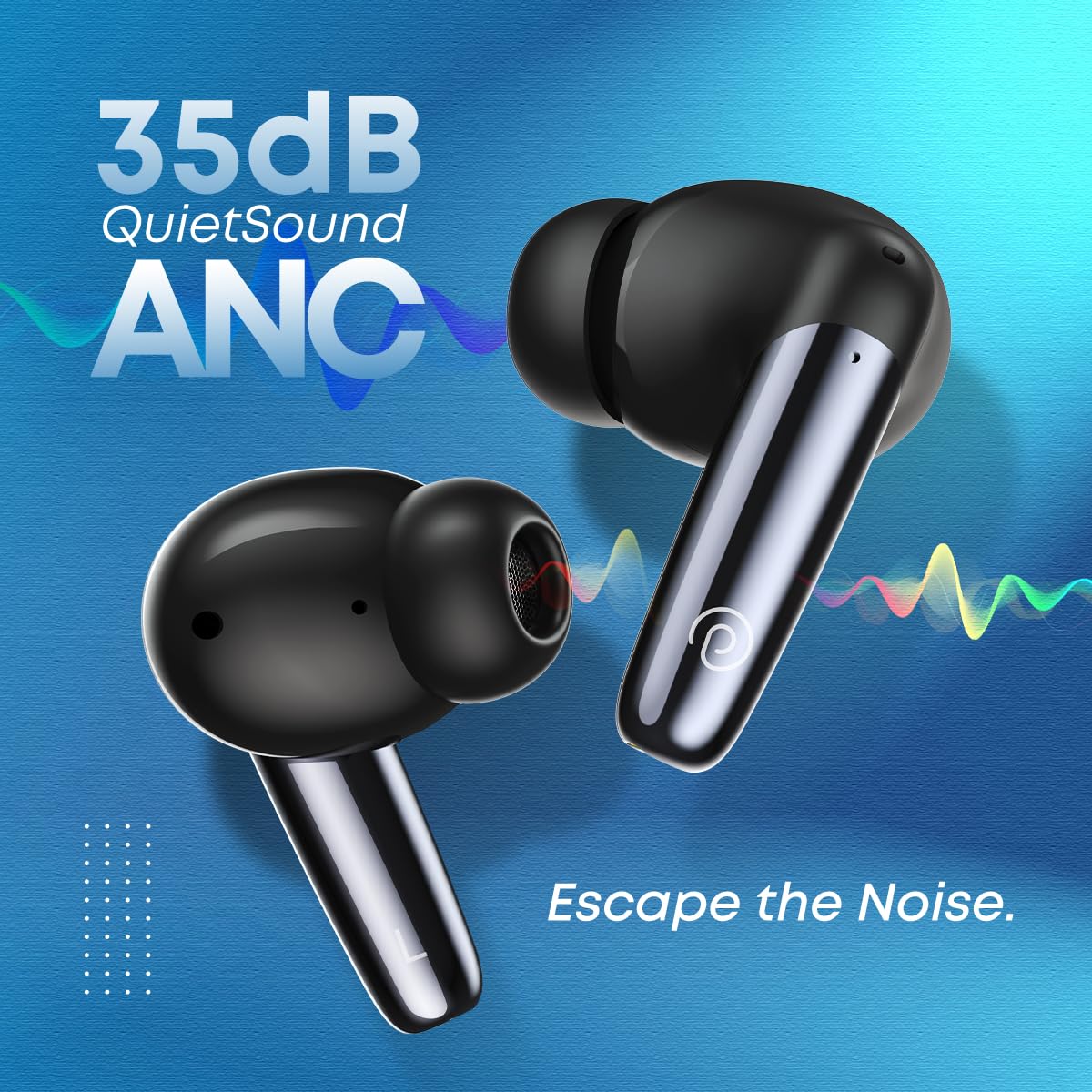
This image emphasizes the 35dB QuietSound ANC feature of the pTron Zenbuds Ultima, showing the earbuds with sound wave graphics indicating noise cancellation.
ڪالون ٺاهڻ ۽ وصول ڪرڻ
Equipped with 4 QuadPro Microphones and TruTalk Environmental Noise Cancellation (ENC) technology, the Zenbuds Ultima ensure your voice is transmitted clearly during calls, even in noisy environments. Use the touch controls to answer, end, or reject calls.

This image depicts a person using the pTron Zenbuds Ultima earbuds, highlighting the QuadPro Mics with TruTalk ENC for clear communication in various settings.
Audio and Gaming Experience
The 13mm dynamic drivers deliver immersive stereo sound with deep bass and 4D Panoramic Audio. For gamers, the 40ms low-latency mode (AptSense) ensures synchronized audio and video, providing a seamless mobile entertainment experience.

This image focuses on one pTron Zenbuds Ultima earbud, emphasizing its 4D Panoramic Audio capabilities and Bluetooth 5.3 connectivity for an enhanced listening experience.
سار سنڀال ۽ سنڀال
صفائي
Regularly clean your earbuds and charging case to ensure optimal performance and hygiene. Use a soft, dry, lint-free cloth to wipe the surfaces. For the ear tips, remove them and clean with a mild soap solution if necessary, then rinse thoroughly and dry completely before reattaching. Do not use harsh chemicals or abrasive materials.
پاڻي جي مزاحمت (IPX5)
The pTron Zenbuds Ultima are rated IPX5 water-resistant, meaning they can withstand splashes of water and sweat. This makes them suitable for workouts and light rain. However, they are not designed for submersion in water or for use during swimming. Ensure the earbuds are dry before placing them back into the charging case.

This image visually represents the IPX5 water resistance of the pTron Zenbuds Ultima, showing the earbuds with water droplets, indicating their ability to withstand sweat and splashes.
بيٽري جي سنڀال
To prolong battery life, avoid exposing the earbuds and case to extreme temperatures. Store them in a cool, dry place when not in use. It is recommended to fully charge the device at least once every three months if not used regularly.
مشڪلاتون
If you encounter issues with your pTron Zenbuds Ultima, please refer to the following common solutions:
- ائربڊس جوڙو نه پيا لڳن: Ensure both earbuds are charged. Place them back in the case, close the lid, wait a few seconds, then open the lid to re-enter pairing mode. On your device, forget the previous Bluetooth connection and try pairing again.
- صرف هڪ ائربڊ ڪم ڪري رهيو آهي: Check if both earbuds are charged. Try placing both earbuds back into the charging case, close the lid, and then take them out simultaneously. This often re-syncs them.
- آواز ڪونهي: Check the volume level on your device and the earbuds. Ensure the earbuds are properly connected to your device. Try playing audio from a different application or source.
- چارج ڪرڻ جا مسئلا: Ensure the charging cable is securely connected to both the case and the power adapter. Use a DC5V-1A charger. Clean the charging contacts on the earbuds and inside the case with a dry cotton swab.
- خراب ڪال معيار: پڪ ڪريو ته مائڪروفون رڪاوٽ نه آهن. گهٽ پس منظر شور واري علائقي ڏانهن وڃڻ جي ڪوشش ڪريو.
- وقفي وقفي سان ڳنڍڻ: Ensure your device is within the 10-meter Bluetooth range. Avoid obstacles between the earbuds and your device.
ٽيڪنيڪل وضاحتون
| خاصيت | تفصيل |
|---|---|
| ماڊل نالو | Zenbuds Ultima |
| بلوٽوت ورزن | 5.3 |
| بلوٽوٿ رينج | 10 ميٽر تائين |
| شور ڪنٽرول | 35dB Hybrid Active Noise Cancellation (ANC) |
| مائڪروفون | 4 QuadPro Mics with TruTalk ENC |
| ڊرائيور جي ماپ | 13mm متحرڪ ڊرائيور |
| گھٽ ويڪرائي | 40ms (AptSense) |
| ڪل راند جو وقت | 50 ڪلاڪن تائين (چارجنگ ڪيس سان) |
| پاڻي جي مزاحمت | IPX5 (پگهر ۽ پاڻي مزاحمتي) |
| چارجنگ پورٽ | USB قسم-سي |
| ڪنٽرول قسم | ٽچ ڪنٽرول، وائيس ڪنٽرول |
| مطابقت رکندڙ ڊوائيسز | All Bluetooth Devices (iOS, Android, Laptops, PCs, Smart TVs) |
| مواد | ABS، پي سي، سلڪون |
| شيءِ جو وزن | 40 گرام |
| پيداوار جي ماپ | 7.8 x 6.4 x 2.6 سينٽي |
وارنٽي ۽ ڪسٽمر سپورٽ
The pTron Zenbuds Ultima ANC Earbuds come with a 1-سال ٺاهيندڙ وارنٽي خريداري جي تاريخ کان. هي وارنٽي پيداوار جي خرابين کي ڍڪيندي آهي. مھرباني ڪري وارنٽي دعوائن لاءِ پنھنجي خريداري جي رسيد رکو.
For any product-related queries, technical support, or warranty claims, please contact pTron customer support:
- اي ميل: Support@ptron.in
- فون: 040-67138888
Please note: Using incompatible USB cables or high voltage chargers can damage the product and void the product warranty. We strongly recommend using DC5V-1A chargers and the USB cable included in the package.


