تعارف
Welcome to the Wicked Audio Mojo 500 True Wireless Earbuds user manual. This guide provides detailed instructions to help you set up, operate, and maintain your new earbuds, ensuring you get the most out of their advanced features.

Figure 1: Wicked Audio Mojo 500 Earbuds and Charging Case.
دٻي ۾ ڇا آهي
- ڪيبل
- ڪن کشن
- چارج ڪيس
پيداوار ختمview
- WICKED AUDIO APP: Get the most out of your earbuds. App features include; GPS Bud Locator, Transparency Mode, Wear Detect, Endless EQ Modes, Active Noise Cancelling, Customizable Controls, Easy Access User Guide, Battery Life Indicator, Forever Future Updates, App Controlled Volume, Low Latency (Gaming Mode), Dark/Light Mode Control. Find the Wicked Audio App on the Google Play Store or the Apple App Store.
- 3 NOISE CONTROL MODES: How much ambient noise do you want? Get the best setup for your situation. Choose between transparency mode, passive noise cancelling, or active noise cancellation.
- EASY FLEX CONNECT: Dual options. Pair a single bud, pair them both. With ergonomic shaped housing to be small and comfortable, you’re ready to go right out of the case.
- ڊگهي بيٽري جي زندگي: Up to 23 total hours of rockin’ bass. Up to 5 hours of playtime with an additional 18 hours from the charging case. Charge the case with included USB-C charging cable.
- CLEAR ADAPTIVE MICS: Multiple mics are adapting to the environment to make your voice as clear as possible.
سيٽ اپ ڪريو
Initial Pairing (Easy Flex Connect)
The Mojo 500 earbuds offer dual pairing options. You can pair a single earbud or both simultaneously. Simply remove them from the charging case, and they will be ready to connect to your device.
موبائل ايپ ڊائون لوڊ ڪريو
To unlock the full potential of your Mojo 500 earbuds, download the Wicked Audio App. It is available on both the Google Play Store and the Apple App Store.
آپريٽنگ هدايتون
بنيادي ڪنٽرول
The earbuds feature customizable controls for managing music playback, calls, and other functions directly from the earbuds. Refer to the Wicked Audio App for detailed customization options.
وير ڊيٽيڪٽ
The Wear Detect feature allows the earbuds to automatically pause playback when removed from your ears and resume when put back in. This provides seamless listening experience.

Figure 2: Earbuds in use, demonstrating Wear Detect functionality.
موبائل ايپ جون خاصيتون
The Wicked Audio App enhances your earbud experience with a variety of features:
- GPS Bud Locator: Helps you find misplaced earbuds.
- شفافيت موڊ: Allows ambient sounds to pass through for awareness.
- Endless EQ Modes: Customize your audio experience with various equalizer settings.
- فعال شور کان پري ڪرڻ: عمدي ٻڌڻ لاءِ ٻاهرين شور کي گھٽائي ٿو.
- حسب ضرورت ڪنٽرول: Personalize touch controls on your earbuds.
- Easy Access User Guide: Quick access to the manual within the app.
- بيٽري جي زندگي اشارو: Monitor earbud and case battery levels.
- App Controlled Volume: Adjust volume directly from the app.
- Low Latency (Gaming Mode): Reduces audio delay for gaming.
- Dark/Light Mode Control: Adjust app interface theme.

Figure 3: Wicked Audio App interface demonstrating EQ modes.
شور ڪنٽرول موڊس
The Mojo 500 offers three distinct noise control modes to suit your environment:
- شفافيت موڊ: آڊيو مان لطف اندوز ٿيڻ دوران توهان کي پنهنجي آس پاس جي ماحول کي ٻڌڻ جي اجازت ڏئي ٿي.
- Passive Noise Cancelling: Achieved through the physical design of the earbuds, blocking some ambient noise.
- فعال شور منسوخي (ANC): Electronically reduces a wider range of ambient noise for a more immersive audio experience.
بيٽري جي زندگي ۽ چارج
Enjoy extended listening with the Mojo 500 earbuds:
- هڪ ئي چارج تي 5 ڪلاڪن تائين راند جو وقت.
- An additional 18 hours of battery life provided by the charging case.
- Total playtime of up to 23 hours.
- The charging case is recharged using the included USB-C charging cable.
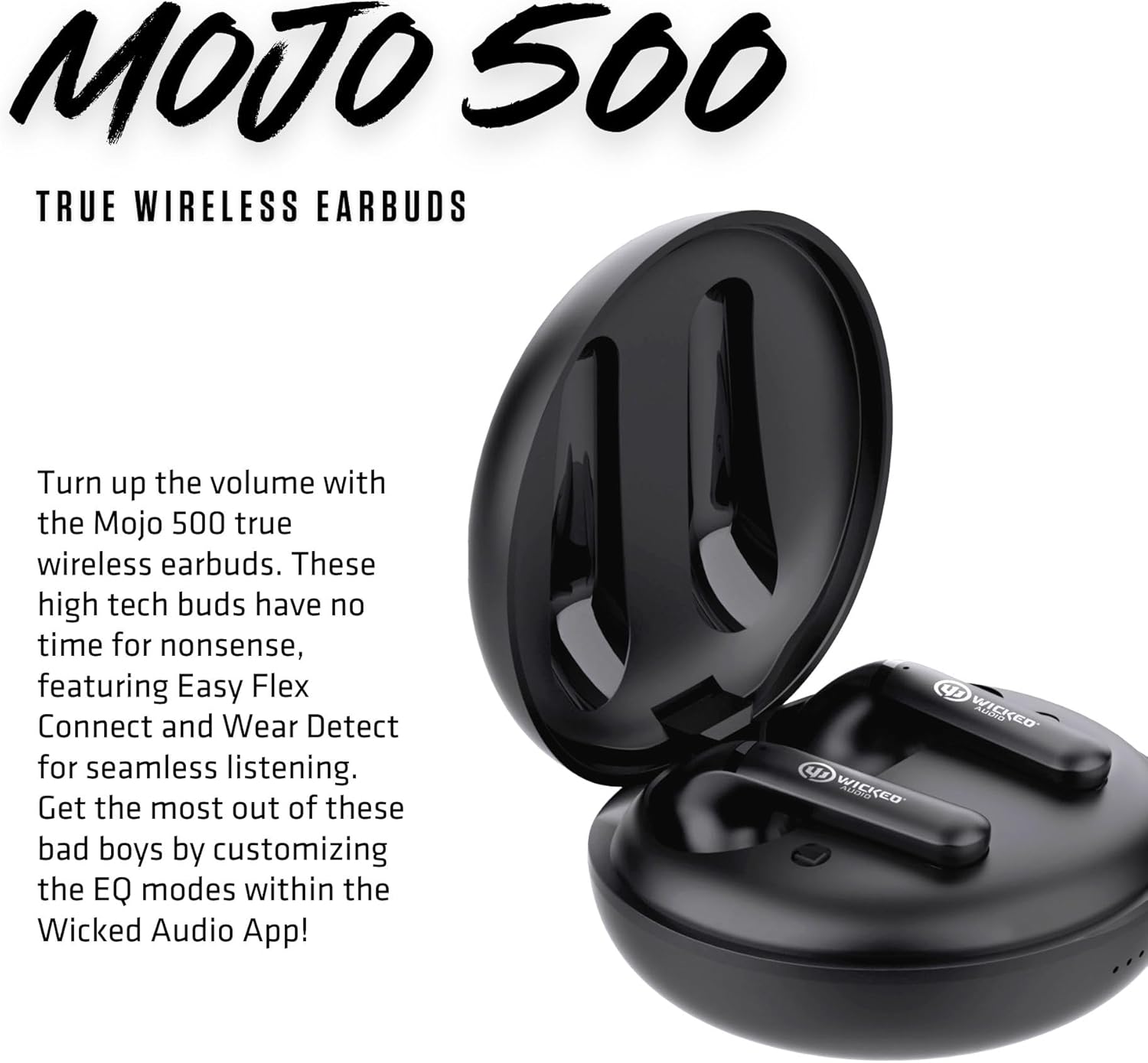
Figure 4: Earbuds inside the charging case.
Audio Quality & Calls
The Mojo 500 earbuds are designed for clear audio and communication:
- Equipped with Clear Adaptive Mics that adjust to your environment to ensure your voice is transmitted clearly during calls.
- Features a Dynamic Audio Driver for rich sound.
- Frequency Range: 20 Hz - 20,000 Hz.
رابطي
The Mojo 500 earbuds utilize Bluetooth technology for seamless wireless connection:
- Wireless Communication Technology: Bluetooth.
- Bluetooth Range: 10 Meters.
- Compatible Devices: Cellphones, Gaming Consoles, Tablets, Laptops, Desktops.
Comfort & Durability
Designed for comfort and resilience:
- Ergonomic shaped housing ensures a small and comfortable fit.
- Water Resistance Level: Water Resistant, making them suitable for workouts and outdoor activities.
- Item Weight: 0.18 Pounds (earbuds only).
- Included Components: Ear Cushions for a secure and comfortable fit.

Figure 5: Earbuds designed for comfortable in-ear placement.
وضاحتون
| خاصيت | تفصيل |
|---|---|
| ماڊل نالو | Mojo 500 True Wireless Earbuds |
| شور ڪنٽرول | فعال شور منسوخي |
| رابطي ٽيڪنالاجي | وائرليس |
| وائرليس ڪميونيڪيشن ٽيڪنالاجي | بلوٽوٿ |
| شامل اجزاء | Cable, Charging Case, Ear Cushions |
| مصنوعات لاءِ سفارش ڪيل استعمال | Video Calls, Running, Skateboarding, Exercising |
| مطابقت رکندڙ ڊوائيسز | سيل فون، گيمنگ ڪنسولز، ٽيبليٽ، ليپ ٽاپ، ڊيسڪ ٽاپ |
| ڪنٽرول قسم | شور ڪنٽرول |
| پاڻي جي مزاحمت جي سطح | پاڻي مزاحمتي |
| تعدد جي حد | 20 هرٽز - 20,000 هرٽز |
| بيٽري جي زندگي | 27 ڪلاڪ (ڪل) |
| بلوٽوٿ رينج | 10 ميٽر |
| شيءِ جو وزن | 2.88 اونس |
| رنگ | ڪارو |
| ڪن جي جڳهه | ڪن ۾ |
| فارم فيڪٽر | ڪن ۾ |
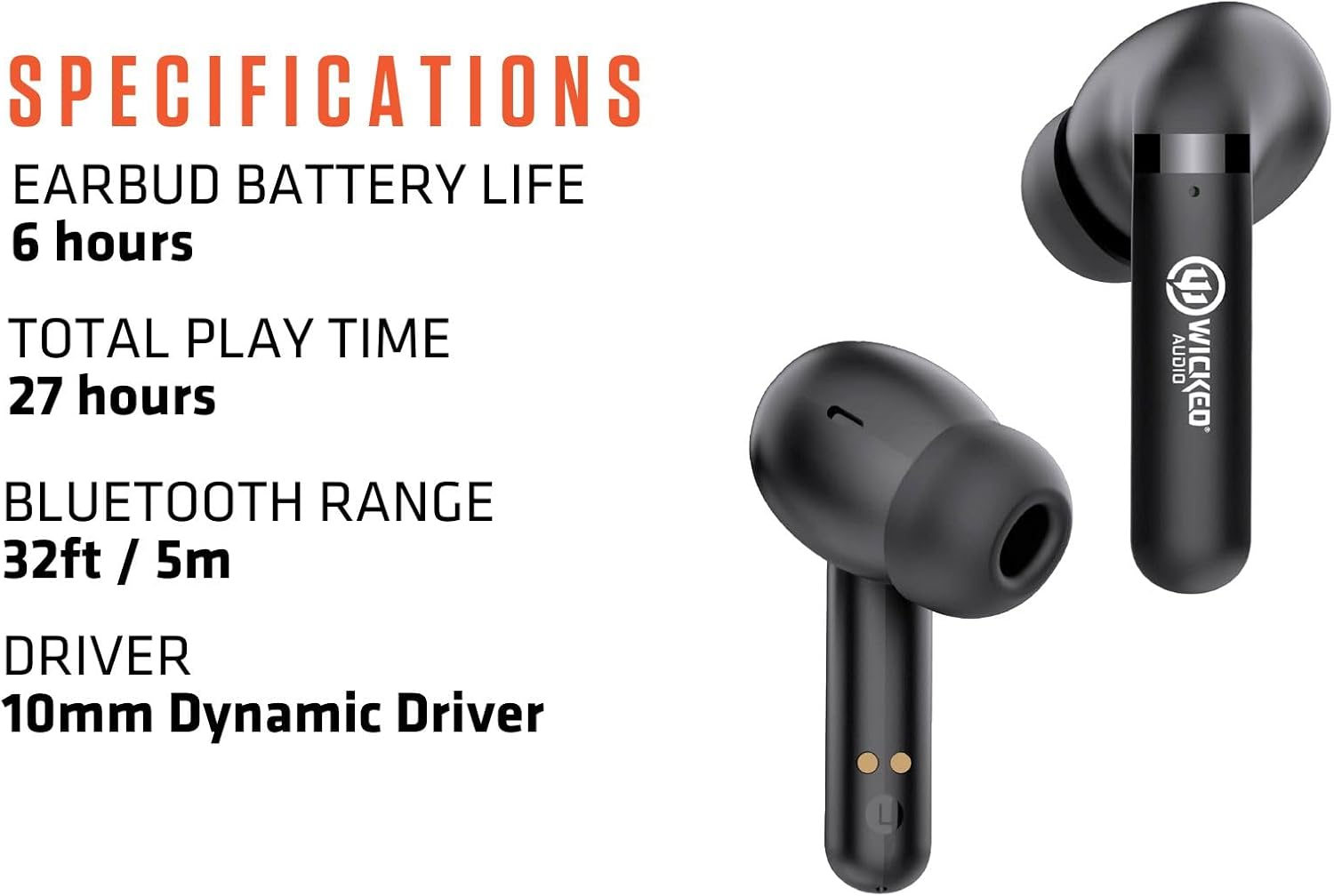
Figure 6: Key specifications of the Mojo 500 Earbuds.
مشڪلاتون
If you encounter any issues with your Wicked Audio Mojo 500 earbuds, please refer to the Easy Access User Guide within the Wicked Audio App for detailed troubleshooting steps. Common issues often relate to pairing, connectivity, or charging.
- آواز ناهي: پڪ ڪريو ته ائربڊس چارج ٿيل آهن ۽ صحيح طرح سان جوڙيل آهن. ڊوائيس جي مقدار چيڪ ڪريو.
- جوڙڻ جا مسئلا: Turn off Bluetooth on other devices. Reset earbuds and try pairing again.
- چارج ڪرڻ جا مسئلا: Ensure USB-C cable is securely connected to both the case and power source. Check for debris in charging ports.
وارنٽي ۽ سپورٽ
For warranty information and customer support, please visit the official Wicked Audio webسائيٽ تي وڃو يا سڌو سنئون انهن جي ڪسٽمر سروس سان رابطو ڪريو. وارنٽي دعوائن لاءِ خريداري جو ثبوت رکو.
حفاظت جي ڄاڻ
Please read all safety warnings and instructions before using this product to avoid injury or damage. Keep out of reach of children. Avoid prolonged exposure to high volume levels to prevent hearing damage. Do not disassemble or attempt to repair the device yourself.


