1. تعارف
خريد ڪرڻ لاءِ مهربانيasing the ZEBRONICS Juke BAR 9102 PRO 240W Dolby Soundbar. This manual provides essential information for the proper setup, operation, and maintenance of your soundbar system. Please read this manual thoroughly before use to ensure optimal performance and safety.
2. حفاظتي هدايتون
- طاقت جو ذريعو: صرف مخصوص پاور اڊاپٽر استعمال ڪريو. پڪ ڪريو ته وولٽtage توهان جي مقامي بجلي جي فراهمي سان مطابقت رکي ٿو.
- وينٽيليشن: ڪنهن به وينٽيليشن جي سوراخن کي نه روڪيو. مناسب هوا جي وهڪري لاءِ يونٽ جي چوڌاري مناسب جاءِ برقرار رکو.
- پاڻي ۽ نمي: Do not expose the soundbar or subwoofer to water, rain, or moisture. Avoid placing objects filled with liquids, such as vases, on or near the unit.
- گرمي جا ذريعا: يونٽ کي گرمي جي ذريعن جهڙوڪ ريڊيئيٽر، گرمي رجسٽر، اسٽو، يا ٻين گرمي پيدا ڪندڙ سامان کان پري رکو.
- صفائي: Disconnect the power before cleaning. Use a soft, dry cloth. Do not use liquid cleaners or aerosol cleaners.
- خدمت ڪرڻ: ھن پراڊڪٽ کي پنھنجي خدمت ڪرڻ جي ڪوشش نه ڪريو. س servني خدمتن جو حوالو ڏيو قابل سروس اهلڪارن کي.
- لڳائڻ: Place the soundbar on a stable, flat surface or mount it securely on a wall as instructed.
3. پيڪيج مواد
پڪ ڪريو ته هيٺ ڏنل سڀئي شيون توهان جي پيڪيج ۾ شامل آهن:
- Soundbar - 1 Unit
- Subwoofer - 1 Unit
- Remote Control - 1 Unit
- QR Code User Manual - 1 Unit (Digital access)
- Wall Mount Bracket and Fasteners
4. پراڊڪٽ ختمview
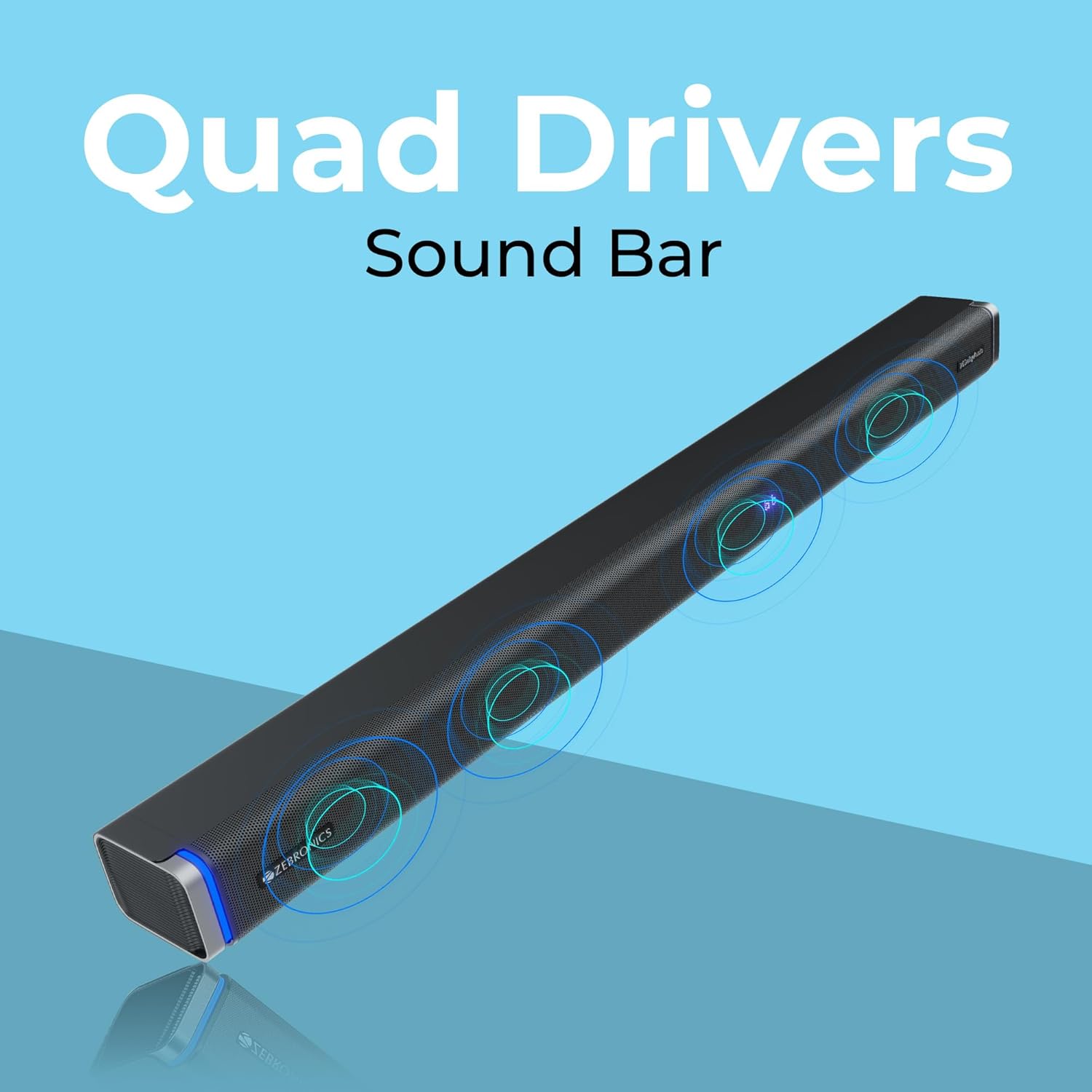
The ZEBRONICS Juke BAR 9102 PRO is a 240W output Dolby soundbar system designed to enhance your audio experience. It features a soundbar with quad drivers and a powerful 6.5-inch wired subwoofer.



5. سيٽ اپ
5.1 شروعاتي جڳهه
- سائونڊ بار کي پنهنجي ٽيليويزن جي هيٺان مرڪزي طور تي رکو.
- Position the subwoofer on the floor near the soundbar for optimal bass response.
5.2 پاور ڪنيڪشن
- Connect the power cable to the soundbar's power input.
- Connect the power cable to the subwoofer's power input.
- Plug both power cables into a suitable wall outlet.
5.3 Subwoofer ڪنيڪشن
The subwoofer connects to the soundbar via a wired connection. Ensure the subwoofer cable is securely connected to both units.
6. آپريٽنگ هدايتون
6.1 پاور آن/آف
Press the power button on the soundbar or the remote control to turn the unit on or off. The LED display will indicate the power status.
6.2 حجم ڪنٽرول
Use the volume up (+) and volume down (-) buttons on the soundbar or remote control to adjust the audio level.
6.3 موڊ جي چونڊ
Press the 'Mode' button on the soundbar or remote control to cycle through available input modes (Bluetooth, HDMI ARC, Optical, AUX, USB). The LED display will show the current mode (e.g., 'BT' for Bluetooth, 'ARC' for HDMI ARC).
6.4 برابر ڪندڙ (EQ) موڊ
The soundbar features 3D EQ alternatives. Use the EQ button on the remote to switch between modes. The LED display will show 'E1', 'E2', 'E3' for different sound profiles, and '3D' for the virtual 5.1 effect. Common EQ modes include:
- E1: موسيقي موڊ
- E2: مووي موڊ
- E3: News/Voice mode
- 3D: Virtual Surround Sound mode
6.5 RGB LED لائيٽون
The soundbar includes RGB LED lights. These can be controlled and changed using the remote control to suit your preference.
7. ڪنيڪشن جا اختيار
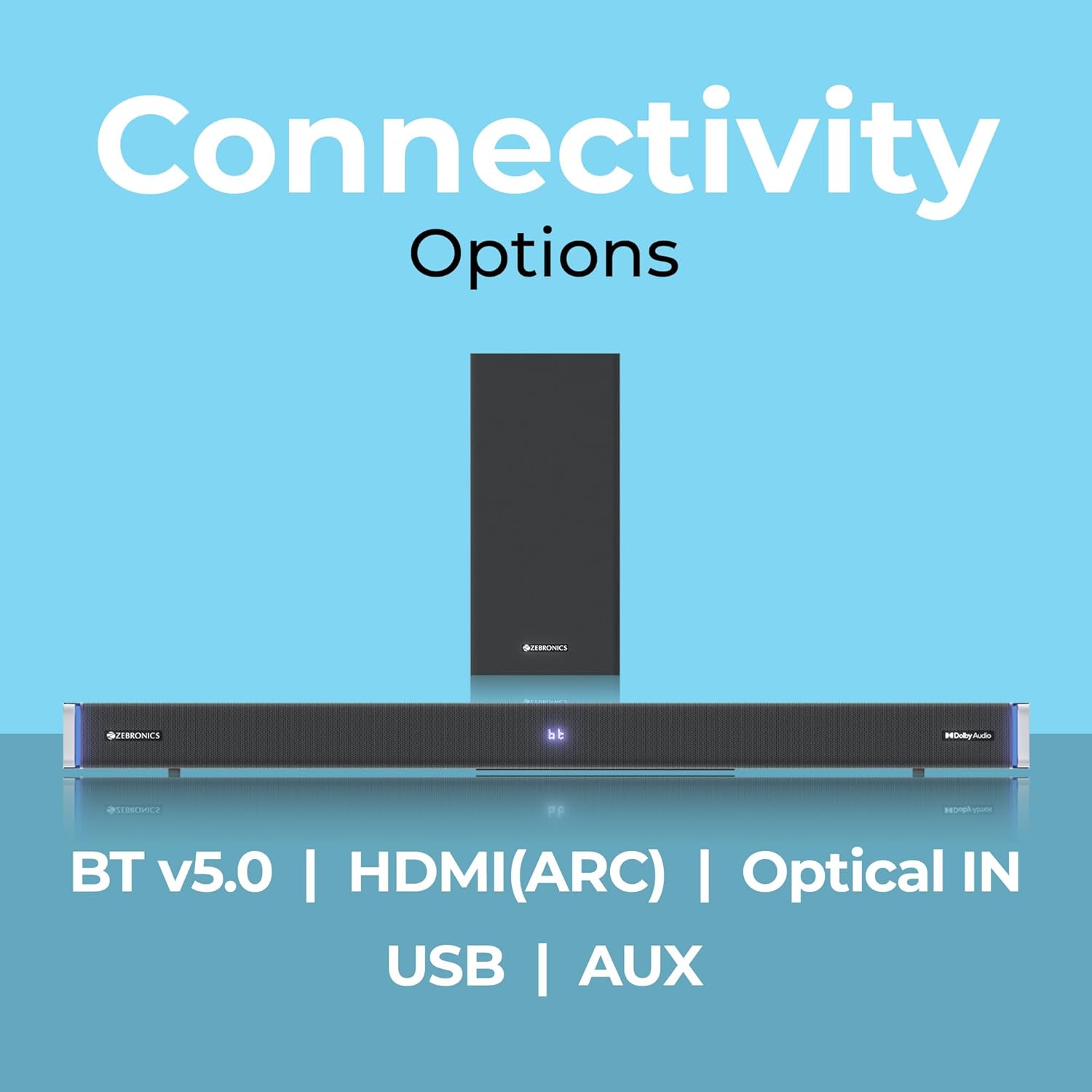
The ZEBRONICS Juke BAR 9102 PRO offers multiple connectivity options for versatile use.
7.1 بلوٽوت v5.0
- Press the 'Mode' button until 'BT' appears on the LED display.
- On your mobile device or computer, search for Bluetooth devices and select 'ZEB-JUKE BAR 9102 PRO'.
- Once paired, audio will stream wirelessly to the soundbar.
7.2 HDMI (ARC)
- Connect an HDMI cable (ARC compatible) from the HDMI ARC port on your television to the HDMI ARC port on the soundbar.
- Select 'ARC' mode on the soundbar.
- Ensure your TV's audio output is set to HDMI ARC.
7.3 Optical IN
- Connect an optical cable from your audio source (e.g., TV, DVD player) to the 'Optical IN' port on the soundbar.
- Select 'OPT' mode on the soundbar.
7.4 3.5mm AUX ڪيبل
- Connect a 3.5mm AUX cable from your audio source to the 'AUX' port on the soundbar.
- Select 'AUX' mode on the soundbar.
7.5 USB پلے بیک
- Insert a USB pen drive (up to 32GB, supporting MP3 audio format) into the USB port on the soundbar.
- Select 'USB' mode on the soundbar. The soundbar will automatically begin playing compatible audio files.
8. ڀت چڙهڻ
The soundbar can be wall-mounted to save space. A wall mount bracket and fasteners are included in the package.
- Determine the desired mounting location on the wall, ensuring it is structurally sound and can support the weight of the soundbar.
- Mark the positions for drilling holes using the wall mount bracket as a template.
- جيڪڏهن ضروري هجي ته پائلٽ سوراخ ڪريو ۽ مناسب ڀت اينڪر داخل ڪريو.
- Secure the wall mount bracket to the wall using the provided fasteners.
- Carefully attach the soundbar to the mounted bracket. Ensure it is securely fastened before releasing.
نوٽ: Professional installation is recommended for wall mounting to prevent damage or injury.
9. سار سنڀال
9.1 صفائي
Wipe the surfaces of the soundbar and subwoofer with a soft, dry, lint-free cloth. Do not use abrasive cleaners, waxes, or solvents as they may damage the finish.
9.2 اسٽوريج
If storing the unit for an extended period, disconnect it from the power supply and store it in a cool, dry place, away from direct sunlight and extreme temperatures.
10. مسئلا حل ڪرڻ
| مسئلو | ممڪن سبب | حل |
|---|---|---|
| طاقت نه آهي | پاور ڪيبل ڳنڍيل نه آهي؛ پاور آئوٽليٽ فعال نه آهي. | Ensure power cables are securely connected and the outlet is functional. |
| آواز ڪونهي | Incorrect input mode; Volume too low; Cables not connected properly | Select the correct input mode. Increase volume. Check all audio cables for secure connection. |
| بلوٽوٿ جوڙڻ جا مسئلا | سائونڊ بار پيئرنگ موڊ ۾ ناهي؛ ڊوائيس تمام پري آهي؛ مداخلت | Ensure soundbar is in 'BT' mode. Move device closer. Restart both devices. |
| ريموٽ ڪنٽرول ڪم نه ڪري رهيو آهي | بيٽريون ختم ٿي ويون؛ ريموٽ ۽ سائونڊ بار جي وچ ۾ رڪاوٽ | Replace remote control batteries. Remove any obstructions. |
| بگڙيل آواز | Volume too high; Poor audio source quality; Incorrect EQ setting | آواز گھٽايو. ڪو ٻيو آڊيو ذريعو آزمايو. EQ سيٽنگون ترتيب ڏيو. |
11. وضاحتون
| خاصيت | تفصيل |
|---|---|
| ماڊل نالو | زيب-جوڪ بار 9102 پرو |
| ٻاھر نڪرڻ جي طاقت | 240 واٽ (آر ايم ايس) |
| Subwoofer قطر | 6.5 انچ |
| آڊيو ڊرائيور جي ماپ | 5.5 cm (Quad Drivers) |
| رابطي | Bluetooth v5.0, HDMI (ARC), Optical IN, 3.5mm AUX, USB |
| چوڌاري آواز جي ترتيب | ورچوئل 5.1 |
| تعدد جواب | 20 هرٽز - 20 ڪلو هرٽز |
| سگنل کان شور جي نسبت | 65 ڊي بي |
| رڪاوٽ | 15 اومس |
| ڪنٽرول جو طريقو | ريموٽ ڪنٽرول |
| پراڊڪٽ جي ماپ (ساؤنڊ بار) | Approx. 98.5W x 17.3D x 40.2H Centimeters |
| شيءِ جو وزن | 5.8 ڪلو |
| طاقت جو ذريعو | تار ٿيل برقي |
| خاص خاصيتون | Dolby Audio, LED Display, RGB LED Lights, Wall Mountable |
12. وارنٽي ۽ سپورٽ
12.1 وارنٽي ڄاڻ
This ZEBRONICS product comes with a 1 سال وارنٽي from the date of purchase. The warranty covers manufacturing defects under normal use. Please retain your purchase receipt for warranty claims.
12.2 ڪسٽمر سپورٽ
For technical assistance, troubleshooting, or warranty inquiries, please contact ZEBRONICS customer support. Refer to the official ZEBRONICS website or the QR Code User Manual for contact details.


