تعارف
خريد ڪرڻ لاءِ مهربانيasing the AZATOM Spitalfields 2 Portable DAB/DAB+ Digital FM Radio. This manual provides essential information for setting up, operating, and maintaining your new radio. Please read this manual thoroughly before use to ensure proper functionality and to maximize your listening experience.
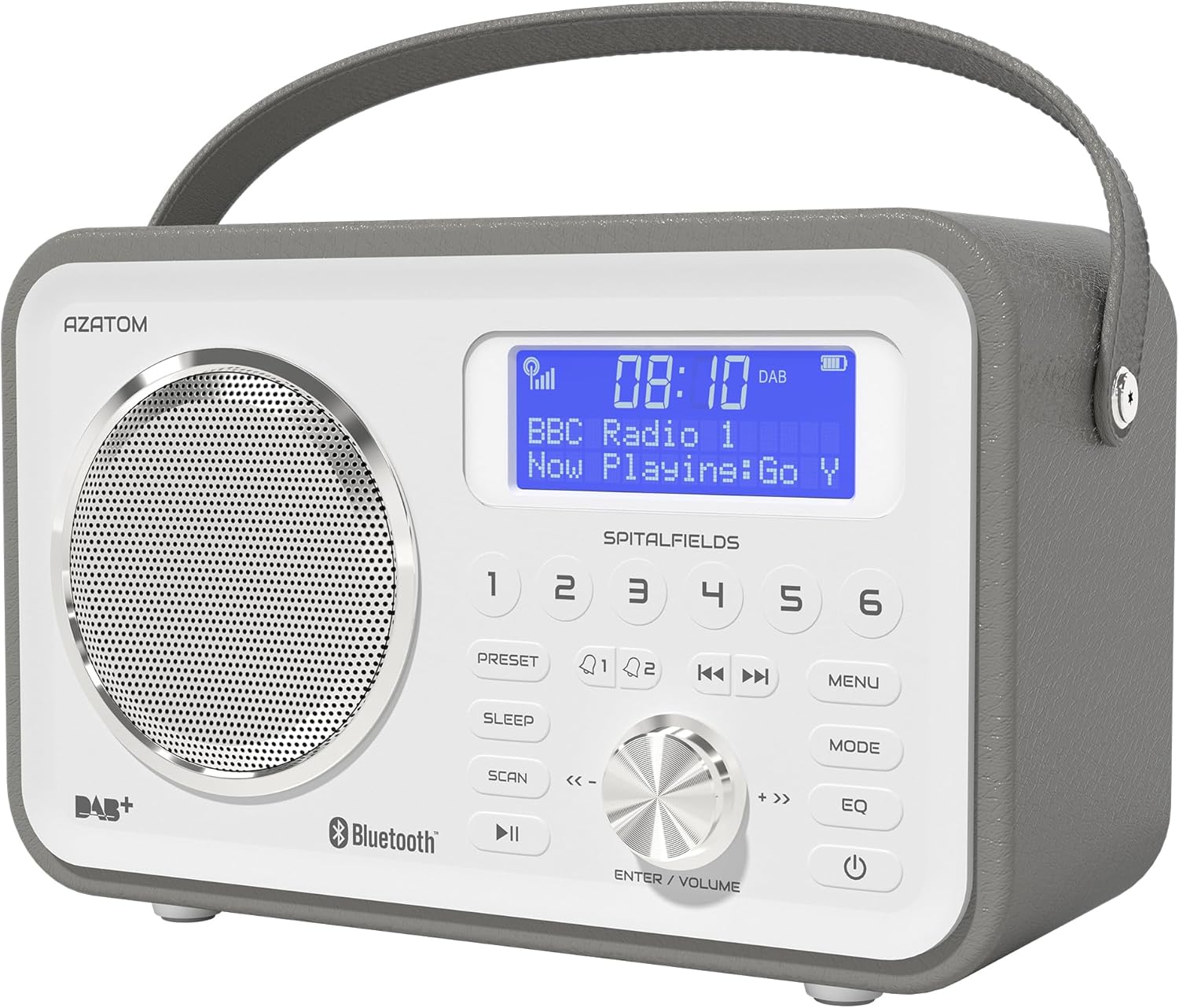
The AZATOM Spitalfields 2 radio features a classic retro design with a modern digital display and intuitive controls.
اهم حفاظتي هدايتون
Always follow these basic safety precautions when using your radio:
- يونٽ کي مينهن، نمي، يا انتهائي گرمي پد جي سامهون نه آڻيو.
- يونٽ کي ڌار نه ڪريو يا تبديل نه ڪريو. سڀني سروسنگ کي قابل اهلڪارن جي حوالي ڪريو.
- اوور گرم ٿيڻ کان بچڻ لاءِ يونٽ جي چوڌاري مناسب وائيٽليشن کي يقيني بڻايو وڃي.
- يونٽ سان فراهم ڪيل صرف پاور اڊاپٽر استعمال ڪريو.
- يونٽ کي مضبوط مقناطيسي شعبن کان پري رکو.
- ٻڌڻ جي نقصان کي روڪڻ لاءِ ڊگهي عرصي تائين تمام گهڻي آواز ۾ ٻڌڻ کان پاسو ڪريو.
اهم خاصيتون
- ڊي اي بي/ڊي اي بي پلس ۽ ايف ايم ريڊيو: Enjoy a wide range of digital and analog radio stations.
- بلوٽوت 5.0 ڪنيڪشن: Wirelessly stream audio from your compatible devices.
- الارم ڪلاڪ فنڪشن: Set multiple alarms with snooze and sleep timer features.
- Rechargeable بيٽري: Built-in battery for portable use.
- اڳواٽ اسٽيشنون: Store your favorite DAB and FM stations for quick access.
- ريموٽ ڪنٽرول: Conveniently operate the radio from a distance.
- Quality Stereo Sound: Enhanced audio experience with a built-in subwoofer.
DAB/DAB+/FM Radio

Experience crystal-clear digital radio with DAB/DAB+ or tune into traditional FM broadcasts.
بلوٽوٽ 5.0 ڪنيڪشن

Effortlessly stream music from your smartphone, tablet, or other Bluetooth-enabled devices.
Alarm Clock & Sleep Timer

Wake up to your favorite station or a buzzer with the integrated alarm clock, and drift off to sleep with the adjustable sleep timer.
Pre-set Stations

Quickly access your preferred radio stations by saving them to the dedicated preset buttons.
Rechargeable بيٽري

The built-in rechargeable battery allows for convenient portable use, perfect for any room or on the go.
Premier Control with Remote
Control all functions of your radio from the comfort of your couch using the included remote control.
پيڪيج مواد
مھرباني ڪري چيڪ ڪريو ته سڀ شيون موجود آھن:
- AZATOM Spitalfields 2 DAB/DAB+ Digital FM Radio
- پاور اڊاپٽر
- ريموٽ ڪنٽرول
- استعمال ڪندڙ جو دستياب (ھي دستاويز)
پيداوار ختمview
Familiarize yourself with the controls and display of your Spitalfields 2 radio.
The front panel features a clear display, speaker, and various control buttons.
فرنٽ پينل ڪنٽرول
- ڊسپلي اسڪرين: Shows time, station information, and menu options.
- پري سيٽ بٽڻ (1-6): Store and recall your favorite stations.
- پري سيٽ بٽڻ: Access preset memory.
- سمهڻ جو بٽڻ: ننڊ ٽائيم مقرر ڪريو.
- اسڪين بٽڻ: Automatically scan for stations.
- راند/روڪ بٽڻ: Play/pause in Bluetooth mode.
- مينيو بٽڻ: سسٽم جي سيٽنگن تائين رسائي.
- موڊ بٽڻ: DAB، FM، ۽ بلوٽوٿ موڊس جي وچ ۾ سوئچ ڪريو.
- EQ بٽڻ: برابر ڪندڙ سيٽنگون ترتيب ڏيو.
- پاور بٽڻ: يونٽ کي /يرايو / بند ڪريو.
- ENTER/VOLUME Knob: Rotate to adjust volume or navigate menus; press to confirm selection.
- SKIP Buttons (<<, >>): Navigate tracks in Bluetooth mode or stations in radio mode.
سيٽ اپ ڪريو
پاور آن
- بهترين استقبال لاءِ ٽيليسڪوپڪ اينٽينا کي مڪمل طور تي وڌايو.
- Connect the supplied power adapter to the DC IN port on the back of the radio and plug it into a wall outlet. The internal battery will begin charging.
- کي دٻايو پاور ريڊيو کي چالو ڪرڻ لاء بٽڻ.
Initial Scan (DAB/FM)
Upon first power-on, the radio will automatically perform a full scan for DAB stations. This may take a few minutes. Once complete, the radio will tune to the first available station.
- To manually initiate a scan in DAB mode, press the اسڪين بٽڻ
- FM موڊ ۾، دٻايو ۽ رکو اسڪين button to auto-scan for the next available station.
مقرر وقت ۽ تاريخ
The time and date are usually automatically set via DAB signal. If not, or if you wish to adjust manually:
- کي دٻايو مينيو بٽڻ
- گھمايو ENTER/VOLUME knob to navigate to 'System Settings' and press the knob to confirm.
- Navigate to 'Time/Date' and press to confirm.
- Select 'Set Time/Date' or 'Auto Update' as desired and follow the on-screen prompts.
آپريٽنگ هدايتون
Radio Modes (DAB, FM)
کي دٻايو موڊ button to switch between DAB and FM radio modes.
ڊيب موڊ
- گھمايو ENTER/VOLUME knob to browse available DAB stations. Press the knob to select a station.
- دٻايو اسڪين to perform a full scan for new stations.
ايف ايم موڊ
- گھمايو ENTER/VOLUME knob to fine-tune the frequency.
- کي دٻايو ۽ رکو اسڪين button to automatically tune to the next strong station.
بلوٽوٽ آپريشن
- کي دٻايو موڊ button until 'Bluetooth' is displayed. The radio will enter pairing mode.
- On your Bluetooth-enabled device (e.g., smartphone), search for 'Spitalfields 2' in the Bluetooth settings and select it to pair.
- Once paired, you can stream audio from your device to the radio. Use the راند/روڪ ۽ SKIP buttons on the radio or remote to control playback.
الارم ڪلاڪ فنڪشن
- کي دٻايو مينيو button and navigate to 'Alarms'.
- Select 'Alarm 1' or 'Alarm 2' to configure.
- Set the alarm time, duration, source (Buzzer, DAB, FM), and frequency (Daily, Once, Weekdays, Weekends).
- Ensure the alarm is set to 'On'.
- جڏهن الارم وڄي، دٻايو پاور button to snooze, or press any other button to turn off the alarm.
سمهڻ جو ٽائيم
سليپ ٽائمر ريڊيو کي مقرر مدت کان پوءِ پاڻمرادو بند ٿيڻ جي اجازت ڏئي ٿو.
- کي دٻايو سمهڻ button repeatedly to cycle through sleep timer options (e.g., 15, 30, 45, 60, 90, 120 minutes, Off).
- The selected time will be displayed briefly.
اڳواٽ
اڳواٽ ذخيرو ڪرڻ
- گهربل ڊي اي بي يا ايف ايم اسٽيشن تي ٽيون ڪريو.
- Press and hold one of the numbered اڳواٽ buttons (1-6) until 'Preset Stored' appears on the display.
اڳواٽ ياد ڪرڻ
- Briefly press the corresponding numbered اڳواٽ button (1-6) to recall a stored station.
Audio Settings (EQ)
سائونڊ پرو کي ترتيب ڏيوfile توهان جي ترجيح تي.
- کي دٻايو EQ button repeatedly to cycle through equalizer presets (e.g., Normal, Flat, Jazz, Rock, Classical, Pop, News, My EQ).
- If 'My EQ' is selected, you can customize bass and treble settings via the menu.
ريموٽ ڪنٽرول استعمال ڪندي
The remote control provides full functionality of the radio from a distance. Ensure the remote has working batteries and is pointed towards the front of the radio.
- All buttons on the remote correspond to functions available on the radio's front panel.
- Use the numeric buttons (0-9) to directly enter preset numbers or navigate menus.
سار سنڀال ۽ سنڀال
- صفائي: نرم، سڪل ڪپڙي سان ريڊيو کي صاف ڪريو. گھڙڻ وارا صاف ڪندڙ يا محلول استعمال نه ڪريو.
- بيٽري جي سنڀال: For optimal battery life, avoid fully discharging the battery frequently. If storing the radio for an extended period, charge it fully every few months.
- اينٽينا: Handle the telescopic antenna with care to prevent damage.
- اسٽوريج: ريڊيو کي سڌي سج جي روشني ۽ انتهائي گرمي پد کان پري ٿڌي، سڪل جاءِ تي ذخيرو ڪريو.
مشڪلاتون
| مسئلو | ممڪن سبب | حل |
|---|---|---|
| طاقت نه آهي | Power adapter not connected; battery depleted. | Ensure power adapter is securely connected and plugged in. Charge the battery. |
| ڪو به آواز ناهي / خراب آواز جو معيار | Volume too low; poor signal; incorrect mode. | Increase volume. Extend antenna fully. Re-scan for stations. Ensure correct mode (DAB/FM/Bluetooth). |
| DAB اسٽيشن نه مليا آهن. | Weak DAB signal; no full scan performed. | Ensure antenna is fully extended. Perform a full DAB scan. Try repositioning the radio. |
| بلوٽوٿ جوڙو ناهي | Radio not in Bluetooth mode; device too far; previously paired. | Switch radio to Bluetooth mode. Ensure device is within range. Forget 'Spitalfields 2' on your device and try pairing again. |
| ريموٽ ڪنٽرول ڪم نه ڪري رهيو آهي | Batteries depleted; obstruction; not pointed correctly. | Replace remote control batteries. Ensure no obstruction between remote and radio. Point remote directly at the radio's front panel. |
وضاحتون
| خاصيت | تفصيل |
|---|---|
| برانڊ | AZATOM |
| ماڊل نمبر | AZSPTLSBK1 |
| وزن | 750 گرام |
| ھارڊويئر انٽرفيس | 3.5 mm Audio, Bluetooth, Headphones |
| وڌ ۾ وڌ اسپيڪر آئوٽ پُٽ پاور | 30 واٽ |
| يو پي سي | 718157745964 |
وارنٽي ڄاڻ
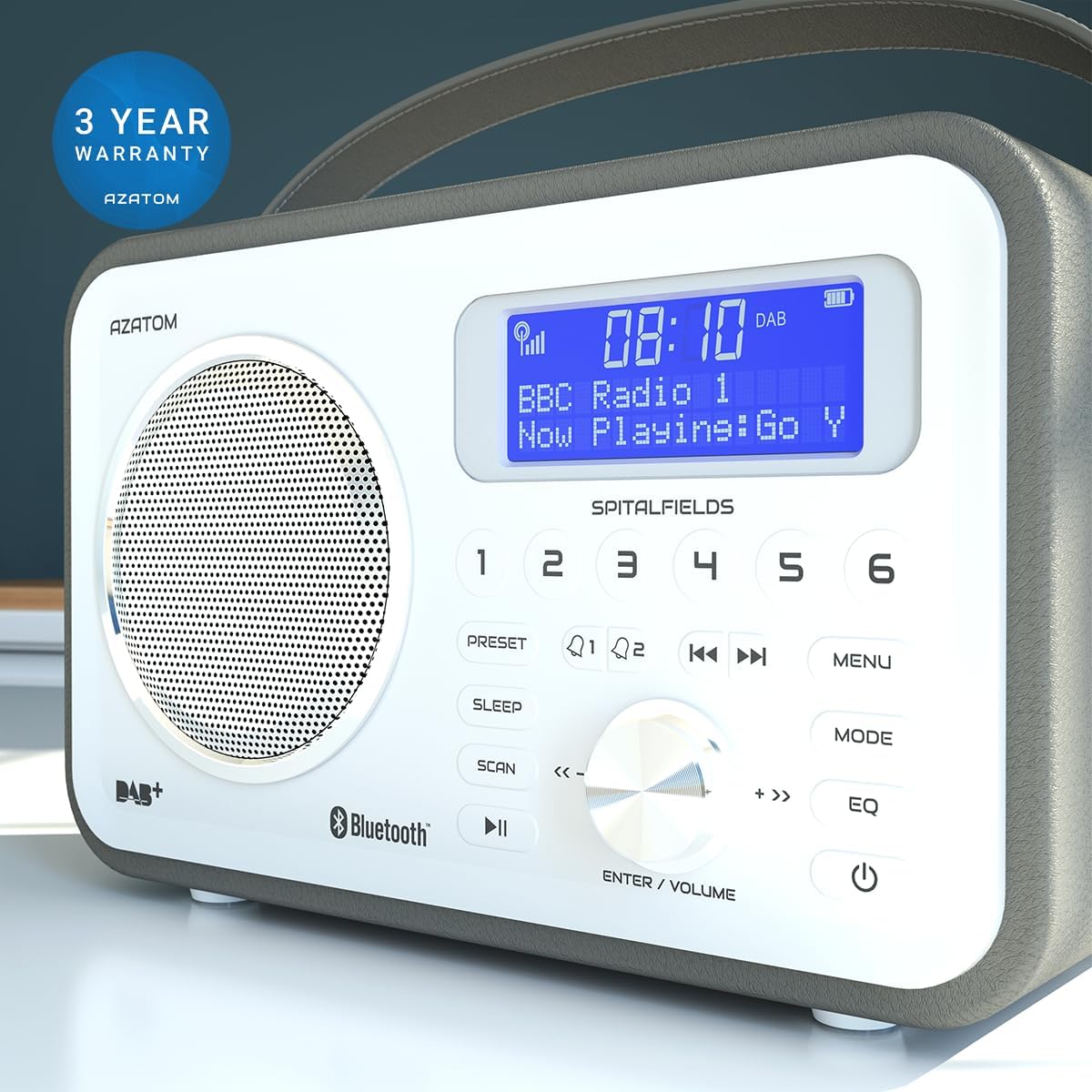
The AZATOM Spitalfields 2 radio comes with a 3-سال وارنٽي from the date of purchase. This warranty covers manufacturing defects and faulty workmanship under normal use. Please retain your proof of purchase for warranty claims.
The product is backed by a 3-year warranty, ensuring peace of mind.
The warranty does not cover damage caused by misuse, accident, unauthorized modification, or normal wear and tear. For full terms and conditions, please refer to the AZATOM official webسائيٽ يا ڪسٽمر سپورٽ سان رابطو ڪريو.
ڪسٽمر سپورٽ
If you encounter any issues not covered in this manual or require further assistance, please visit the official AZATOM webسپورٽ وسيلن، اڪثر پڇيا ويندڙ سوالن، ۽ رابطي جي معلومات لاءِ سائيٽ.
Webسائيٽ: www.azatom.com
Please have your model number (AZSPTLSBK1) and purchase details ready when contacting support.


