1. تعارف
This manual provides detailed instructions for the setup, operation, and maintenance of your SANSUI 24 Inch Gaming Monitor, model ES-G24F4. Please read this manual thoroughly before using the product to ensure proper functionality and to prevent damage.
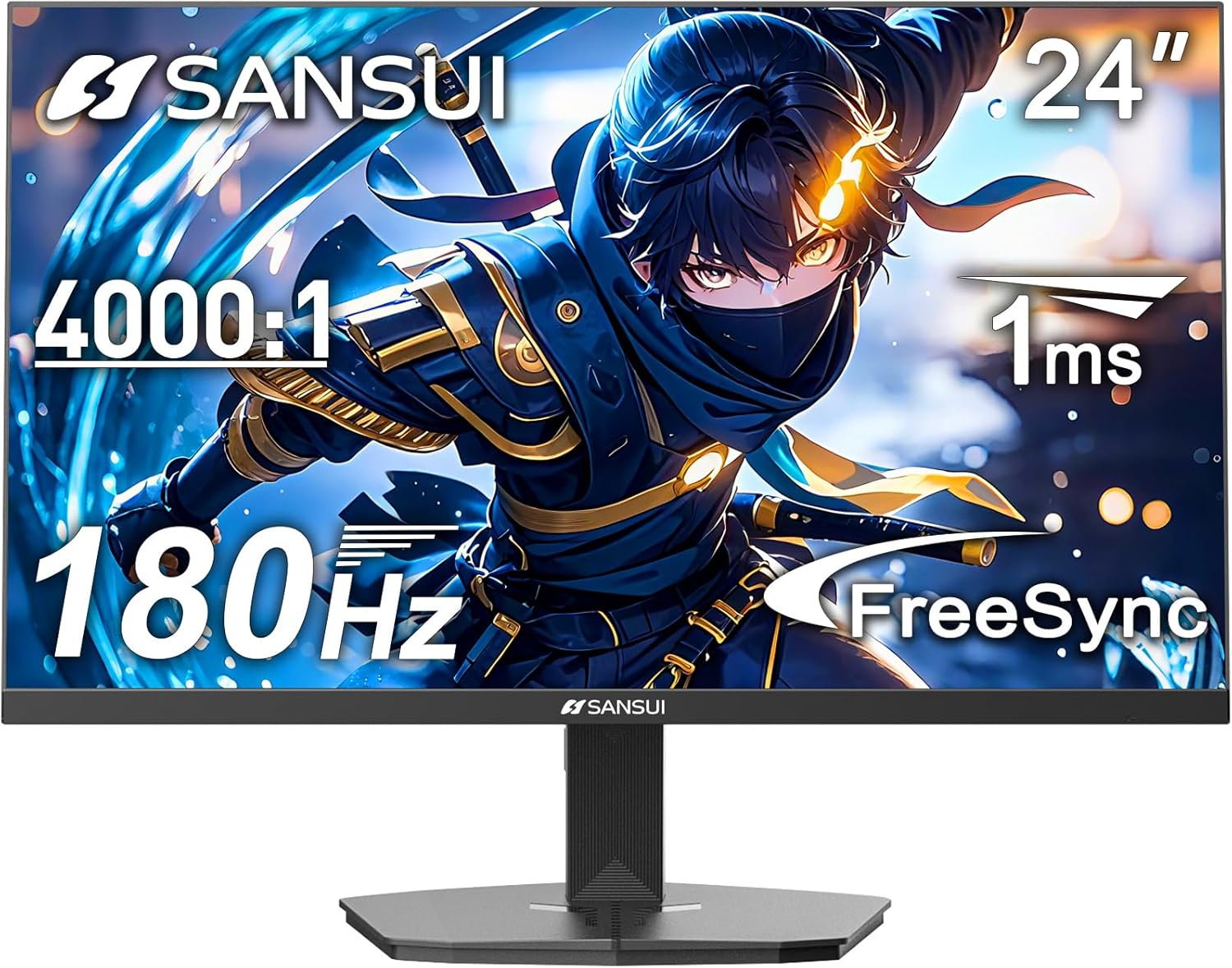
شڪل 1: سامهون view of the SANSUI 24 Inch Gaming Monitor (ES-G24F4).
2. پراڊڪٽ ختمview
The SANSUI ES-G24F4 is a 24-inch Full HD gaming monitor designed for an enhanced visual experience. Key features include:
- ڊسپلي سائيز ۽ قرارداد: 24 Inch Full HD (1920x1080)
- ريفريش جي شرح: 180Hz for smooth visuals
- جواب ڏيڻ جو وقت: 1ms MPRT to minimize motion blur
- رنگ جي گامٽ: 110% sRGB for vibrant and accurate colors
- روشني: 300 نٽس
- موافقت واري هم وقت سازي: Technology to eliminate screen tearing and stuttering
- رابطي: DP 1.4 and HDMI 2.0 Ports (HDMI Cable included)
- چڙهڻ: 75x75mm VESA compatibility
- ايرگونومڪس: Eye care features, stable stand with -5° to 15° tilt, 178° viewزاويه
- آڊيو: No built-in speakers

شڪل 2: ختمview of monitor features.

Figure 3: Multimedia connection options for the monitor.
3. سيٽ اپ
3.1 اسٽينڊ اسيمبلي
The monitor comes with a detachable stand for desktop use. To assemble:
- پيڪنگ مان مانيٽر ۽ اسٽينڊ جي حصن کي احتياط سان هٽايو.
- Attach the base to the stand pillar using the provided screws.
- Align the stand pillar with the mounting slot on the back of the monitor.
- Push the stand firmly into the slot until it clicks into place. Ensure the latch is engaged for a secure connection.
To detach the stand for VESA mounting, pull the latch located on the back of the monitor near the stand connection point, and gently pull the stand away from the monitor.
3.2 ڳنڍيندڙ ڪيبل
Connect the necessary cables to the monitor's ports:
- پاور ڪيبل: Connect the power adapter to the DC input port on the monitor and then to a power outlet.
- وڊيو ڪيبل: Connect one end of the HDMI cable (included) or a DisplayPort (DP) cable to the corresponding port on your computer's graphics card and the other end to the HDMI 2.0 or DP 1.4 port on the monitor.
- آڊيو آئوٽ: If using external speakers or headphones, connect them to the Audio Out port on the monitor.
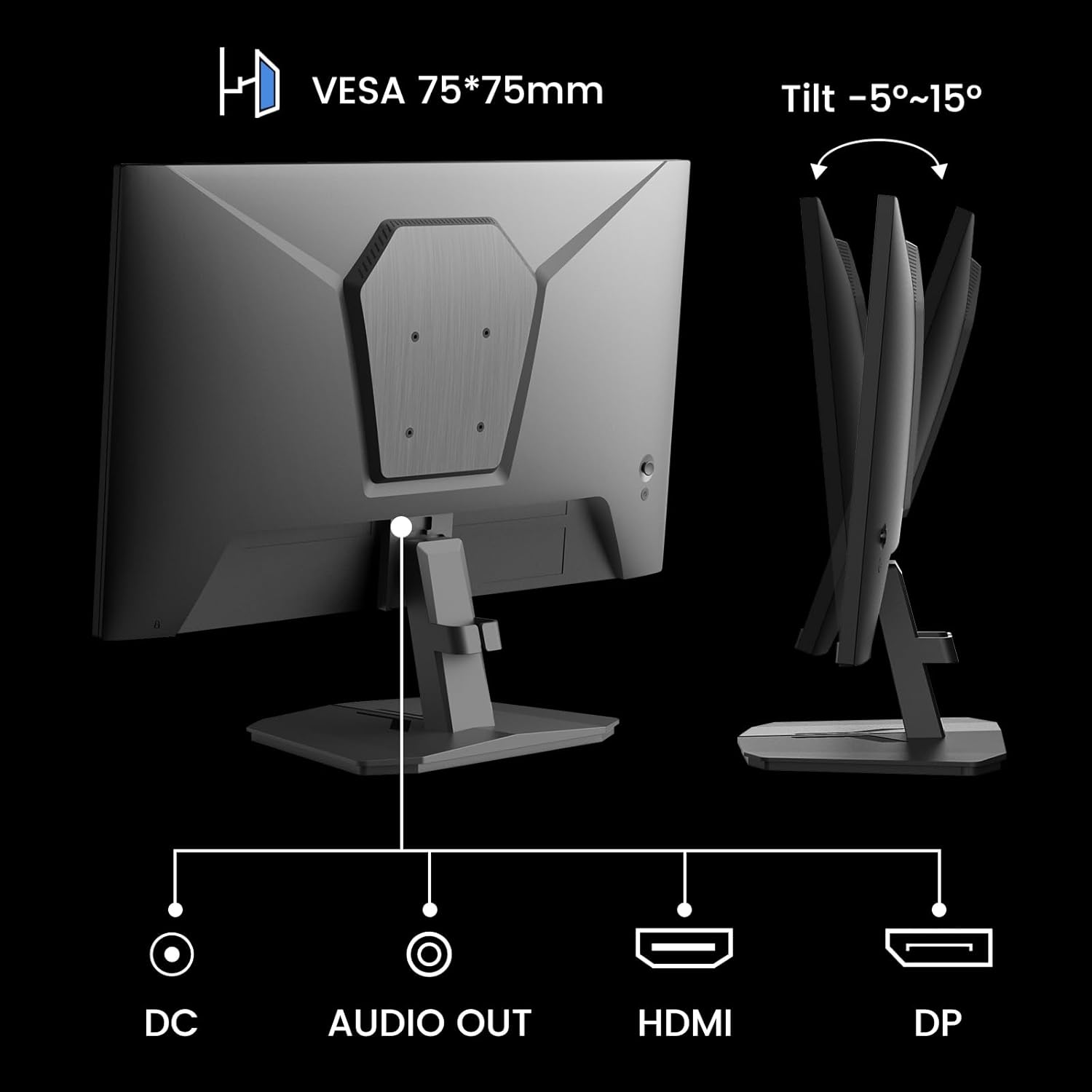
Figure 4: Monitor ports and tilt adjustment.
3.3 VESA چڙهڻ
The monitor supports VESA 75x75mm mounting standards. If you wish to mount the monitor on a wall or an alternative stand, ensure the VESA mount is compatible and can support the monitor's weight (approximately 5.94 pounds).
Video 1: Demonstrates the monitor's thin design and detachable stand, highlighting its suitability for various setups including wall mounting.
4. آپريٽنگ هدايتون
4.1 او ايس ڊي مينيو نيويگيشن
The On-Screen Display (OSD) menu is controlled by buttons located on the back of the monitor. Use these buttons to navigate through settings and adjust display parameters.
4.2 تصويري سيٽنگون
- روشني: اسڪرين جي مجموعي روشني کي ترتيب ڏئي ٿو.
- تضاد: روشن ۽ اونداهي علائقن جي وچ ۾ فرق کي ڪنٽرول ڪري ٿو.
- تيز رفتاري: Enhances the clarity of image edges.
- ڪارو سطح: Adjusts the depth of black colors.
4.3 رنگ سيٽنگون
- گما Adjusts the tone response curve of the display.
- گھٽ نيري روشني: Reduces blue light emission for eye comfort.
- رنگ جي درجه حرارت: Selects preset color temperatures (e.g., Warm, Cool, User).
- رنگ/سنترپتي: Fine-tunes color tones and intensity.

Figure 5: Color depth and gamut information.
4.4 گيمنگ موڊس
The monitor offers optimized gaming modes for different genres:
- ايف پي ايس (فرسٽ پرسن شوٽر): Enhances visibility in dark areas.
- آر ٽي ايس (ريئل ٽائيم حڪمت عملي): Optimizes clarity for strategic gameplay.
- ڊوڙ: Provides a smooth and immersive experience for racing games.

Figure 6: Exclusive Gaming Modes (RTS, FPS, Racing).

Figure 7: Different display modes for various content types.
4.5 Adaptive Sync (FreeSync)
Adaptive Sync technology synchronizes the monitor's refresh rate with your graphics card's frame rate, eliminating screen tearing and stuttering for a smoother gaming experience. Ensure this feature is enabled in both the monitor's OSD and your graphics card settings.

Figure 8: FreeSync ON vs. FreeSync OFF comparison.
4.6 HDR Support
The monitor supports HDR (High Dynamic Range) for a clearer display of moving graphics and enhanced visual depth. Enable HDR in your operating system's display settings and ensure it is activated on the monitor if applicable.
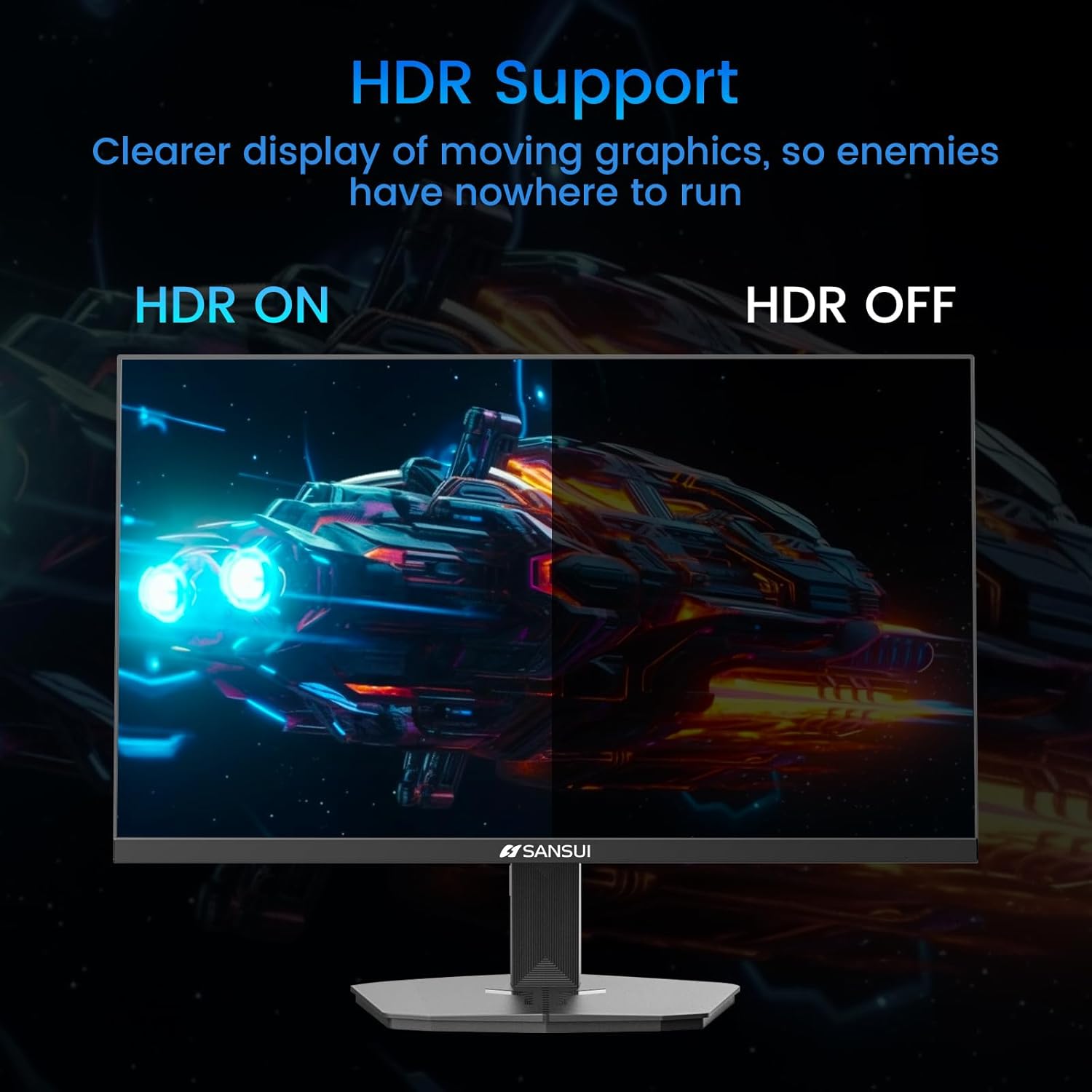
Figure 9: HDR ON vs. HDR OFF comparison.
5. سار سنڀال
پنهنجي مانيٽر جي ڊگهي عمر ۽ بهترين ڪارڪردگي کي يقيني بڻائڻ لاءِ، انهن سار سنڀال جي هدايتن تي عمل ڪريو:
- اسڪرين جي صفائي: استعمال ڪريو نرم، lint-آزاد ڪپڙو روشنيءَ سان ڊيampened with water or a non-ammonia, non-alcohol based screen cleaner. Do not spray liquid directly onto the screen.
- سي جي صفائيasing: مانيٽر کي صاف ڪرڻ لاءِ نرم، سڪل ڪپڙو استعمال ڪريو casing. گھڙڻ وارا صاف ڪندڙ کان پاسو ڪريو.
- وينٽيليشن: پڪ ڪريو ته مانيٽر جي وينٽيليشن جا سوراخ بند نه آهن ته جيئن وڌيڪ گرم ٿيڻ کان بچي سگهجي.
- بجلي بند: صاف ڪرڻ کان اڳ يا جيڪڏهن اهو ڊگهي عرصي تائين استعمال نه ڪيو ويندو ته مانيٽر کي هميشه بند ڪريو ۽ ان کي پاور آئوٽليٽ مان ان پلگ ڪريو.
6. مسئلا حل ڪرڻ
جيڪڏهن توهان کي پنهنجي مانيٽر سان مسئلا درپيش اچن ٿا، ته هيٺ ڏنل عام مسئلن ۽ حلن جو حوالو ڏيو:
| مسئلو | ممڪن سبب | حل |
|---|---|---|
| اسڪرين تي ڪوبه تصوير نه آهي | Power cable disconnected, video cable loose, incorrect input source. | Check power and video cable connections. Select the correct input source via the OSD menu. |
| تصوير جو ٽمٽار يا بگاڙ | Faulty video cable, refresh rate mismatch, Adaptive Sync issue. | Replace video cable. Ensure refresh rate is set correctly in OS. Check Adaptive Sync settings. |
| رنگ غلط نظر اچن ٿا | Incorrect color settings, HDR not enabled/disabled properly. | Adjust color settings in OSD. Verify HDR settings in OS and monitor. |
| Monitor wobbles on desk | Stand not securely attached, uneven surface. | Ensure stand is fully clicked into place. Place monitor on a stable, level surface. |
If the problem persists after attempting these solutions, please contact SANSUI customer support for further assistance.
7. وضاحتون
| خاصيت | تفصيل |
|---|---|
| ماڊل نمبر | ES-G24F4 |
| اسڪرين جي ماپ | 24 انچ |
| قرارداد | 1920 x 1080 (مڪمل HD) |
| ريفريش جي شرح | 180Hz |
| جوابي وقت | 1ms MPRT |
| روشني | 300 نٽس |
| رنگ گامٽ | 110٪ sRGB |
| اسپيڪٽ ريشو | 16:9 |
| Viewزاويه | 178° (افقي/عمودي) |
| رابطي | 1x ڊسپلي پورٽ 1.4، 2x HDMI 2.0، 1x آڊيو آئوٽ |
| VESA مطابقت | 75x75mm |
| جھلڻ جي ترتيب | -5° کان 15° |
| شيءِ جو وزن | 5.94 پائونڊ |
| شامل ڪيبل | 1.5m HDMI ڪيبل |

شڪل 10: پيداوار جا طول و عرض.
8. وارنٽي ۽ سپورٽ
SANSUI provides the following support for your monitor:
- وارنٽي: A 30-day money-back and free replacement warranty from the order date.
- ٽيڪنيڪل سپورٽ: لائف ٽائيم ٽيڪنيڪل سپورٽ موجود آهي.
For warranty claims, technical assistance, or any product-related inquiries, please contact SANSUI customer service through their official channels.

Figure 11: Warranty and support details.


