1. تعارف
Thank you for choosing the HOCO EW50 Bluetooth 5.3 TWS Earbuds. These earbuds are designed to provide a high-quality audio experience with features such as Active Noise Cancellation, deep bass, and touch controls. This manual will guide you through the setup, operation, and maintenance of your new earbuds.
2. حفاظت جي ڄاڻ
- پيداوار کي جدا يا تبديل نه ڪريو.
- ائربڊس ۽ چارجنگ ڪيس کي انتهائي گرمي پد، نمي ۽ مائعات کان پري رکو.
- ٻڌڻ جي نقصان کي روڪڻ لاءِ وڏي مقدار ۾ گهڻي وقت تائين ٻڌڻ کان پاسو ڪريو.
- ائربڊس ۽ چارجنگ ڪيس کي نرم، سڪل ڪپڙي سان صاف ڪريو. سخت ڪيميڪل استعمال نه ڪريو.
- مقامي ضابطن جي مطابق ذميواري سان پيداوار کي ختم ڪريو.
3. پراڊڪٽ ختمview
The HOCO EW50 earbuds consist of two wireless earbuds and a portable charging case. The case not only protects the earbuds but also recharges them on the go.
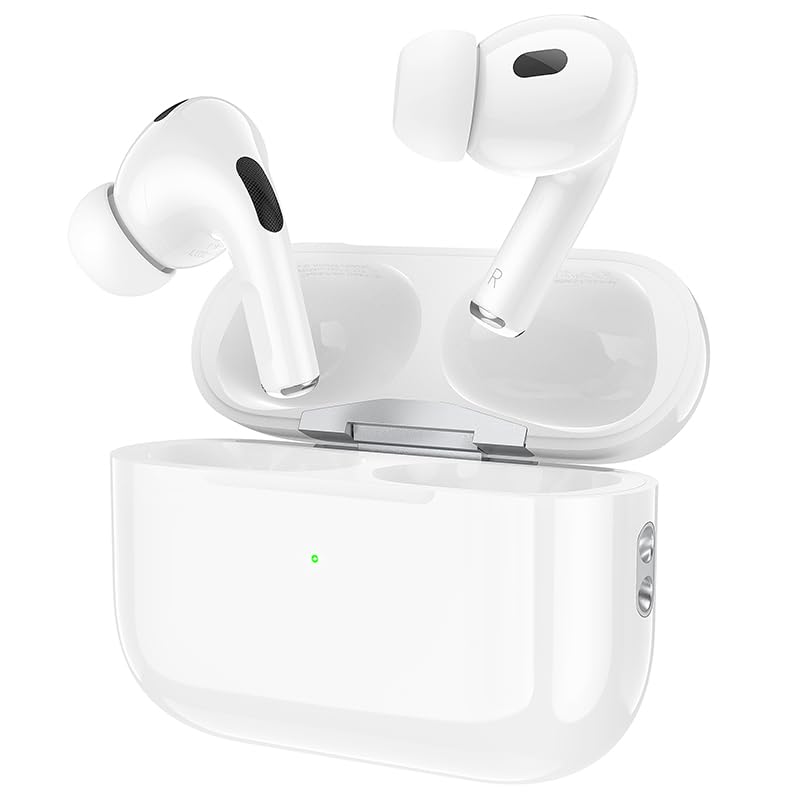
Image: HOCO EW50 Earbuds shown inside their open charging case.
دٻي ۾ ڇا آهي:
- HOCO EW50 Earbuds (Left and Right)
- وائرليس چارجنگ ڪيس
- USB چارجنگ ڪيبل
- ڪنن جا کشن (مختلف سائز)
- حفاظتي ڪيس
- استعمال ڪندڙ دستي
4. سيٽ اپ
4.1 ائربڊس ۽ ڪيس کي چارج ڪرڻ
Before first use, fully charge the earbuds and the charging case. Place the earbuds into the charging case. Connect the charging case to a USB power source using the provided USB cable. The indicator light on the case will show the charging status.
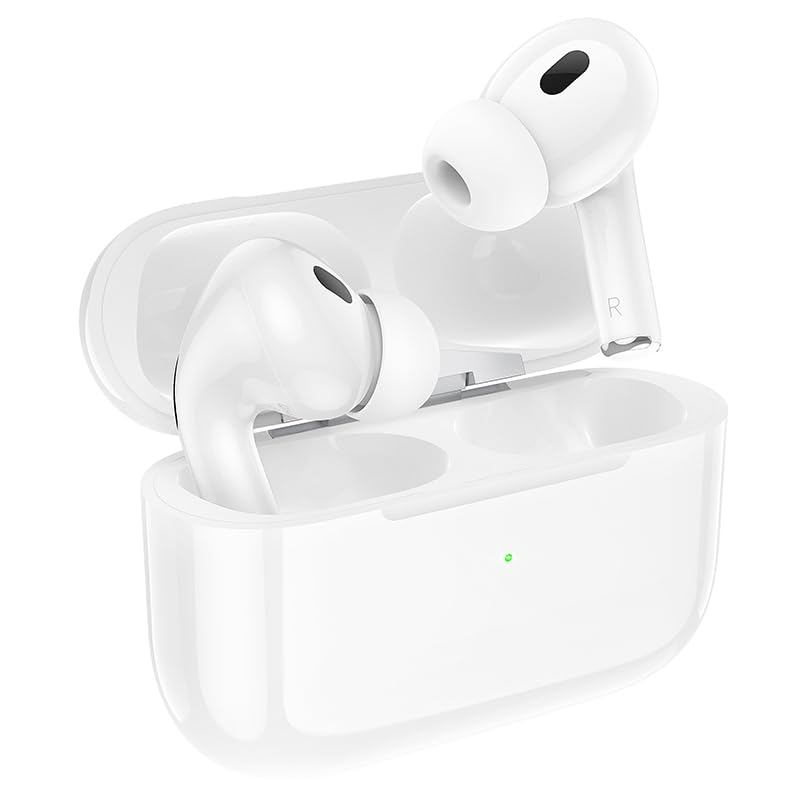
Image: HOCO EW50 Earbuds resting in their charging case, with a visible charging indicator light.
- چارج ڪيس بيٽري: 300mAh
- Earbuds پلے بیک وقت: 50 ڪلاڪن تائين (چارجنگ ڪيس سان)
- چارج ڪرڻ وقت: Approximately 1 hour for full charge.
4.2 ڊوائيس سان جوڙڻ
- پڪ ڪريو ته ائربڊس چارج ٿيل آهن ۽ چارجنگ ڪيس ۾ رکيل آهن.
- Open the charging case lid. The earbuds will automatically enter pairing mode, and an indicator light will flash.
- پنهنجي ڊوائيس (اسمارٽ فون، ٽيبليٽ، ليپ ٽاپ) تي، بلوٽوٿ کي فعال ڪريو.
- ڳولھيو available Bluetooth devices and select "HOCO EW50" from the list.
- هڪ دفعو ڳنڍيل، هڪ وائس پرامپٽ ڪامياب جوڙڻ جي تصديق ڪندو.
- ڪيس مان ڪڍڻ تي ائربڊس پاڻمرادو آخري جوڙيل ڊوائيس سان ٻيهر ڳنڍجي ويندا.
5. آپريٽنگ هدايتون
5.1 پاور آن/آف
- پاور آن: چارجنگ ڪيس کوليو، ۽ ائربڊ پاڻمرادو پاور آن ٿي ويندا.
- بجلي بند: ائربڊس کي واپس چارجنگ ڪيس ۾ رکو ۽ ڍڪ بند ڪريو. اهي خودڪار طريقي سان بند ٿي ويندا ۽ چارج ٿيڻ شروع ٿي ويندا.
5.2 ٽچ ڪنٽرول
The HOCO EW50 earbuds feature pressure-sensitive touch controls on each earbud for easy management of music and calls.
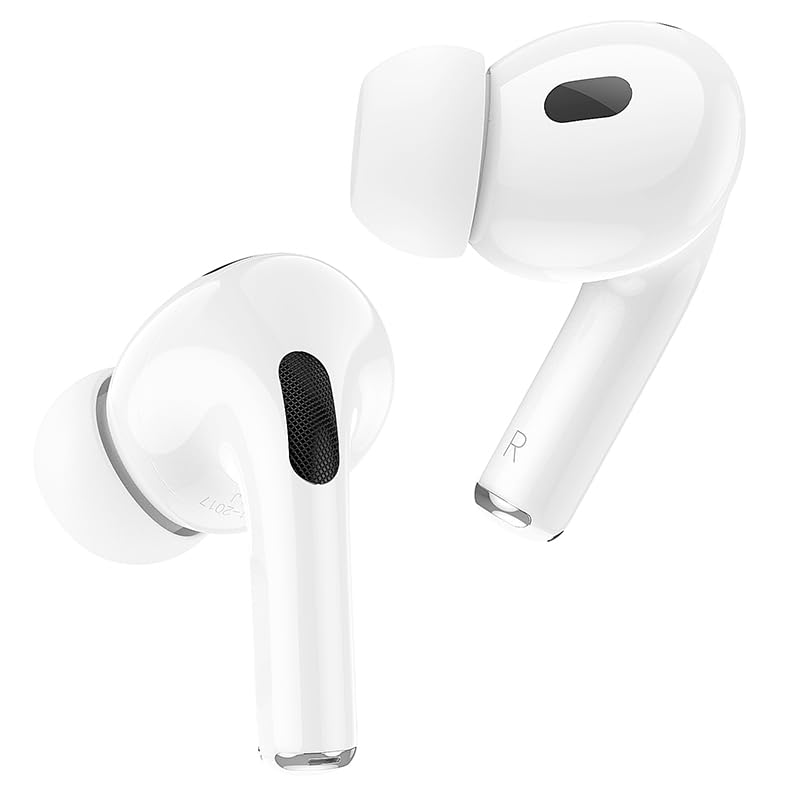
Image: Individual HOCO EW50 Earbuds displayed outside their charging case, highlighting their design.
| عمل | فنڪشن |
|---|---|
| سنگل ٽيپ (کاٻي/ساڄي) | موسيقي هلايو/روڪيو، ڪال جو جواب ڏيو/ختم ڪريو |
| ڊبل ٽيپ (ساڄي) | ايندڙ ٽريڪ |
| ٻٽي ٽيپ (کاٻي) | اڳيون ٽريڪ |
| ٽي ڀيرا ٽيپ ڪريو (کاٻي/ساڄي) | وائس اسسٽنٽ کي چالو ڪيو (سيري ، گوگل اسسٽنٽ) |
| ڊگھو دٻايو (کاٻي/ساڄي) | فعال شور منسوخي (ANC) / شفافيت موڊ کي ٽوگل ڪريو |
| ڊگھو پريس (انڪمنگ ڪال) | ڪال رد ڪريو |
5.3 فعال شور منسوخي (ANC) / شفافيت موڊ
The HOCO EW50 features Active Noise Cancellation to reduce ambient noise and Transparency Mode to allow you to hear your surroundings. Long press either earbud to cycle through ANC On, Transparency Mode, and ANC Off.
5.4 گيمنگ موڊ
For an enhanced gaming experience with reduced audio latency, activate Gaming Mode. Refer to the specific instructions for activating Gaming Mode, usually a specific touch gesture or setting within a companion app if available.
5.5 ڪالون ڪرڻ/ وصول ڪرڻ
- جواب ڏيو ڪال: ڪنهن به ائربڊ تي هڪ ڀيرو ٽيپ ڪريو.
- ڪال ختم ڪريو: ڪال دوران ڪنهن به ائربڊ تي هڪ ڀيرو ٽيپ ڪريو.
- ڪال رد ڪريو: Long press either earbud during an incoming call.
- The built-in microphone ensures clear communication during calls.
6. سار سنڀال
6.1 صفائي
- Regularly clean the earbuds and charging case to maintain optimal performance.
- مٿاڇري کي صاف ڪرڻ لاءِ نرم، سڪل، لِنٽ کان پاڪ ڪپڙو استعمال ڪريو.
- Gently remove any earwax or debris from the earbud mesh and charging contacts using a clean, dry cotton swab or a small, soft brush.
- Do not use liquids, sprays, or chemical cleaners.
6.2 اسٽوريج
- جڏهن استعمال ۾ نه هجي، ته ائربڊس کي انهن جي چارجنگ ڪيس ۾ محفوظ ڪريو ته جيئن انهن جي حفاظت ٿئي ۽ انهن کي چارج رکيو وڃي.
- پراڊڪٽ کي ٿڌي، سڪل جاءِ تي، سڌي سج جي روشني ۽ انتهائي گرمي پد کان پري رکو.
6.3 پاڻي جي مزاحمت
The HOCO EW50 earbuds are sweatproof and water-resistant, making them suitable for workouts and outdoor activities. However, they are not waterproof and should not be submerged in water. Avoid exposure to heavy rain or showering with the earbuds.
7. مسئلا حل ڪرڻ
If you encounter any issues with your HOCO EW50 earbuds, please refer to the following common solutions:
| مسئلو | حل |
|---|---|
| ائربڊس نه ملائي رهيا آهن | Ensure earbuds are charged. Place them in the case, close, then open the lid to re-enter pairing mode. Turn off and on Bluetooth on your device. Forget "HOCO EW50" from your device's Bluetooth list and try pairing again. |
| هڪ earbud مان ڪوبه آواز ناهي | Check battery level of both earbuds. Place both earbuds back in the case, close the lid, then take them out again. Re-pair with your device. |
| ائربڊس چارج نه ٿي رهيا آهن | Ensure the charging cable is securely connected to both the case and the power source. Check if the charging contacts on the earbuds and in the case are clean and free of debris. Try a different charging cable or power adapter. |
| گهٽ آواز يا خراب آواز جو معيار | Adjust volume on both your device and the earbuds. Ensure earbud tips are clean and properly seated in your ears for a good seal. Try different sized ear cushions. |
| ٽچ ڪنٽرول جواب نه ڏئي رهيا آهن | پڪ ڪريو ته توهان جون آڱريون صاف ۽ سڪل آهن. ائربڊس کي ڪيس ۾ رکي ۽ ٻيهر ڪڍي ٻيهر شروع ڪرڻ جي ڪوشش ڪريو. |
8. وضاحتون
| خاصيت | تفصيل |
|---|---|
| ماڊل نالو | ايڪسڪسينڪس |
| رابطي ٽيڪنالاجي | وائرليس (بلوٽوٿ 5.3) |
| شور ڪنٽرول | فعال شور منسوخي |
| ڪنٽرول جو طريقو | ڇڪڻ |
| پلے بیک وقت | 50 ڪلاڪن تائين (چارجنگ ڪيس سان) |
| چارج ڪيس جي بيٽري | 300mAh |
| پاڻي جي مزاحمت جي سطح | پاڻي مزاحمتي (پگهر کان بچاءُ وارو) |
| شامل اجزاء | Cable, Ear Cushions, Protective Case, Wireless Charging Case |
| شيءِ جو وزن | 57 گرام |
| پيداوار جي ماپ | 4.5 x 6 x 2 سينٽي |
| مواد | پلاسٽڪ |
| ڪن جي جڳهه | ڪن ۾ |
9. وارنٽي ۽ سپورٽ
The HOCO EW50 Earbuds come with a 1-سال وارنٽي خريداري جي تاريخ کان. هي وارنٽي پيداوار جي خرابين کي ڍڪيندي آهي ۽ يقيني بڻائي ٿي ته توهان جي پيداوار عام استعمال هيٺ مواد ۽ ڪاريگري جي خامين کان پاڪ آهي.
For warranty claims, technical support, or any inquiries, please contact your retailer or the HOCO customer service department. Please retain your proof of purchase for warranty validation.


