1. تعارف
The OLIGHT Warrior Nano is a compact and powerful tactical flashlight designed for everyday carry (EDC), outdoor activities, and emergency situations. It features a maximum output of 1200 lumens, a throw distance of 135 meters, and a versatile dual-switch interface. This manual provides detailed instructions for the safe and effective use of your Warrior Nano flashlight.

Image 1.1: The OLIGHT Warrior Nano Tactical Flashlight.
2. پيڪيج مواد
Please inspect the package contents upon receipt. If any items are missing or damaged, contact your retailer or OLIGHT customer service.
- Warrior Nano Flashlight (battery included) x 1
- MCC-1A Magnetic Charging Cable x 1
- L-Stand x 1
- يوزر مينوئل x 1

Image 2.1: All items included in the Warrior Nano package.
3. سيٽ اپ ۽ شروعاتي استعمال
3.1. بيٽري کي چارج ڪرڻ
The Warrior Nano comes with a rechargeable battery. Before first use, or when the battery indicator shows low power, fully charge the device.
- Connect the MCC-1A magnetic charging cable to a USB power source.
- Attach the magnetic end of the cable to the tail cap of the flashlight. The indicator on the charging cable will glow red during charging and turn green when fully charged.
مڪمل چارج ٿيڻ ۾ عام طور تي لڳ ڀڳ 2 ڪلاڪ لڳن ٿا.

Image 3.1: Charging the Warrior Nano using the magnetic charging cable.
3.2. بيٽري جي سطح اشارو
The side switch features a tri-color battery indicator to show the remaining power:
- سائو: Battery level is greater than 60%.
- نارنگي: بيٽري جي سطح 10٪ ۽ 60٪ جي وچ ۾ آهي.
- ڳاڙهو: بيٽري جي سطح 10٪ کان گهٽ آهي.

Image 3.2: The tri-color battery indicator on the side switch.
4. آپريشن
The Warrior Nano features both a side switch for general use and a tail switch for tactical operations.
4.1. سائڊ سوئچ آپريشن
- آن/بند ڪريو: Single click the side switch to turn the flashlight on or off.
- روشني جي سطح تبديل ڪريو: When the flashlight is on, press and hold the side switch to cycle through Moonlight, Low, Medium, and High modes. Release the switch to select the desired mode.
- چنڊ لائيٽ موڊ: When the flashlight is off, press and hold the side switch for approximately one second to activate Moonlight mode.
- ٽربو موڊ: Double click the side switch to activate Turbo mode. Double click again to return to the previous mode.
- اسٽروب موڊ: Triple click the side switch to activate Strobe mode. Single click to exit.
4.2. ٽيل سوئچ آپريشن
- Momentary High: Half-press and hold the tail switch for momentary High output. Release to turn off.
- Constant High: Full-press the tail switch for constant High output. Full-press again to turn off.
- لمحاتي ٽربو: Full-press and hold the tail switch for momentary Turbo output. Release to turn off.
- Constant Turbo: Double full-press the tail switch for constant Turbo output. Full-press again to turn off.
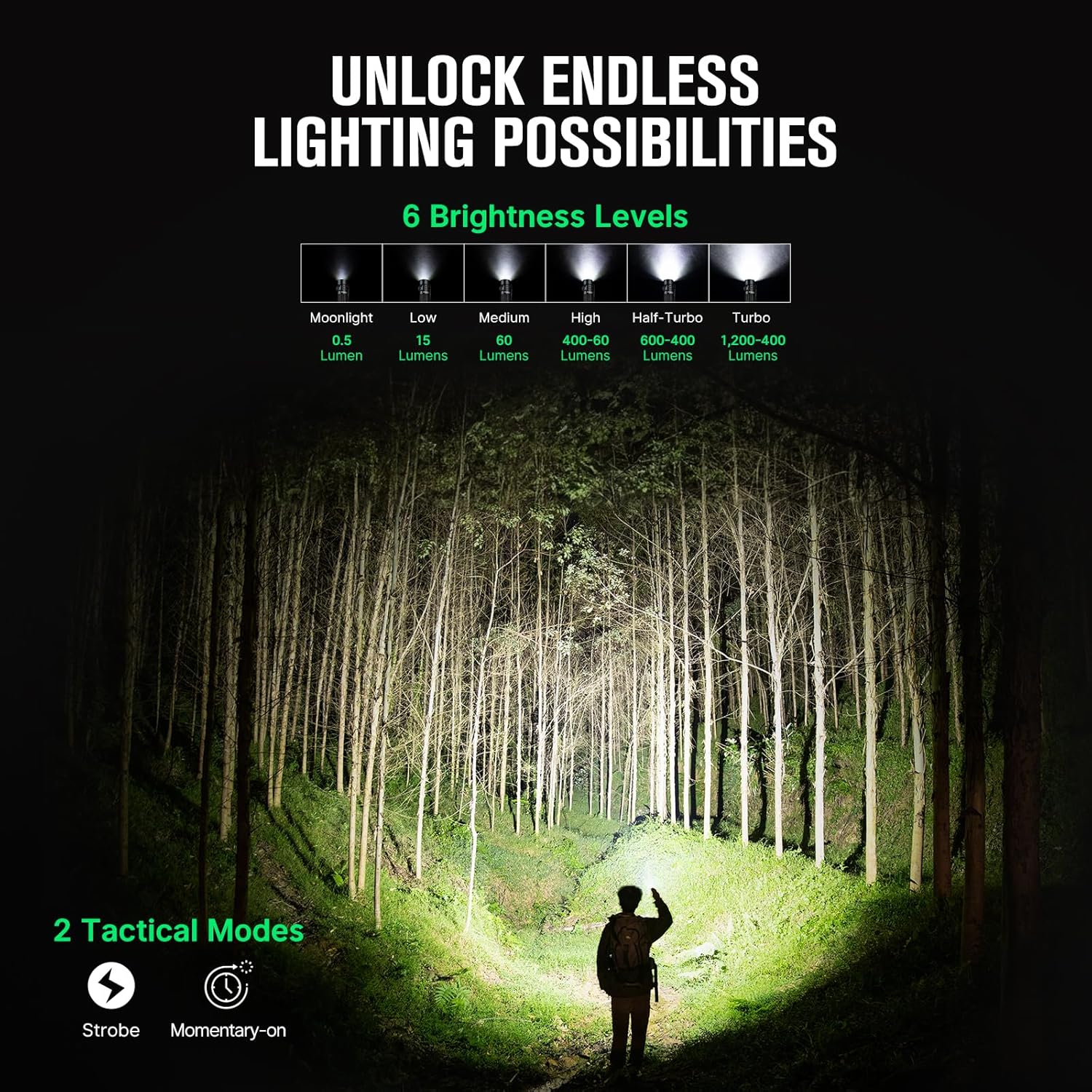
Image 4.1: Available brightness levels and tactical modes.
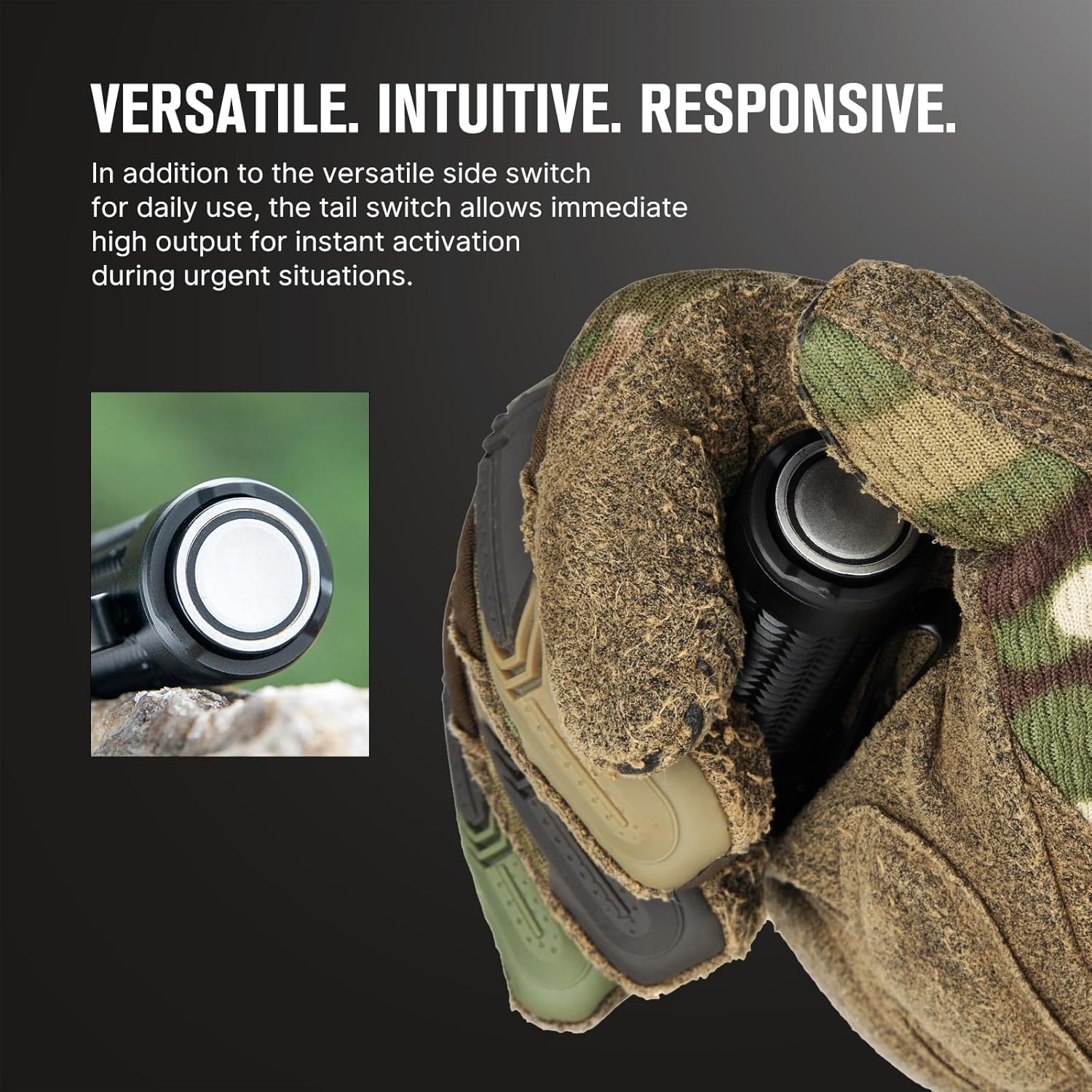
Image 4.2: The side switch for daily use and the tail switch for tactical activation.
4.3. Lockout Feature
To prevent accidental activation, the Warrior Nano includes a lockout feature.
- لاڪ آئوٽ چالو ڪريو: When the flashlight is off, press and hold the side switch for approximately two seconds until the Moonlight mode briefly turns on and then off. The flashlight is now locked out.
- لاڪ آئوٽ کي غير فعال ڪريو: Press and hold the side switch for approximately two seconds until the Moonlight mode turns on. The flashlight is now unlocked.

Image 4.3: The lockout feature prevents accidental activation when carrying the flashlight.
5. سار سنڀال
Proper maintenance ensures the longevity and optimal performance of your Warrior Nano flashlight.
- صفائي: Clean the lens with a soft, clean cloth. For stubborn dirt, use a cotton swab dampشراب bingڪڻ سان.
- لوڻ: پاڻي جي مزاحمت برقرار رکڻ لاءِ وقت بوقت او-رنگز تي سلڪون گريس جي پتلي پرت لڳايو.
- اسٽوريج: Store the flashlight in a cool, dry place. For long-term storage, it is recommended to charge the battery every 3-6 months to prevent over-discharge.
5.1. پاڻي جي مزاحمت
The Warrior Nano is designed with water resistance to withstand various environmental conditions.

Image 5.1: The Warrior Nano is designed to be water resistant.
6. مسئلا حل ڪرڻ
If you encounter issues with your Warrior Nano, please refer to the following common problems and solutions:
| مسئلو | ممڪن سبب | حل |
|---|---|---|
| ٽارچ آن نه ٿي | Low battery; Lockout mode active; Loose tail cap | Charge battery; Deactivate lockout mode; Tighten tail cap |
| روشني جي پيداوار گهٽجي وئي آهي | Low battery; Lens is dirty | Charge battery; Clean lens |
| Flashlight gets hot on high modes | Normal operation for high output; Half-Turbo mode engaged | This is normal. The flashlight has a thermal management system to prevent overheating. Use Half-Turbo mode for sustained high output. |
| مقناطيسي چارجنگ ڪم نه ڪري رهي آهي | Charging cable not properly connected; Dirty contact points | Ensure magnetic cable is securely attached; Clean contact points on cable and tail cap. |
If the problem persists, please contact OLIGHT customer support.
7. وضاحتون
| خاصيت | تفصيل |
|---|---|
| وڌ ۾ وڌ آئوٽ | 1200 Lumens |
| وڌ ۾ وڌ اڇلائي | 135 ميٽر |
| طاقت جو ذريعو | Rechargeable Lithium-Ion بيٽري |
| روشني جو ذريعو قسم | ايل اي ڊي |
| مواد | المونيم مصر |
| طول و عرض (L x D) | 3.18" x 0.9" (81 ملي ميٽر x 23 ملي ميٽر) |
| وزن | 6.4 آونس (0.18 ڪلوگرام) |
| پاڻي جي مزاحمت | Water Resistant (IPX8 equivalent) |
| خاص خاصيتون | Dual Switches, Tri-color Battery Indicator, Half-Turbo Mode, Lockout Feature |
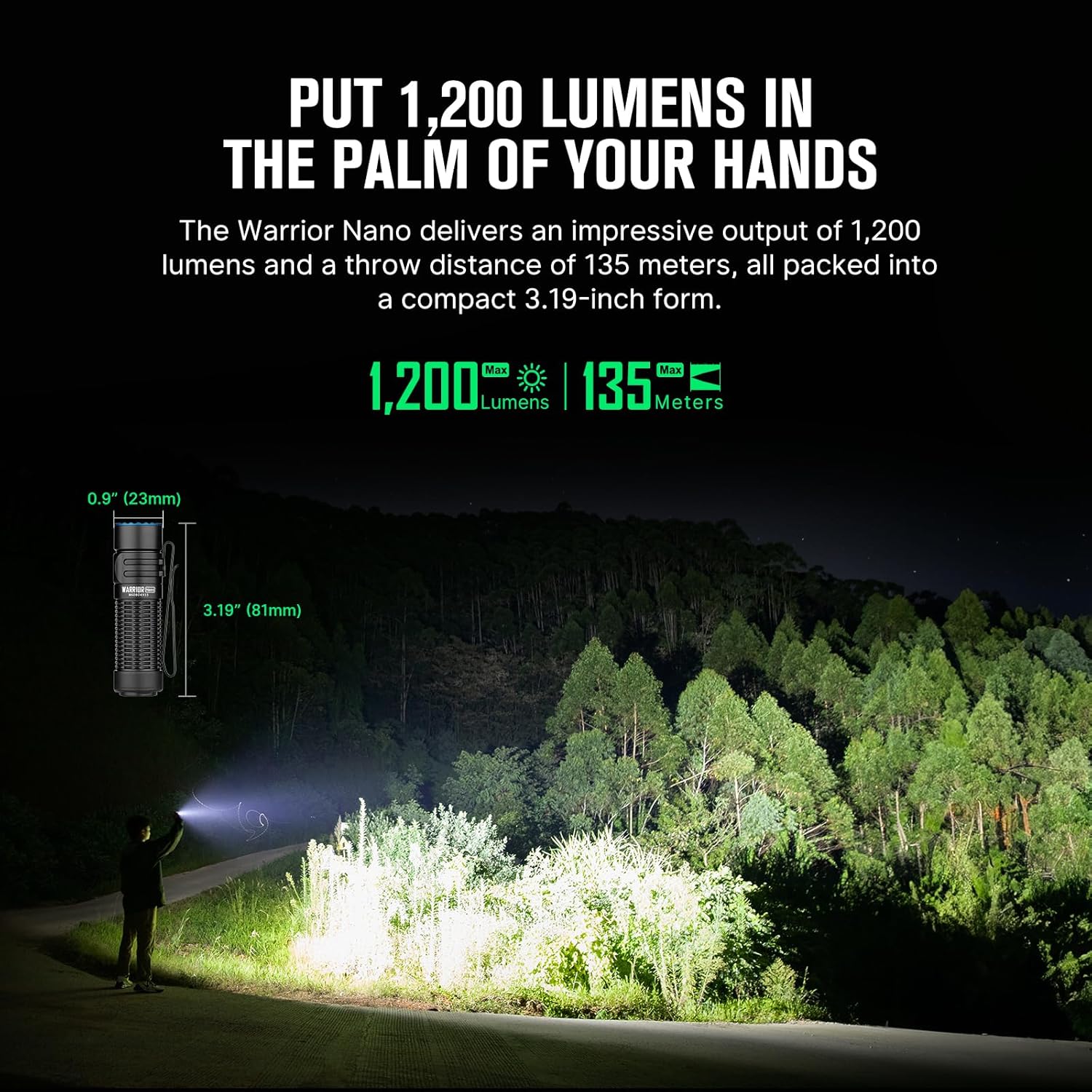
Image 7.1: Dimensions and performance metrics of the Warrior Nano.
8. وارنٽي ۽ سپورٽ
8.1. وارنٽي ڄاڻ
OLIGHT offers a لائف ٽائيم وارنٽي on its products, ensuring quality and reliability. For specific terms and conditions, please refer to the official OLIGHT webسائيٽ يا ڪسٽمر سروس سان رابطو ڪريو.
8.2. ڪسٽمر سپورٽ
For further assistance, technical support, or warranty claims, please visit the official OLIGHT webسائيٽ تي وڃو يا انهن جي ڪسٽمر سروس ڊپارٽمينٽ سان رابطو ڪريو. توهان پڻ دورو ڪري سگهو ٿا Amazon تي OLIGHT اسٽور وڌيڪ پراڊڪٽ جي معلومات ۽ سپورٽ وسيلن لاءِ.


