تعارف
خريد ڪرڻ لاءِ مهربانيasing the BLOW BT500 Portable Bluetooth Speaker. This manual provides essential information for the safe and efficient use of your device. Please read it thoroughly before operation and keep it for future reference.
The BT500 is a compact wireless speaker featuring Bluetooth connectivity, a powerful rechargeable battery, volume control, FM radio, a microSD card slot, and a USB input. It is designed for versatile audio playback on the go.
پيڪيج مواد
- BLOW BT500 Bluetooth Speaker
- مائڪرو USB چارجنگ ڪيبل
- 3.5mm Mini Jack Audio Cable
- کڻندڙ پٽي

Image: The BLOW BT500 speaker shown with its included accessories: a micro USB charging cable, a 3.5mm mini jack audio cable, and a carrying strap. The speaker itself is black with a mesh grille and control buttons on top.
پيداوار ختمview

Image: A front-angled view of the BLOW BT500 portable Bluetooth speaker. It is cylindrical, black, with a textured mesh exterior and a red 'B' logo on the front. A black carrying strap is attached.

تصوير: هڪ پاسي view of the BLOW BT500 speaker, highlighting the control panel on the top surface. Buttons for Bluetooth, power, mode, volume up/next track, and volume down/previous track are visible.
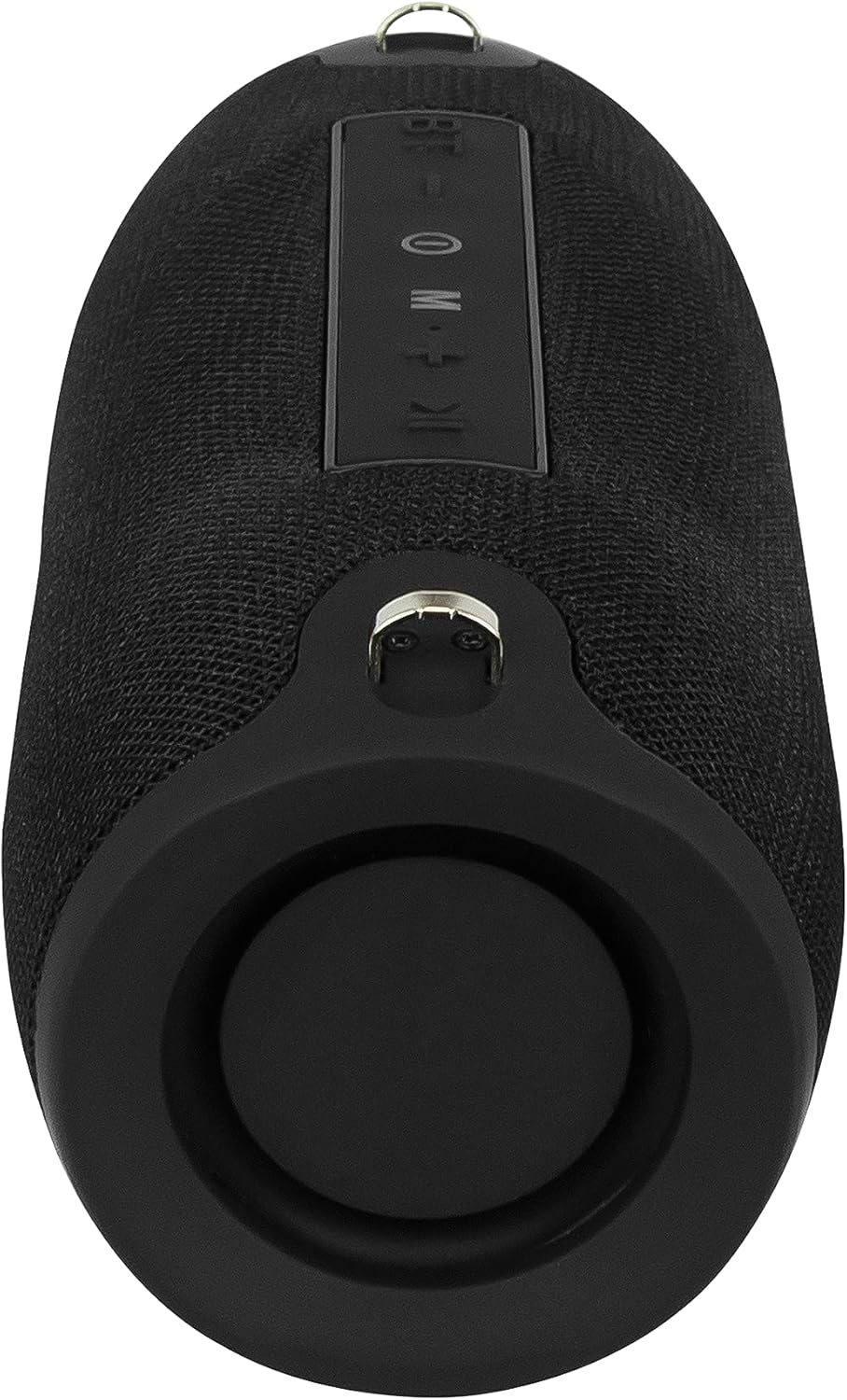
تصوير: پوئين پاسي view of the BLOW BT500 speaker, showing the protected port area. This area typically houses the charging port, USB input, and microSD card slot, covered by a rubber flap for protection.
سيٽ اپ ڪريو
اسپيڪر کي چارج ڏيڻ
Before first use, fully charge the speaker. Connect the supplied micro USB cable to the speaker's charging port and the other end to a USB power source (e.g., computer USB port, USB wall adapter). The charging time is approximately 5-6 hours.
The charging indicator light will typically show red during charging and turn off or change color when fully charged.
کڻڻ واري پٽي کي ڳنڍڻ
Attach the included carrying strap to the designated loops on either end of the speaker for easy portability.
آپريٽنگ هدايتون
پاور آن / آف
- پاور آن ڪرڻ لاءِ، دٻايو ۽ رکو پاور بٽڻ جيستائين توهان هڪ ٻڌڻ وارو اشارو نه ٻڌو.
- بجلي کي بند ڪرڻ لاءِ ، دٻايو ۽ رکو پاور بٽڻ ٻيهر جيستائين اسپيڪر بند نه ٿئي.
بلوٽوٽ موڊ
Upon powering on, the speaker will automatically enter Bluetooth pairing mode, indicated by a flashing LED light. If not, press the موڊ (M) بٽڻ بلوٽوٽ موڊ ۾ تبديل ڪرڻ لاءِ.
- پنهنجي اسمارٽ فون، ٽيبليٽ، يا ٻئي ڊوائيس تي بلوٽوٿ کي فعال ڪريو.
- ڳولھيو موجود Bluetooth ڊوائيسز.
- چونڊيو "بي ٽي 500"فهرست مان.
- Once paired, the speaker will confirm with an audible prompt, and the LED light will become solid.
- You can now play audio from your connected device.
بلوٽوٿ جي حد تقريبن 10 ميٽر (33 فوٽ) آهي.
ايف ايم ريڊيو موڊ
کي دٻايو موڊ (M) بٽڻ FM ريڊيو موڊ تي سوئچ ڪرڻ لاء.
- اسٽيشنن کي خودڪار اسڪين ڪرڻ ۽ محفوظ ڪرڻ لاءِ، دٻايو ۽ رکو Play/Pause بٽڻ.
- To switch between saved stations, use the اڳيون ٽريڪ (حجم ھيٺ) ۽ ايندڙ ٽريڪ (حجم مٿي) بٽڻ.
USB/مائڪرو ايس ڊي ڪارڊ پلے بیک
Insert a USB flash drive or a microSD card (up to 32GB) into the respective slot. The speaker will automatically switch to the corresponding mode and begin playing audio files.
- استعمال ڪريو Play/Pause بٽڻ پلے بیک کي روڪڻ يا ٻيهر شروع ڪرڻ.
- کي دٻايو اڳيون ٽريڪ (حجم ھيٺ) يا ايندڙ ٽريڪ (حجم مٿي) buttons to skip tracks.
ويڪس موڊ
Connect an external audio device (e.g., MP3 player, laptop) to the speaker's 3.5mm AUX input using the supplied mini jack cable. The speaker will automatically switch to AUX mode.
پنهنجي ڳنڍيل ڊوائيس تان پلے بیک ڪنٽرول ڪريو.
حجم ڪنٽرول
- کي دٻايو ۽ رکو حجم مٿي حجم وڌائڻ لاءِ بٽڻ.
- کي دٻايو ۽ رکو حجم ھيٺ حجم گھٽائڻ لاءِ بٽڻ.
سار سنڀال
- اسپيڪر کي سڪل رکو. ان کي پاڻي يا گهڻي نمي جي سامهون نه رکو.
- اسپيڪر کي نرم، سڪل ڪپڙي سان صاف ڪريو. گھڙڻ وارا صاف ڪندڙ يا محلول استعمال نه ڪريو.
- انتهائي گرمي پد کان بچاء.
- Do not disassemble the speaker. This will void the warranty and may cause damage.
- هڪ ٿڌي، سڪل جڳهه ۾ ذخيرو ڪريو جڏهن وڌايل عرصي تائين استعمال ۾ نه هجي.
مشڪلاتون
| مسئلو | ممڪن سبب | حل |
|---|---|---|
| اسپيڪر آن نٿو ٿئي. | بيٽري ختم ٿي وئي آهي. | Charge the speaker fully (5-6 hours). |
| اسپيڪر مان ڪو به آواز نه ٿو اچي. | Volume is too low; Device not connected; Incorrect mode. | Increase speaker and device volume; Ensure proper Bluetooth pairing or AUX connection; Press موڊ (M) بٽڻ صحيح ان پٽ چونڊڻ لاءِ. |
| بلوٽوٽ جوڙڻ ناڪام ٿي. | اسپيڪر پيئرنگ موڊ ۾ نه آهي؛ ڊوائيس تمام پري آهي؛ مداخلت. | Ensure speaker is in Bluetooth mode (flashing LED); Move device closer to speaker (within 10m); Turn off other Bluetooth devices. |
| ايف ايم ريڊيو جي وصولي خراب آهي. | ڪمزور سگنل؛ ماحولياتي مداخلت. | Relocate the speaker to an area with better reception; The charging cable can sometimes act as an antenna, try connecting it. |
وضاحتون
| خاصيت | تفصيل |
|---|---|
| بلوٽوت ورزن | V4.2 |
| بلوٽوٿ رينج | 10 م تائين (33 فوٽ) |
| اسپيڪر آئوٽ | 2 x 6W |
| تعدد جي حد | 100Hz - 20kHz |
| ايف ايم ريڊيو فريڪوئنسي | 87.5 MHz - 108 MHz |
| ميموري ڪارڊ سلاٽ | MicroSD, max 32GB |
| ان پٽ پورٽس | USB, 3.5mm Jack (AUX) |
| موجوده چارج | ڊي سي 5 وي ، 500 ايم ايڇ |
| بلٽ ان بيٽري | 2000mAh |
| چارج ڪرڻ وقت | 5-6 ڪلاڪ |
| راند جو وقت | 7 ڪلاڪ تائين |
| طول و عرض (L x W x H) | 220 x 98.7 x 94.8 ملي ايم (8.66 x 3.89 x 3.73 انچ) |
| وزن | 750 گرام (1.65 پائونڊ) |
| مطابقت رکندڙ ڊوائيسز | Smartphone, tablet, laptop, desktop computer, MP3 player |
| مواد | پلاسٽڪ |
وارنٽي ۽ سپورٽ
BLOW products are known for their quality and reliability. For warranty information and technical support, please refer to the warranty card included with your purchase or visit the official BLOW webسائيٽ. وارنٽي دعوائن لاءِ خريداري جو ثبوت رکو.
For further assistance, you may contact the retailer where you purchased the product.


