تعارف
The Cisco Headset 721 is a wireless on-ear Bluetooth headset designed for professional use, offering comfort and advanced features for communication and collaboration. This manual provides comprehensive instructions for its setup, operation, and maintenance.
دٻي ۾ ڇا آهي
پڪ ڪريو ته سڀئي شيون پيڪيج ۾ موجود آهن:
- Cisco Headset 721 (Single On-Ear Headset)
- USB-A HD Bluetooth Adapter
- چارجنگ اسٽينڊ
- USB-A چارجنگ ڪيبل
- Soft Protective Case
- ڪن جا کشن (پهريان نصب ٿيل يا اضافي)
- هيڊ بينڊ (مربوط)

Image: The Cisco Headset 721 shown alongside its soft protective case, highlighting its portability.
سيٽ اپ ڪريو
1. هيڊ سيٽ کي چارج ڪرڻ
Before initial use, fully charge the headset. The headset has a battery life of approximately 23 hours of talk time.
- USB-A چارجنگ ڪيبل کي چارجنگ اسٽينڊ سان ڳنڍيو.
- Connect the other end of the USB-A charging cable to a powered USB port (e.g., computer, wall adapter).
- Place the headset onto the charging stand, ensuring proper alignment. The LED indicator on the headset will show charging status.
2. بلوٽوت ذريعي ڳنڍڻ
The headset can connect wirelessly to two devices simultaneously via Bluetooth.
- پاور آن: Press and hold the Power button on the headset until the LED indicator flashes.
- پيرسن موڊ With the headset powered on, press and hold the Bluetooth button until the LED indicator flashes blue and red alternately. This indicates pairing mode.
- ڊوائيس جوڙڻ: On your device (e.g., smartphone, laptop), go to Bluetooth settings and select "Cisco Headset 721" from the list of available devices.
- تصديق: The headset LED will turn solid blue when successfully paired.
3. Connecting with USB-A HD Bluetooth Adapter
For optimal performance and integration with Cisco applications, use the provided USB-A HD Bluetooth Adapter.
- Plug the USB-A HD Bluetooth Adapter into an available USB-A port on your computer.
- The adapter will automatically attempt to pair with your Cisco Headset 721. The LED on the adapter will indicate connection status.
- Ensure your headset is in pairing mode if it does not connect automatically.
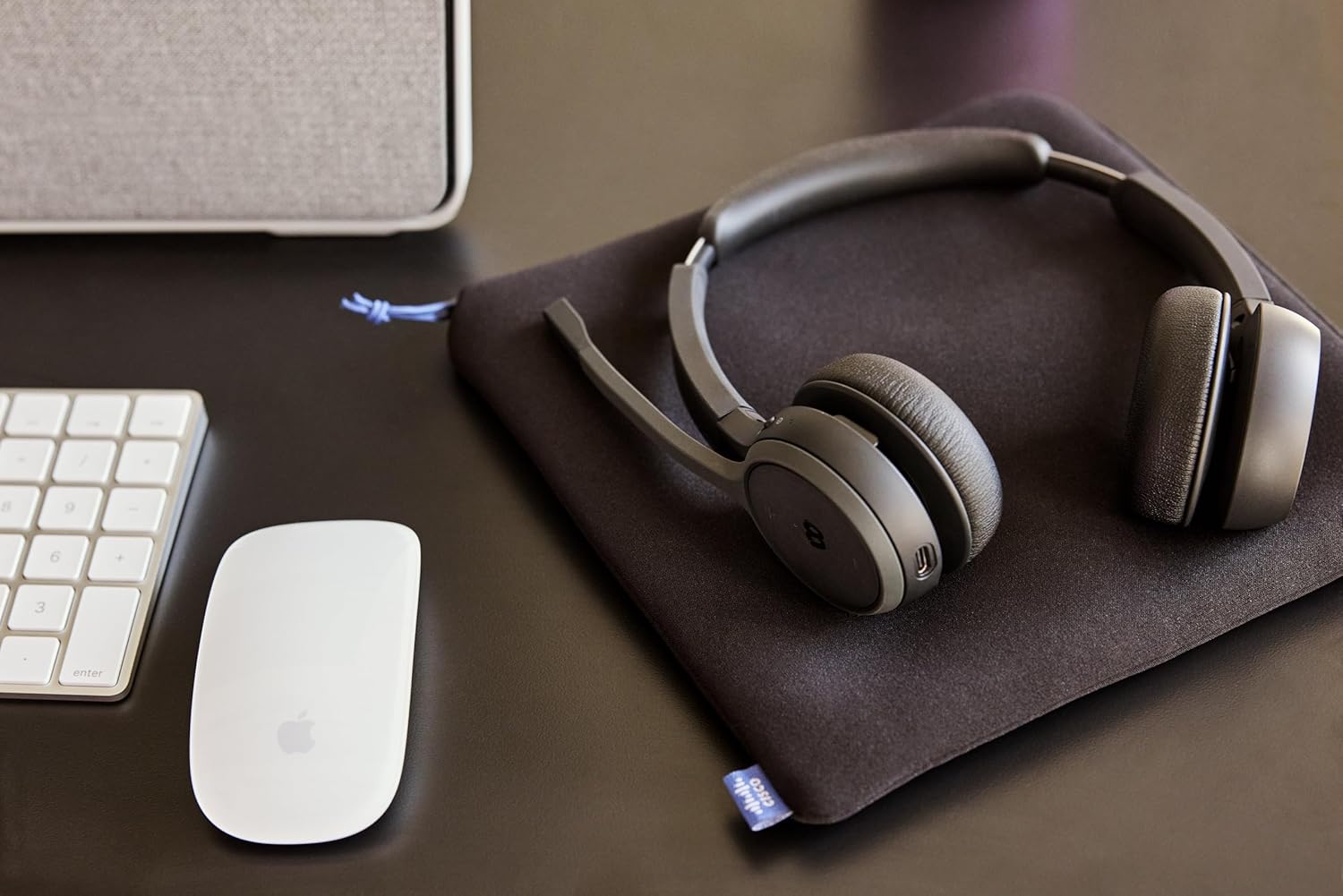
Image: The Cisco Headset 721, USB-A adapter, and charging stand arranged on a desk, illustrating a typical setup.
4. Adjusting the Microphone Boom Arm
The microphone boom arm rotates 276 degrees for optimal placement and features a flip-to-mute function.
- Position the microphone approximately two finger-widths from the corner of your mouth for clear audio.
- To mute the microphone, flip the boom arm upwards. Flip it down to unmute.
آپريٽنگ هدايتون
آن-ڪن ڪنٽرول
The headset features intuitive on-ear controls for managing calls and media.
- حجم مٿي / ھيٺ: آڊيو ليولز کي ترتيب ڏيڻ لاءِ وقف ٿيل واليوم بٽڻ استعمال ڪريو.
- جواب/آخر ڪال: Press the Call button once to answer an incoming call or end an active call.
- خاموش / چالو: In addition to the flip-to-mute boom arm, a dedicated mute button may be present for quick toggling.
- ميڊيا هلايو/روڪ ڪريو: Press the Call button once to play or pause media playback.
- اڳيون / پويون ٽريڪ Use specific media control buttons if available, or double-press/triple-press the Call button (refer to specific model documentation for exact functionality).
Webex Button Integration
The dedicated Webex button provides seamless integration with Cisco Webex applications.
- شامل ٿيڻ Webاڳوڻي ملاقات: کي دٻايو Webex button to quickly join an active or scheduled Webاڳوڻي ملاقات.
- Webex Control: The button may also provide quick access to other Webex-specific functions depending on the application version.
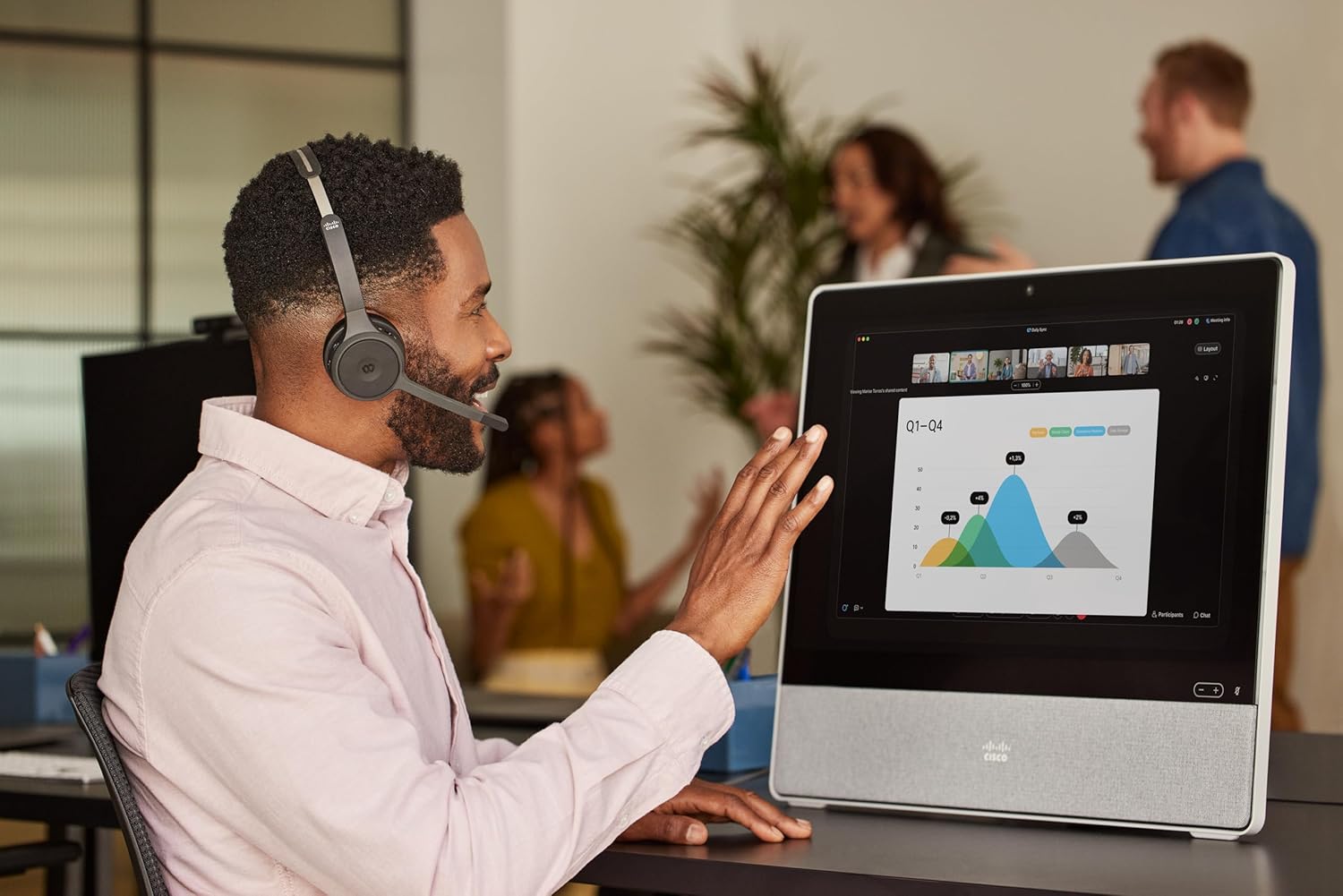
Image: A person wearing the Cisco Headset 721 while engaged in a video conference on a large display, demonstrating its use in a professional setting.
AI Voice-Activated Microphones
The headset features AI voice-activated microphones designed to minimize background noise, ensuring clear communication.
- These microphones automatically focus on your voice and suppress ambient sounds.
- No specific user action is required for this feature; it operates automatically.
گھڻ پتلي جوڙي
The headset supports multipoint pairing, allowing it to be connected to two Bluetooth devices simultaneously.
- Once paired with two devices, the headset can seamlessly switch between them for calls or media.
- مثال طورample, you can be connected to your laptop for a video conference and your smartphone for incoming calls.
سار سنڀال
هيڊ سيٽ جي صفائي
Regular cleaning helps maintain the headset's hygiene and performance.
- Use a soft, dry, lint-free cloth to wipe the surfaces of the headset.
- For ear cushions, gently wipe with a slightly damp cloth (water only) and allow to air dry completely before use.
- سخت ڪيميڪلز، محلولن، يا رگڙيندڙ مواد استعمال ڪرڻ کان پاسو ڪريو.
ذخيرو
When not in use, store the headset properly to protect it from damage.
- Use the provided soft protective case for storage and transport.
- سڌو سج جي روشني ۽ انتهائي گرمي پد کان پري ٿڌي، سڪل جاءِ تي ذخيرو ڪريو.
مشڪلاتون
عام مسئلا ۽ حل
| مسئلو | حل |
|---|---|
| هيڊ سيٽ آن نٿو ٿئي. | Ensure the headset is fully charged. Connect it to the charging stand and check the LED indicator. |
| ڊوائيس سان جوڙو نه ٿو ٺاهي سگهجي. | Ensure the headset is in pairing mode (LED flashing blue/red). Check your device's Bluetooth settings. Try restarting both the headset and the device. |
| ڪابه آڊيو يا خراب آڊيو معيار ناهي. | Check the volume levels on both the headset and the connected device. Ensure the headset is selected as the audio output device. Move closer to the connected device to avoid interference. |
| مائڪروفون ڪم نه ڪري رهيو آهي. | Ensure the microphone boom arm is flipped down (unmuted). Check microphone settings on your connected device/application (e.g., Webمثال طور). |
| Webex button not responding. | Ensure the headset is properly connected to a device running the Webex application. Verify that the Webex application is up to date. |
وضاحتون
| خاصيت | تفصيل |
|---|---|
| ماڊل نمبر | HS-WL-721-BUNAS-C |
| رابطي ٽيڪنالاجي | وائرليس (بلوٽوت) |
| بلوٽوت ورزن | 4.0 |
| بلوٽوٿ رينج | 10 ميٽر |
| ڪن جي جڳهه | ڪن تي |
| فارم فيڪٽر | ڪن تي |
| شور ڪنٽرول | Passive Noise Cancellation, Sound Isolation |
| بيٽري جي زندگي | 23 ڪلاڪ (ڳالهائڻ جو وقت) |
| ڪنٽرول قسم | Call Control, Button, App |
| خاص خاصيتون | Adjustable Headband, Fast Charging, Lightweight, Multipoint Pairing, Noise Isolation |
| مطابقت رکندڙ ڊوائيسز | سيل فون، ڊيسڪ ٽاپ، ليپ ٽاپ، ٽيبليٽ |
| شيءِ جو وزن | 0.12 ڪلوگرام (4.2 اونس) |
| مواد | Aluminum, Stainless Steel, Leather or Faux Leather, Memory Foam |
| شامل اجزاء | Cable, Charging Station, Ear Cushions, Headband, Protective Case |
وارنٽي ۽ سپورٽ
The Cisco Headset 721 comes with a Two-Year Limited Liability Warranty, ensuring peace of mind regarding manufacturing defects and performance issues.
For technical support, warranty claims, or further assistance, please visit the official Cisco support website or contact your Cisco product provider. Ensure you have your product model number (HS-WL-721-BUNAS-C) and proof of purchase available.
اختياري تحفظ جا منصوبا
Additional protection plans may be available for extended coverage:
- 2 سالن جو تحفظ وارو منصوبو: Extends coverage for 24 months.
- 3 سالن جو تحفظ وارو منصوبو: Extends coverage for 36 months.
- مڪمل تحفظ: هڪ ماهوار منصوبو جيڪو گذريل ۽ مستقبل جي خريدارين کي ڍڪيندو آهي.
Please refer to the terms and conditions of these plans for full details.