1. پراڊڪٽ ختمview
The Mibro 2 True Wireless Bluetooth Earbuds with SinglePoint technology and an IPX5 rating offer a seamless and durable audio experience. The elegant white design ensures a sleek look, while the SinglePoint feature enhances connectivity. With an IPX5 rating, these earbuds are splash-resistant, making them suitable for various activities.
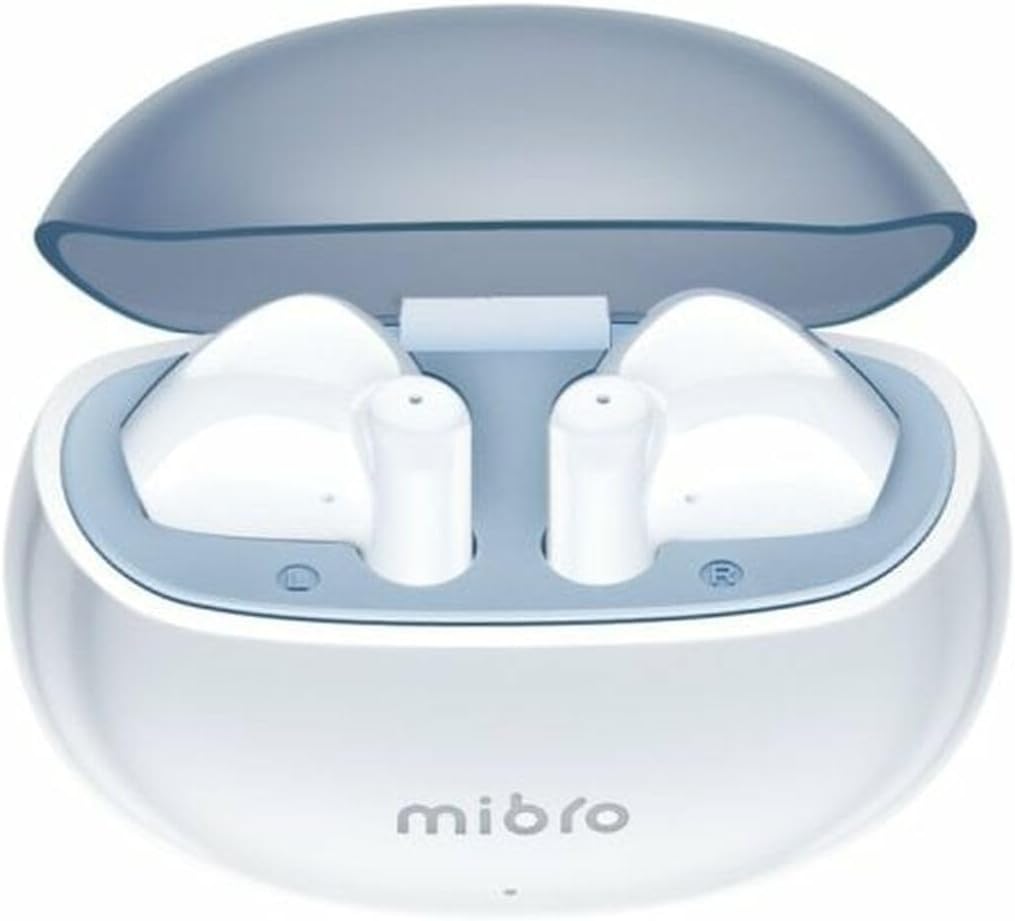
Figure 1.1: Mibro 2 Earbuds in their charging case, showcasinچمڪندڙ سفيد ڊيزائن.
2. اهم خاصيتون
- Seamless and durable audio experience
- SinglePoint technology enhances connectivity
- Elegant white design for a modern look
- Ideal for various activities with a stylish appearance
- Ensures a sleek and reliable audio solution

Figure 2.1: The Mibro 2 Earbuds and charging case, highlighting their compact and modern design.
3. شروعاتي سيٽ اپ
3.1. ائربڊس ۽ ڪيس کي چارج ڪرڻ
Before first use, fully charge the earbuds and the charging case. Place the earbuds into the charging case. Connect the charging case to a power source using a compatible USB cable (not included). The indicator light on the case will show charging status.
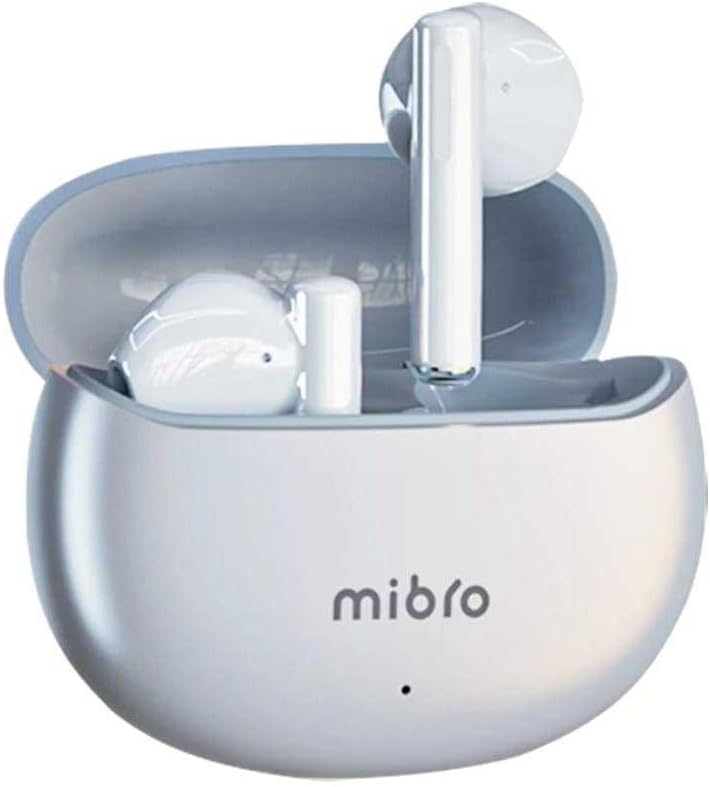
Figure 3.1: Mibro 2 Earbuds in their closed charging case, ready for charging.
3.2. هڪ ڊوائيس سان جوڙڻ
- پڪ ڪريو ته earbuds چارج ٿيل آهن.
- چارجنگ ڪيس کوليو. ائربڊس پاڻمرادو پيئرنگ موڊ ۾ داخل ٿي ويندا.
- پنهنجي موبائيل فون يا بلوٽوٿ-فعال ڊوائيس تي، بلوٽوٿ سيٽنگز ڏانهن وڃو.
- ڳولھيو available devices and select "Mibro 2 Earbuds" from the list.
- هڪ ڀيرو ڳنڍيل، هڪ تصديق وارو آواز هلندو، ۽ ائربڊس استعمال لاءِ تيار هوندا.

Figure 3.2: Pairing the Mibro 2 Earbuds with a mobile device.
4. آپريشن گائيڊ
4.1. پاور آن/آف
- پاور آن: چارجنگ ڪيس کوليو، ۽ ائربڊ پاڻمرادو پاور آن ٿي ويندا.
- بجلي بند: ائربڊس کي چارجنگ ڪيس ۾ واپس رکو ۽ ڍڪ بند ڪريو. اهي پاڻمرادو ڊسڪنيڪٽ ٿي ويندا ۽ بجلي بند ٿي ويندي.
4.2. ٽچ ڪنٽرول
The Mibro 2 Earbuds feature intuitive touch controls for various functions:
- راند/روڪ: ٻنهي ائربڊ تي هڪ ڀيرو ٽيپ ڪريو.
- اڳيون ٽريڪ: ساڄي ائربڊ تي ٻٽي ٽيپ ڪريو.
- پويون ٽريڪ: کاٻي ائربڊ تي ٻٽي ٽيپ ڪريو.
- جواب/آخر ڪال: ايندڙ ڪال دوران ٻنهي ائربڊ تي هڪ ڀيرو ٽيپ ڪريو.
- ڪال رد ڪريو: ايندڙ ڪال دوران ڪنهن به ائربڊ کي 2 سيڪنڊن لاءِ دٻايو ۽ رکو.
- وائس اسسٽنٽ کي فعال ڪريو. ٻنهي مان ڪنهن به ائربڊ تي ٽي ڀيرا ٽيپ ڪريو.

Figure 4.1: Demonstrating the touch control on the Mibro 2 Earbuds.
5. سنڀال ۽ سار سنڀال
- صفائي: ائربڊس ۽ چارجنگ ڪيس کي باقاعدي طور تي نرم، سڪل، لِنٽ فري ڪپڙي سان صاف ڪريو. سخت ڪيميڪل يا رگڙيندڙ مواد استعمال نه ڪريو.
- پاڻي جي مزاحمت: The earbuds are IPX5 splash-resistant. Avoid submerging them in water or exposing them to heavy rain. Dry them thoroughly if they get wet.
- اسٽوريج: جڏهن ائربڊس استعمال ۾ نه هجن ته انهن کي انهن جي چارجنگ ڪيس ۾ رکو ته جيئن انهن جي حفاظت ڪري سگهجي ۽ انهن کي چارج رکيو وڃي. انتهائي گرمي پد کان بچو.
- بيٽري جي سنڀال: To prolong battery life, avoid fully discharging the earbuds frequently. Charge them regularly, even if not used for extended periods.
6. مسئلا حل ڪرڻ
- ائربڊس جوڙو نه پيا لڳن: Ensure earbuds are charged and within range of your device. Turn off and on your device's Bluetooth. Try resetting the earbuds (refer to manufacturer's specific reset instructions if available).
- هڪ ائربڊ مان آواز نه ٿو اچي: ٻئي ائربڊس کي چارجنگ ڪيس ۾ واپس رکو، ڍڪ بند ڪريو، ڪجهه سيڪنڊ انتظار ڪريو، پوءِ ان کي ٻيهر کوليو. اهو اڪثر ڪري انهن کي ٻيهر هم وقت سازي ڪندو آهي.
- گھٽ مقدار: Adjust the volume on both your connected device and the earbuds. Ensure eartips are properly sealed in your ear canal.
- چارج ڪرڻ جا مسئلا: Check the charging cable and power adapter. Ensure the charging contacts on the earbuds and inside the case are clean and free of debris.
7. ٽيڪنيڪل وضاحتون
| خاصيت | تفصيل |
|---|---|
| برانڊ | ميبرو |
| ماڊل نالو | 2 ڪنبيون |
| شيون ماڊل نمبر | سول-مي 2 |
| رابطي ٽيڪنالاجي | وائرليس بلوٽوت |
| ڪنٽرول جو طريقو | ڇڪڻ |
| فارم فيڪٽر | ڪن ۾ |
| رنگ | اڇو |
| مواد | پلاسٽڪ |
| شيءِ جو وزن | 100 گرام |
| پاڻي جي مزاحمت جي سطح | IPX5 سپليش مزاحمتي |
| Rechargeable بيٽري | ها |
| خاص خاصيتون | هلڪو وزن |
| مطابقت رکندڙ ڊوائيسز | موبائيل فون |
| شامل اجزاء | اٽلائپ |
8. وارنٽي ۽ سپورٽ
8.1. وارنٽي ڄاڻ
Specific warranty information for the Mibro 2 True Wireless Bluetooth Earbuds is not available in the provided product data. Please refer to the product packaging or the official Mibro webتفصيلي وارنٽي شرطن ۽ ضابطن لاءِ سائيٽ.
8.2. ڪسٽمر سپورٽ
Customer support contact details are not available in the provided product data. For assistance, please visit the official Mibro webسائيٽ تي وڃو يا پرچون ڪندڙ سان رابطو ڪريو جتان پراڊڪٽ خريد ڪئي وئي هئي.


