1. پراڊڪٽ ختمview
The VTech CS1500 DECT cordless phone is designed for home use, offering essential communication features with enhanced convenience. This manual provides instructions for setting up, operating, and maintaining your phone.
اهم خاصيتون:
- Dual-Charging Design: Innovative design allows the handset to be charged face up for easy screen viewing or face down for a compact profile.
- ڪال بلاڪنگ: Block up to 60 unwanted numbers to prevent nuisance calls.
- ECO DECT Mode: Automatically adjusts radio frequency power based on distance from the base station, ensuring reduced energy consumption.
- ڊگھي بيٽري زندگي: Provides up to 13 hours of talk time and 200 hours of standby time.
- پس منظر ڏيکاريو: Clear, easy-to-read display for optimal visibility.
- فون بڪ: جلدي ڊائلنگ لاءِ 60 تائين نالا ۽ نمبر محفوظ ڪريو.
- ڪالر ID/ڪال انتظار: Stores up to 20 incoming call entries with name, number, time, and date.
- آخري نمبر ريڊل: Easily redial the last 10 numbers called.
- هٿ-مفت اسپيڪر فون: For convenient conversations.
- اضافي افعال: Adjustable ringtone volume and melodies, alarm function, mute function, 3-way conference, call transfer, and intercom.

Figure 1: VTech CS1500 DECT Cordless Phone Handset in Charging Base.
2. پيڪيج مواد
پڪ ڪريو ته توهان جي پيڪيج ۾ هيٺيون شيون شامل آهن:
- وي ٽيڪ CS1500 هينڊ سيٽ
- پاور اڊاپٽر سان بيس اسٽيشن
- ٽيليفون لائن ڪنڊ
- Rechargeable Batteries (1 product specific - included)
- استعمال ڪندڙ جو دستياب (ھي دستاويز)
3. سيٽ اپ گائيڊ
3.1 بيٽري لڳائڻ
- هينڊ سيٽ جي پٺيءَ تي بيٽري جي ڪمپارٽمينٽ جو ڍڪ کوليو.
- فراهم ڪيل ريچارجبل بيٽريون داخل ڪريو، صحيح قطبيت (+ ۽ -) کي ڏسندي.
- بيٽري جي ڪمري واري ڍڪ کي محفوظ طور تي بند ڪريو.
3.2 Base Station Placement and Connection
- Place the base station on a flat, stable surface, away from heat sources and direct sunlight.
- Connect the small end of the power adapter to the power jack on the base station.
- پاور اڊاپٽر جي وڏي پڇاڙي کي وال آئوٽليٽ ۾ لڳايو.
- Connect one end of the telephone line cord to the telephone line jack on the base station.
- ٽيليفون لائن جي ڪنڊ جي ٻئي ڇيڙي کي ٽيليفون وال جيڪ ۾ لڳايو.
3.3 Initial Charging and Handset Registration
- Place the handset in the base station to charge. The handset can be placed face up or face down.
- مڪمل بيٽري جي گنجائش کي يقيني بڻائڻ لاءِ شروعاتي استعمال کان اڳ هينڊ سيٽ کي گهٽ ۾ گهٽ 16 ڪلاڪ چارج ٿيڻ ڏيو.
- The handset is typically pre-registered to the base station. If not, follow the on-screen prompts or refer to the full manual for manual registration steps.

Figure 2: Handset dual-charging design, allowing face-up or face-down placement in the base.

Figure 3: Illustration of the phone's reliable long-range signal within a home environment.
4. آپريٽنگ هدايتون
4.1 ڪالون ڪرڻ ۽ وصول ڪرڻ
- ڪال ڪرڻ لاءِ: کي دٻايو ڳالهه button (green phone icon), then dial the number. Alternatively, dial the number first and then press ڳالهه.
- ڪال وصول ڪرڻ لاءِ: جڏهن فون جي گھنٽي وڄي، دٻايو ڳالهه بٽڻ
- ڪال ختم ڪرڻ لاءِ: کي دٻايو پڄاڻي button (red phone icon) or place the handset back in the base station.
4.2 اسپيڪر فون استعمال ڪندي
ڪال دوران ، پريس کي اسپيڪر فون button (speaker icon) to activate hands-free mode. Press it again to return to handset mode.
4.3 فون بڪ
The phonebook stores up to 60 names and numbers.
- داخلا شامل ڪرڻ لاءِ: فون بڪ مينيو ڏانهن وڃو، 'نئون شامل ڪريو' چونڊيو، نالو ۽ نمبر داخل ڪريو، پوءِ محفوظ ڪريو.
- فون بڪ تان ڊائل ڪرڻ لاءِ: کي دٻايو فون بڪ بٽڻ دٻايو، گهربل داخلا تائين اسڪرول ڪريو، ۽ دٻايو ڳالهه.
4.4 ڪال بلاڪنگ
Block unwanted calls by adding numbers to the call block list (up to 60 entries).
- نمبر بلاڪ ڪرڻ لاءِ: During an incoming call or from the Caller ID log, press the ڪال بلاڪ button (shield icon) and confirm.

Figure 4: Close-up of the handset highlighting the call block button, used to prevent unwanted calls.
4.5 Caller ID and Call Log
The phone displays the caller's information (if available) and stores the last 20 incoming calls.
- جي طرف View ڪال لاگ: کي دٻايو سي آءِ ڊي button or navigate to the Call Log menu. Use the navigation keys to scroll through entries.
- To Dial from Call Log: Select an entry from the Call Log and press ڳالهه.

Figure 5: Handset display showing caller ID information and a list of stored incoming calls.
4.6 Last Number Redial
The phone stores the last 10 numbers dialed.
- To Redial: کي دٻايو ٻيهر سڏائڻ button, scroll to the desired number, and press ڳالهه.

Figure 6: Handset display showing a number being redialed, illustrating the last 10 number redial function.
4.7 ٻيا ڪم
- خاموش: ڪال دوران ، پريس کي گونگا button to temporarily disable your microphone.
- الارم: هينڊ سيٽ مينيو ذريعي الارم سيٽ ڪريو.
- انٽرڪام: If you have multiple handsets, you can make internal calls between them.
- 3-Way Conference: Allows three parties to participate in a single call.

Figure 7: A user on a call, with an indicator showing the phone's 13-hour talk time capability.
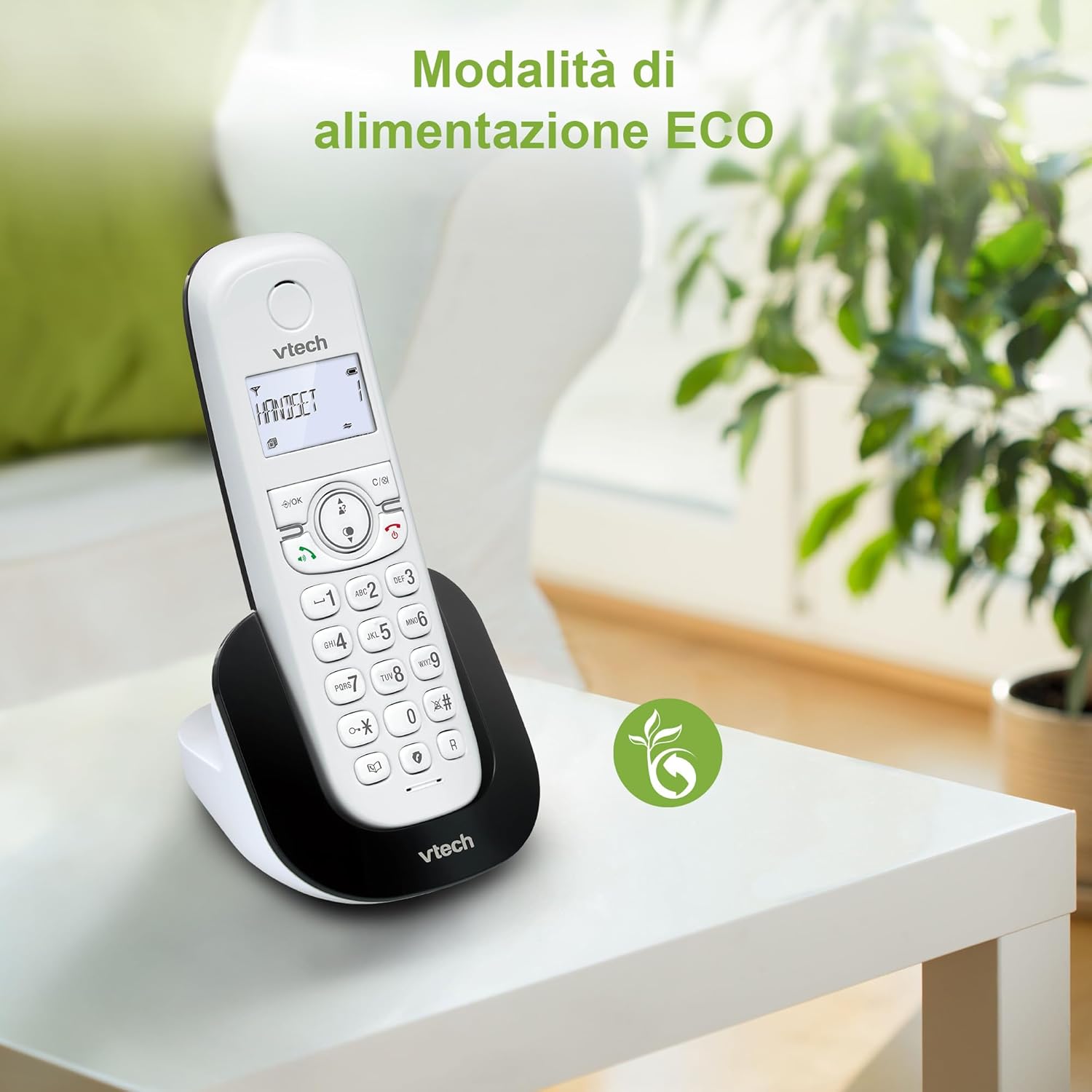
Figure 8: The phone in a home setting, indicating the energy-saving ECO power mode.
5. سار سنڀال
5.1 صفائي
- فون ۽ بيس اسٽيشن کي نرم، ڊي سان صاف ڪريوamp ڪپڙو.
- Do not use cleaning sprays or harsh chemicals, as these can damage the surface or internal components.
5.2 بيٽري جي سنڀال
- To maintain optimal battery performance, always return the handset to the base station when not in use.
- جيڪڏهن فون گهڻي عرصي تائين استعمال نه ٿيندو، ته پوءِ ليڪيج کي روڪڻ لاءِ بيٽريون هٽايو.
- Replace batteries when their performance significantly degrades. Use only VTech-approved replacement batteries.
6. مسئلا حل ڪرڻ
If you experience issues with your VTech CS1500, try the following solutions:
| مسئلو | حل |
|---|---|
| ڪوبه ڊائل ٽون | Ensure the base station power adapter and telephone line cord are securely connected. Check if other phones on the same line are working. |
| ڪالون نه ٿو ڪري/ وصول نٿو ڪري سگهجي | Check the telephone line connection. Ensure the handset batteries are charged. If multiple handsets, ensure they are registered. |
| غريب آواز جي معيار | Move closer to the base station. Ensure there are no large metal objects or other electronic devices interfering with the signal. |
| هينڊسيٽ ڊسپلي خالي آهي | Place the handset in the base station to charge. The battery may be depleted. |
| هينڊ سيٽ چارج نه ٿي رهيو آهي | Ensure the power adapter is connected to the base station and a working wall outlet. Clean the charging contacts on both the handset and base station. |
7. وضاحتون
| خاصيت | تفصيل |
|---|---|
| برانڊ | وي ٽيڪ |
| ماڊل نمبر | CS1500 |
| رنگ | اڇو |
| فون جو قسم | بي تار |
| خاص خاصيتون | بي تار |
| مطابقت رکندڙ ڊوائيسز | پي ايس ٽي اين |
| بيٽرين جو تعداد | 1 (Product Specific - Included) |
| مواد | پلاسٽڪ |
| طاقت جو ذريعو | بيٽري سان هلندڙ |
| ڊائلر جو قسم | سنگل ڪي پيڊ |
| جوابي نظام جو قسم | Digital (Note: Product description does not explicitly mention an answering machine feature.) |
| شيءِ جو وزن | 350 گرام |
| ٺاهيندڙ | VTECH TELECOMMUNICATIONS LTD |
| اصل جو ملڪ | چين |
8. وارنٽي ۽ سپورٽ
For warranty information and technical support, please refer to the warranty card included with your product or visit the official VTech website. You can typically find support contact details, FAQs, and additional resources there.
وي ٽيڪ آفيشل Webسائيٽ: www.vtechphones.com


