1. تعارف
The COMPUTHERM Q20 is a versatile digital programmable room thermostat designed for controlling various heating, cooling, humidifying, and dehumidifying systems. This device offers precise control over your indoor climate, ensuring comfort and energy efficiency. It is compatible with most gas boilers, air conditioners, humidifiers, and dehumidifiers that feature a two-wire thermostatic connection, operating on either 24V or 230V control circuits.
This manual provides detailed instructions for the installation, operation, and maintenance of your COMPUTHERM Q20 thermostat. Please read it thoroughly before use to ensure proper functionality and to maximize the benefits of your device.
2. پراڊڪٽ ختمview
2.1. اهم خاصيتون
- Programmable temperature settings for each day of the week.
- Up to 10 freely selectable switching times per day, or 1 to 99 hours of continuous operation.
- Temporary temperature change function: adjustable for 1 to 99 hours or 1 to 99 days.
- Selectable switching sensitivity for precise control.
- Integrated calibrated temperature sensor and humidity sensor.
- Pump protection function.
- Easy switching between operating modes: heating, cooling, humidifying, and dehumidifying.
- Adjustable maximum humidity setting to prevent condensation in cooling mode.
- Large, backlit display with configurable brightness.
- Acoustic feedback for key presses (can be activated/deactivated).
2.2. جزا
The COMPUTHERM Q20 thermostat consists of the main unit with a digital display and control buttons. The back panel includes terminals for electrical connections and a battery compartment.

شڪل 1: سامهون view of the COMPUTHERM Q20 thermostat. The display shows 'MON', 'TIME 0:29', 'SET TEMP 23.0°C', 'ROOM HUMID 46%', and 'ROOM TEMP 25.7°C'. Icons for calendar, refresh, home, up arrow, down arrow, lock, and battery are visible.

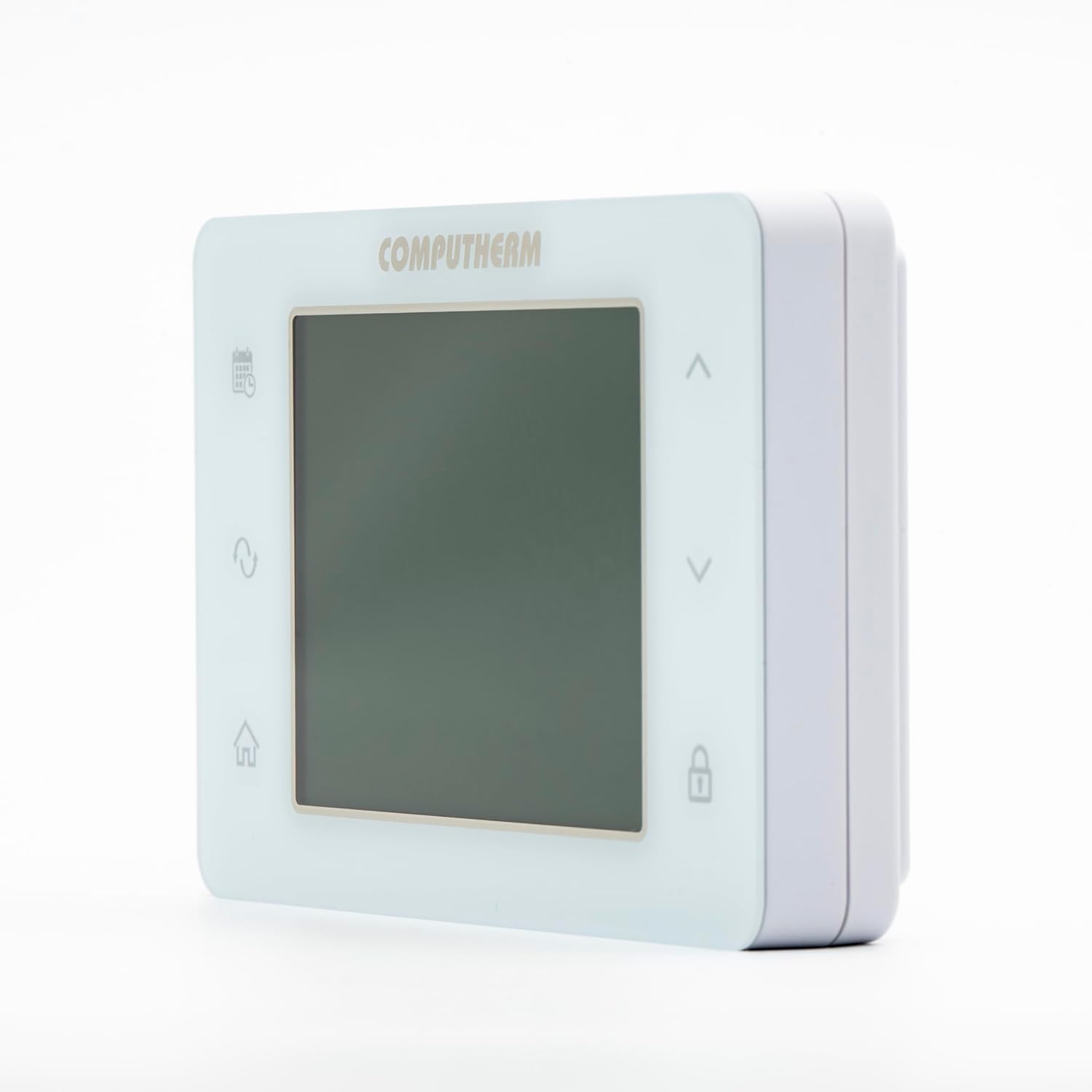
شڪل 2: پاسي view of the COMPUTHERM Q20 thermostat, highlighting its compact design.
3. سيٽ اپ
3.1. تنصيب
The COMPUTHERM Q20 thermostat is designed for easy connection to most heating, cooling, humidifying, or dehumidifying devices. It requires a two-wire thermostatic connection and is compatible with both 24V and 230V control circuits.
- پاور ڪنيڪشن: Before beginning installation, ensure that the main power supply to your heating/cooling system is turned off to prevent electrical shock.
- چڙهڻ: Mount the thermostat in a central location in the room, away from direct sunlight, drafts, or heat sources that could affect temperature readings.
- وائرنگ: Connect the two control wires from your heating/cooling system to the appropriate terminals on the back of the Q20 thermostat. Refer to the wiring diagram provided with your specific heating/cooling appliance for correct terminal identification.
- بيٽري لڳائڻ: The thermostat requires 2 AA batteries for operation. Insert them into the battery compartment located on the back of the unit, observing correct polarity.
- پاور بحالي: Once wiring and battery installation are complete, restore power to your heating/cooling system.

شڪل 3: پوئتي view of the COMPUTHERM Q20 thermostat, showing connection points and battery compartment.
3.2. شروعاتي ترتيب
Upon first power-up or after battery replacement, the thermostat may require initial setup. This typically involves setting the current time and day, and calibrating the temperature and humidity sensors if necessary.
- Time and Day Setting: Use the programming button (calendar icon) and up/down arrows to set the correct time and day of the week.
- سينسر حساب ڪتاب: The temperature sensor can be calibrated within a range of ±3 °C (0.1 °C increments) or ±6 °F (0.1 °F increments). Consult the full product manual for detailed calibration steps.
- آپريٽنگ موڊ جي چونڊ: Use the operating mode button (arrows icon) to switch between heating, cooling, humidifying, and dehumidifying modes.
4. آپريٽنگ هدايتون
4.1. معلومات ڏيکاريو
The large digital display provides all necessary information at a glance. Refer to the diagram below for an explanation of the display elements:
شڪل 4: COMPUTHERM Q20 Display Elements.
- Current Day: Indicates the current day of the week (MON, TUE, WED, THU, FRI, SAT, SUN).
- Current/Remaining Time: Displays the current time or remaining time for a temporary program.
- Programming Button (Calendar icon): Used to access and set daily programs.
- Party/Holiday Program Symbol (Calendar with clock icon): Indicates activation of special programs.
- Operating Mode Button (Arrows icon): Toggles between different operational modes (Heating, Cooling, Humidifying, Dehumidifying).
- Current Program (PROG indicator): Shows when a programmed schedule is active.
- Menu Button (House icon): Accesses the main menu or settings.
- Symbol for Manual/Continuous Manual Operation (Hand icon): Indicates manual control mode.
- Symbol for Heating On (Flame icon): Illuminates when the heating system is active.
- Symbol for Cooling On (Snowflake icon): Illuminates when the cooling system is active.
- Set Temperature/Humidity (SET TEMP, ROOM HUMID): Displays the desired temperature and humidity levels.
- Humidification/Dehumidification Icons (Water drop icons): Indicate active humidification or dehumidification.
- Up/Down Buttons (Arrow icons): Used to adjust settings and navigate menus.
- Measured Humidity (ROOM HUMID): Shows the current room humidity percentage.
- Button for Key Lock (Lock icon): Activates or deactivates the key lock function.
- Room Temperature (ROOM TEMP): موجوده ماحول واري ڪمري جي حرارت کي ڏيکاري ٿو.
- Symbol for Comfort Mode (Sun icon): Indicates comfort temperature setting.
- Symbol for Eco Mode (Moon icon): Indicates energy-saving temperature setting.
- Key Lock is On (Lock icon with line): ظاهر ڪري ٿو ته ڪيپڊ بند ٿيل آهي.
- Symbol for Battery Charge (Battery icon): موجوده بيٽري جي سطح ڏيکاري ٿو.
4.2. Programming Temperature Schedules
The Q20 thermostat allows for flexible programming to suit your daily routine.
- Daily Programs: You can create a unique temperature program for each day of the week. This includes setting specific temperatures for up to 10 switching times per day.
- Setting Switching Times: Press the programming button (calendar icon) to enter programming mode. Use the up/down arrows to adjust the time and temperature for each period.
- Temporary Temperature Change: To temporarily override the program, adjust the temperature using the up/down arrows. The thermostat will maintain this new temperature until the next programmed event, or for a specified duration (1-99 hours or 1-99 days) if configured.
- دستي موڊ: Activate manual mode (hand icon) for continuous manual control, bypassing the programmed schedule.
4.3. نمي ڪنٽرول
The integrated humidity sensor allows for precise humidity management.
- Humidifying/Dehumidifying Modes: Select the appropriate mode using the operating mode button.
- نمي جي سطح مقرر ڪرڻ: Adjust the desired humidity percentage using the up/down arrows.
- Condensation Protection: In cooling mode, you can set a maximum humidity level. If the room humidity exceeds this limit, the cooling output will be deactivated to protect the surface cooling system from condensation.
5. سار سنڀال
- صفائي: Clean the thermostat's exterior with a soft, dry cloth. Do not use abrasive cleaners or solvents.
- بيٽري مٽائڻ: When the battery icon on the display indicates low power, replace the 2 AA batteries promptly to ensure continuous operation. Always use fresh, high-quality alkaline batteries.
- سينسر جي سنڀال: Ensure the thermostat's vents are not obstructed to allow for accurate temperature and humidity readings.
6. مسئلا حل ڪرڻ
| مسئلو | ممڪن سبب | حل |
|---|---|---|
| Thermostat ڊسپلي خالي آهي. | مئل بيٽريون. | 2 AA بيٽرين کي تبديل ڪريو. |
| گرمي/ٿڌائڻ وارو نظام جواب نه ڏئي رهيو آهي. | Incorrect wiring; Power supply issue; System in wrong mode. | Check wiring connections; Ensure main power is on; Verify thermostat is in the correct operating mode (heating/cooling). |
| گرمي پد جي پڙهائي غلط لڳي ٿي. | Thermostat location affected by drafts/heat sources; Sensor requires calibration. | Relocate thermostat if possible; Perform sensor calibration as per the full manual. |
| ڪي پيڊ جواب نه ڏئي رهيو آهي. | Key lock function is active. | Press the key lock button (lock icon) to deactivate. |
| Thermostat does not have Wi-Fi. | The COMPUTHERM Q20 model does not feature Wi-Fi connectivity. | This model is designed for wired operation without Wi-Fi. If Wi-Fi is required, consider models like the Computherm E400RF. |
7. وضاحتون
- گرمي پد جي ماپ جي حد 0 - 48 °C (in 0.1 °C increments) / 32 - 100 °F (in 0.1 °F increments)
- نمي جي ماپ جي حد: 0 - 99 % RH (in 1.0 % increments)
- ترتيب ڏيڻ واري درجه حرارت جي حد: 5 - 45 °C (in 0.5 °C increments) / 41 - 97 °F (in 0.5 °F increments)
- Adjustable نمي جي حد: 0 - 99 % RH (in 1.0 % increments)
- Temperature Calibration Range: ±3 °C (in 0.1 °C increments) / ±6 °F (in 0.1 °F increments)
- Switchable Current: 8A (2A inductive load)
- بجلي جي فراهمي: 2 x 1.5 V AA Alkaline batteries
- جلدtage: 230 Volts (for control circuit connection)
- پيداوار جي ماپ (L x W x H): 12.5 x 8.2 x 2.45 سينٽي
- شيء جو وزن: 200 گرام
- رابطي ٽيڪنالاجي: وائرڊ
- خاص خصوصيت: Humidity control and advanced programming
8. وارنٽي ۽ سپورٽ
For warranty information and technical support, please refer to the documentation included with your purchase or contact the manufacturer/seller directly. The manufacturer of the COMPUTHERM Q20 is Calorsol.
For further information, you may visit the manufacturer's webسائيٽ: www.calorsol.de


