1. تعارف
Thank you for choosing the CRUA 30" Curved Gaming Monitor. This manual provides essential information for setting up, operating, and maintaining your monitor. Please read it thoroughly before use to ensure optimal performance and safety.
This monitor features a 30-inch WFHD (2560x1080) 1500R curved VA screen, offering a 21:9 aspect ratio for an immersive viewing experience. It supports a high refresh rate of up to 200Hz and AMD FreeSync technology for smooth, tear-free visuals. With 120% sRGB color gamut, 300 cd/m² brightness, and a 3000:1 contrast ratio, it delivers vibrant and true-to-life colors.
2. حفاظت جي ڄاڻ
Please observe the following safety precautions to prevent damage to your monitor or injury to yourself:
- مانيٽر کي غير مستحڪم ڪارٽ، اسٽينڊ، يا ٽيبل تي نه رکو.
- وينٽيليشن جي افتتاح کي نه روڪيو.
- Do not use near water or sources of heat.
- صرف ٺاهيندڙ پاران مهيا ڪيل پاور اڊاپٽر استعمال ڪريو.
- بجلي جي طوفان دوران يا ڊگهي عرصي تائين استعمال نه ٿيڻ تي مانيٽر کي ان پلگ ڪريو.
- سڀني خدمتن جو حوالو ڏيو قابل خدمت اهلڪارن ڏانهن.
3. پيڪيج مواد
پڪ ڪريو ته سڀئي شيون توهان جي پيڪيج ۾ موجود آهن:
- 29.5 انچ گيمنگ مانيٽر
- پاور اڊاپٽر
- ڊي پي ڪيبل
- Base and Support
- استعمال ڪندڙ دستي
4. سيٽ اپ
4.1. اسٽينڊ اسيمبلي
مانيٽر اسٽينڊ کي گڏ ڪرڻ لاءِ:
- احتياط سان مانيٽر کي ان جي پيڪنگنگ مان هٽايو، ان کي محفوظ رکندي.
- Attach the stand base to the stand support using the provided screws.
- Align the assembled stand with the mounting points on the back of the monitor.
- Secure the stand to the monitor using the provided screws.

Figure 1: Monitor rear view showing stand attachment points.

Figure 2: Monitor with stand fully assembled.
4.2. وال جبل جي انسٽاليشن
The monitor supports VESA wall mount installation (100x100mm). To install using a wall mount (sold separately):
- Remove the stand from the monitor if it is already attached.
- Attach your VESA-compatible wall mount bracket to the monitor's mounting holes.
- Follow the instructions provided with your wall mount for secure installation.

Figure 3: Monitor rear view highlighting VESA mount compatibility.
4.3. ڊوائيسز سان ڳنڍڻ
Connect your monitor to your computer or other devices using the available ports:
- ٻٽي HDMI بندرگاهن: Supports up to 120Hz refresh rate.
- Dual DisplayPort (DP) Ports: Supports up to 200Hz refresh rate.
- 3.5mm آڊيو پورٽ: هيڊفون يا ٻاهرين اسپيڪرن کي ڳنڍڻ لاءِ.
- ڊي سي پاور ان پٽ: هتي مهيا ڪيل پاور اڊاپٽر کي ڳنڍيو.

Figure 4: Monitor connectivity ports.
5. آپريٽنگ هدايتون
5.1. پاور آن/آف
To power on the monitor, press the power button located on the back or bottom of the monitor. Press it again to power off.
5.2. آن-اسڪرين ڊسپلي (OSD) مينيو نيويگيشن
The OSD menu allows you to adjust various monitor settings. Buttons for navigation are typically located on the back or bottom of the monitor. Use these buttons to:
- مکيه OSD مينيو تائين رسائي ڪريو.
- Navigate through menu options (Up/Down, Left/Right).
- Select options and confirm settings.
- او ايس ڊي مينيو مان نڪرڻ.
5.3. ڊسپلي خاصيتون
- ريفريش جي شرح: Enjoy ultra-smooth visuals with a refresh rate of up to 200Hz (via DisplayPort) or 120Hz (via HDMI). Adjust this setting in your computer's display settings for optimal performance.
- AMD FreeSync: This technology synchronizes the monitor's refresh rate with your GPU's frame rate, eliminating screen tearing and stuttering for fluid gameplay. Ensure FreeSync is enabled in both your monitor's OSD and your graphics card's control panel.
- 1500R وکر اسڪرين: 1500R وکر هڪ عميق مهيا ڪري ٿو viewing experience by wrapping the display around your field of vision, reducing eye strain during extended use.
- رنگ جي گامٽ: With 120% sRGB color gamut, 300 cd/m² brightness, and a 3000:1 contrast ratio, the monitor delivers vibrant, accurate, and true-to-life colors.
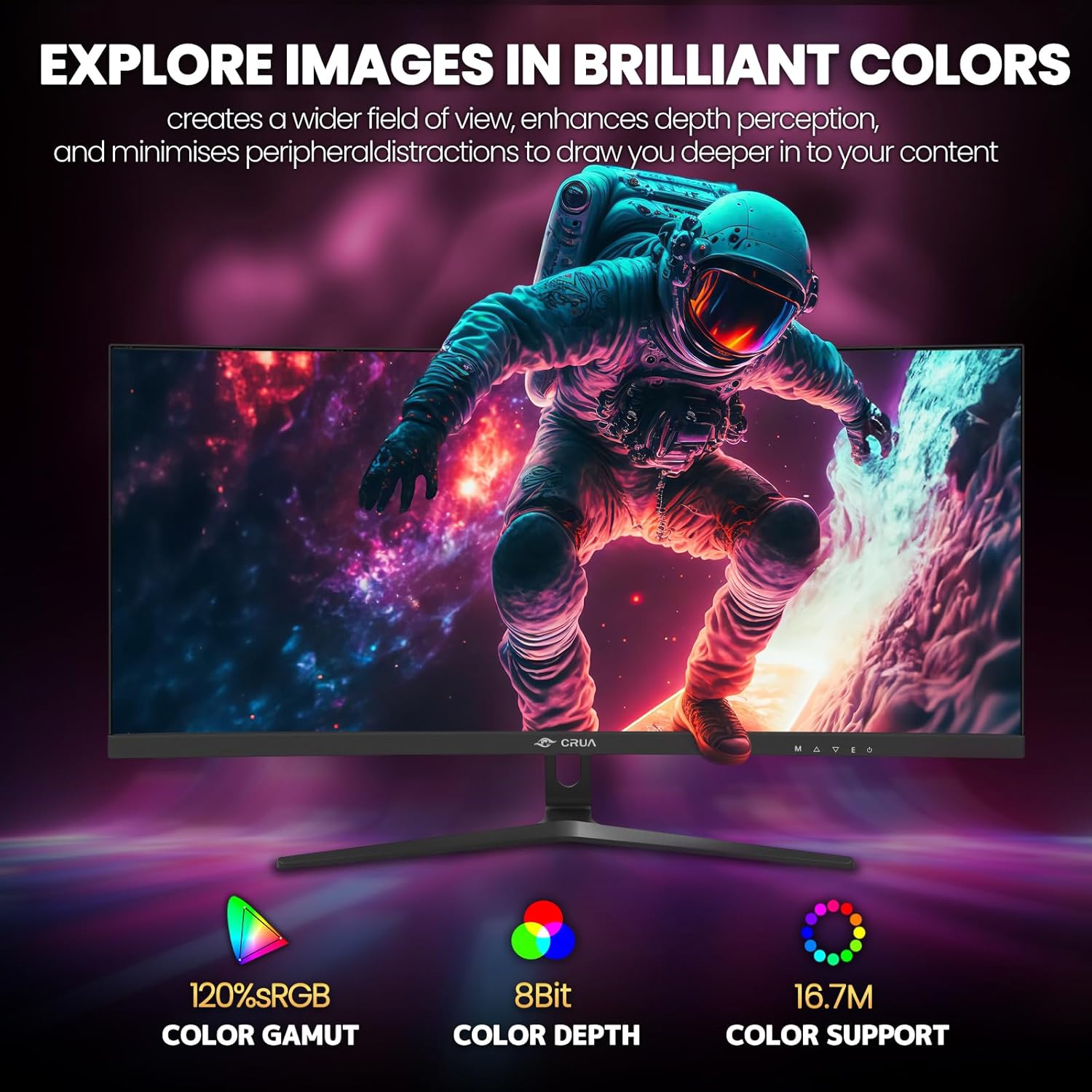
Figure 5: Immersive 1500R curved display.

Figure 6: Brilliant color reproduction with 120% sRGB.
6. سار سنڀال
To ensure the longevity and optimal performance of your monitor:
- صفائي: Gently wipe the screen with a soft, lint-free cloth. For stubborn marks, use a screen-cleaning solution applied to the cloth, not directly to the screen.
- سنڀال: Avoid placing heavy objects on the monitor or its cables. Keep the monitor away from direct sunlight, excessive heat, and moisture.
- وينٽيليشن: پڪ ڪريو ته مانيٽر جي پوئين پاسي وينٽيليشن جا سوراخ بند نه آهن ته جيئن وڌيڪ گرم ٿيڻ کان بچي سگهجي.
7. مسئلا حل ڪرڻ
جيڪڏهن توهان کي پنهنجي مانيٽر سان مسئلا درپيش اچن ٿا، ته هيٺ ڏنل عام حلن جو حوالو ڏيو:
- طاقت ناهي: پڪ ڪريو ته پاور اڊاپٽر مانيٽر ۽ ڪم ڪندڙ پاور آئوٽليٽ ٻنهي سان محفوظ طور تي ڳنڍيل آهي. چيڪ ڪريو ته ڇا پاور انڊيڪيٽر لائيٽ آن آهي.
- ڪوبه سگنل: Verify that the video cable (HDMI or DisplayPort) is correctly connected to both the monitor and your computer. Ensure the correct input source is selected on the monitor (via the OSD menu).
- ٽمٽار/ ڦاٽڻ: Ensure AMD FreeSync is enabled in both the monitor's OSD and your graphics card settings. Check your refresh rate settings in your computer's display options.
- خراب تصويري معيار: Adjust brightness, contrast, and color settings via the OSD menu. Ensure your display resolution is set to the native 2560x1080.
8. وضاحتون
| خاصيت | تفصيل |
|---|---|
| اسڪرين واري ڊسپلي سائيز | 30 انچ |
| اسڪرين جي قرارداد | 2560x1080 |
| وڌ ۾ وڌ اسڪرين ريزوليوشن | 2560 x 1080 پکسلز |
| برانڊ | CRUA |
| سلسلو | CR300HD |
| شيون ماڊل نمبر | CR300HD |
| شيءِ جو وزن | 11.3 پائونڊ |
| پيداوار جي ماپ | 27 x 3.3 x 16 انچ |
| رنگ | ڪارو |
| طاقت جو ذريعو | DC |
| اسڪرين جي ماپ | 30 انچ |
| قرارداد | FHD 1080p Ultra Wide + |
| اسپيڪٽ ريشو | 21:9 |
| اسڪرين جي مٿاڇري جي وضاحت | مٽي |
9. وارنٽي ۽ سپورٽ
CRUA is committed to providing high-quality computer monitors and premium services. If you have any questions or require assistance, please do not hesitate to contact us. We are here to serve you and solve all your problems.
For support, please refer to the contact information provided in your product packaging or visit the official CRUA webسائيٽ.


