1. تعارف
Thank you for choosing the Xtorm Fuel Series 5 Powerbank. This manual provides essential information for the safe and efficient use of your new portable charger. Please read this manual thoroughly before using the device and keep it for future reference.
2. پراڊڪٽ ختمview
The Xtorm Fuel Series 5 Powerbank is a high-capacity portable charger designed to keep your devices powered on the go. It features a robust 10,000 mAh battery, multiple fast-charging ports, and a durable design made from GRS certified recycled plastic.

This image displays the Xtorm Fuel Series 5 Powerbank in its elegant dusk white color, highlighting its compact design, the integrated digital percentage display, and the various charging ports located at the bottom.
اهم خاصيتون:
- 10,000 mAh گنجائش: اسمارٽ فونز ۽ ٻين ننڍن ڊوائيسز لاءِ ڪيترائي چارج فراهم ڪري ٿو.
- تيز چارج: Equipped with a 20W USB-C Power Delivery (PD) port for rapid charging.
- گهڻن بندرگاهن: Includes two USB-C ports (20W PD, 18W) and one USB-A port (18W) for simultaneous charging of up to three devices.
- ڊجيٽل ڊسپلي حقيقي وقت جو سيڪڙوtage display for remaining battery life and fast charge indication.
- Sustainable Material: Constructed using GRS certified recycled plastic.

هڪ تفصيلي view of the power bank's charging interface, featuring two USB-C ports and one USB-A port, indicating their respective power outputs.
3. سيٽ اپ
دٻي ۾ ڇا آهي:
- Xtorm Fuel Series 5 Powerbank
- USB-C چارجنگ ڪيبل
- استعمال ڪندڙ جو دستياب (ھي دستاويز)
شروعاتي چارج
Before first use, it is recommended to fully charge your Xtorm Fuel Series 5 Powerbank. Connect the included USB-C cable to the power bank's input USB-C port and plug the other end into a compatible USB wall charger (not included). The digital display will show the charging progress. A full charge takes approximately 2.5 hours.
4. آپريٽنگ هدايتون
پاور بئنڪ کي چارج ڪرڻ:
- Locate the USB-C input port on the power bank.
- Connect one end of the USB-C cable to this port.
- Connect the other end of the USB-C cable to a USB wall adapter or a computer's USB port.
- The digital display will illuminate, showing the current charge percentage and indicating that the power bank is charging.
توهان جي ڊوائيسز کي چارج ڪرڻ:
The power bank can charge smartphones, tablets, and other USB-powered devices. It features two USB-C ports and one USB-A port.
- پنهنجي ڊوائيس جي چارجنگ ڪيبل کي پاور بينڪ (USB-C يا USB-A) تي مناسب پورٽ سان ڳنڍيو.
- ڪيبل جي ٻئي پڇاڙي کي پنهنجي ڊوائيس سان ڳنيو.
- The power bank will automatically begin charging your device. The digital display will show the power bank's remaining charge.
- You can charge multiple devices simultaneously using the available ports.
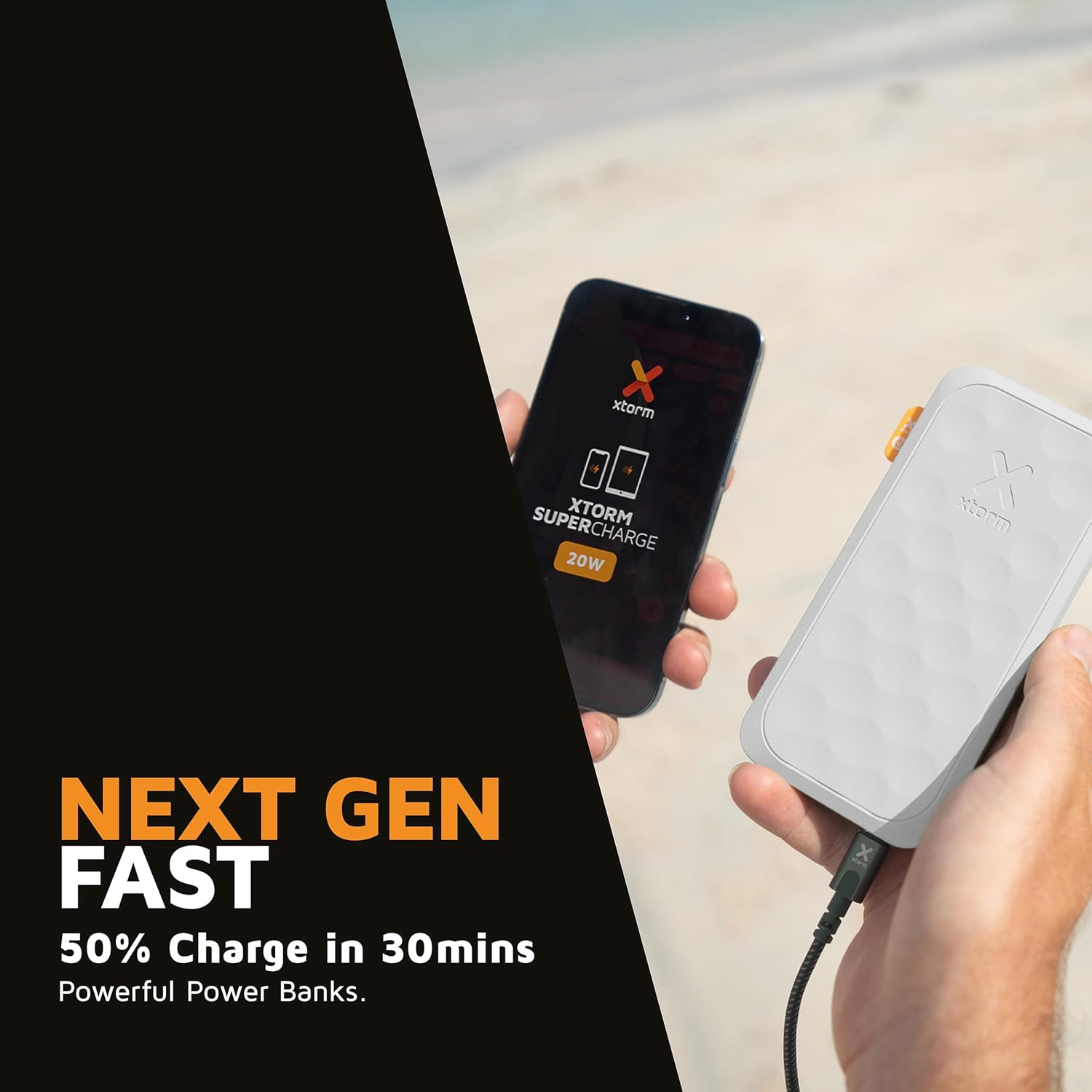
This image shows the Xtorm Fuel Series 5 Powerbank actively charging a smartphone, demonstrating its portable use case for on-the-go power.

This diagram provides a clear breakdown of the power bank's ports, showing the 20W USB-C PD output, an 18W USB-C output, and an 18W USB-A output, along with the 20W USB-C PD input.
5. سار سنڀال ۽ سنڀال
- صفائي: پاور بينڪ کي صاف ڪرڻ لاءِ نرم، سڪل ڪپڙو استعمال ڪريو. سخت ڪيميڪل يا رگڙيندڙ مواد استعمال نه ڪريو.
- اسٽوريج: پاور بئنڪ کي سڌي سج جي روشني ۽ انتهائي گرمي پد کان پري ٿڌي، سڪل جاءِ تي رکو.
- بيٽري جي زندگي: To prolong battery life, fully charge and discharge the power bank at least once every three months if not in regular use.
- قطرن کان پاسو ڪريو: While designed to be robust, avoid dropping the power bank or subjecting it to strong impacts.
6. مسئلا حل ڪرڻ
عام مسئلا ۽ حل:
- پاور بئنڪ چارج نه ڪندي:
- پڪ ڪريو ته چارجنگ ڪيبل پاور بينڪ ۽ پاور سورس ٻنهي سان محفوظ طور تي ڳنڍيل آهي.
- ڪو ٻيو USB وال اڊاپٽر يا USB پورٽ آزمايو.
- پڪ ڪريو ته چارجنگ ڪيبل خراب نه آهي.
- پاور بئنڪ مان ڊوائيس چارج نه ٿي رهي آهي:
- پڪ ڪريو ته پاور بينڪ ۾ ڪافي چارج آهي (ڊجيٽل ڊسپلي چيڪ ڪريو).
- پنهنجي ڊوائيس لاءِ هڪ مختلف چارجنگ ڪيبل آزمايو.
- Try connecting your device to a different port on the power bank. Note that one of the USB-C ports is specifically for fast charging (20W PD); if your device is older or not compatible with PD, try the other USB-C port or the USB-A port.
- پنهنجي ڊوائيس کي ٻيهر شروع ڪريو.
- سست چارجنگ:
- پڪ ڪريو ته توهان هڪ تيز چارجنگ مطابقت رکندڙ ڪيبل استعمال ڪري رهيا آهيو ۽ توهان جو ڊوائيس تيز چارجنگ کي سپورٽ ڪري ٿو.
- When charging multiple devices simultaneously, the output power per port may be reduced.
7. وضاحتون
| ماڊل نالو | FS5100 |
| بيٽري جي گنجائش | 10,000 ايم اي ايڇ (مليampاڳوڻو ڪلاڪ) |
| بيٽري جي جوڙجڪ | ليتيم-پوليمر |
| ان پٽ (USB-C) | 20W USB-C Power Delivery (PD) |
| آئوٽ 1 (USB-C) | 20W USB-C Power Delivery (PD) |
| آئوٽ 2 (USB-C) | 18W USB-سي |
| آئوٽ 3 (USB-A) | 18W USB-A |
| ڪل حجمtage | 20 وولٽ |
| ڪنيڪٽر جو قسم | USB قسم A، USB قسم سي |
| خاص خاصيتون | Digital Display, Fast Charge, Portable |
| سفارش ٿيل استعمال | اسمارٽ فون، ٽيبليٽ |
8. حفاظت جي ڄاڻ
Your Xtorm Fuel Series 5 Powerbank is designed with multiple safety features to ensure reliable operation. Please adhere to the following safety guidelines:
- پاور بئنڪ کي انتهائي گرمي پد (45°C کان مٿي يا 0°C کان گهٽ) تي نه لڳايو.
- ڊوائيس کي جدا ڪرڻ، تبديل ڪرڻ، يا مرمت ڪرڻ جي ڪوشش نه ڪريو.
- پاڻي، نمي، ۽ ٻرندڙ مواد کان پري رهو.
- جيڪڏهن پاور بينڪ واضح طور تي خراب يا سوجن آهي ته استعمال نه ڪريو.
- مقامي ضابطن جي مطابق پاور بينڪ کي ذميواري سان ضايع ڪريو.
- The power bank features a 6-layered safety check including temperature control, short circuit protection, overload protection, and high-efficiency components. It is also designed to be airport-proof.

An infographic detailing the comprehensive safety mechanisms built into the power bank, including temperature control, short circuit protection, overload protection, A-Class components, secured power management, and high efficiency, ensuring safe and reliable operation.
9. وارنٽي ۽ سپورٽ
وارنٽي جي معلومات ۽ ڪسٽمر سپورٽ لاءِ، مھرباني ڪري Xtorm آفيسر سان رجوع ڪريو. webسائيٽ تي وڃو يا پنهنجي مقامي پرچون ڪندڙ سان رابطو ڪريو. ڪنهن به وارنٽي دعوائن لاءِ خريداري جو ثبوت رکو.
For further assistance or technical inquiries, please visit www.xtorm.eu.


