تعارف
This manual provides detailed instructions for the proper use and maintenance of your ZEALOT S49 Portable Bluetooth Speaker. Please read this manual thoroughly before operating the device to ensure optimal performance and longevity.
حفاظت جي ڄاڻ
- اسپيڪر کي گهڻي عرصي تائين انتهائي گرمي پد يا سڌي سج جي روشنيءَ ۾ نه رکو.
- ڊپ کان پاسو ڪريو يا اسپيڪر کي مضبوط اثرن جي تابع ڪرڻ.
- اسپيڪر کي طبي ڊوائيسز کان پري رکو، ڇاڪاڻ ته ان ۾ مقناطيس هوندا آهن.
- اسپيڪر کي ڌار ڪرڻ يا تبديل ڪرڻ جي ڪوشش نه ڪريو. اهو وارنٽي کي رد ڪري ڇڏيندو.
- Ensure the charging port cover is securely closed when using the speaker near water to maintain its IP67 waterproof rating.
- صرف مهيا ڪيل USB-C چارجنگ ڪيبل يا تصديق ٿيل برابر استعمال ڪريو.
پيڪيج مواد
- ZEALOT S49 پورٽيبل بلوٽوٿ اسپيڪر
- USB-C چارجنگ ڪيبل
- استعمال ڪندڙ جو دستياب (ھي دستاويز)
پيداوار ختمview
The ZEALOT S49 is a portable Bluetooth speaker designed for both indoor and outdoor use. It features robust sound output, multiple connectivity options, and a durable, waterproof design.
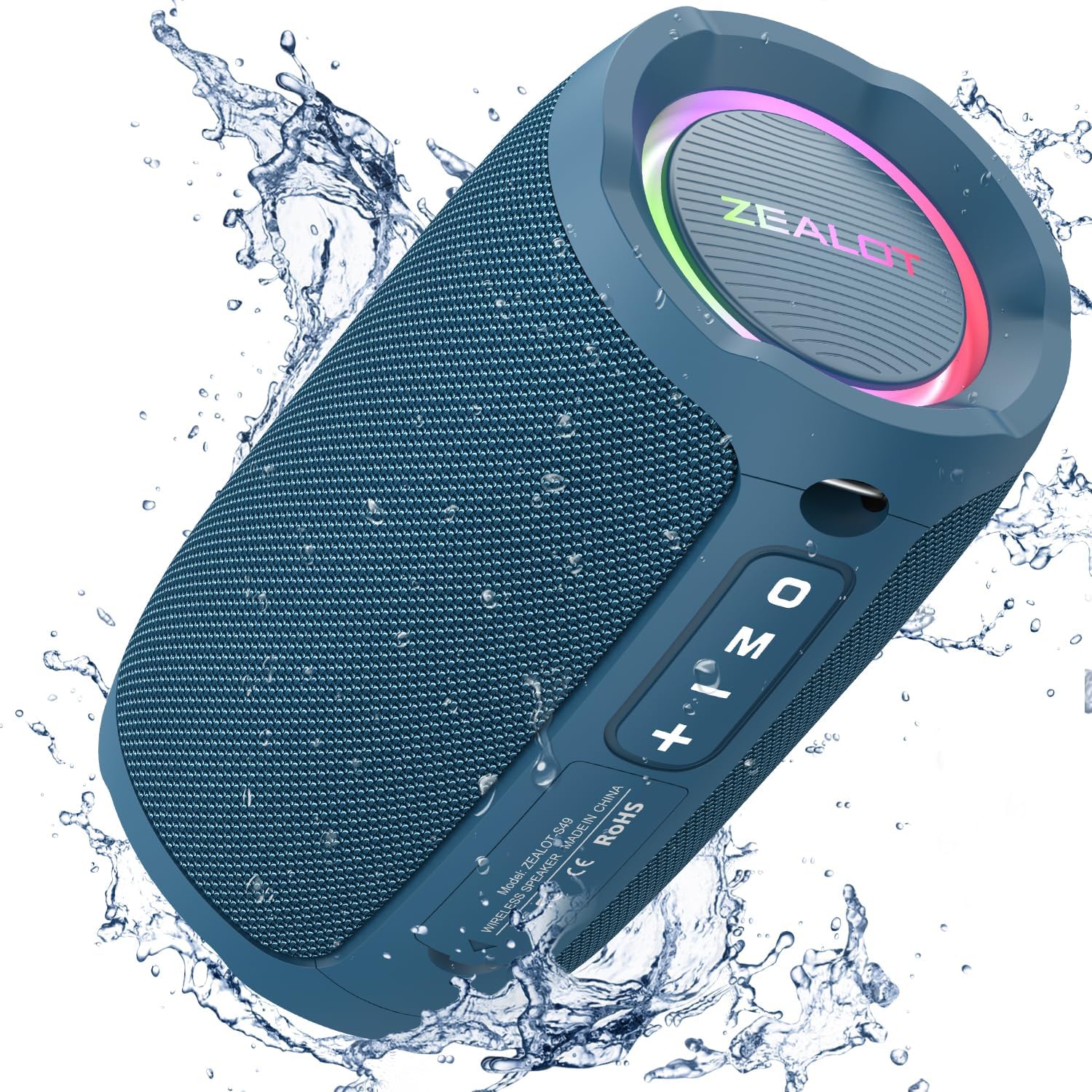
Image: The ZEALOT S49 speaker in blue, demonstrating its waterproof capabilities with water splashing.
اهم خاصيتون:
- 20W آڊيو آئوٽ پٽ: صاف ۽ طاقتور آواز پهچائي ٿو.
- 360° Immersive Stereo Sound: Provides a rich audio experience.
- IP67 پنروڪ درجه بندي: Protected against dust and water immersion up to 1 meter for 30 minutes.
- متحرڪ آر جي بي لائيٽنگ: Integrated LED lights around the diaphragms.
- بلوٽوت 5.2 ڪنيڪشن: For stable wireless audio streaming.
- ڪيترائي پلے بیک موڊ: Supports Bluetooth, TF Card, USB drive, and AUX input.
- سچو وائرليس اسٽيريو (TWS) جوڙي: Connect two S49 speakers for enhanced stereo sound.
- بلٽ ان مائڪروفون: هٿ کان سواءِ ڪال ڪرڻ لاءِ.
- ڊگھي بيٽري زندگي: Up to 12 hours of playtime at 50% volume.
- پورٽبل ڊيزائن: Compact size with a built-in lanyard for easy carrying.

تصوير: هڪ تفصيلي view of the ZEALOT S49 speaker, highlighting its multiple connectivity options and features.
سيٽ اپ ڪريو
1. اسپيڪر کي چارج ڏيڻ
Before first use, fully charge the speaker. Connect the provided USB-C charging cable to the speaker's Type-C port and the other end to a USB power adapter (not included) or a computer's USB port. The charging indicator light will show charging status and turn off when fully charged.
The speaker includes a USB-C charging cable.
2. پاور آن/آف
- پاور آن ڪرڻ: پاور بٽڻ کي دٻايو ۽ رکو (⑂) for approximately 2-3 seconds until you hear an audible prompt and the RGB lights illuminate.
- پاور آف ڪرڻ: پاور بٽڻ کي دٻايو ۽ رکو (⑂) for approximately 2-3 seconds until you hear an audible prompt and the RGB lights turn off.
3. بلوٽوٽ جوئر
- Ensure the speaker is powered on and in Bluetooth mode. The RGB lights will flash, indicating it's ready for pairing.
- پنهنجي ڊوائيس (اسمارٽ فون، ٽيبليٽ، وغيره) تي، بلوٽوٿ کي فعال ڪريو ۽ موجود ڊوائيسز جي ڳولا ڪريو.
- Select "ZEALOT S49" from the list of devices.
- Once paired, you will hear a confirmation tone, and the RGB lights will stop flashing.
4. ٽرو وائرليس اسٽيريو (TWS) پيئرنگ
To achieve a stereo sound experience, you can pair two ZEALOT S49 speakers together.
- Ensure both S49 speakers are powered on and not connected to any Bluetooth device.
- On one speaker (this will be the primary speaker), double-press the "M" (Mode) button. You will hear a prompt indicating TWS pairing mode.
- ٻئي اسپيڪر پاڻمرادو هڪ ٻئي سان ڳنڍجي ويندا. هڪ ڀيرو ڳنڍجي وڃڻ کان پوءِ، توهان کي تصديق جو آواز ٻڌڻ ۾ ايندو.
- Now, connect your device to the primary speaker via Bluetooth as described in step 3. Both speakers will play audio in stereo.
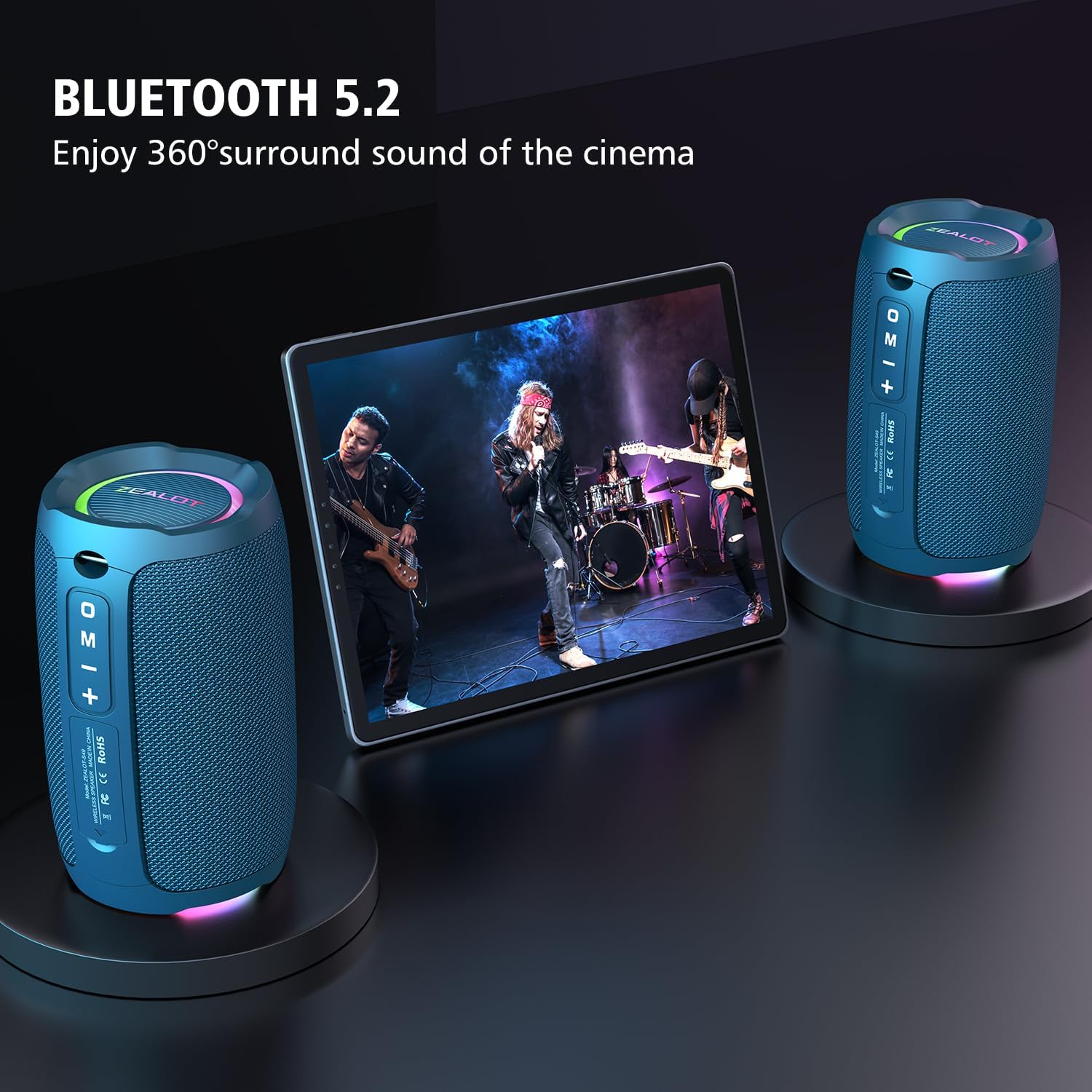
Image: Two ZEALOT S49 speakers wirelessly connected to a tablet, illustrating the TWS pairing for an enhanced audio experience.
آپريٽنگ هدايتون
بٽڻ افعال
| بٽڻ | فنڪشن (شارٽ پريس) | فنڪشن (ڊگهو پريس) |
|---|---|---|
| طاقت (⑂) | N/A | پاور آن / آف |
| راند/روڪ (▶▌▌) | موسيقي هلايو/روڪيو؛ ڪال جو جواب ڏيو/ختم ڪريو | Reject call; Disconnect Bluetooth (in Bluetooth mode) |
| آواز گهٽايو (-) | اڳوڻو رستو | حجم گھٽايو |
| آواز وڌايو (+) | ايندڙ ٽريڪ | حجم وڌايو |
| موڊ (M) | Switch playback mode (Bluetooth/TF Card/USB/AUX) | Toggle RGB light effects (short press for some models, long press for others, or double press for TWS pairing) |
Note: Button functions for RGB light control may vary slightly. A short press of the 'M' button typically cycles through input modes. A long press or double press might control the RGB lights or TWS pairing. Refer to the specific button layout on your device.
پلے بیک موڊس
- بلوٽوٽ موڊ: ڪامياب جوڙڻ کان پوءِ، توهان جي ڳنڍيل ڊوائيس مان آڊيو اسپيڪر ذريعي هلندو.
- TF ڪارڊ/USB موڊ: Insert a TF card or USB drive with audio files into the respective port. The speaker will automatically switch to the corresponding mode and begin playback. Press the 'M' button to cycle through modes if it doesn't switch automatically.
- ويڪس موڊ: Connect an audio device using a 3.5mm audio cable (not included) to the AUX input port. The speaker will switch to AUX mode.
هينڊ فري ڪالنگ
When connected via Bluetooth to a smartphone, you can use the speaker for hands-free calls:
- جواب ڏيو ڪال: Play/Pause بٽڻ کي مختصر دٻايو.
- ڪال ختم ڪريو: ڪال دوران پلي/پاز بٽڻ کي مختصر دٻايو.
- ڪال رد ڪريو: پلي/پاز بٽڻ کي ڊگھو دٻايو.
ميڊيا گيلري
پراڊڪٽ وڊيوز
وڊيو: هڪ اوورview of the ZEALOT S49 Bluetooth Speaker, highlighting its portable design, loud sound, and various features. This video demonstrates the speaker's functionality and design elements.
Video: A demonstration of the ZEALOT S49 Portable Speaker's features, including its robust build and audio capabilities. This video provides a closer look at the speaker in action.
اضافي پيداوار جون تصويرون

تصوير: هڪ ڌماڪو ٿيو view of the ZEALOT S49 speaker, illustrating its internal 20W audio components.

Image: The ZEALOT S49 speaker being carried on a bicycle, emphasizing its "Music on-the-go" feature and portability.

Image: The ZEALOT S49 speaker in an outdoor setting with people, highlighting its extended battery life for continuous enjoyment.
سار سنڀال
- صفائي: صاف ڪريو اسپيڪر کي نرميءَ سان ، ڊيamp ڪپڙو. استعمال نه ڪريو abrasive cleaners يا solvents.
- پاڻي جي مزاحمت: While the speaker is IP67 waterproof, ensure the charging port cover is sealed tightly before exposure to water. Do not submerge the speaker for prolonged periods or in water deeper than 1 meter. After exposure to water, dry the speaker thoroughly before charging.
- اسٽوريج: اسپيڪر کي سڌي سج جي روشني ۽ انتهائي گرمي پد کان پري ٿڌي، سڪل جاءِ تي رکو.
مشڪلاتون
| مسئلو | ممڪن حل |
|---|---|
| اسپيڪر پاور آن نٿو ٿئي. | پڪ ڪريو ته اسپيڪر چارج ٿيل آهي. USB-C ڪيبل استعمال ڪندي ان کي پاور سورس سان ڳنڍيو. |
| بلوٽوٿ ذريعي جوڙي نه ٿو سگهجي. |
|
| ڪابه آواز يا گهٽ آواز ناهي. |
|
| TWS جوڙڻ ناڪام ٿيو. |
|
| آر جي بي بتيون ڪم نه ٿيون ڪن. | Try pressing the 'M' button (or long-pressing it, depending on the model) to cycle through light modes or turn them on/off. |
وضاحتون
| خاصيت | تفصيل |
|---|---|
| ماڊل نالو | S49 پورٽبل اسپيڪر |
| برانڊ | ZEALOT |
| اسپيڪر جو قسم | ٻاھران |
| چڙهڻ جو قسم | پورٽبل |
| مواد | پلاسٽڪ |
| خاص خاصيتون | Built-in Microphone, LED Light, Waterproof |
| رابطي ٽيڪنالاجي | بلوٽوٿ ، مددگار |
| وائرليس ڪميونيڪيشن ٽيڪنالاجي | بلوٽوٿ 5.2 |
| بلوٽوٿ رينج | 10 ميٽر |
| اسپيڪر وڌ ۾ وڌ آئوٽ پاور | 20 واٽ |
| آڊيو ڊرائيور جو قسم | متحرڪ ڊرائيور |
| آڊيو ڊرائيور جي ماپ | 5.7 سينٽي ميٽر (2.24 انچ) |
| تعدد جواب | 20.2 هز |
| پاڻي جي مزاحمت جي سطح | IP67 پنروڪ |
| طاقت جو ذريعو | بيٽري سان هلندڙ (2 ليٿيم آئن بيٽريون شامل آهن) |
| پيداوار جي ماپ | 3.46"ڊي x 3.46"ڊي x 5.55"ايڇ |
| شيءِ جو وزن | 530 گرام (1.17 پائونڊ) |
| شامل اجزاء | USB-C چارجنگ ڪيبل |
وارنٽي ۽ سپورٽ
The ZEALOT S49 Portable Bluetooth Speaker comes with a limited warranty. For detailed warranty information or technical support, please refer to the warranty card included in your package or contact ZEALOT customer service through their official webسائيٽ يا پرچون ڪندڙ جتي پراڊڪٽ خريد ڪئي وئي هئي.
For service inquiries, please have your model number (S49) and purchase date available.