1. تعارف
Thank you for choosing the Baseus E13 TWS Bowie Headphones. This manual provides essential information for setting up, operating, and maintaining your new wireless earbuds. Please read it carefully before use to ensure optimal performance and longevity of your device.
2. پيڪيج مواد
پڪ ڪريو ته سڀئي شيون توهان جي پيڪيج ۾ موجود آهن:
- Baseus E13 TWS Bowie Headphones (Left and Right Earbuds)
- چارج ڪيس
- USB چارجنگ ڪيبل
- ڪنن جا کشن (مختلف سائز)
- استعمال ڪندڙ جو دستياب (ھي دستاويز)

Image: The Baseus E13 TWS Bowie Headphones, including the earbuds, charging case, and the included USB charging cable.
3. پراڊڪٽ ختمview
The Baseus E13 TWS Bowie Headphones feature a compact design with a charging case for portability and extended battery life.

Image: The Baseus E13 TWS Bowie Headphones, showing both earbuds resting in their open charging case.
4. سيٽ اپ
4.1 ائربڊس ۽ ڪيس کي چارج ڪرڻ
- شروعاتي چارج پهرين استعمال کان اڳ، ائربڊس ۽ چارجنگ ڪيس کي مڪمل طور تي چارج ڪريو.
- ڪيس چارج ڪرڻ: Connect the provided USB charging cable to the charging port on the case and a compatible USB power source. The indicator light on the case will show charging status.
- Earbuds کي چارج ڪرڻ: Place the earbuds into the charging case. Ensure they are correctly seated; the indicator lights on the earbuds will confirm charging.
A full charge provides up to 30 hours of total playback time with the charging case.
4.2 بلوٽوٽ جوڙي
- پاور آن: چارجنگ ڪيس کوليو. ائربڊس پاڻمرادو آن ٿيندا ۽ پيئرنگ موڊ ۾ داخل ٿيندا.
- بلوٽوت کي فعال ڪريو: پنهنجي ڊوائيس (اسمارٽ فون، ٽيبليٽ، وغيره) تي، بلوٽوٿ کي فعال ڪريو.
- ڊوائيس چونڊيو: ڳولھيو "Baseus E13" موجود بلوٽوٿ ڊوائيسز جي فهرست ۾ ۽ ان کي ڳنڍڻ لاءِ چونڊيو.
- تصديق: هڪ وائس پرامپٽ ڪامياب جوڙڻ جي تصديق ڪندو.
جيڪڏهن ڊوائيس تي بلوٽوٿ فعال هجي ته ڪيس مان ڪڍڻ تي ائربڊس پاڻمرادو آخري جوڙيل ڊوائيس سان ٻيهر ڳنڍجي ويندا.
4.3 ايپ ڪنٽرول
Enhance your experience by downloading the official Baseus app. The app allows for customizable controls, EQ settings, and other features.
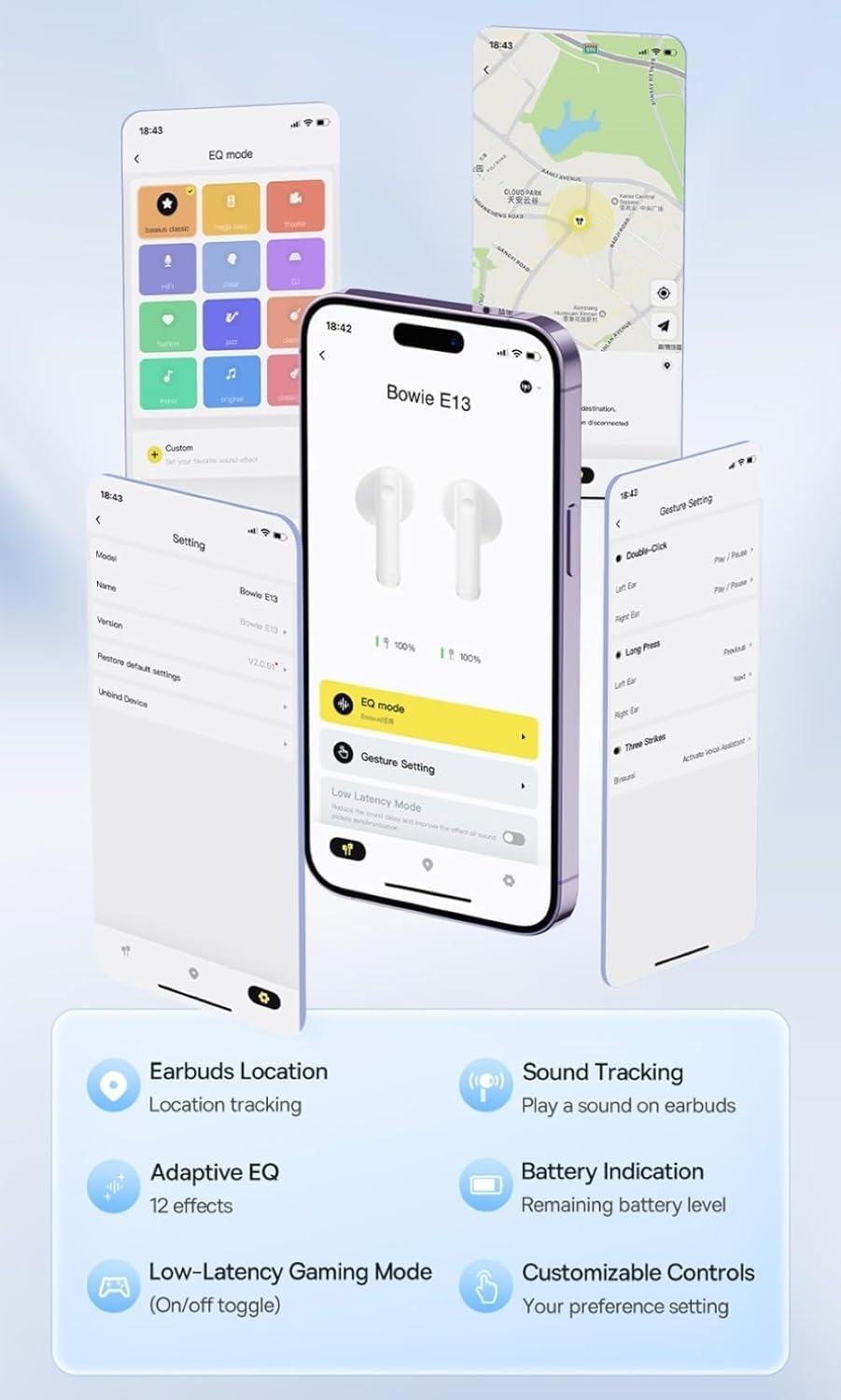
Image: Multiple smartphone screens displaying the Baseus app interface, highlighting features such as EQ mode, gesture settings, low-latency gaming mode, earbud location tracking, sound tracking, adaptive EQ with 12 effects, battery indication, and customizable controls.
5. آپريشن
5.1 بنيادي ڪنٽرول
The Baseus E13 TWS Bowie Headphones feature touch controls for easy management of audio and calls. Specific gestures can be customized via the Baseus app.
- راند/روڪ: ٻنهي ائربڊ تي هڪ ڀيرو ٽيپ ڪريو.
- اڳيون ٽريڪ: ساڄي ائربڊ تي ٻٽي ٽيپ ڪريو.
- پويون ٽريڪ: کاٻي ائربڊ تي ٻٽي ٽيپ ڪريو.
- جواب/آخر ڪال: ٻنهي ائربڊ تي هڪ ڀيرو ٽيپ ڪريو.
- ڪال رد ڪريو: ٻنهي ائربڊ تي ڊگهو دٻايو.
- وائس اسسٽنٽ کي فعال ڪريو. ٻنهي مان ڪنهن به ائربڊ تي ٽي ڀيرا ٽيپ ڪريو.
5.2 Low-Latency Gaming Mode
For an optimized gaming experience, activate the 0.06s ultra-low latency gaming mode through the Baseus app. This reduces audio delay, providing faster response times.
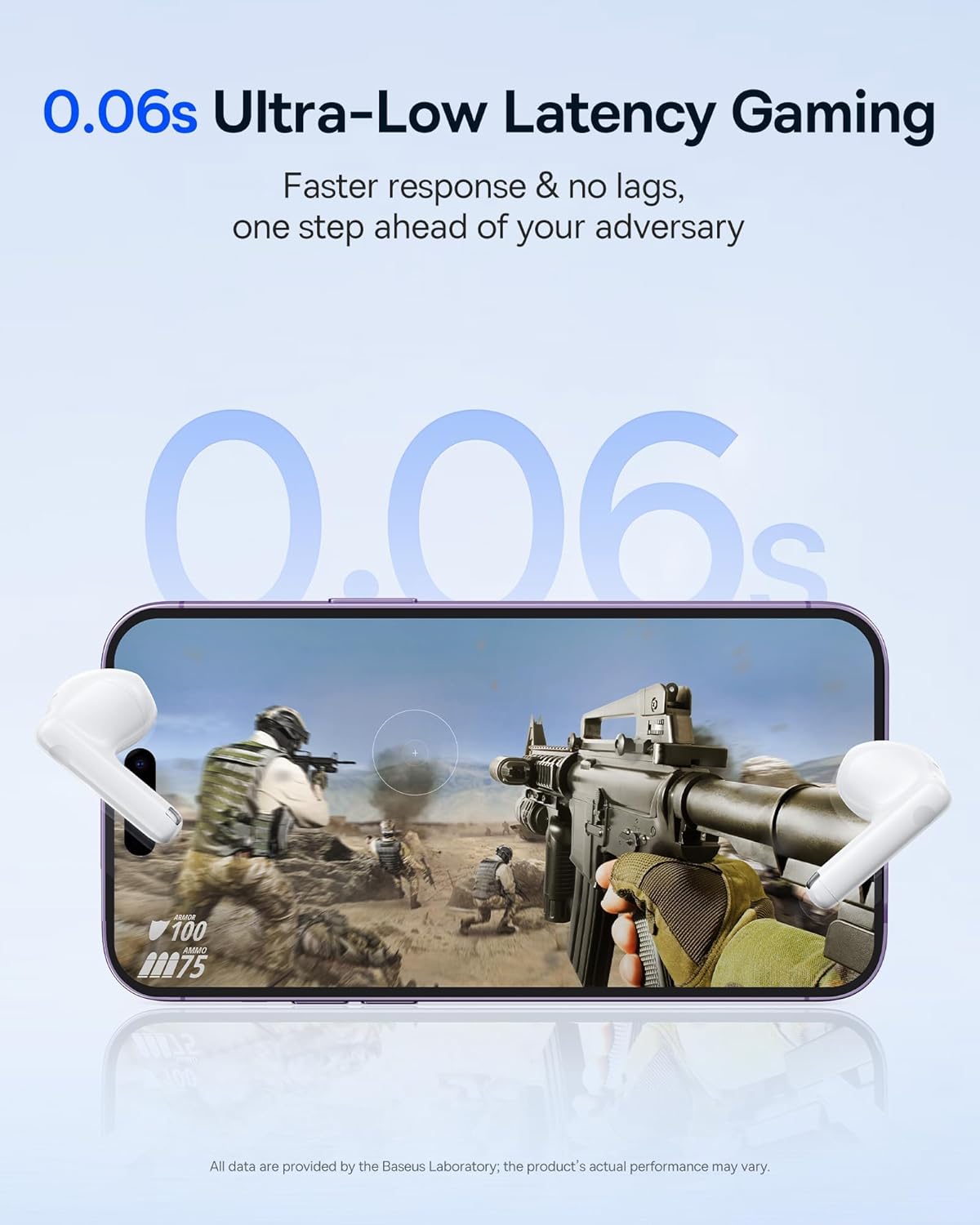
Image: The Baseus E13 TWS Bowie Headphones positioned near a smartphone screen displaying a fast-paced first-person shooter game, emphasizing the 0.06s ultra-low latency feature for gaming.
5.3 آڊيو پلے بیک
Enjoy up to 30 hours of continuous audio playback with the assistance of the charging case. Each earbud provides several hours of playback on a single charge, with the case offering multiple recharges.

Image: The Baseus E13 TWS Bowie Headphones and their charging case, overlaid with a graphic prominently displaying '30H', signifying the total audio playback time achievable with the case.
5.4 آواز جي معيار
The earbuds are equipped with a large 12mm diaphragm, designed to restore each note with remarkable depth and accuracy, providing a powerful low-frequency audio experience.

Image: A detailed cutaway diagram of a Baseus E13 TWS earbud, focusing on the internal structure of the large 12mm diaphragm and its contribution to sound quality.
5.5 ڪنيڪشن
Utilizing Bluetooth 5.3 technology, the headphones offer a faster and more stable wireless connection, ensuring smooth audio transmission and enhanced sound quality.

تصوير: هڪ شفاف view of a Baseus E13 TWS earbud, revealing its internal circuitry and specifically highlighting the integrated Bluetooth 5.3 chip for advanced wireless connectivity.
6. ائربڊس پائڻ
The earbuds are designed with a mini stem and a lightweight profile, featuring a 45° wearing angle for a comfortable and secure fit.

Image: A woman wearing a Baseus E13 TWS earbud, illustrating the ergonomic design with a mini stem and lightweight construction for a comfortable user experience.
7. سار سنڀال
- صفائي: ائربڊس ۽ چارجنگ ڪيس کي باقاعدي طور تي نرم، سڪل، لِنٽ فري ڪپڙي سان صاف ڪريو. سخت ڪيميڪل يا رگڙيندڙ مواد استعمال نه ڪريو.
- پاڻي جي مزاحمت: The earbuds are water resistant. Avoid submerging them in water or exposing them to excessive moisture. Dry thoroughly if they come into contact with liquids.
- اسٽوريج: جڏهن استعمال ۾ نه هجي، ته ائربڊس کي انهن جي چارجنگ ڪيس ۾ محفوظ ڪريو ته جيئن انهن کي محفوظ رکي سگهجي ۽ انهن کي چارج رکيو وڃي. انتهائي گرمي پد کان پري ٿڌي، سڪل جاءِ تي ذخيرو ڪريو.
- بيٽري جي سنڀال: بيٽري جي زندگي بچائڻ لاءِ، ائربڊس ۽ ڪيس کي بار بار مڪمل طور تي چارج ڪرڻ کان پاسو ڪريو. انهن کي باقاعدي طور تي چارج ڪريو، جيتوڻيڪ مسلسل استعمال ۾ نه هجي.
8. مسئلا حل ڪرڻ
If you encounter issues with your Baseus E13 TWS Bowie Headphones, refer to the following common solutions:
- آواز ناهي:
- پڪ ڪريو ته ائربڊس چارج ٿيل آهن.
- پنهنجي ڊوائيس سان بلوٽوٿ ڪنيڪشن چيڪ ڪريو.
- ائربڊس ۽ ڳنڍيل ڊوائيس ٻنهي تي حجم کي ترتيب ڏيو.
- ائربڊس جوڙو نه ٿي رهيو آهي:
- ائربڊس کي ڪيس ۾ واپس رکو، بند ڪريو، پوءِ پيئرنگ موڊ ۾ ٻيهر داخل ٿيڻ لاءِ ٻيهر کوليو.
- Forget "Baseus E13" from your device's Bluetooth list and attempt to pair again.
- پڪ ڪريو ته ائربڊز توهان جي ڊوائيس جي حد اندر آهن.
- چارج جا مسئلا:
- پڪ ڪريو ته چارجنگ ڪيبل ڪيس ۽ پاور سورس ٻنهي سان محفوظ طور تي ڳنڍيل آهي.
- ڪوشش ڪريو مختلف USB پورٽ يا پاور اڊاپٽر.
- Ensure charging contacts on earbuds and in case are clean and free of debris.
- هڪ ائربڊ ڪم نه ڪري رهيو آهي:
- پڪ ڪريو ته ٻئي earbuds چارج ٿيل آهن.
- Try resetting the earbuds (refer to app or Baseus support for specific instructions).
9. وضاحتون
| برانڊ | بيسس |
| ماڊل نالو | E13 TWS |
| رابطي ٽيڪنالاجي | وائرليس (بلوٽوٿ 5.3) |
| ڪن جي جڳهه | ڪن ۾ |
| فارم فيڪٽر | سچو وائرليس |
| رڪاوٽ | 32 اوم |
| ڪنٽرول قسم | Touch controls, App |
| مواد | پلاسٽڪ |
| شيءِ جو وزن | 0.07 ڪلوگرام |
| پاڻي جي مزاحمت جي سطح | پاڻي مزاحمتي |
| وڌ ۾ وڌ آپريٽنگ فاصلو | 10 ميٽر |
| بيٽري جي سراسري زندگي | 30 ڪلاڪن تائين (چارجنگ ڪيس سان) |
| خاص خاصيتون | 0.06s ultra-low latency, Faster and more stable 5.3 wireless chip, Lightweight and Mini Design, Powerful low frequency controller |
10. وارنٽي ۽ سپورٽ
Baseus products are designed for reliability and performance. For warranty information, please refer to the warranty card included with your purchase or visit the official Baseus website. For technical support or further assistance, please contact Baseus customer service or visit the ايميزون تي بيسس اسٽور.


