1. تعارف
This manual provides essential information for the safe and efficient operation of your KIVI 55U740NB 55-inch Smart TV. Please read it thoroughly before using the device and retain it for future reference.
The KIVI 55U740NB Smart TV offers sharp, high-contrast images and excellent sound quality, powered by Dolby Audio technology. Its frameless design integrates seamlessly into any space. Featuring the Google TV system, it allows interaction with Google Assistant, access to Netflix, Google Chromecast, and content from external sources via USB and HDMI ports. The integrated KIVI Media app provides access to free cinema, games, and TV channels, while the DVB-T2 tuner ensures access to digital terrestrial television.
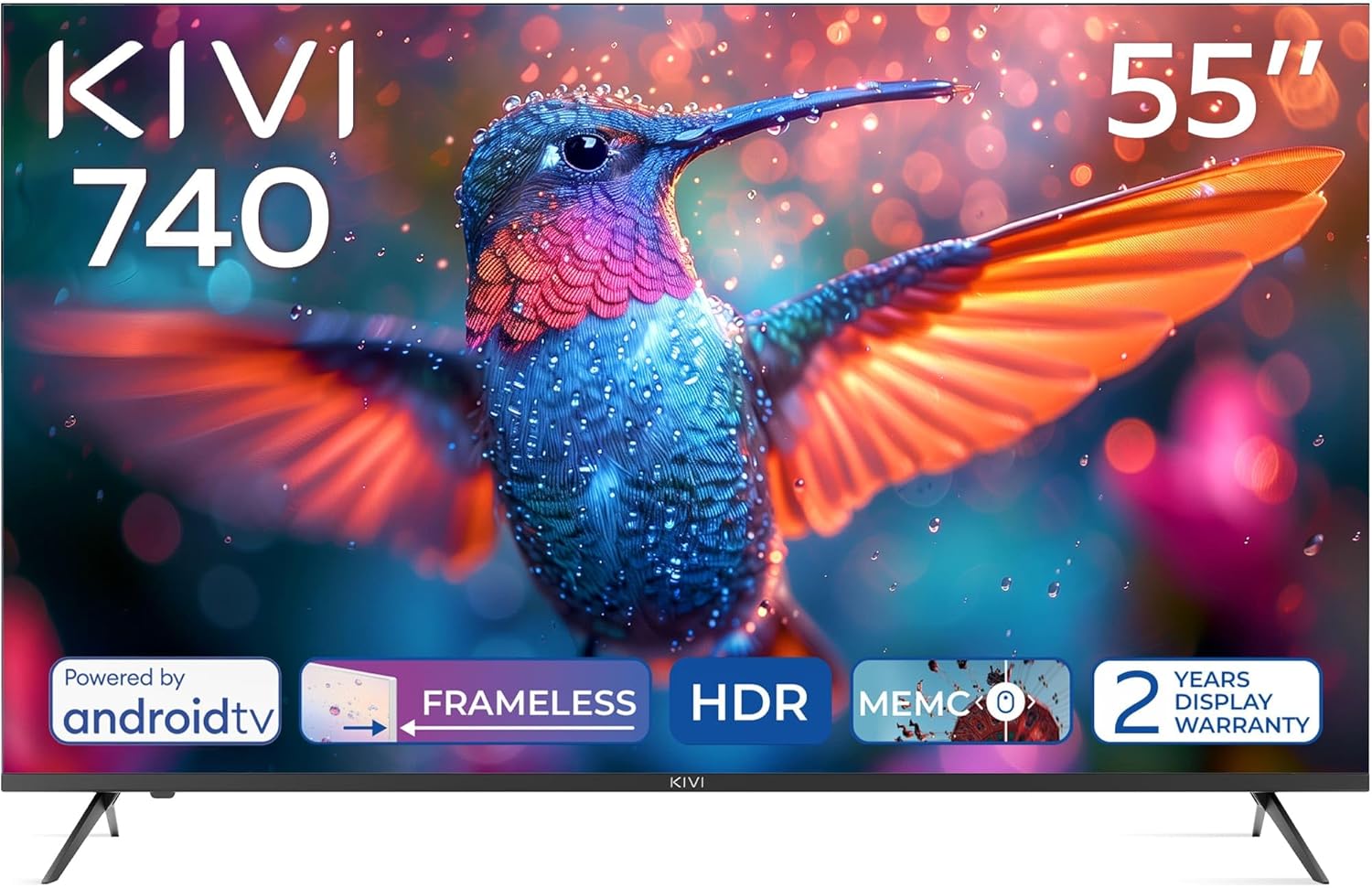
سامهون view of the KIVI 55U740NB 55-inch Smart TV, showcasing its frameless design and vivid display capabilities.
2. پيڪيج مواد
پڪ ڪريو ته هيٺ ڏنل سڀئي شيون پيڪنگ ۾ موجود آهن:
- KIVI 55U740NB Television
- انسٽاليشن دستي
- استعمال ڪندڙ دستي
- وارنٽي ڪارڊ
- توانائي جو ليبل
- مائڪرو فائبر ڪپڙو
- ريموٽ ڪنٽرول
- 2 x AAA بيٽريون
- 4 x Screws (for stand attachment)
- Composite Adapter
3. سيٽ اپ
3.1. اسٽينڊ لڳائڻ
- نقصان کان بچڻ لاءِ احتياط سان ٽي وي اسڪرين کي نرم، هموار مٿاڇري تي رکو.
- Align the TV stands with the corresponding slots on the bottom of the TV.
- مهيا ڪيل اسڪرو استعمال ڪندي اسٽينڊ کي محفوظ ڪريو. پڪ ڪريو ته اهي مضبوطيءَ سان مضبوط ڪيا ويا آهن.
3.2. ڀت چڙهڻ
The TV supports VESA 400x300 wall mounts (sold separately). Follow the instructions provided with your wall mount bracket for proper installation. Ensure the wall can support the weight of the TV.
3.3. پردي کي ڳنڍڻ
Refer to the rear panel image for port locations:

تفصيلي view of the rear panel of the KIVI 55U740NB Smart TV, illustrating the various input and output ports for external devices.
- HDMI: Connect external devices such as Blu-ray players, game consoles, or set-top boxes. This TV includes HDMI (eARC) for enhanced audio return channel functionality.
- USB: ميڊيا پلے بیک لاءِ USB ڊرائيو داخل ڪريو.
- Antenna (75Ω): Connect a DVB-T2 antenna for digital terrestrial television reception. Note: This model does not include a satellite tuner.
- Ethernet: وائرڊ انٽرنيٽ ڪنيڪشن لاءِ.
- بصري: سائونڊ بارز يا هوم ٿيٽر سسٽم ۾ ڊجيٽل آڊيو آئوٽ پُٽ لاءِ.
- Mini RCA: For connecting older analog devices using the composite adapter.
- هيڊ فون: هيڊفون جوڙڻ لاءِ.
- CI (عام انٽرفيس): For inserting a CAM module and smart card to access encrypted digital TV services.
3.4. Power On and First-Time Setup
- پاور ڪنڊ کي ٽي وي سان ڳنڍيو ۽ پوءِ پاور آئوٽليٽ سان.
- ريموٽ ڪنٽرول يا ٽي وي تي پاور بٽڻ دٻايو.
- شروعاتي سيٽ اپ مڪمل ڪرڻ لاءِ اسڪرين تي ڏنل هدايتن تي عمل ڪريو، جنهن ۾ ٻولي جي چونڊ، نيٽ ورڪ ڪنيڪشن (وائي فائي يا ايٿرنيٽ)، ۽ گوگل اڪائونٽ سائن ان شامل آهن.
4. پنهنجو ٽي وي هلائڻ
4.1. ريموٽ ڪنٽرول
The TV comes with an IR/Bluetooth remote control. Insert the two AAA batteries (included) into the remote control, ensuring correct polarity. If you encounter difficulty inserting batteries, refer to the diagram inside the battery compartment.
4.2. Google TV System
Your KIVI Smart TV runs on Android TV 11, providing access to a vast ecosystem of apps and services:

The KIVI 55U740NB Smart TV showcasing its Android TV 11 operating system, highlighting the wide range of available applications and user interface.
- گوگل اسسٽنٽ: مواد ڳولڻ، سمارٽ گهر ڊوائيسز کي ڪنٽرول ڪرڻ، ۽ معلومات حاصل ڪرڻ لاءِ وائس ڪمانڊ استعمال ڪريو.
- Netflix & Other Streaming Apps: Access popular streaming services directly from your TV.
- Google Chromecast: Cast content from your smartphone or tablet to the TV screen.
- گوگل پلي اسٽور: Download additional apps, games, and content.
4.3. KIVI Media App
The integrated KIVI Media app offers a curated selection of free cinema, games, and TV channels, expanding your entertainment options.
4.4. بنيادي نيويگيشن
Use the directional buttons on your remote to navigate menus and select options. The 'Back' button returns to the previous screen, and the 'Home' button takes you to the main Google TV interface.
5. تصوير ۽ آواز سيٽنگون
5.1. Picture Enhancement Features
The KIVI 55U740NB incorporates several technologies to optimize your viewتجربو:

Visual representation of the KIVI 55U740NB's advanced picture technologies, including Max Vivid, Super Contrast Control, Ultra Clear, and ALLM & Game Mode.
- وڌ ۾ وڌ روشن: Enhances SDR content to be as colorful as possible.
- Super Contrast Control: Makes SDR content more vibrant by optimizing contrast.
- Ultra Clear: Provides a clear picture with maximum detail.
- Automatic HDR Detection: The TV automatically detects and processes HDR content for improved dynamic range.
5.2. آواز جوڙ
The TV features Dolby Audio technology for an immersive sound experience. You can adjust sound modes and equalizer settings through the TV's audio menu. It supports a 5.1 surround sound channel configuration for compatible audio systems.
5.3. گيمنگ جون خاصيتون
For an optimized gaming experience, the TV includes:
- ALLM (خودڪار گھٽ ويڪرائي موڊ): جڏهن گيم ڪنسول جو پتو پوي ٿو ته خودڪار طريقي سان گهٽ ليٽنسي موڊ ۾ سوئچ ڪري ٿو، ان پٽ ليگ کي گهٽائي ٿو.
- راند جو طريقو: Further optimizes picture and sound settings for gaming.
6. ڪنيڪشن
The KIVI 55U740NB offers a variety of connectivity options:

Close-up of the KIVI 55U740NB Smart TV's rear panel, clearly labeling all available connection ports including HDMI, USB, Ethernet, and antenna input.
- HDMI بندرگاهن: Multiple HDMI 2.1 ports, including one with eARC support.
- USB بندرگاهن: Three USB 2.0 ports for connecting storage devices.
- وائي فائي: Integrated Wi-Fi for wireless internet connection (supports 5G).
- Ethernet (LAN): هڪ مستحڪم وائرڊ انٽرنيٽ ڪنيڪشن لاءِ.
- آپٽيڪل آڊيو آئوٽ: For high-quality digital audio output.
- اينٽينا ان پٽ: For DVB-T2 terrestrial digital TV.
- هيڊ فون جڪ معياري 3.5mm آڊيو آئوٽ پٽ.
- CI سلاٽ: مشروط رسائي ماڊلز لاءِ عام انٽرفيس سلاٽ.
7. سار سنڀال
7.1. ٽي وي صاف ڪرڻ
- اسڪرين: Gently wipe the screen with the provided microfiber cloth or a soft, lint-free cloth. For stubborn marks, lightly dampڪپڙي کي پاڻي يا خاص اسڪرين ڪلينر سان صاف ڪريو. ڪڏهن به مائع سڌو سنئون اسڪرين تي نه اسپري ڪريو.
- ٽي وي باڊي: ٽي وي فريم کي نرم، سڪل ڪپڙي سان صاف ڪريو ۽ اسٽينڊ ڪريو. رگڙيندڙ ڪلينر يا سالوينٽس استعمال ڪرڻ کان پاسو ڪريو.
صفائي ڪرڻ کان اڳ هميشه ٽي وي کي پاور آئوٽليٽ مان ڪڍي ڇڏيو.
7.2. سافٽ ويئر اپڊيٽ
بهترين ڪارڪردگي ۽ جديد خصوصيتن تائين رسائي کي يقيني بڻائڻ لاءِ، باقاعدي طور تي سافٽ ويئر اپڊيٽس جي جانچ ڪريو:
- پڪ ڪريو ته توهان جو ٽي وي انٽرنيٽ سان ڳنڍيل آهي.
- Navigate to the 'Settings' menu on your Google TV.
- Select 'System' or 'About' and then 'Software Update' or 'System Update'.
- ڪنهن به دستياب اپڊيٽ جي جانچ ڪرڻ ۽ انسٽال ڪرڻ لاءِ اسڪرين تي ڏنل هدايتن تي عمل ڪريو.
8. مسئلا حل ڪرڻ
جيڪڏهن توهان کي پنهنجي ٽي وي سان مسئلا درپيش اچن ٿا، ته هيٺ ڏنل عام مسئلن ۽ حلن جو حوالو ڏيو:
- طاقت ناهي:
• Check if the power cord is securely connected to both the TV and the power outlet.
• Ensure the power outlet is functional by testing it with another device. - تصوير ناهي، پر آواز موجود آهي:
• Check the input source. Press the 'Source' button on your remote to cycle through inputs.
• Ensure all HDMI or other video cables are securely connected. - آواز ڪونهي، پر تصوير موجود آهي:
• Check the volume level and ensure the TV is not muted.
• If using external audio devices, ensure they are properly connected and powered on. Check the TV's audio output settings. - ريموٽ ڪنٽرول جواب نه ڏئي رهيو آهي:
• Ensure the AAA batteries are correctly inserted and not depleted. Replace if necessary.
• Point the remote directly at the TV's IR sensor.
• For Bluetooth remote, ensure it is paired with the TV. Re-pair if connection is lost. - نيٽ ورڪ ڪنيڪشن جا مسئلا:
• For Wi-Fi, ensure your router is on and within range. Re-enter the Wi-Fi password if needed.
• For Ethernet, ensure the cable is securely connected to both the TV and your router. - No Satellite TV Channels:
• The KIVI 55U740NB is equipped with a DVB-T2 tuner for digital terrestrial television. It does not have an integrated satellite tuner (DVB-S2). To receive satellite channels, an external satellite receiver is required.
If the problem persists, consult the KIVI support webسائيٽ يا ڪسٽمر سروس سان رابطو ڪريو.
9. وضاحتون
Key technical specifications for the KIVI 55U740NB Smart TV:
| خاصيت | تفصيل |
|---|---|
| برانڊ | KIVI |
| ماڊل | 55U740NB |
| اسڪرين جي ماپ | 55 انچ |
| ڊسپلي ٽيڪنالاجي | LED, VA Panel |
| قرارداد | 3840 x 2160 پڪسل (4K UHD) |
| ريفريش جي شرح | 60 هز |
| آپريٽنگ سسٽم | Android ٽي وي |
| اندروني اسٽوريج | 8 جي بي |
| Tuner ٽيڪنالاجي | DVB-T2 (Terrestrial Digital TV) |
| خاص خاصيتون | Google TV, KIVI Media App, Super Contrast Control, Voice Assistant |
| آڊيو آئوٽ پٽ موڊ | سرائونڊ (ڊولبي آڊيو) |
| رابطي | Wi-Fi (5G), 3x USB ports, HDMI (eARC), Ethernet |
| بجلي جو استعمال | 83 واٽ |
| توانائي جي ڪارڪردگي ڪلاس | F |
| پيداوار جي ماپ (DxWxH) | 8.2 x 123.1 x 72 سينٽي |
| وزن | 15 ڪلو |
| بيٽرين جي ضرورت آهي | 2 AAA (شامل) |

Official product data sheet providing detailed technical specifications and compliance information for the KIVI 55U740NB Smart TV.

The EU energy efficiency label for the KIVI 55U740NB Smart TV, indicating its energy consumption rating and other relevant energy data.
وڌيڪ تفصيلي توانائي جي معلومات لاءِ، مهرباني ڪري EPREL ڊيٽابيس جو دورو ڪريو: https://eprel.ec.europa.eu/qr/1320388
10. وارنٽي ۽ سپورٽ
10.1. وارنٽي ڄاڻ
The KIVI 55U740NB Smart TV comes with a 2-year display warranty ۽ هڪ 3-year product support guarantee. مھرباني ڪري وارنٽي جي دعوائن لاءِ خريداري جو ثبوت پاڻ وٽ رکو. وارنٽي عام استعمال جي حالتن ۾ پيداوار جي خرابين کي ڍڪيندي آهي.
10.2. ڪسٽمر سپورٽ
For technical assistance, warranty claims, or further inquiries, please refer to the contact information provided on your warranty card or visit the official KIVI webسپورٽ وسيلن لاء سائيٽ.


