1. تعارف ۽ اوورview
The Aja 12G-AMA is a high-performance 12G-SDI 4-Channel Analog Balanced Audio Embedder/Disembedder Mini-Converter designed to seamlessly integrate audio and video in professional production workflows. This compact device facilitates the embedding of analog audio into an SDI stream and the disembedding of audio from an SDI stream, supporting resolutions up to 4K/UltraHD at 60p.
It offers versatile audio integration via XLR breakout and is compatible with a wide range of video formats including SD, HD, 2K, UltraHD, and 4K. The 12G-AMA is configurable via external DIP switches or AJA's free Mini-Config software, providing intuitive control and the ability to perform firmware updates for enhanced functionality.
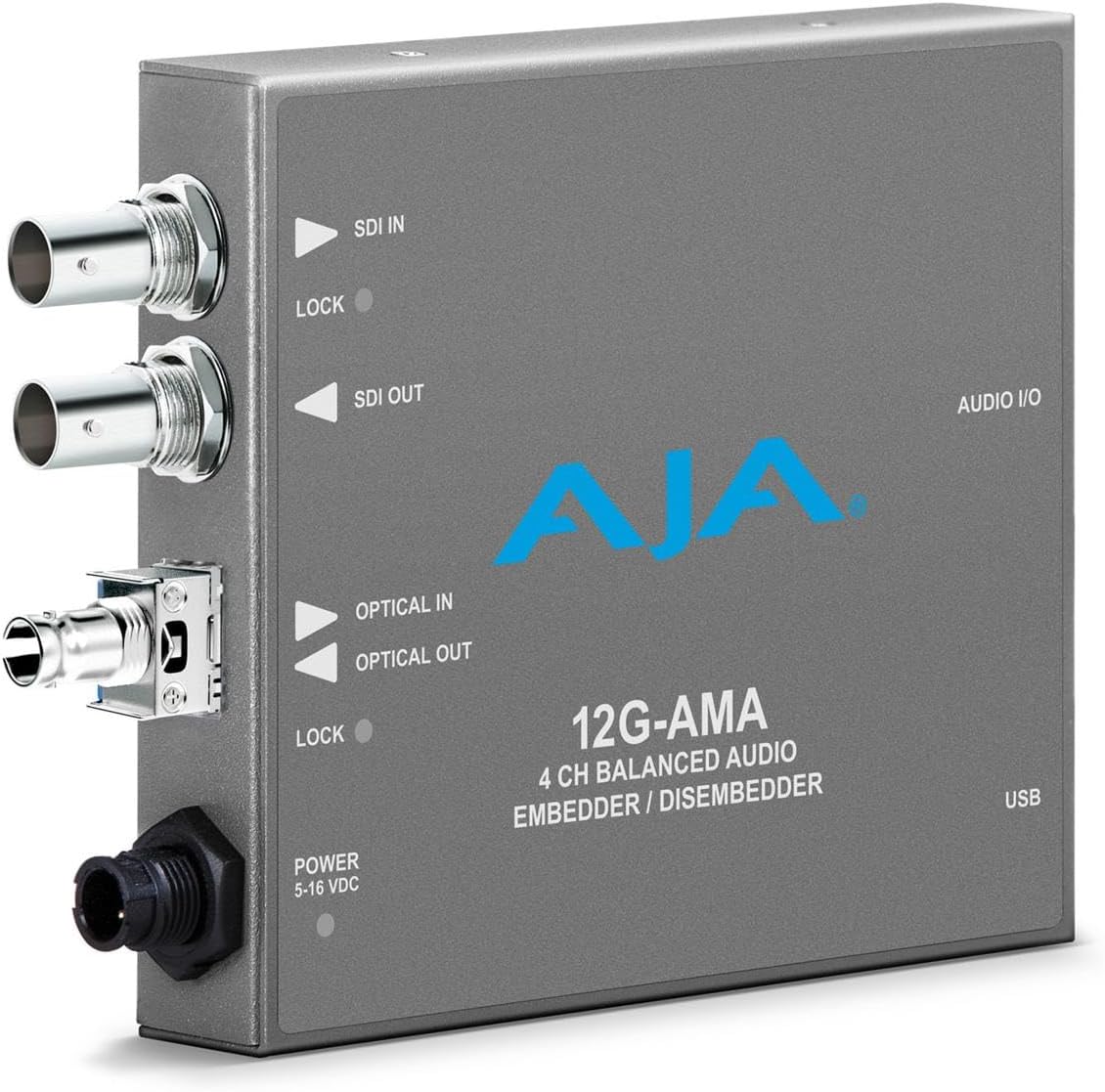
شڪل 1: سامهون view of the Aja 12G-AMA Mini-Converter, highlighting the SDI In/Out, Optical In/Out, Power input, and USB port for configuration.
2. اهم خاصيتون
- بهترين وڊيو معيار: Supports up to 4K/UltraHD at 60p for high-resolution video capture and conversion, ensuring crystal-clear images for professional video workflows.
- Versatile Audio Embedding: Features 4-channel balanced analog audio embed/disembed via XLR breakout, offering flexible audio integration with precise 24-bit digital audio converters.
- Broad Format Compatibility: Handles a wide range of video formats, including SD, HD, 2K, UltraHD, and 4K, ensuring seamless integration into diverse production environments.
- وڌايل ڪيبل رسائي: Offers robust cable equalization, supporting long cable runs (up to 65m at 12 Gbps with Belden 1694A), maintaining signal integrity over distance.
- Intuitive Configuration: Easily configure settings via external DIP switches or the Mini-Config software for PC/Mac, providing user-friendly control over device parameters.
3. سيٽ اپ
Before connecting the 12G-AMA, ensure all equipment is powered off. Follow these steps for initial setup:
- پاور ڪنيڪشن: Connect the provided universal power supply to the 12G-AMA's locking power connector (5-16 VDC). The locking connector prevents accidental disconnections.
- SDI Connections:
- For embedding, connect your SDI video source to the SDI IN بندرگاهه.
- ڳنڍيو SDI ٻاهر port to your SDI destination device (e.g., monitor, recorder).
- اينالاگ آڊيو ڪنيڪشن: Use an XLR breakout cable (not included) to connect your balanced analog audio sources to the آڊيو I/O port for embedding, or to connect audio monitoring equipment for disembedded audio.
- Optical Fiber Connections (Optional): If using fiber optic connectivity, connect compatible optical fiber cables to the اختياري اندر ۽ آپٽيڪل آئوٽ بندرگاهن.
- USB Connection (for Configuration): Connect a USB cable from the 12G-AMA's USB port to your PC or Mac for configuration using the AJA Mini-Config software.

شڪل 2: زاويه view of the Aja 12G-AMA, illustrating the various input/output ports and their labels for proper connection.
4. آپريٽنگ هدايتون
The 12G-AMA can be configured using either external DIP switches or the AJA Mini-Config software.
4.1. Using AJA Mini-Config Software
The AJA Mini-Config software provides a comprehensive graphical interface for controlling all parameters of the 12G-AMA. It is recommended for detailed configuration and firmware updates.
- Download and install the latest AJA Mini-Config software from the official AJA webسائيٽ.
- Connect the 12G-AMA to your computer via the USB port.
- Launch the AJA Mini-Config application. The software will automatically detect the connected 12G-AMA.
- Navigate through the software interface to adjust audio embedding/disembedding settings, video format parameters, and perform firmware updates. Refer to the AJA Mini-Config software manual for detailed instructions.
4.2. Using External DIP Switches
For basic configurations, the 12G-AMA features external DIP switches. These switches allow for quick adjustments without needing a computer.
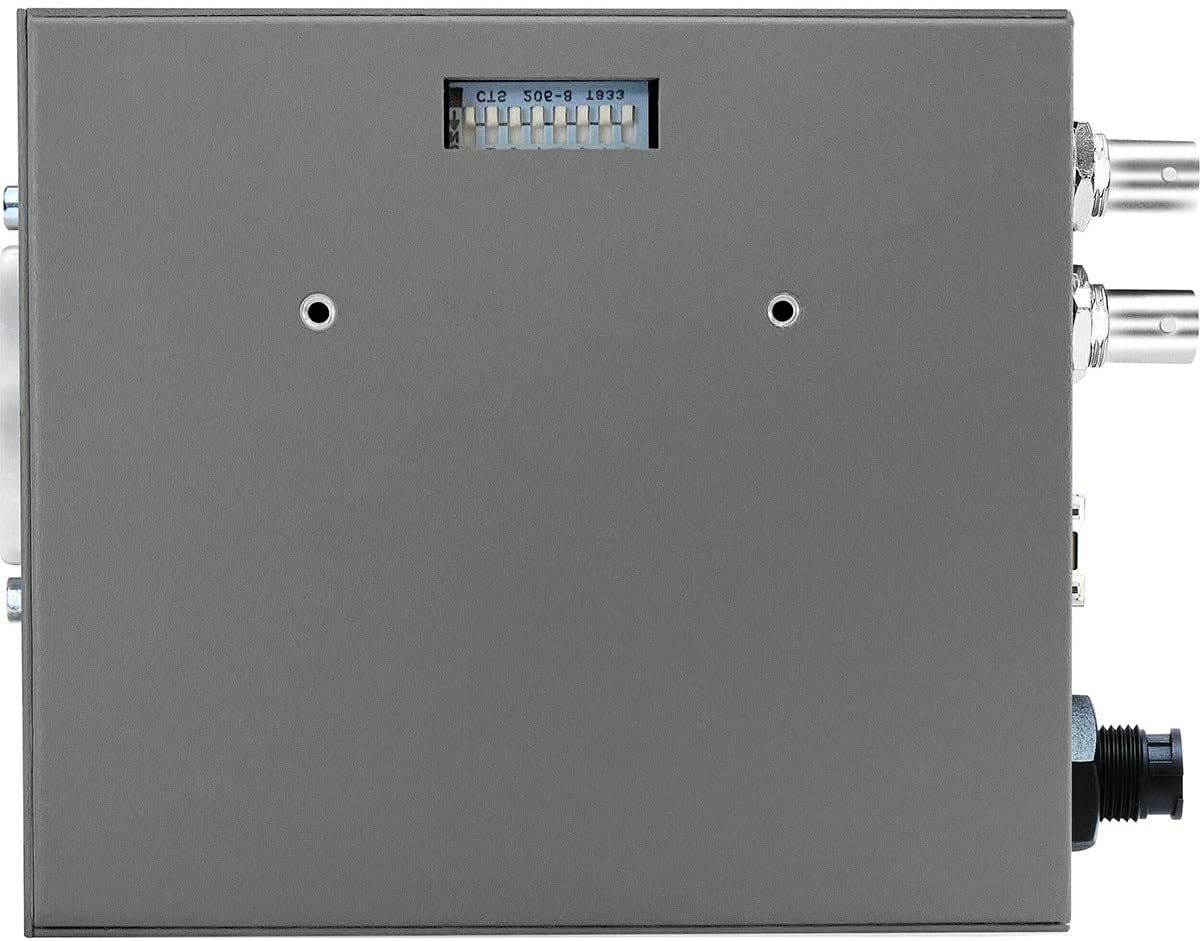
شڪل 3: مٿي view of the Aja 12G-AMA, revealing the DIP switches used for basic configuration settings.
Consult the product's quick start guide or the full manual available on the AJA website for the specific functions of each DIP switch.
5. سار سنڀال
Proper maintenance ensures the longevity and optimal performance of your 12G-AMA Mini-Converter.
- صفائي: يونٽ جي ٻاهرين حصي کي نرم، سڪل ڪپڙي سان باقاعدي صاف ڪريو. مائع صاف ڪندڙ يا سالوينٽس استعمال ڪرڻ کان پاسو ڪريو.
- فرم ويئر اپڊيٽس: Periodically check the AJA website for firmware updates. Keeping the firmware up-to-date ensures access to the latest features and performance improvements. Firmware updates are performed via the AJA Mini-Config software.
- ماحولياتي حالتون: Operate the device within its specified temperature and humidity ranges to prevent damage. Avoid exposing the unit to excessive dust or moisture.
6. مسئلا حل ڪرڻ
This section addresses common issues you might encounter with the 12G-AMA.
- طاقت ناهي:
- پڪ ڪريو ته پاور اڊاپٽر يونٽ ۽ ڪم ڪندڙ پاور آئوٽليٽ ٻنهي سان محفوظ طور تي ڳنڍيل آهي.
- پڪ ڪريو ته پاور آئوٽليٽ فعال آهي.
- ڪابه وڊيو آئوٽ:
- Check all SDI cable connections. Ensure they are securely fastened.
- Verify the input video format is supported by the 12G-AMA and the output device.
- Confirm settings in AJA Mini-Config software are correct for your application (embedding/disembedding mode, format conversion).
- Check the "LOCK" LED indicators next to the SDI IN/OUT and Optical IN/OUT ports. If not lit, there may be an issue with the signal.
- ڪو به آڊيو آئوٽ پُٽ/ان پٽ ناهي:
- Ensure the XLR breakout cable is correctly connected to the AUDIO I/O port and your audio equipment.
- Verify audio embedding/disembedding settings in the AJA Mini-Config software.
- Check audio levels and routing on your source and destination devices.
- Mini-Config Software Not Detecting Device:
- Ensure the USB cable is properly connected to both the 12G-AMA and your computer.
- ڪو ٻيو USB پورٽ يا ڪيبل آزمايو.
- Restart the Mini-Config software and/or your computer.
- Ensure the 12G-AMA is powered on.
If issues persist, refer to the comprehensive AJA 12G-AMA manual available on the AJA website or contact AJA Technical Support.
7. وضاحتون
| خاصيت | تفصيل |
|---|---|
| پيداوار جي ماپ | 10.1 x 5.5 x 3.8 انچ |
| شيءِ جو وزن | 2.35 پائونڊ |
| ماڊل نمبر | 12G-AMA |
| ASIN | B0CNYPSX5M |
| ٺاهيندڙ | AJA |
| وڊيو فارميٽ جي حمايت ڪئي وئي | SD, HD, 2K, UltraHD, 4K (up to 4K/UltraHD 60p) |
| آڊيو چينلز | 4-channel balanced analog audio |
| آڊيو ڪنورشن | 24-bit digital audio converters |
| پاور ان پٽ | 5-16 VDC (locking connector) |
8. وارنٽي ڄاڻ
AJA products typically come with a limited warranty. For specific warranty terms and conditions applicable to your 12G-AMA Mini-Converter, please refer to the warranty documentation included with your product or visit the official AJA webسائيٽ. وارنٽي دعوائن لاءِ خريداري جو ثبوت رکو.
9. سپورٽ
For technical assistance, additional documentation, or to download the latest AJA Mini-Config software and firmware updates, please visit the AJA support webسائيٽ:
You can also utilize the AJA Mini-Matrix mobile app (available on iOS) to find information about AJA Mini-Converters.


