Model: Omega S
This manual provides detailed instructions for the safe and effective use of your Labelife Omega S Embossing Label Maker. Please read this manual thoroughly before operating the device to ensure proper function and longevity. This label maker is designed for creating embossed labels for various organizational and crafting needs without the use of batteries or ink.
پڪ ڪريو ته هيٺ ڏنل سڀئي شيون توهان جي پيڪيج ۾ شامل آهن:

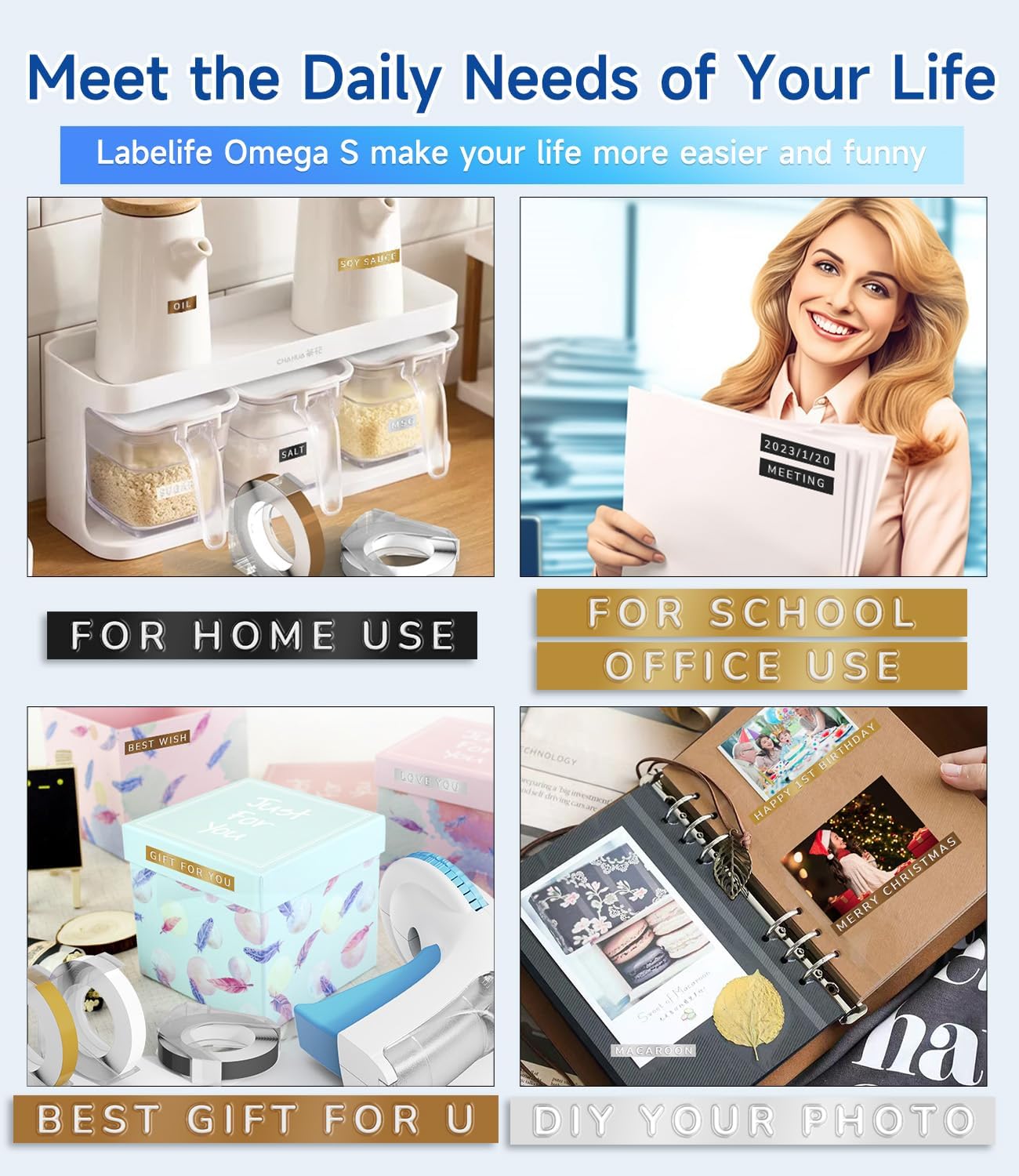
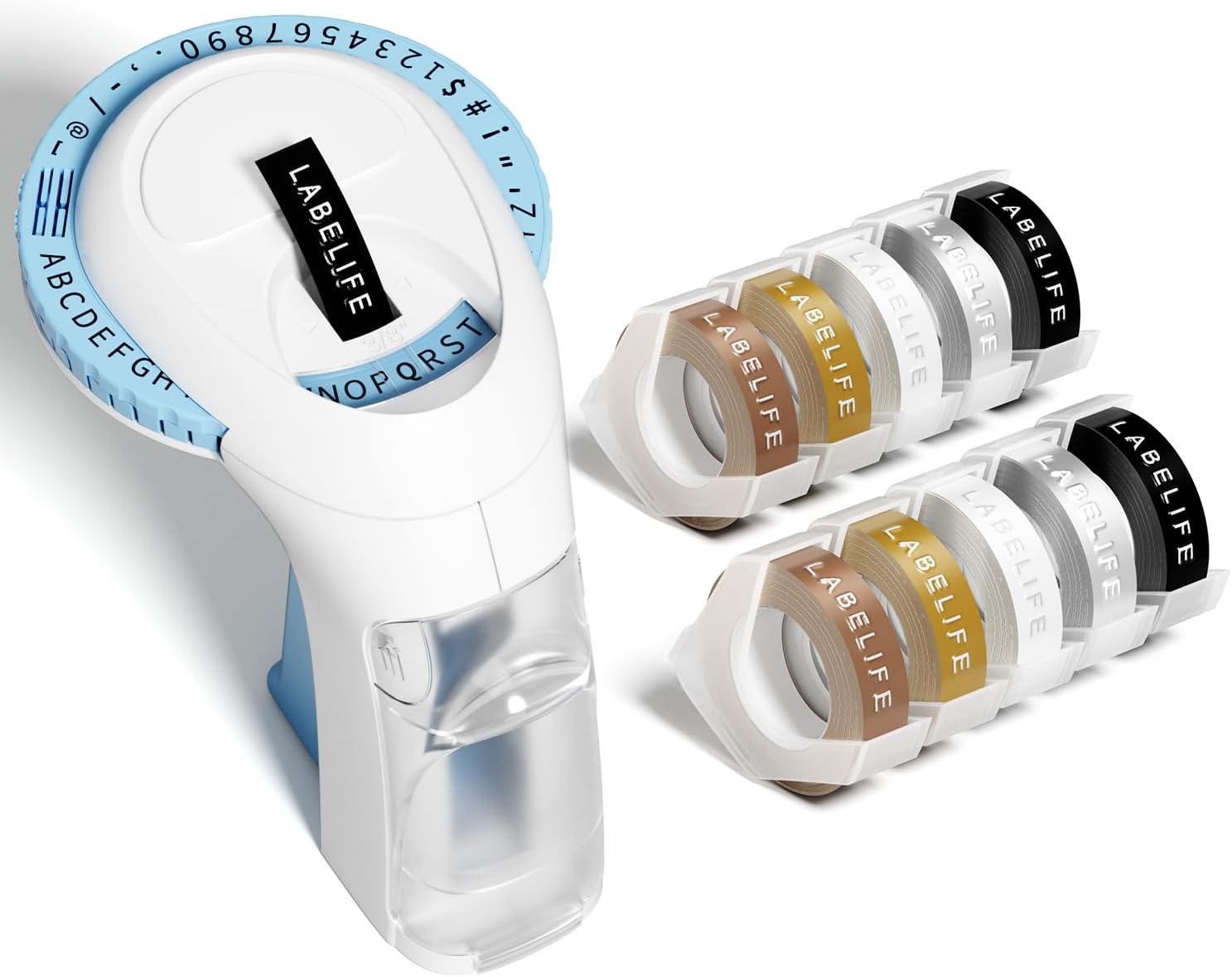
Image: The package contents, including the blue label maker, ten rolls of 9mm embossing tape in various colors, and a user manual.

Image: The label maker's character dial, highlighting the 48 available characters (A-Z, 0-9, and symbols) and the "Turn-and-Click" system.

Image: Visual representation of the label tapes' properties, including easy peeling, 3D effect, water resistance, abrasion resistance, and strong adhesive.
| برانڊ | ليبل لائف |
| ماڊل نالو | Omega S Embossing Label Maker |
| ڇپائي ٽيڪنالاجي | امباس ڪرڻ |
| رابطي ٽيڪنالاجي | دستوري |
| وڌ ۾ وڌ ميڊيا سائيز | 9mm (3/8" Inches) |
| پرنٽر انڪ جو قسم | مس جي ضرورت ناهي |
| پيداوار جي ماپ | 4.96 x 3.62 x 4.64 انچ (ڊي x ڊبليو x ايڇ) |
| شيءِ جو وزن | 11.3 اونس |

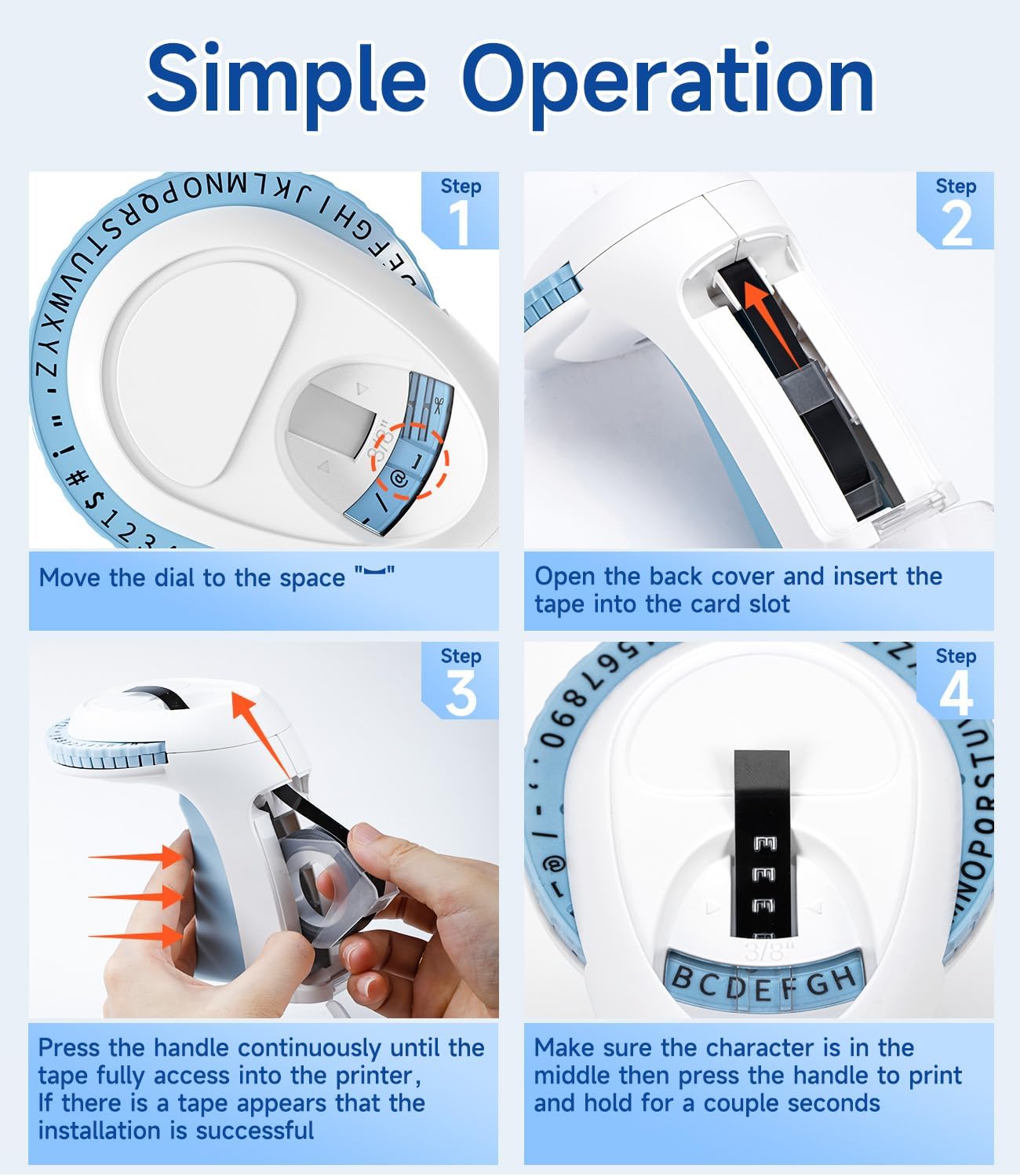
Image: Visual steps for loading the label tape, showing how to open the cover, insert the tape, and advance it by pressing the handle.

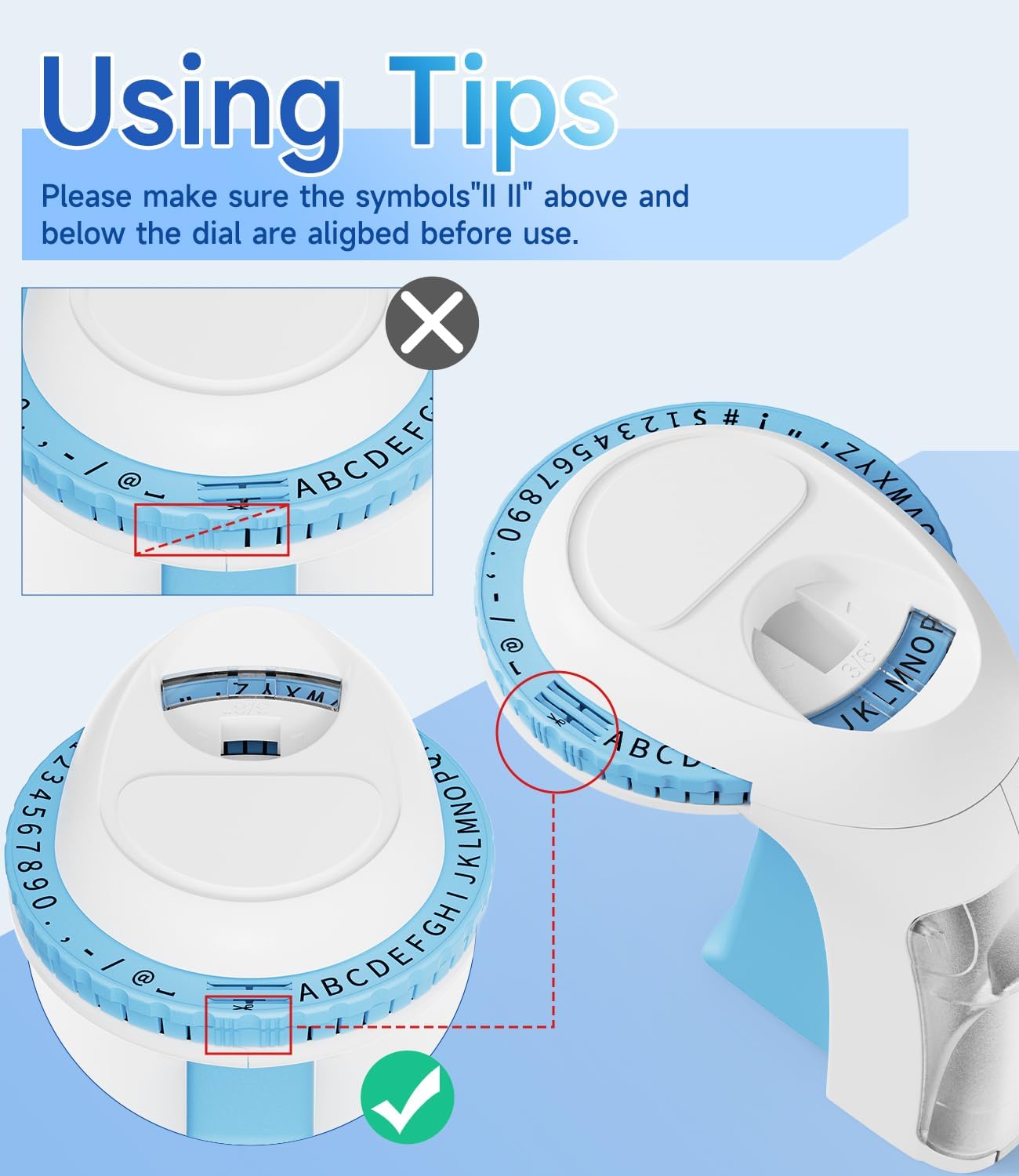
تصوير: تفصيلي view of the character dial, illustrating the importance of aligning the indicator marks for accurate character embossing.
The Labelife Omega S Embossing Label Maker requires minimal maintenance. Follow these guidelines to ensure its longevity:
| مسئلو | ممڪن سبب | حل |
|---|---|---|
| Characters are unclear or faint. | Insufficient pressure applied to the handle. | Press the handle more firmly and hold for a couple of seconds for each character. |
| Letters are not aligned or appear crooked. | Character dial not perfectly aligned before pressing. | Ensure the alignment marks on the dial are precisely matched with the indicator before pressing the handle for each character. |
| ٽيپ نه کاڌو ڏئي ٿي ۽ نه ئي جام ڪري ٿي. | Tape incorrectly loaded or debris in the tape path. | Open the back cover, remove the tape, and check for any obstructions. Re-insert the tape carefully, ensuring it is seated correctly. |
| Label does not cut cleanly. | Insufficient pressure when cutting or cutter blade is dull. | Ensure the dial is set to the scissor symbol and press the handle firmly to cut. If the issue persists, contact customer support. |
| Difficulty peeling off the tape backing. | The pre-cut divider may not have been fully created. | The tapes are designed with pre-cut dividers for easier peeling. If difficulty occurs, try gently bending the label to separate the backing or use a sharp, thin object to start the peel from a corner. |
For warranty information or technical support, please refer to the documentation included with your purchase or contact Labelife customer service directly. Keep your purchase receipt as proof of purchase.
You can visit the official Labelife store for more information: Labelife Store
![]() |
ليبل لائف ليبل ٺاهيندڙ: آسان ليبل ٽيپ لڳائڻ جي گائيڊ ليبل لائف کان جامع گائيڊ ته ڪيئن پنهنجي ليبل ٺاهيندڙ ۾ ليبل ٽيپ کي صحيح طريقي سان انسٽال ڪجي، بصري قدم بہ قدم هدايتن ۽ مسئلن جي حل جي صلاحن سان. |
![]() |
M221 ملٽي فنڪشنل پورٽيبل ليبل ٺاهيندڙ يوزر گائيڊ M221 ملٽي فنڪشنل پورٽيبل ليبل ميڪر لاءِ استعمال ڪندڙ گائيڊ، پراڊڪٽ جي تعارف، شروعات ڪرڻ، پيپر رول کي تبديل ڪرڻ، ليبل جي سائزن جي سڃاڻپ، پي سي ايپليڪيشن جي انسٽاليشن، ايپ استعمال ڪندڙ گائيڊ، حفاظتي هدايتون، صفائي ۽ سار سنڀال، آپريٽر پينل هدايتون، ۽ ريگيوليٽري معلومات کي ڍڪيندي. |
![]() |
Labelife D210S Handheld Label Printer User Manual Comprehensive user manual for the Labelife D210S handheld label printer, covering specifications, initial setup, basic usage, troubleshooting, and warranty information. |
![]() |
تڪڙي شروعات جي ھدايت: PM-241-BT ليبل پرنٽر PM-241-BT ليبل پرنٽر کي سيٽ ڪرڻ ۽ استعمال ڪرڻ لاءِ هڪ مختصر گائيڊ، جنهن ۾ انسٽاليشن، موبائل ۽ ڪمپيوٽر ڪنيڪٽوٽي، ۽ پرنٽنگ جون هدايتون شامل آهن. |
![]() |
ليبل لائف ايپ استعمال ڪندڙ گائيڊ: پرنٽنگ ۽ ليبل ٺاهڻ ليبل لائف ايپ لاءِ هڪ جامع صارف گائيڊ، جنهن ۾ پرنٽر کي ڪيئن ڳنڍجي، پي ڊي ايف پرنٽ ڪجي، تفصيل سان ٻڌايو ويو آهي. files، ليبل جي سائيز کي ترتيب ڏيو، ۽ ليبل ٺاهڻ لاءِ جديد خاصيتون استعمال ڪريو. |
![]() |
Labelife Software: Bluetooth Thermal Label Printer Setup Guide Step-by-step guide to setting up and connecting your Labelife thermal label printer via Bluetooth using the Labelife software. Learn how to create labels, configure paper settings, and establish a Bluetooth connection for printing. |