پيداوار ختمview
The LC-M27-QHD-180 is a 27-inch (68.58 cm) PC monitor designed to deliver a high-quality visual experience. It features a QHD resolution of 2560 x 1440 pixels, providing sharp and detailed images. The IPS panel ensures an ultra-fast 1 ms response time, excellent color accuracy, and wide viewing angles. With a refresh rate of 180 Hz, content display is very fluid, making it suitable for fast-paced applications and gaming.
Key features include Adaptive Sync for smooth gameplay, Picture-by-Picture (PbP) and Picture-in-Picture (PiP) for multi-source viewing, and a height-adjustable stand with integrated cable management for ergonomic use. The monitor also supports a pivot feature, allowing it to be rotated 90 degrees for vertical document viewing.
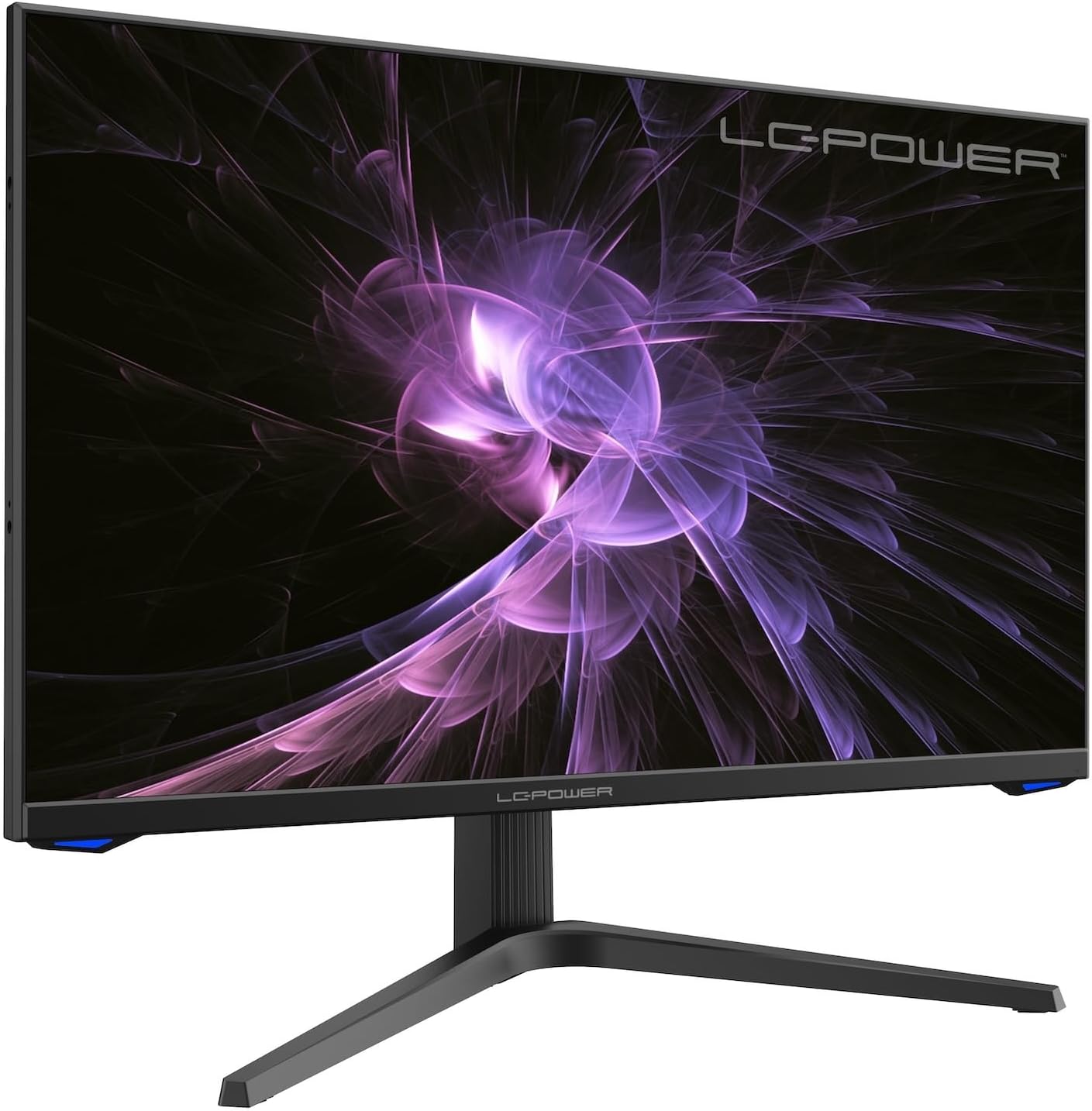
تصوير: سامهون view of the LC-M27-QHD-180 monitor, showcasing ان جي ڊسپلي ۽ سهڻي ڊيزائن.
سيٽ اپ گائيڊ
1. پيڪنگ ۽ مواد
Carefully remove all components from the packaging. Please verify that all items listed below are present:
- LC-M27-QHD-180 Monitor
- مانيٽر بيس
- HDMI ڪيبل
- پاور اڊاپٽر
- چڙهڻ جو مواد
- استعمال ڪندڙ جو دستياب (ھي دستاويز)
2. اسيمبلي
بنياد ڳنڍڻ:
- ڇڪڻ کان بچڻ لاءِ مانيٽر اسڪرين کي نرم، صاف مٿاڇري تي منهن هيٺ رکو.
- Align the stand arm with the slot on the back of the monitor.
- Secure the stand arm to the monitor using the provided screws.
- Attach the base plate to the stand arm and tighten the screws.
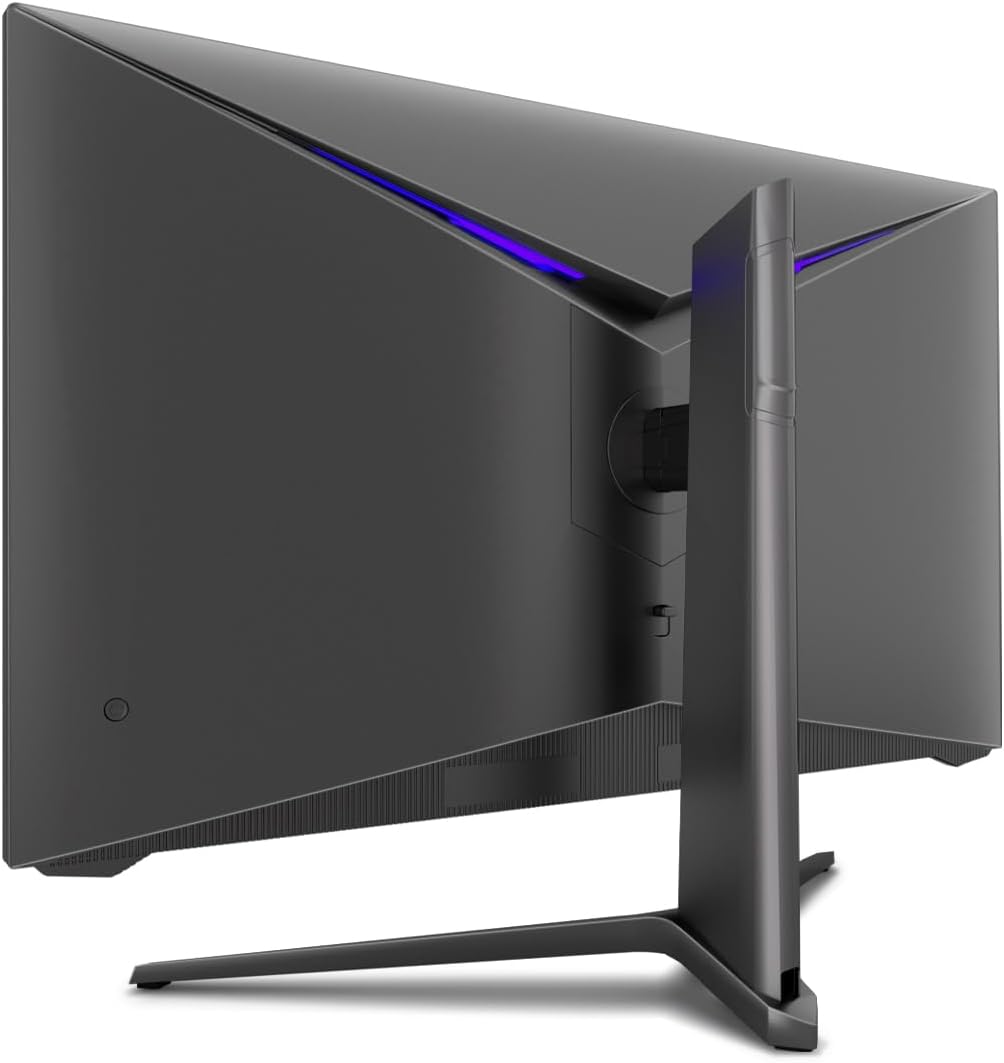
تصوير: پوئين پاسي view of the monitor, illustrating the stand assembly area and cable management design.
VESA چڙهڻ: The monitor is VESA compatible. If you intend to use a VESA mount, remove the stand arm after assembly and attach your VESA mount according to its instructions.
3. مانيٽر کي ڳنڍڻ
- پاور ڪنيڪشن: Connect the power adapter to the monitor's power input and then plug the power adapter into a wall outlet.
- وڊيو ڪنيڪشن: Connect one end of the provided HDMI cable to the HDMI port on your computer's graphics card and the other end to an HDMI input port on the monitor.
- پڪ ڪريو ته سڀئي ڪنيڪشن محفوظ آهن.
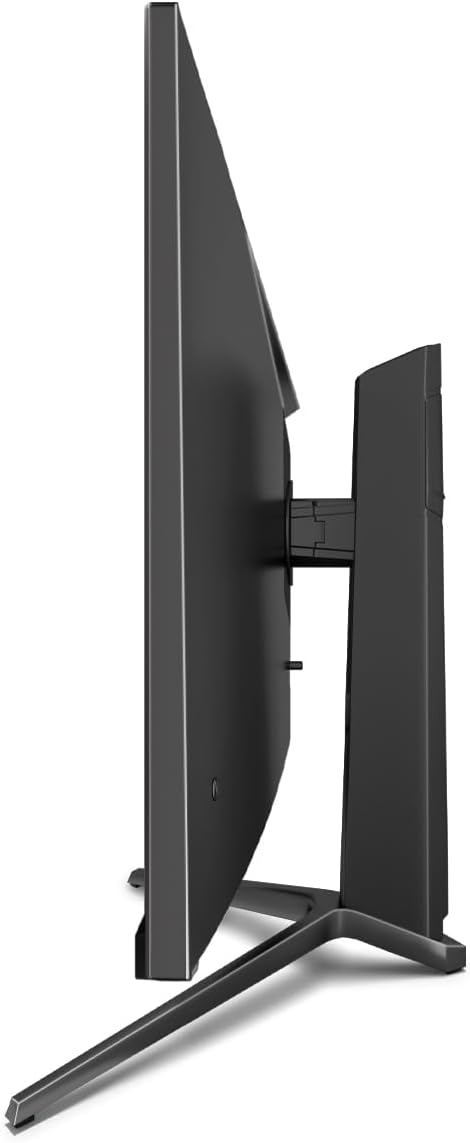
تصوير: پاسي view of the monitor, showing its slim design and connectivity ports.
4. شروعاتي پاور آن
Press the power button on the monitor. The power indicator light should illuminate. Your computer should automatically detect the new display. If not, adjust display settings in your operating system.
آپريٽنگ هدايتون
آن-اسڪرين ڊسپلي (OSD) مينيو
The monitor features an On-Screen Display (OSD) menu for adjusting various settings. Use the control buttons located on the monitor (typically on the back or bottom edge) to navigate the OSD menu.
اهم خاصيتون ۽ سيٽنگون
- موافقت واري هم وقت سازي: This technology synchronizes the monitor's refresh rate with your graphics card's frame rate, reducing screen tearing and stuttering for a smoother gaming experience. Enable this feature in your graphics card settings and on the monitor's OSD if applicable.
- اوور ڊرائيو: Overdrive pre-calculates and accelerates specific pixels, significantly reducing response times for both black-and-white and color nuance changes, resulting in clearer motion.
- گھٽ نيري روشني: The Low Blue Light filter reduces the emission of harmful blue light from the screen, minimizing eye strain and fatigue during prolonged use. This feature can be adjusted via the OSD menu.
- Picture-by-Picture (PbP) / Picture-in-Picture (PiP):
- PbP: Allows you to display content from two different input sources side-by-side on the same screen.
- PiP: Displays the image from a second source as a smaller, scalable window (up to 25% of original size) that can be positioned anywhere on the main screen.
- FPS / RTS Modes: Dedicated display modes optimized for First Person Shooter (FPS) and Real-Time Strategy (RTS) games. These modes enhance visibility and provide a better gaming experience by adjusting display parameters.
- محور خصوصيت: The monitor can be rotated 90 degrees to a vertical (portrait) orientation. This is particularly useful for reading documents, coding, or web برائوزنگ

Image: Diagram illustrating the monitor's ability to pivot 90 degrees for vertical viewing.
Note: After physically rotating the monitor, you must adjust the display orientation settings within your operating system (e.g., Windows Display Settings) to match the new physical orientation.
- Height Adjustable Stand & Cable Management: The integrated stand allows for height adjustment to achieve an ergonomic viewing position. Cables can be neatly routed through the stand's built-in cable management system to maintain a tidy workspace.

Image: Close-up of the monitor's stand, highlighting the integrated cable management feature.
سار سنڀال
پنهنجي مانيٽر جي ڊگهي عمر ۽ بهترين ڪارڪردگي کي يقيني بڻائڻ لاءِ، انهن سار سنڀال جي هدايتن تي عمل ڪريو:
- اسڪرين جي صفائي: Gently wipe the screen with a soft, lint-free cloth specifically designed for electronics. For stubborn marks, lightly dampen the cloth with water or a non-abrasive, monitor-safe cleaning solution. Do not spray liquid directly onto the screen.
- سي جي صفائيasing: مانيٽر جي سي کي صاف ڪرڻ لاءِ نرم، سڪل ڪپڙو استعمال ڪريوasing. Avoid using harsh chemicals or abrasive materials.
- وينٽيليشن: پڪ ڪريو ته مانيٽر تي وينٽيليشن جا سوراخ بند نه آهن ته جيئن وڌيڪ گرم ٿيڻ کان بچي سگهجي.
- بجلي بند: Always power off the monitor and unplug it from the power outlet before cleaning or if it will not be used for an extended period.
- سج جي سڌي روشني کان پاسو ڪريو: مانيٽر کي سڌي سج جي روشني يا گهڻي گرمي جي سامهون نه رکو.
مشڪلاتون
If you encounter issues with your LC-M27-QHD-180 monitor, please refer to the following common troubleshooting steps:
| مسئلو | ممڪن سبب | حل |
|---|---|---|
| اسڪرين تي ڪوبه تصوير نه آهي | Monitor not powered on; video cable loose or disconnected; incorrect input source selected. | Ensure power cable is securely connected and monitor is turned on. Check video cable connections (HDMI). Select the correct input source via the OSD menu. |
| تصوير ڌنڌلي يا بگڙيل آهي. | Incorrect resolution setting; video cable issue. | Set the display resolution to 2560 x 1440 pixels in your computer's display settings. Try a different HDMI cable if available. |
| ڪو به آواز نه آهي (جيڪڏهن مانيٽر ۾ اسپيڪر/آڊيو آئوٽ آهي) | Audio cable not connected; volume too low; incorrect audio output selected on computer. | Ensure audio cable (if used) is connected. Adjust monitor volume via OSD. Select the monitor as the default audio output device in your computer's sound settings. |
| اسڪرين چمڪندڙ | Refresh rate mismatch; faulty cable; graphics driver issue. | Ensure refresh rate is set to 180 Hz in display settings. Try a different video cable. Update your graphics card drivers. |
For more detailed troubleshooting or persistent issues, please consult the full user manual or contact LC-Power customer support.
وضاحتون
| خاصيت | تفصيل |
|---|---|
| ماڊل نمبر | LC-POWER (LC-M27-QHD-180) |
| اسڪرين جي ماپ | 27 انچ (68.58 سينٽي) |
| قرارداد | QHD Wide 1440p (2560 x 1440 pixels) |
| اسپيڪٽ ريشو | 16:9 |
| ريفريش جي شرح | 180 هز |
| جوابي وقت | 1 ايم ايس |
| پينل جو قسم | آئي پي ايس |
| اسڪرين جي مٿاڇري | Flach (Flat) |
| پيداوار جي ماپ (L x W x H) | 28.74 x 18.9 x 8.66 انچ |
| شيءِ جو وزن | 17.73 پائونڊ |
| ٺاهيندڙ | ايل سي پاور |
| ASIN | B0CQJNV3YR |
| تاريخ پهرين دستياب | مئي 31، 2024 |

Image: EU Energy Label for the LC-M27-QHD-180 monitor. For more details, scan the QR code or visit eprel.ec.europa.eu/qr/1758049.
وارنٽي ۽ سپورٽ
The LC-M27-QHD-180 monitor is manufactured by LC Power.
- جنرل وارنٽي: The product comes with a 3-year general warranty from the date of purchase.
- Guaranteed Availability of Spare Parts: Spare parts are guaranteed to be available for 7 years from the date of placing the product on the market.
- Guaranteed Product Support: Product support is guaranteed for 7 years.
For technical support, warranty claims, or service inquiries, please contact LC-Power customer support through their official channels. Refer to the packaging or the brand's official webمخصوص رابطي جي معلومات لاءِ سائيٽ.


